
A small harbor museum publishes a web page that explains the ferry connection to its waterfront exhibition. International visitors need a translated version, but the stop code F2, dock number and ticket link must remain exactly as the transport operator approved them. A polished translation that changes F2 to F7 could send people to the wrong pier.
Framer documents AI-supported Auto Translate for site pages and CMS content, as well as manual localization and locale preview. This guide uses hypothetical route copy; it does not claim to have translated or published a live website. The illustrated page layouts are conceptual and must not be mistaken for Framer screenshots.
Make a route fact sheet separate from the website copy
Start with a fact sheet signed off by the museum and operator. Include the actual boarding pier, the immutable stop identifier F2, any season-specific service dates, accessibility notes supplied by the operator, and the canonical ticket URL.
Mark unverified evening departures as pending rather than filling an empty timetable cell. For a working example, treat F2 as a fictional code, not travel advice for a real city. Keep the localizable headline and explanatory sentences separate from codes, numbers, branded dock names and interface labels that need strict consistency.
Set up the target locale and its fallback
Open the Framer editor’s Localization view, add the required language or regional locale, and check the fallback setting for untranslated strings. Framer describes a localization table containing page titles, descriptions and alt text.
Decide which content should be translated manually and which may receive AI suggestions. A regional language choice matters for wayfinding terms and date formats, but route codes are not prose to paraphrase. Record which English page is the source of truth, and make sure a reviewer can find it without translating back from the generated locale.
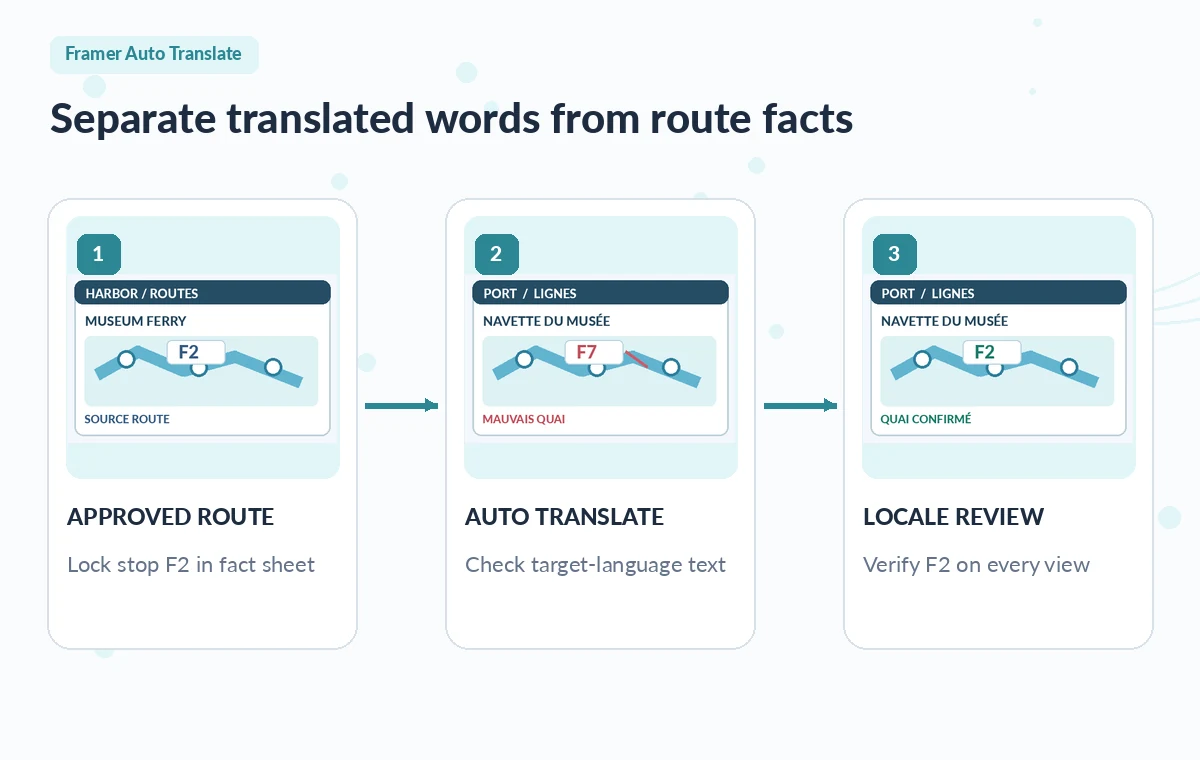
Understand how Auto Translate can update later
In the locale settings, Framer allows Auto Translate to be enabled, optionally with a selected model or an automatic choice. Newly added or modified Canvas and CMS text can then generate translated content across enabled locales. The behavior is useful for a changing event page, but it also means that a source edit can trigger new translation requiring review.
The Localization add-on and AI generation credits are separate considerations. If the team has no credits or needs guaranteed control over a sentence, manual translation remains available. Never imply that activation itself publishes an approved translation.
Translate one page, then examine its data fields
Begin with a short ferry information section rather than the whole site. Review the heading, body text, CMS card, navigation label, image alt text and call-to-action destination. Framer supports Translate All and more targeted Translate Content actions; choose the smaller operation when verifying a new locale.
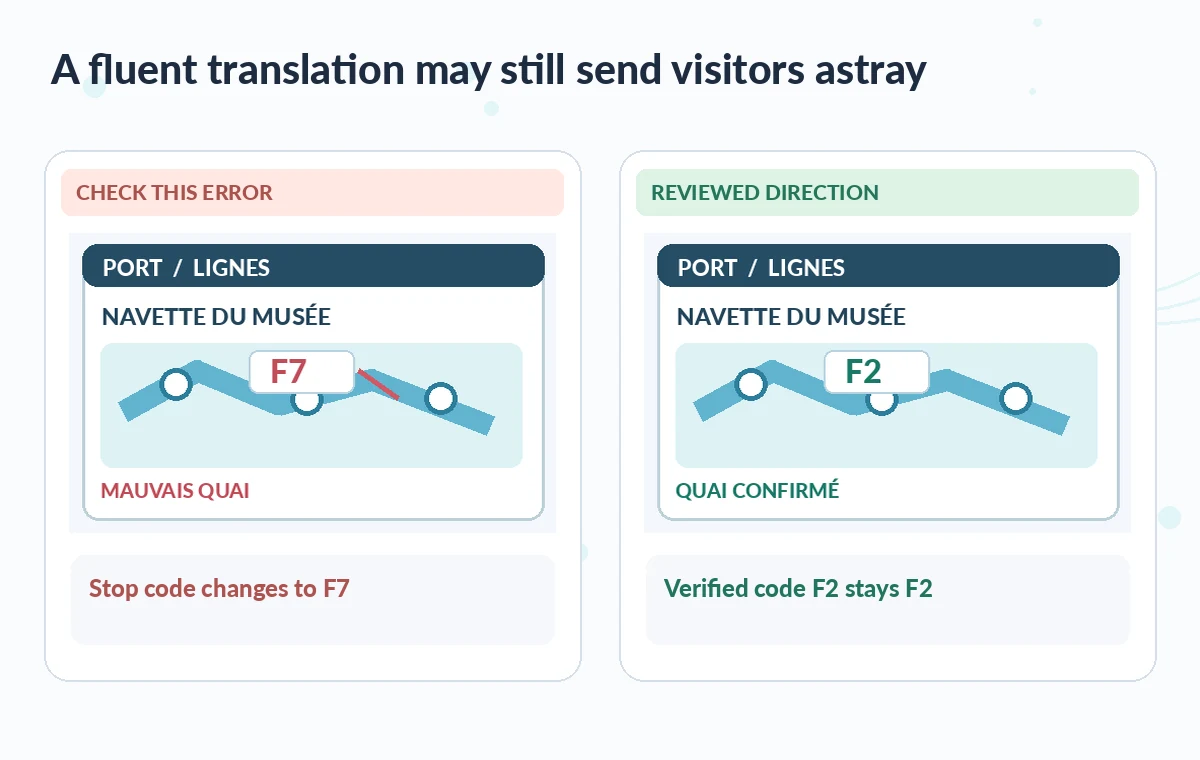
In the educational diagram, a risky translated page displays the incorrect code F7 beside an otherwise fluent headline. That example is a reviewer warning, not a recorded Framer output. Inspect each instance of F2 with search, but also read surrounding text for subtle destination reversals.
Check routes, numbers and accessible language manually
Ask a fluent reviewer to compare the original fact sheet and the target-language draft. A ferry arrival direction and departure direction can swap meaning even while all numbers remain the same. Check that F2 appears identically in headings, link labels, maps and captions.
Verify dates, parentheses, abbreviations and legal notices. If the site embeds a map image with English words baked into pixels, automatic translation of HTML text does not fix that image. Provide a localized alternative or a language-neutral diagram with accurate alt text, then test it with keyboard navigation.
Inspect CMS propagation and language switching
If a harbor notice is stored in a CMS collection, update a safe sample item and confirm how its locale content changes. A missed fallback may show English text unexpectedly; a freshly generated sentence may not have been signed off by staff.
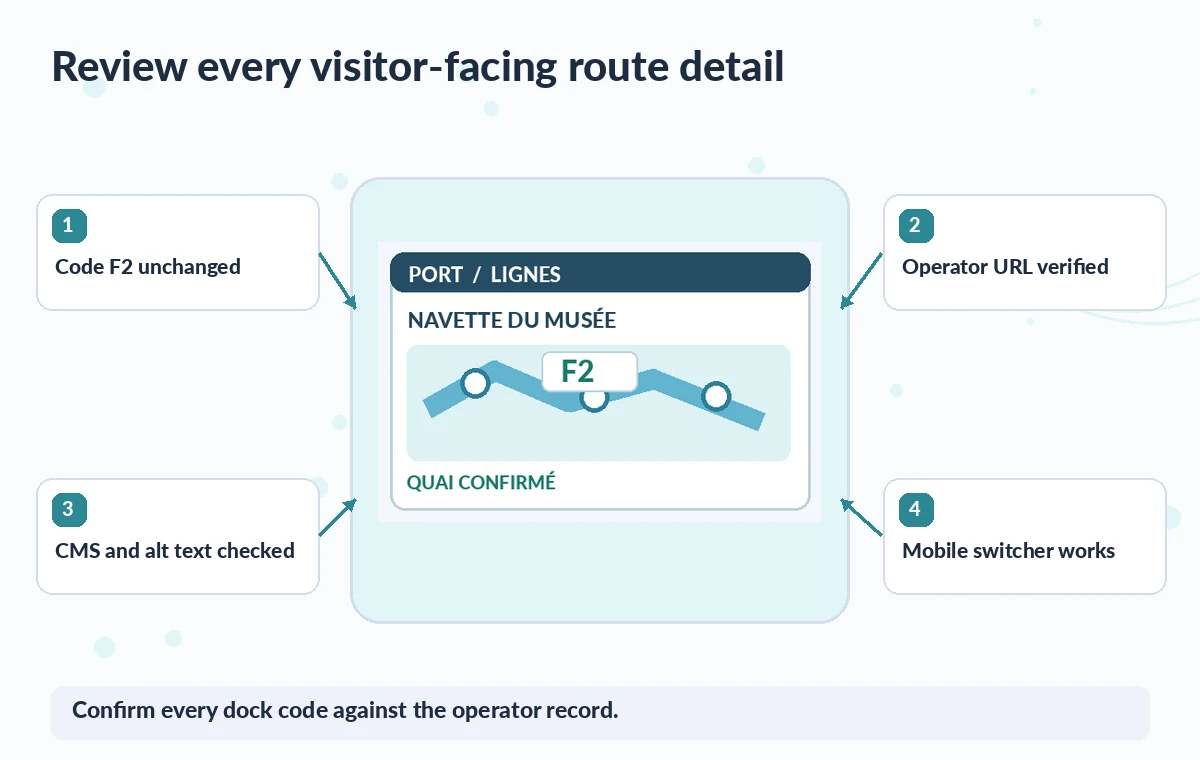
Check both desktop and mobile layouts, because longer words may collide with the ferry timetable or button. Switch languages from the actual visitor flow and verify that the ticket link still opens the approved destination, not a nonexistent translated path. Keep the proposed publication date in the editorial log.
Separate approval from automatic generation
Assign a translator or bilingual staff member to approve safety, access and route details before pressing publish. Use a change log with the source revision, target locale, translator, approved codes and review timestamp.
Pause automatic changes on high-risk pages if the team cannot keep up with updates; Framer lets users translate selected pages or content as another workflow. Avoid claiming a locale is “complete” merely because the panel shows generated text everywhere. A complete localization also includes functional navigation, links, support contact routes and a checked user journey.
Recheck after a route or timetable update
For later ferry changes, update the approved operator fact sheet first, then revise the source page and translated versions. A same-day cancellation needs a human who owns both the change and the multilingual notice. Preserve the old version for audit but do not leave stale text publicly linked.
Test the CMS card, prominent hero statement, mobile menu and external ticket URL again. Framer can help maintain translation coverage; it does not independently establish the accuracy of a transport schedule. The public page should show only information a real operator has confirmed.
How We Research
We prepared this guide on November 4, 2026 by reviewing developer documentation: Framer Auto Translate for Localization; Framer adding a new locale. We checked what each named function can do, its documented plan or format constraints, the available controls and the documented review and handoff points. The project examples are hypothetical teaching scenarios, not real software trials, customer records, measured benchmarks or evidence of a particular output. The original diagrams show the risks editors should inspect; they do not reproduce or impersonate product screenshots. For a live assignment, verify the current feature availability, rights, security requirements and output against the real source materials, then require a named human to authorize release.
Frequently Asked Questions
Framer documents automatic translation of translatable fields in CMS items as well as Canvas content when the feature is enabled.
Localization is a distinct workflow; AI generation uses plan AI credits, while manual translation does not require those credits.
Maintain a verified reference and manually inspect every code, including labels, alt text and CMS rows. Do not rely on fluency alone.
Framer documents Translate Content for individual layers or pages, in addition to translating the full project.
Only after a fluent reviewer verifies routes, dates, accessibility information, links, layout and the current operator-approved source.