
A museum committee is discussing a new exhibit, but an opening month is still under debate. An AI-generated summary can flatten ‘someone proposed July’ into ‘July opening approved’ unless its format and review process preserve uncertainty. Krisp supports customizable Meeting Notes Templates with smart blocks for key points, action items and outlines. This guide uses an invented committee meeting to show what to ask of a template, what Krisp actually documents, and why assigning an owner is a human decision rather than an inevitable byproduct of transcription.
Secure consent and a dependable recording first
Before the meeting, tell participants what will be recorded, why a transcript is needed, who will receive it and how long it will be kept. Krisp provides a Privacy & Consent setting that can notify others of recording, but the help center warns some meeting platforms can block such notifications. Confirm awareness through another appropriate channel and follow local rules and organizational policy. In the call application, check microphone and speaker routing so the transcript captures the intended speakers. If recording is not permitted, use a human note taker and the same structured template; no AI-generated record should be fabricated after the meeting.
Define the decisions this meeting can actually make
A fictional exhibit team may be able to approve draft wording but not the building’s opening date or conservation treatment. Write these authority boundaries at the top of the meeting agenda. Add fields for ‘approved by,’ ‘decision date’ and ‘evidence link,’ plus a separate section for suggestions requiring further review. If participants discuss a July opening, the notes should say it was proposed until the authorized vote or written sign-off is located. A useful template should make uncertain items visible rather than reward a smooth, confident story. This separation also helps readers distinguish a recorded comment from a policy change.
Create a template from the documented controls
Krisp’s help center directs users to Settings, then Templates, then Create template. The editor supports headings, tables, ordinary text and special Krisp Blocks. Set sections such as agenda item, confirmed decision, unresolved question, action owner and next review date. Insert a Key Points block to collect discussion topics and an Action Items block for proposed follow-up work. The Outline block can provide context, but it is not a substitute for the decision table. If editing a starter template, duplicate it first because Krisp documents that its starter templates cannot be edited directly.

Generate notes and keep the source meeting accessible
Krisp documents automatic summaries after calls and manual generation from a meeting page using the AI Notes template selector. Choose the appropriate template and check the resulting structure. Regenerating notes in another template can change how the same discussion is condensed; do not treat every variation as a new decision. Keep the meeting date, participant context and original transcript according to the team’s retention rules. If a note claims that an action was completed, find the supporting speech or external sign-off. Transcript recognition itself can contain errors, especially around names, dates and overlapping speakers.
Audit verbs that imply authority
Focus on words that convey approval: ‘agreed,’ ‘authorized,’ ‘will open,’ ‘approved,’ or ‘completed.’ Imagine someone says, ‘July might work if the gallery is ready,’ and the summary says, ‘July opening confirmed.’ The reviewed version should retain ‘July discussed; decision pending facilities review.’ Use precise conditional phrasing without hiding who will resolve the question. A meeting summary is not an official board minute unless the organization has formally adopted that process. When an item needs a separate vote, link to the vote record rather than inventing a unanimous decision from a quiet moment in the conversation.

Verify action ownership instead of trusting auto-assignment
Krisp’s meeting dashboard provides editable action items with due dates, priorities and assignees. It can infer assignees from calendar participants or transcript speaker labels. That may be convenient, but an action assigned to the wrong person is not harmless. Review the speaker identity and whether the person accepted the task. An example note might say ‘Sam will ask facilities,’ yet the transcript may have ‘Sam could ask facilities if nobody else can.’ Mark the owner as unconfirmed until the coordinator settles it. Record deadlines as pending rather than guessing a date from phrases like ‘soon.’
Protect sensitive information in shared summaries
Museum meetings can involve supplier prices, donor names, access codes or conservation notes not intended for general circulation. Krisp offers settings to auto-share recaps with all meeting invitees, team invitees, or through manual sharing. Inspect the setting before recording a sensitive session. A person invited for part of a meeting may not need the complete notes. Create a shareable action list that omits restricted content and keep the source record in the authorized workspace. Do not rely on a template heading labeled ‘confidential’ to enforce permissions; access settings determine who can open the file.
Handle corrections and version history explicitly
When a participant disputes an AI note, compare the passage with the transcript or another authoritative meeting record. Correct the summary and record the reason, rather than silently leaving the mistaken statement in an emailed recap. If an action item was manually edited in the dashboard, be careful with regeneration: Krisp warns that deleting an action-items section and summarizing again can erase manual edits. Preserve the previously reviewed version before any regeneration. A committee can then tell what the AI proposed, what the person corrected and when the final recap became appropriate to distribute.
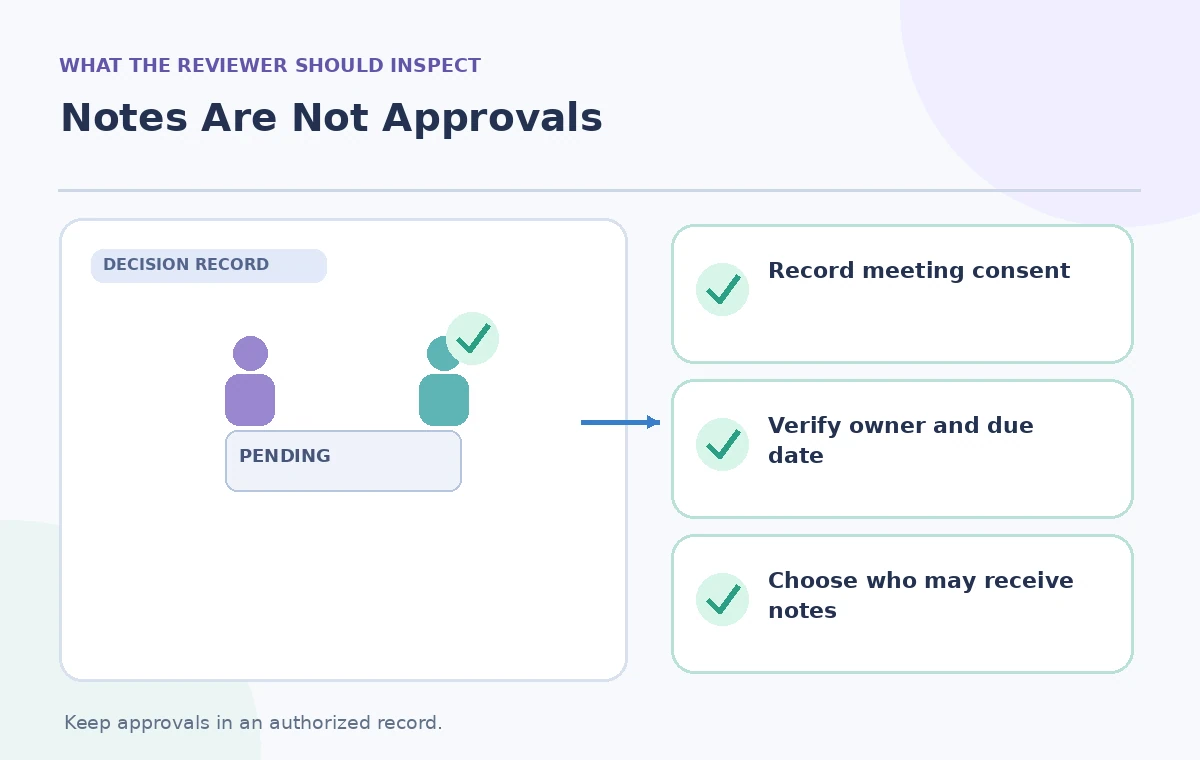
Publish a reviewed recap, not a synthetic decision
The secretary or authorized chair should sign off on the decision table, owner list, timing and audience. Compare the final summary to the source meeting, then send it only through approved channels. Use plain language for unresolved items: ‘awaiting curator input’ or ‘pending building approval.’ Revisit them at the next meeting, with links to evidence of closure. Krisp’s generated notes can reduce the burden of formatting and locating action items, but the service cannot decide what a committee legally or organizationally approved. This scenario is instructional; no museum call was recorded or AI summary quality measured for this article.
How We Research
Our editorial research checked primary vendor documentation: Krisp — Meeting Notes Templates; Krisp — Summarize your meetings; Krisp — Record your meetings with AI Note Taker; Krisp — Meeting dashboard. We compared the documented feature, entry point, entitlement and limitations against every practical instruction above. This is a hypothetical teaching scenario, not an account-based demonstration: no real participant was interviewed, no video or slides were generated for a benchmark, and no AI accuracy, cost savings or user metrics were measured. All diagrams are original conceptual illustrations rather than vendor screenshots. Readers should recheck the current account settings, privacy terms, approvals and vendor help pages before using these methods with actual people, records or public content.
Frequently Asked Questions
Yes. Its help center describes customizable Meeting Notes Templates and blocks for key points, actions and outlines.
Krisp says to duplicate a starter template before customizing; the original starter is not edited directly.
No. Review the transcript, participant identities and whether each person accepted the task.
Krisp supports sharing settings for all invitees, team invitees or manual sending. Select deliberately and respect consent.
No. Confirm the decision against the transcript and the authorized approval record before sharing it as final.