
A gallery can contain five individually striking images that look unrelated when placed together. A character’s coat changes color, the product loses a button and lighting shifts between frames. The problem is not always lack of prompt creativity: a sequence needs consistent specifications, inputs and checkpoints.
This guide describes a repeatable production method independent of a particular model. Current ChatGPT and Gemini documentation supports conversational image editing and reference-based generation, while model capabilities and limits change. The method below is a proposed editorial process rather than a claim that any system guarantees identical output.
Define invariants before writing a prompt
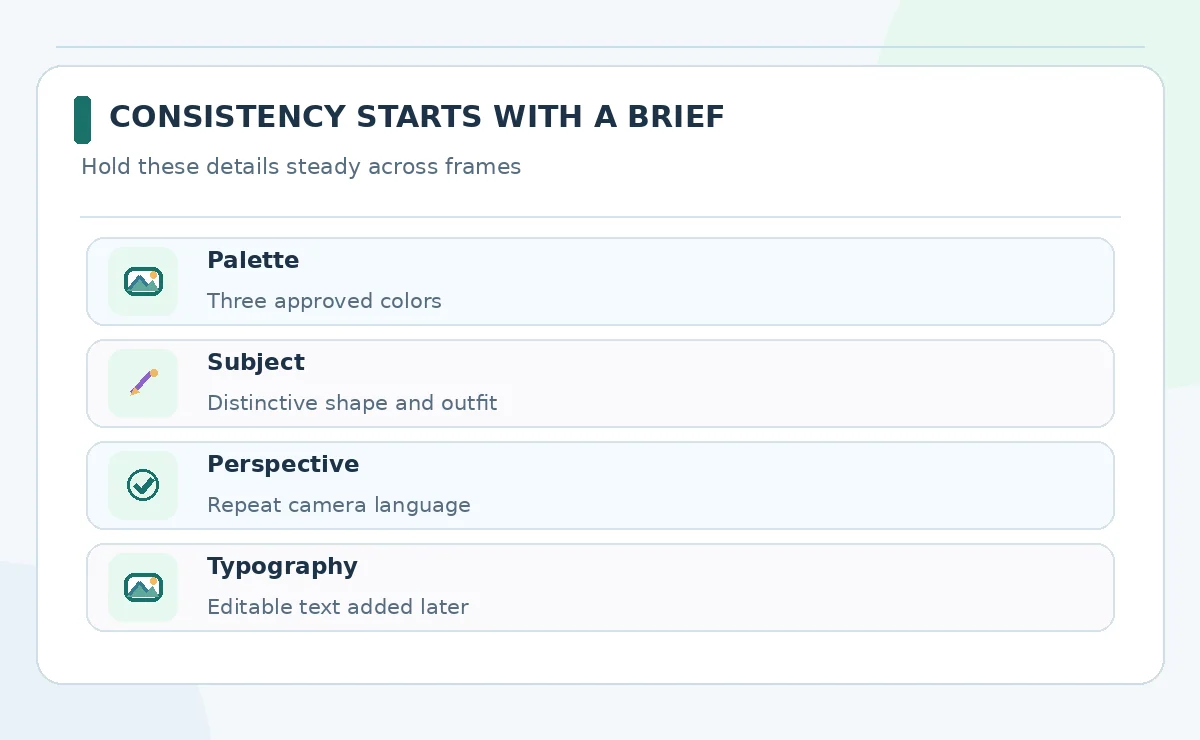
Start with a short style specification: medium, lighting, palette, camera perspective, subject scale, background complexity and typography policy. Separate features that may vary, such as pose or crop, from features that must remain fixed, such as jacket color, logo placement and package silhouette. This removes the ambiguity that causes repeated redesign.
For a six-frame explainer, specify a fixed 16:9 composition, cream background, blue and amber accents and one protagonist wearing a green coat. Allow the protagonist’s gesture to change while holding face, outfit and illustration style steady. If a detail is not essential, do not overload the brief with it. A reference sheet should be usable by a human illustrator too.
Create a clean reference board
Gather a small set of legally usable references for the subject, environment and treatment. Label each by purpose: shape reference, palette reference, layout reference. Do not mix one photo of a real person with an unrelated illustrator’s copyrighted character as if the model has permission to copy both. Use images your team owns or is permitted to adapt.
If the product supports a reference image or editing an existing generation, use one approved hero frame to anchor later variations. Verify current availability in your account. Reference support varies across tools and operations, so save the successful prompt and assets rather than relying on a model nickname alone.
Build a prompt as fields rather than prose
Use repeatable slots: subject, immutable details, variable action, setting, lighting, visual style, composition and exclusions. Example: “Same illustrated ceramic mug with a navy handle and white logo patch; show it on a kitchen counter, morning light, three-quarter angle; preserve mug shape; no additional labels.” Replace only the action and environment for the next frame.
Check the prompt for conflicts before generating. If you request both a dramatic close-up and a full-body wide scene, the generator must choose which instruction to compromise. Keep exact wording for important objects, but reserve legal statements, contact details or prices for typography added after generation. Image pixels are a fragile place to store critical copy.
Generate a small baseline and record what changed
Produce a limited set of candidate frames using one tool and configuration. Save the prompt, reference files, model setting if visible, aspect ratio and the selected output. Label observations rather than declaring a result “accurate”: perhaps the face matches but sleeve detail drifted. Use a simple issue log for repeatable corrections.
Choose a baseline frame that meets the invariant checklist, not merely the prettiest one. When generating the next panel, change only the scene-specific variable where possible. If a service changes model behavior over time, your notes will explain why a later batch looks different; they will not prevent every difference.
Edit locally before regenerating everything
ChatGPT Images documentation describes selecting an area to change, while Photoshop Generative Fill also supports selected-region edits. These workflows are preferable when a single background object or garment detail is wrong and the rest of the image is approved. They reduce the need to start over, although edits can still affect nearby features.
After each edit, compare against the original reference sheet. Verify the subject’s outline, accessories, shadows and text, not only the corrected region. Maintain a reversible original; avoid repeatedly editing a degraded export. If localized edits repeatedly fail, simplify the scene or return to a more stable approved frame rather than stacking uncontrolled prompt changes.

Check consistency as a series, not one image at a time
Place every candidate in one contact sheet at the actual publication size. Review them left to right: color drift, inconsistent shadow direction, unexpected facial changes, cropped objects and mismatched typography become easier to see together. Include a neutral scale reference or fixed margin so elements can be compared fairly.
Use a checklist with yes/no and notes for each invariant. An editor should be able to flag “mug handle changed sides” instead of “image feels off.” Do not invent a numerical consistency score unless you actually applied a defined evaluation. If two reviewers disagree, compare to the written reference rather than arguing about aesthetics.
Finish text and layout in a design application
Export the selected images at the right resolution and insert them into a reusable layout. Add headings, prices, disclaimers and labels as editable text rather than leaving them baked into generated images. This allows last-minute copy fixes, localization and accessibility adjustments without paying for another image generation.
Write alt text describing what the reader needs, not merely “AI art.” If the image functions as a diagram, summarize the relationships. Check contrast and mobile readability. Maintain a mapping from approved image to final post so a designer does not accidentally publish an earlier rejected variation.

Track usage rights and creative provenance
Write down which references were used and whether they belong to your organization, come from a license or were generated internally. For realistic people, avoid implying an invented event happened. Commercial terms and model provenance differ by service; read the relevant vendor documentation before using sensitive brands or customer assets.
A good sign-off package contains the creative brief, approved reference, selected output, revision notes and final editable composition. That documentation helps a future editor recreate the look without pretending the generative process was deterministic. It is also useful if a client challenges a visual claim or asks what was changed.
How We Research
Research checked on October 26, 2026. Our primary references are ChatGPT Images editing instructions; Photoshop Generative Fill workflow; Google Gemini image generation documentation. We mapped documented product capabilities to this specific reader task, distinguished provider claims from independent evidence, and checked adjacent LabFin coverage to avoid an overlapping article. The comparison is editorial and does not imply hands-on paid tests, measured output quality, verified account access or permanent pricing. Features, permissions and usage rules can change; confirm relevant terms in the live product before purchase or launch.
Frequently Asked Questions
It may preserve key features with references and iterative editing, but exact identity is not guaranteed. Inspect all frames against a fixed character sheet.
Keep invariant fields the same, but change the intended action or composition explicitly for each frame. Avoid contradictory requests.
No. Use references you have rights to upload and adapt, and review the output for protected logos and recognizable works.
Try a localized editing workflow when available, save the original, and verify that nearby details were not changed unintentionally.
Add important headings, prices and legal copy as editable layout text after generating the visual, then proofread the finished export.