
A small repair shop may collect inventory notes like ‘box torn,’ ‘only one left’ and ‘supplier label unclear’ in a messy spreadsheet. Google Sheets now documents an AI function that can analyze provided ranges and return text, which makes it tempting to convert those notes into useful review labels. This article uses a fictional bicycle-parts stock sheet to show a cautious workflow: let AI suggest a category, keep the source note, and require a human to approve purchasing decisions. The diagrams are conceptual illustrations, not outputs generated in Google Sheets. A text label is not an inventory count, a purchase authorization, or reliable evidence that an item is actually available.
Define the decision boundary before writing a formula
Decide what AI is allowed to do: suggest review categories, not trigger an order. For a bicycle shop, reasonable categories might be ‘inspect packaging,’ ‘verify count,’ ‘confirm part ID’ and ‘no action indicated.’ A note stating ‘box torn’ does not prove the product is defective; ‘one left’ is not enough to establish reorder quantity without sales rate, lead time and current stock records. Put those inputs in separate columns. Keep the original note untouched and label the AI output as a suggestion. If the sheet contains customer or supplier secrets, consult access policies before enabling an AI feature and remove sensitive content where possible.
Prepare a narrow range with explicit row context
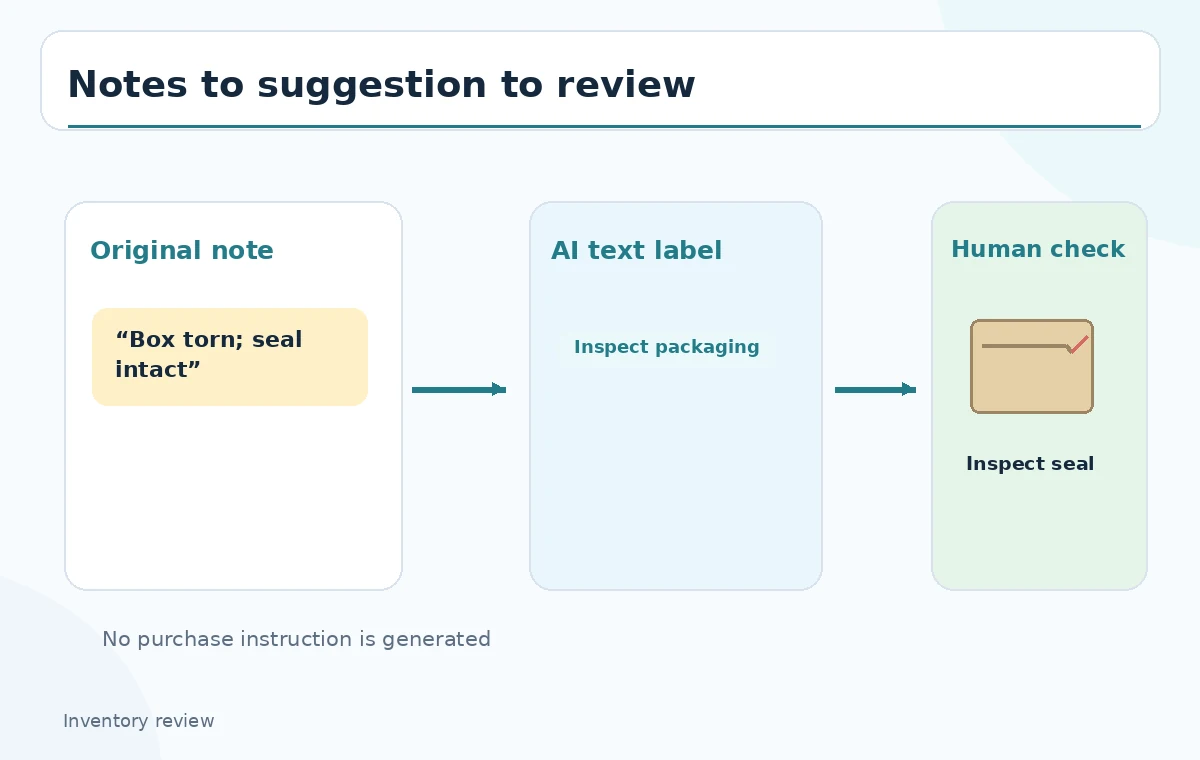
Set up columns for item, observed note, suggested review and human decision. Use fictional examples such as brake pads, inner tubes and chain lubricant, not invented actual supplier quotations. Google documents AI(prompt, [optional range]) and its equivalent GEMINI function syntax. It also states that the function does not automatically read the entire spreadsheet or other Drive files. Provide the note cell or a deliberately bounded row range so the output has the context you intend. The workflow diagram depicts an individual note feeding a suggested label and then a human check. Avoid pointing a formula at private columns that are not necessary for categorizing the note.
Write a constrained prompt and generate deliberately
For example, a reviewer could enter =AI(“Label this inventory note for human follow-up: verify count, inspect packaging, check part ID, or no action. Return only one label.”, B2) and then use Generate and Insert in the current Sheets interface. The function produces text; it does not perform a purchase, run an ERP transaction or establish physical stock. Google also offers a table AI column flow, but its availability and controls depend on the eligible Workspace or Google AI plan. The exact illustrated labels are not purported model outputs. Use one consistent taxonomy before generating the remainder of the column so that editors can spot contradictory classifications.
Compare the raw notes with suggested labels
A note ‘torn box, contents appear sealed’ might justify inspecting packaging, while ‘count disagrees with shelf card’ calls for a count check. If a formula calls both ‘order now,’ reject the label because that action exceeds the approved taxonomy. Side-by-side cells in the comparison diagram show raw text, a hypothetical suggested category and an explicit review status. These are constructed examples, not successful tests or measured precision. Check especially ambiguous notes: ‘new shipment late’ may mean the delivery is overdue, not that inventory is depleted. The human reviewer should explain the final disposition in a separate field rather than overwriting the source.
Handle empty, uncertain and conflicting notes
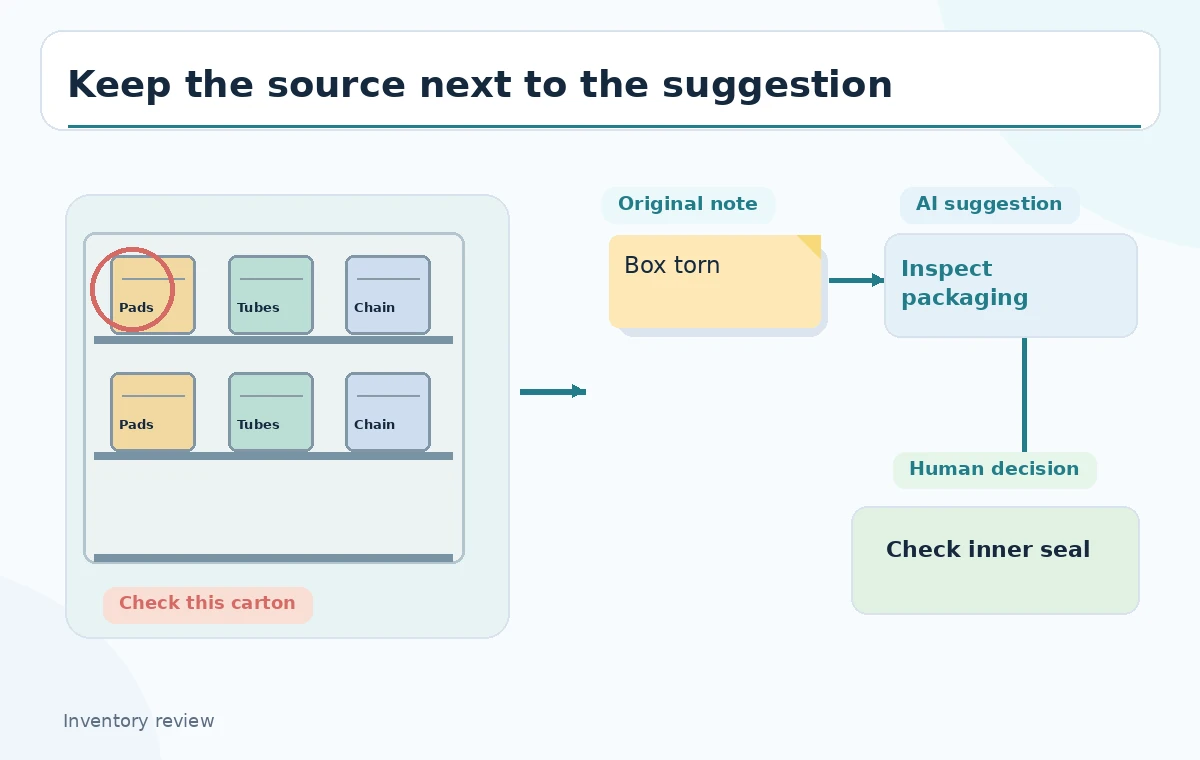
Do not force every row into a confident category. A blank note should not become an invented defect; a vague ‘issue with batch’ needs more information. Keep a label such as ‘manual review’ outside the AI category taxonomy when evidence is insufficient. If two notes about the same SKU conflict, inspect source timestamps and physically count the item rather than treating the newer text as automatically correct. Google cautions that Gemini suggestions may be inaccurate or inappropriate. Write a simple review rule: any potential purchasing or safety action requires an authorized employee to verify stock records or inspect the part before proceeding.
Understand generation limits and cell behavior
Google documents selecting AI-function cells and clicking Generate and Insert, as well as Refresh and Insert for regeneration. It also describes usage limits and a cap on how many selected AI-function cells generate in a single batch. These operational details can change by plan and release, so read the active help page before designing a bulk workflow. Do not treat the AI formula like a deterministic lookup, and do not assume changes in upstream notes automatically produce a correct approved label. Keep a review date or approval mark next to generated suggestions. Sheet version history can attribute inserted generated content to the user performing the action.
Inspect a physical item at the decision point
If the suggestion says ‘inspect packaging,’ go to the shelf and look at the actual box, inner seal, barcode and product label. If it says ‘verify count,’ reconcile the shelf count against the system of record. The third illustration highlights a bicycle-parts shelf with callouts at a torn carton flap, shelf-count label and ambiguous part code. These locations are examples of what a human would check; they are not images of inspected inventory. Never change an order status, promise a delivery date or discard a part based on a model-generated phrase. Operational authority remains with the employee following the shop’s procedures.

Review output as a dataset, not only row by row
After checking individual anomalies, scan the column for patterns such as every note being labeled ‘inspect packaging’ regardless of content. Compare labels against your original category definitions and review ambiguous or high-impact rows first. A sample review can be useful as a quality gate, but do not invent an accuracy percentage from a few illustrative examples. If your organization needs formal performance evidence, define a labeled evaluation dataset and collect actual comparisons before making a claim. The conceptual table is a teaching aid, not a quantitative validation report. Keep the permission to edit AI labels separate from authority to purchase inventory.
Keep a reversible handoff to purchasing
Export or share a review view containing the item code, source note, suggested category, approved action and approver field. Protect formulas and sensitive columns using the organization’s normal Sheets permissions and keep a backup of the raw notes. Purchasing should receive only human-approved actions supported by physical counts and business rules. Do not present the AI column as an automated order queue. When communicating results, say that the function was used as an aid for triage and that the decisions were independently checked. This is a practical separation of convenience and responsibility: AI helps route attention, but it does not know what is actually on the shelf.
How We Research
We consulted Google’s AI function in Sheets documentation for syntax, the Generate and Insert action, optional range context and limitations, as well as Gemini in Sheets guidance for eligible-plan access and cautions. We did not access a Google Workspace account, generate labels, count physical inventory or make purchases. Every SKU, note and status in the diagrams is a fictional workflow example, not proof of classification accuracy.
Frequently Asked Questions
No. Google says it does not access the entire spreadsheet by default; provide a relevant cell or range as context.
Not through this labeling workflow. The documented function returns text; orders require separate, authorized business processes.
Google documents eligibility through specified Workspace or Google AI plans and some testing programs; check current access.
Keep the original note and send that row for manual review. Inspect the stock record or physical item before approving action.
No. Constructed examples do not measure model accuracy. Formal reliability claims require an evaluation against reviewed ground truth.