
A band has a phone recording of its own unfinished song, but the guitarist and drummer disagree about the turnaround and the length of the bridge. Moises combines AI-assisted chord detection with a Smart Metronome that generates synchronized click tracks. Neither feature replaces a musician’s ear or guarantees a correct analysis of a rough performance. In this guide, an invented four-chord indie song serves as a rehearsal-planning example. We use drawn chord bars and click pulses as teaching aids rather than claiming that we uploaded a file to Moises, found the song’s real chords or measured its tempo. The objective is a shared chart that bandmates can test together before a live show.
Confirm the recording belongs to the rehearsal group
Work from a recording the band created and has permission to process. Check whether it includes unreleased material, voices from a rehearsal room or someone else’s copyrighted reference song. Choose a reasonably continuous performance; an intro recorded one bar late and an abrupt phone pause will complicate any automated alignment. Keep the original and note the first musical downbeat, approximate section changes, count-in and any tempo drift. Write a quick arrangement map from memory before looking at an AI prediction. This baseline keeps the musicians from accepting every chord label simply because it appears in a colored display. If collaborators have different recollections, mark the disagreement as a listening question rather than treating the software as a final arbiter.
Upload and locate chord detection in the current interface
Moises documents chord display in web, desktop and mobile views. On desktop, the Chords control reveals chord names in sync with playback; on mobile, bar and grid views offer different organization. Current official help states that Premium and Pro users have unlimited chord access while free users are limited to the first minute. That distinction matters when the band’s difficult bridge begins later in the song. Check the available plan and platform before writing a full-song rehearsal handout. The application may offer simple, medium or advanced chord representations depending on the interface. Start with the view that members can read at performance speed, not the most elaborate option by default.
Audit the progression with instruments in hand
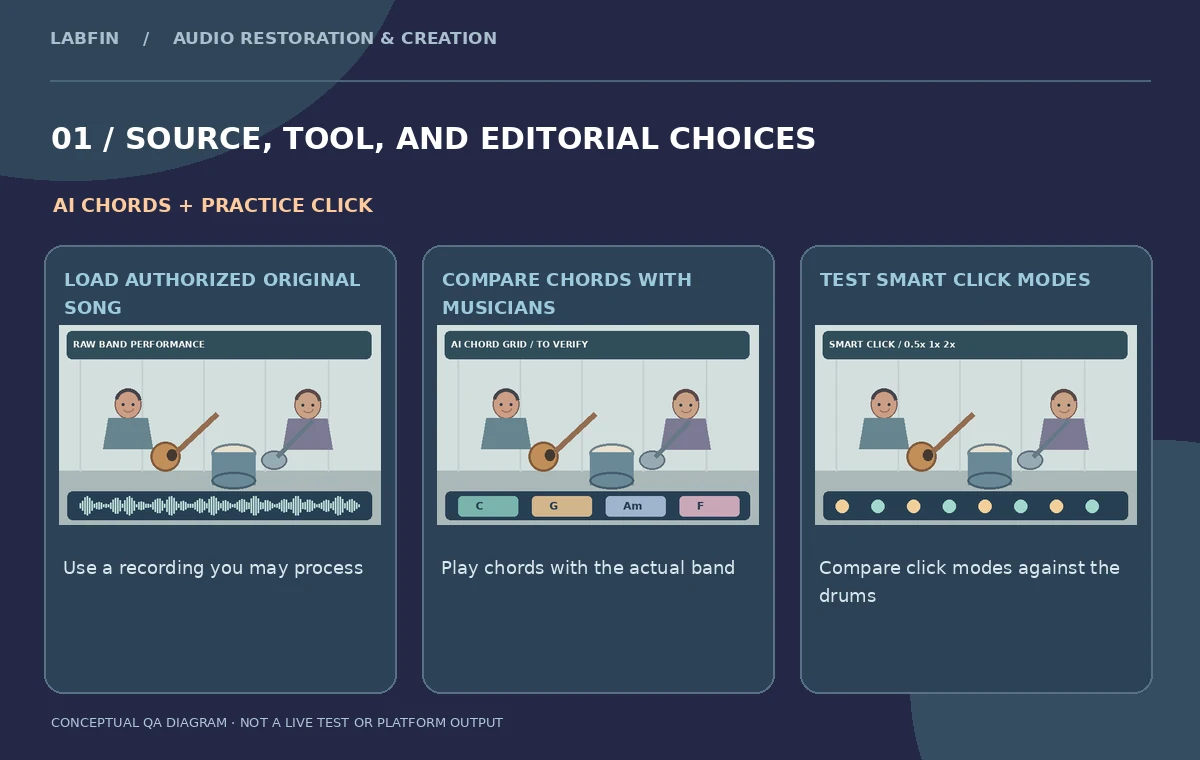
Play a slow excerpt around each chord change and compare the on-screen symbol with the guitar, bass note and actual harmony. The illustration shows a hypothetical C–G–Am–F cycle, not a detected result. A model may mislabel an inversion, hear a passing bass tone as the root, or miss a suspended chord when the guitar rings over a moving line. Ask the bassist to verify root motion and the guitarist to test whether the indicated fingering clashes with the recorded chord. Write corrections in a human-approved chart. For complex sections, two equally plausible chord spellings may describe similar sounds; choose notation that the group can consistently rehearse rather than presenting every estimated extension as unquestionable fact.
Compare bar and grid views for the band’s purpose
A scrolling chord bar is convenient when a singer rehearses with the song, but a printable grid can show a whole verse or chorus at a glance. On supported mobile views Moises offers chord grid and simplified displays. Decide whether the practice chart should include one label per bar, a mid-bar change or an explicit rest. Check the transition out of the bridge at least twice, because a small alignment shift may make an otherwise correct chord appear under the wrong lyric. If lyrics are displayed, proof every word against the group’s actual draft. Keep notes about the sections where the AI guess is uncertain. The software can help organize a musical hypothesis, but the chart becomes a rehearsal document only after players agree on its timing.
Use Smart Metronome as a synchronized rehearsal aid
Moises says Smart Metronome automatically creates a click synchronized to the song, with 0.5x, 1x and 2x pulse modes. These refer to metronome behavior rather than a claim that the underlying band tempo is perfectly steady. Solo the click and listen through a whole verse to determine where its accents sit relative to the drummer’s kick and snare. If the recording accelerates toward the chorus, a static practice click may feel different from the source performance. Choose a clear count-in and tell the band which pulse mode the chart uses. Avoid translating an illustrative pulse rate into a measured beats-per-minute number when no real timing analysis has been performed.

Rehearse the transition, not just the loop
Work first on the two bars before and after the disputed bridge. Have the drummer count in with the agreed click, then let the guitarist and bassist play while one member checks the source arrangement. Repeat the transition without the original track so the rehearsal map is not simply being followed by ear. If the band rushes the last eighth note or enters early, annotate that location independently of the detected chord labels. In a real rehearsal, recording one controlled playthrough is often more informative than repeatedly adjusting an AI parameter. Keep the same song key and playback speed when comparing different chart revisions; otherwise the change may come from transposition rather than from correcting the harmony.
Export a click and maintain playable reference materials
Moises officially documents exporting the Smart Metronome track, with a web or desktop Export option and platform-specific steps on mobile. Export behavior and availability should be checked under the band’s current plan. Save the click, approved chord chart, original recording and a brief note naming the count-in and pulse mode. If exporting a changed metronome mode through a mix, Moises describes muting other tracks before selecting Export Mix. Do not deliver an unlabeled metronome file that someone may mistake for a finished drum part. Test the exported click with the music from beginning to end before using it in an in-ear monitoring setup, especially if the performance contains sections with unusual lengths.

Review the show-ready chart and preserve uncertainty
The last rehearsal should use a one-page chart with verse, chorus and bridge labels, corrected chords, explicit stops and the agreed click mode. Confirm whether each musician can follow it without looking at the analysis app. If a chord remains ambiguous, list alternatives and nominate a band member to make the decision by playing rather than declaring that an AI transcription settled the music. Obtain band approval before sharing an unreleased performance outside the rehearsal group. The deliverable is a practical communication tool, not a machine-certified score. An accurate chart saves time because it identifies where listening, musical expertise and live performance still matter after the initial automation.
How We Research
This Moises chord detection and Smart Metronome guide is independent editorial guidance grounded in official documentation: Moises: chord detection help; Moises: Smart Metronome guide; Moises: upload and edit track. The illustrated scenario is a fictional rehearsal of an original four-chord indie song with a guitarist, bassist and drummer preparing a live set. We checked the vendor-described capabilities and important eligibility conditions, then mapped a sequence of editorial reviews that readers can repeat with their own authorized media. The images are original teaching diagrams, not product UI screenshots, generated exports, results of a live account test, or measured benchmarks. We did not upload private recordings, access a paid vendor account, run a real A/B experiment, measure performance, or verify hypothetical timecodes. Retain source assets, check current plan availability and privacy settings, and review exported media and metadata before publication.
Frequently Asked Questions
Moises provides AI chord detection synchronized to playback; musicians should verify uncertain labels.
The official help says free users see the first minute, while Premium and Pro access is unlimited.
Moises documents 0.5x, 1x and 2x click modes.
Yes. Moises documents export options, subject to current app and account access.
No. Verify chord quality, inversions, section boundaries and bar timing during a real rehearsal.