
A public archive runs a GitHub Actions job to check image descriptions before uploading a reviewed report to an AWS bucket. The job needs temporary cloud access, but a static access key copied into repository secrets becomes a long-term credential that somebody must rotate and protect. GitHub Actions supports OpenID Connect (OIDC) federation with AWS for this situation. The workflow below focuses on a fictional validation pipeline and the security boundary, not a deployment performed in a real AWS account.
Keep the pipeline read-only until its purpose is clear
Draw the job sequence before granting AWS permission: check out a reviewed repository revision, validate the AI-generated descriptions against file identifiers, write a local report, and optionally upload the approved report. The AI stage must not gain authority to publish or delete collection records simply because the build runner can access the network. Identify exactly which bucket prefix, account, and role are needed. Consider a separate human approval before an upload that becomes visible outside the archive.
Create a threat model for three failures: a compromised repository branch, an untrusted pull request, and a job that inadvertently writes the wrong file. OIDC can replace long-lived cloud credentials, but it does not make generated code, dependencies, or workflow files automatically trustworthy. Require code review of changes that affect the job and its permissions. Use synthetic archive IDs during the initial trial so mistaken uploads reveal a process bug rather than disclosing a patron’s records.
Understand the GitHub-issued identity token
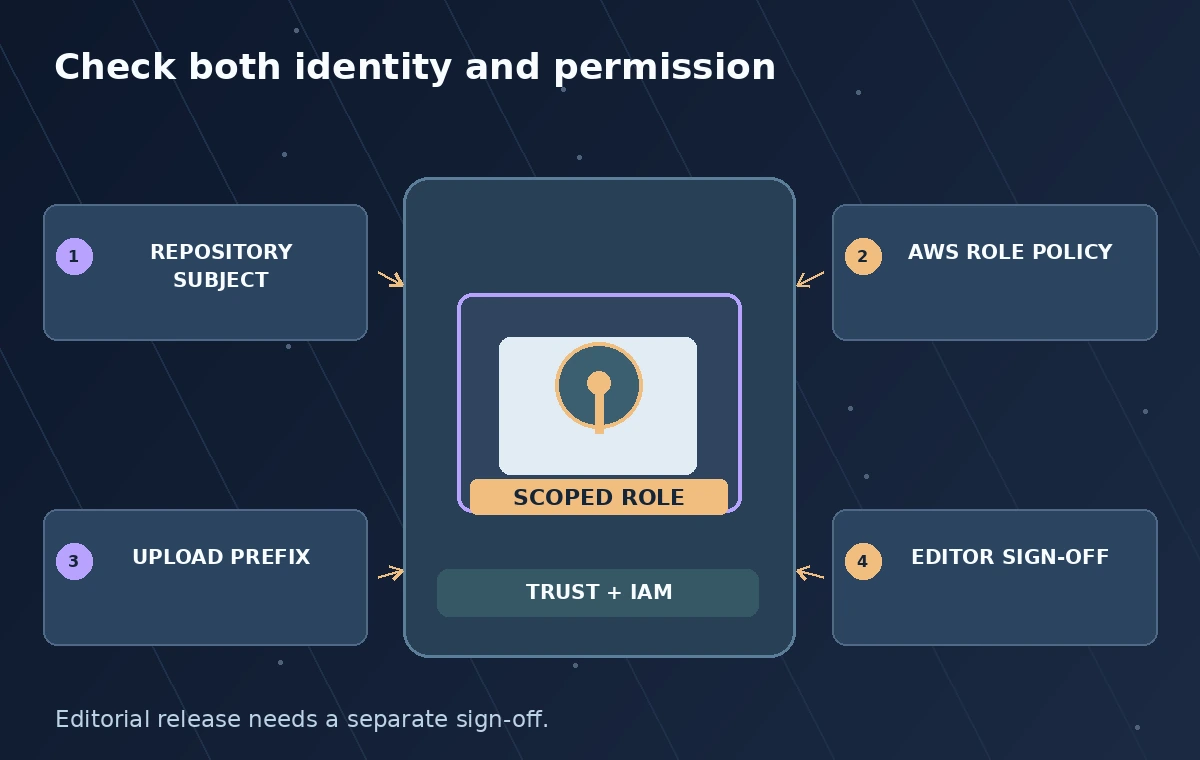
GitHub’s AWS guide explains that a workflow can request an OIDC token which AWS exchanges for temporary credentials through a trusted identity relationship. The workflow permission `id-token: write` allows requesting a token; it is not itself permission to read or change an AWS resource. AWS evaluates the role’s trust policy before granting a session. Keep the distinction clear: identity proves which workflow context requested access, while the attached IAM permissions determine what that temporary session can actually do.

A GitHub workflow that cannot obtain a token should fail explicitly, not fall back silently to a forgotten static AWS key. Log the role and region in a sanitized job summary, without printing the token or session secrets. GitHub notes that AWS does not support using arbitrary custom OIDC claims in its trust configuration. Plan around documented audience and subject conditions, not an imaginary extra claim that your deployment system will honor.
Constrain the AWS trust relationship
Set up GitHub’s OIDC identity provider in the AWS account and scope the IAM role’s trust conditions to the expected repository and deployment context. GitHub’s guide highlights `token.actions.githubusercontent.com:sub` and audience conditions as important controls. For example, a production upload role should not trust every repository in an organization or every branch that shares a familiar name. Decide whether an exact protected branch or a named GitHub environment represents the reviewed release boundary.
If you use an environment in GitHub Actions, configure appropriate protection rules so the deployment context cannot be assumed merely by opening a pull request. Restrict the role’s actual S3 permissions independently, ideally to the necessary bucket and object prefix. A permissive AWS trust policy paired with broad S3 write access is not redeemed by having a descriptive workflow name. Review the identity provider, trust subjects, IAM policies, and workflow references as one change-controlled unit.
Configure the job without a stored cloud secret
The official example uses `aws-actions/configure-aws-credentials` and an AWS role to assume through OIDC. Give the job only required GitHub permissions; request `id-token: write` for the step that needs federation, and minimize `contents` permissions. Pin trusted actions to an approved version or commit policy, then configure the target role ARN and region in the workflow. Keep AWS policy management in a separate reviewed infrastructure repository or controlled provisioning process.
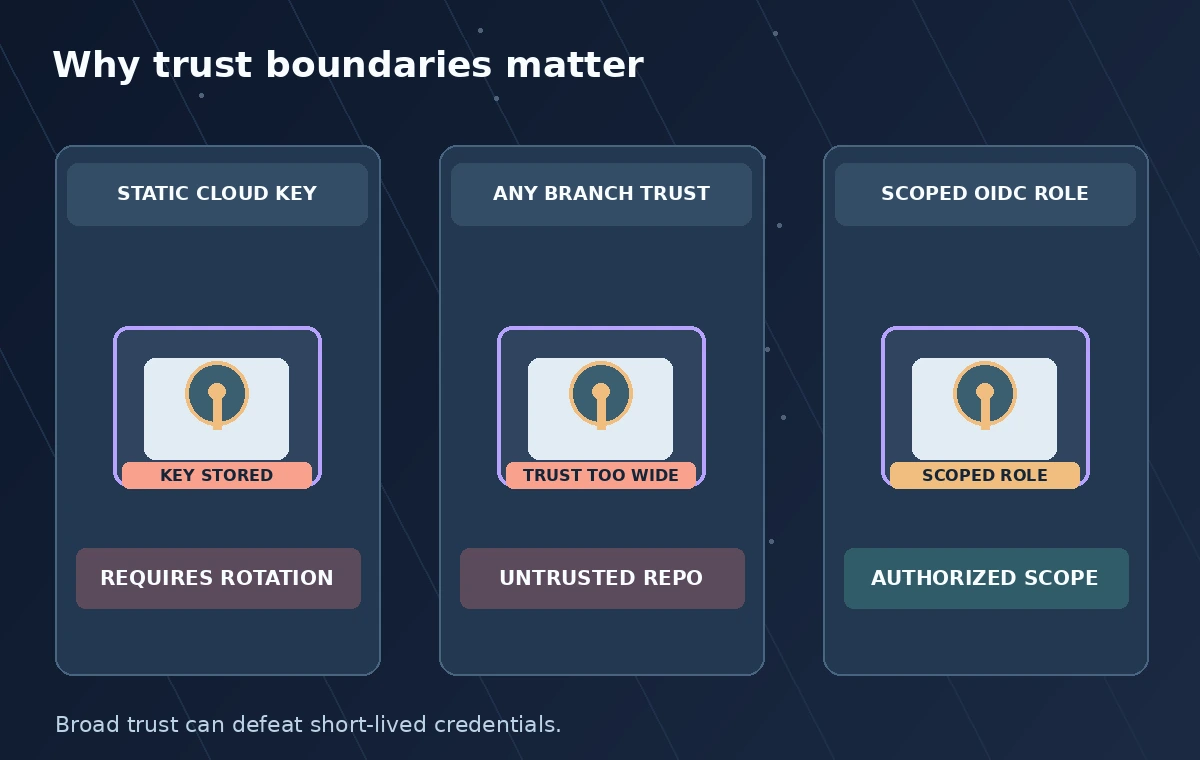
A workflow for a museum report might run validation before the credential step. The upload action should only receive a report if its input hash, reviewer flag, and expected destination match the release ticket. Do not let a model produce an arbitrary S3 path, bucket name, or IAM role string. The illustration contrasts a permanent key stored in a secret with the documented short-lived federation sequence; neither example implies an actual key was created during preparation of this article.
Test trust denials and least privilege
Use a nonproduction role and test valid protected-branch execution before touching the archive’s release bucket. Then test expected rejection cases: an unrelated branch, an unapproved repository context, and an attempt to write outside the intended prefix. A denial shows the boundary is functioning for that case; it is not proof that every possible attack path has been excluded. Compare CloudTrail activity and the GitHub job run using safe identifiers without exposing patron data.
A useful acceptance record includes branch or environment, expected role, attempted object prefix, expected allow or deny, and observed result. If a job unexpectedly succeeds outside the approved scope, stop rollout and inspect both trust and permission policies. Avoid solving a denial by adding a wildcard subject or expanding the role to broad account access. The deployment should prefer a narrowly correct failure over a convenient job that can touch unrelated archives.
Protect inputs, outputs, and workflow dependencies
OIDC solves a credential delivery problem, not a complete supply-chain or data-governance problem. Keep archival images and transcripts behind appropriate access controls; don’t upload restricted originals just to exercise a demo pipeline. Review third-party actions, package dependencies, secret handling, runner permissions, and log retention. Only a vetted artifact should be copied to the release destination. If a failure occurs after a partial upload, compare object hashes and existing keys before retrying to avoid duplicated or overwritten material.
Separate generated text from policy decisions in the output report. A description drafted by AI still needs an editor to approve it against the source image and rights metadata. Mark unreviewed rows as pending rather than silently promoting them when the cloud upload succeeds. A temporary AWS session may be technically correct even when the submitted content is editorially wrong. Keep human content approval and infrastructure authorization as different, inspectable gates.
Document rotation-free operations and emergency response
Record the role owner, exact trust boundary, workflow file, review history, and AWS policies so a later maintainer can explain how the federation works. Although the workflow no longer stores a permanent cloud access key, you still need incident response: revoke or tighten the role, stop a compromised workflow, inspect access logs, and check previously uploaded artifacts. Establish who can disable the release without depending on the same potentially compromised pipeline.
Recheck GitHub and AWS documentation whenever environment rules, credential action versions, or account policies change. This guide is a conceptual operating pattern, not a copy-and-paste deployment tested against a live account. The purpose of the review diagrams is to make the trust decision visible: the job proves its context, AWS issues constrained temporary credentials, and an editorial gate decides whether validated AI output should be released at all.
How We Research
For this November 2026 editorial research, we examined official documentation: GitHub Docs: Configuring OpenID Connect in AWS; GitHub Docs: OpenID Connect overview; GitHub Docs: Using environments for deployment. We checked the named feature, documented inputs, decision boundaries, and workflow constraints against the illustrated use case. All scenarios, sample identifiers, visual comparisons, and diagrams are original hypothetical teaching examples; we did not access a vendor account, run a live model or production API test, or measure recognition accuracy. The graphics are not screenshots, production telemetry, model predictions, or evidence that a particular organization adopted the workflow. We do not claim pricing, operational availability, security certification, factual identification, legal permission, or consent from these drawings. Before use, confirm current supported regions, feature availability, rates, quotas, licensing, data handling, and local institutional policy. An authorized reviewer must compare generated candidates or actions with original records and approve public statements or high-impact changes.
Frequently Asked Questions
No. It lets the workflow request an OIDC token; AWS separately evaluates the role trust policy and IAM permissions.
For an appropriately configured OIDC role-assumption workflow, GitHub documents authentication without storing long-lived AWS credentials.
Use the documented audience and `sub` conditions for the expected repository, branch, or environment, together with least-privilege role permissions.
Cloud authorization is not editorial approval. Keep a distinct review gate before writing public-facing material.
Test an authorized context and expected denial cases in nonproduction, then inspect AWS activity and workflow logs without printing tokens.