
The re-run that looks like a new approval
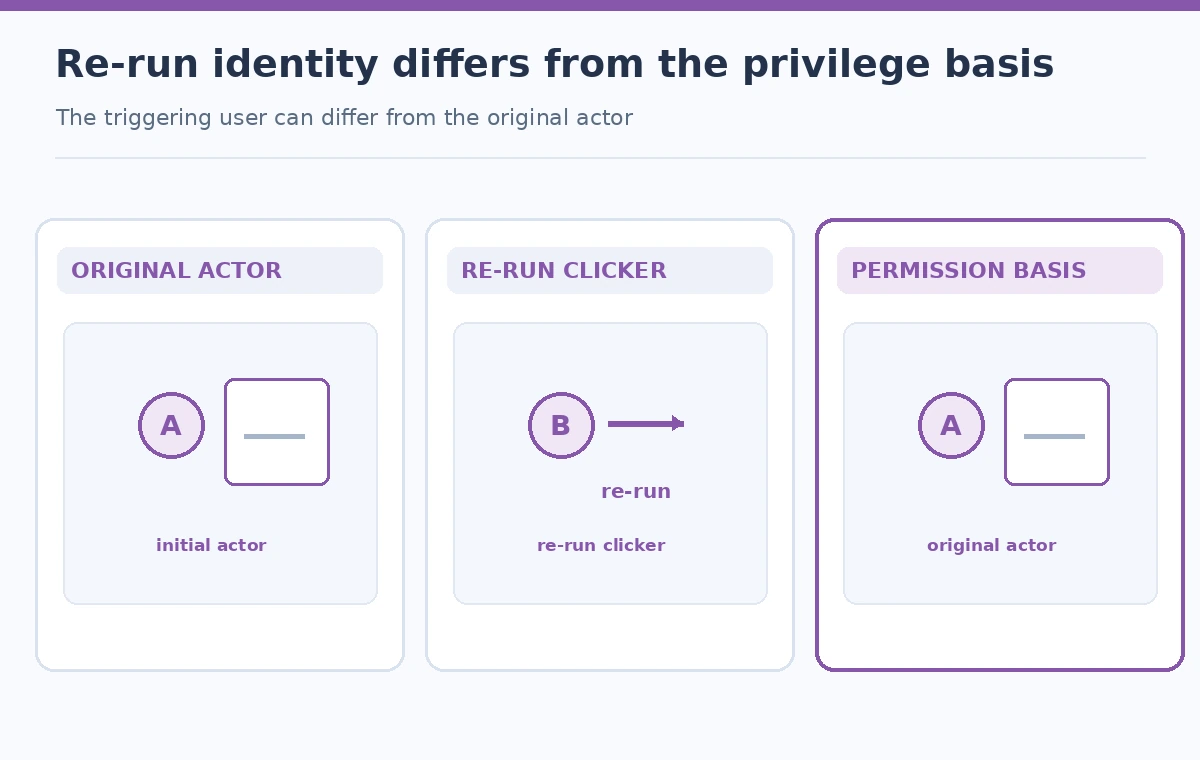
A museum website release job checks caption files and publishes a static preview. A maintainer clicks “Re-run jobs” after a transient failure, and the team sees the maintainer’s username in `GITHUB_TRIGGERING_ACTOR`. Someone assumes that the re-run now has the maintainer’s permissions and therefore satisfies the organization’s approval process. GitHub documents the opposite privilege rule: re-runs use the privileges of the original `github.actor`, even if the person who initiated the re-run is different. The two identities serve different purposes. Treat the triggering actor as useful audit context and never as automatic proof that a workflow has received new authorization.
Know the two identity fields before writing a gate
GitHub exposes `GITHUB_TRIGGERING_ACTOR` as the username of the person who initiated the workflow run; for re-runs, it can differ from `github.actor`. The `github.actor` context identifies the original workflow actor and remains the privilege basis on re-runs. This does not mean every re-run is a security incident. It means permission decisions and audit narratives must separate who caused a new attempt from which identity GitHub uses to evaluate that attempt. Do not build a job condition that grants deployment solely because the triggering actor appears in a list of senior staff.
Record re-run provenance without exposing credentials
An operational log can include the repository, workflow, run identifier, attempt number, original actor, triggering actor, commit SHA, and timestamp. These fields help a reviewer understand whether a second attempt was a deliberate action after failure. Keep the log in an approved retention location, and remove any secret values, tokens, or unneeded personal data. A GitHub username in an audit field is not itself an authorization grant. When the project needs a formal release approval, record that decision in the system designated for approvals rather than inferring it from who clicked a workflow button.

Inspect the original run and its code boundary
Before a privileged re-run, check which commit and workflow definition the run uses, which event started it, and whether any job executes contributor-controlled content. Re-running a job does not automatically vet malicious pull-request changes. For a caption checker, the untrusted material should be processed by a low-privilege validation job that cannot write to the production site. Pin or review third-party actions according to the repository’s policy. Restrict the workflow token permissions, and do not put a deployment credential into a job that merely needs to validate a document.
Keep the audit path separate from deployment authorization
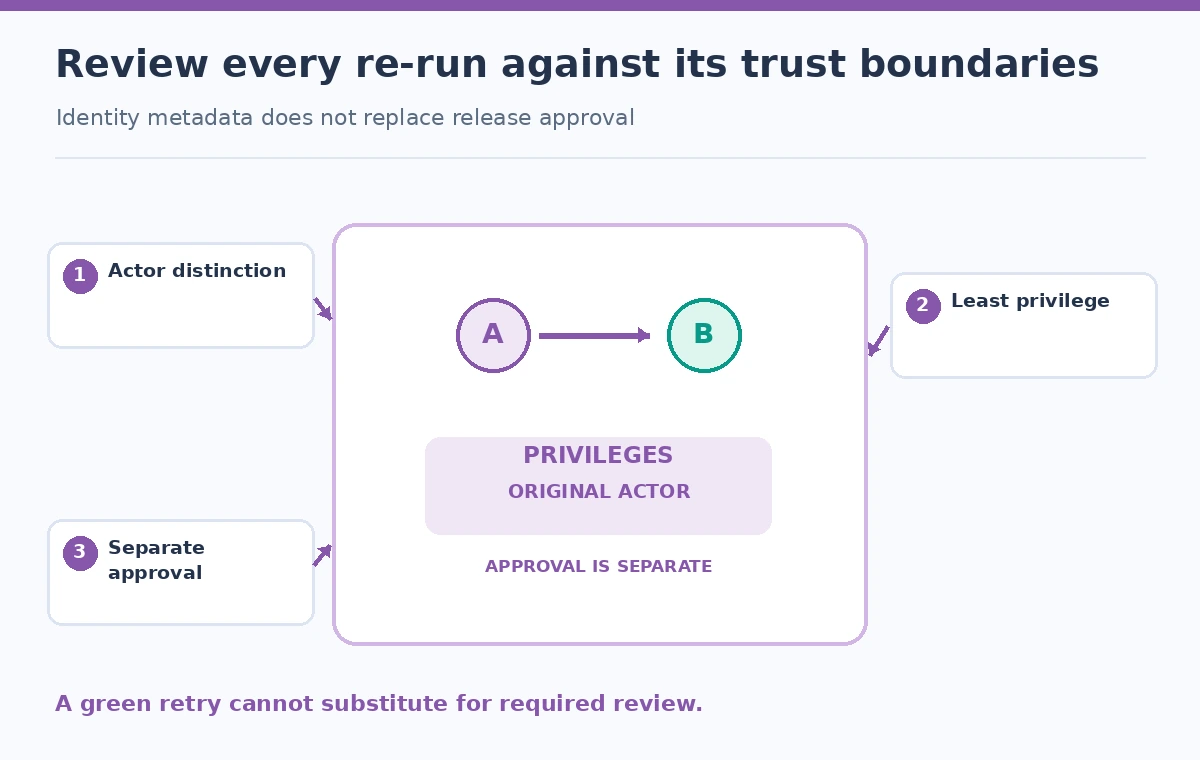
Use environments, branch protections, required checks, and explicit reviewers for approvals appropriate to the repository. A workflow can display both identities to assist an incident review without using either field as its only authorization control. If a release job requires a fresh approval after a failed test, make that approval a separately verifiable event. Re-running a successful job should not quietly bypass required human review because its attempt number changed. Document which jobs can deploy and which only produce evidence; the distinction is more durable than a string comparison against a username.
Compare an original run and a re-run honestly
An illustrative scenario has a contributor starting the original check, followed by a maintainer clicking re-run to investigate a flaky upload. The display can show `github.actor` as the original contributor and `github.triggering_actor` as the maintainer for the later attempt. The job still uses privileges associated with the original actor, subject to the rest of the workflow and repository permission model. Do not portray that difference as an actual GitHub audit log captured from production. The lesson is a permission boundary, not a benchmark or a claim that the maintainer’s button press is intrinsically dangerous.
Avoid putting untrusted fields directly into shell code
GitHub workflow contexts can include strings supplied by external contributors, including branch names and event metadata. If those values are interpolated directly into shell scripts, unsafe quoting can create command-injection risks. Prefer passing values into environment variables and handling them as data, and keep arbitrary user text away from privileged steps. `GITHUB_TRIGGERING_ACTOR` is a GitHub-provided identity field, but a broader audit pipeline may aggregate it with untrusted titles or descriptions. Sanitize output and logs for display while preserving the raw event identity in an access-controlled record where necessary.
Investigate mismatched identities using a defined process
When triggering and original actors differ, first confirm that the run was a re-run. Then check why it was retried, who approved any deployment, and whether the failed attempt left partial external changes. A network timeout after an upload might require reconciliation before any retry, rather than automatic repetition. A username mismatch is not, on its own, evidence of privilege escalation or a policy violation. Escalate suspicious activity through repository administrators and incident procedures. For an editorial release, keep the final decision tied to reviewed content and independent controls, not the mere existence of a green CI check.
Test the workflow without giving a test job secrets
Use an isolated repository or non-deploying job to observe original and triggering actor values on a normal run and an authorized re-run. Confirm that displayed values and attempt counters are comprehensible to maintainers. Add a test proving that the workflow cannot deploy solely because `GITHUB_TRIGGERING_ACTOR` names an editor. Review event-specific permissions, repository settings, and protected environments. Keep the test’s artifact and audit logs within your approved retention window. Do not interpret a passed test as proof of full supply-chain safety; periodic action reviews and least-privilege permissions remain necessary.
How We Research
We checked GitHub’s Actions variables reference for `GITHUB_TRIGGERING_ACTOR`, the contexts reference for `github.actor` and `github.triggering_actor`, and the secure-use guidance. GitHub explicitly states that re-runs use the privileges of the original actor. The museum release example and diagrams are illustrative, not screenshots of an actual workflow or evidence of a security test against a live repository.
Frequently Asked Questions
Yes. On a re-run, the person clicking re-run can differ from the original actor.
GitHub documents that re-runs use the privileges of the original github.actor.
No. Keep deployment permission and formal approval in explicit repository controls.
No. It can be helpful audit context; retain it according to your data and access policy.
No. A re-run does not replace review, isolation, least-privilege tokens, or required checks.