
A Fast Build Is Not Necessarily a Correct Build
A museum website team publishes multilingual exhibition pages from a repository. Every deployment installs a familiar dependency tree, and downloads can slow down volunteer-reviewed builds. GitHub Actions dependency caching can reuse files across runs. The risk is that an old or untrusted cache can also affect which tools execute in a privileged job. Use the cache only as a performance optimization, not as proof that dependencies match the committed lockfile or that the build passed its safety checks. The team should be able to rebuild successfully when every cache is absent. Keep the release approval independent of how quickly an install completed.
Know the Search Order for Cache Keys
GitHub documents how the cache action looks first for a match to key and the cache version in the workflow branch. If exact matching fails, prefix matching and any ordered restore-keys may be considered, with applicable default-branch lookup subject to scope restrictions. A broad prefix can restore a cache made for different lockfile contents. That may be useful for warm package downloads, but it should never be treated as an exact dependency identity. Understand the distinction between a cache hit and an exact match, and check the action output when deciding whether dependency validation is still required. Cache version also incorporates factors such as path and compression metadata.
Bind the Primary Key to Lockfile and Environment
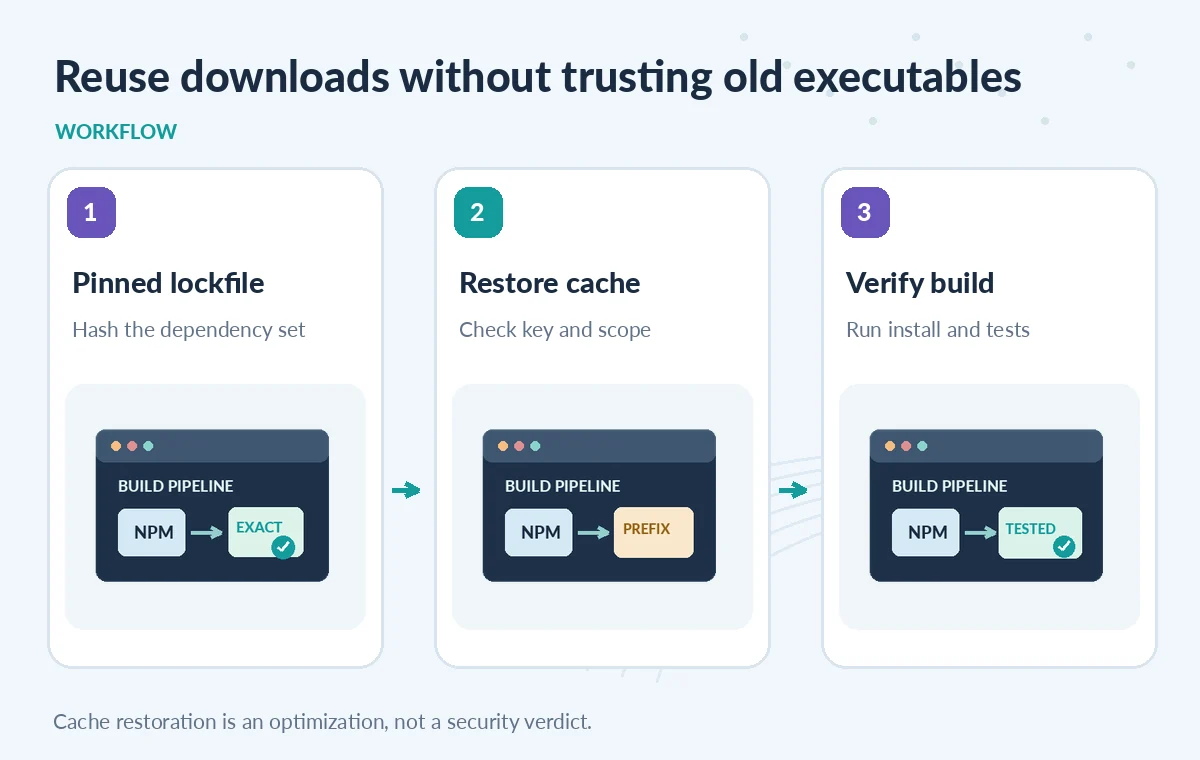
For a Node-based museum site, construct a primary key that includes operating system and a stable hash of package-lock.json or the relevant dependency lockfile. If the build uses multiple package managers, do not share one generic node-cache prefix across them. Include a toolchain identifier where changes to Node versions or platform binaries matter. Keep the cached path narrow, such as a package-manager download cache, rather than copying the entire repository or deployment credentials. The primary key is an input identity hint, not cryptographic proof of the extracted content. Verify dependencies through the package manager’s lockfile-aware installation command every time.
Use Restore Keys Only as a Safe Fallback
Add restore-keys from most specific to least specific when a partial cache remains useful. For instance, a lockfile hash miss may safely use an older package download store if npm ci validates and replaces packages according to the current lockfile. It is riskier to cache prebuilt executable outputs from a previous branch and execute them without verification. Review whether a broad fallback could introduce the wrong architecture or dependency version. The desired fallback state is a warmer download cache followed by deterministic installation, not ‘skip installation because something was restored.’ A cache miss should be routine, not a release emergency.
Compare Exact Match, Prefix Restore and No Cache
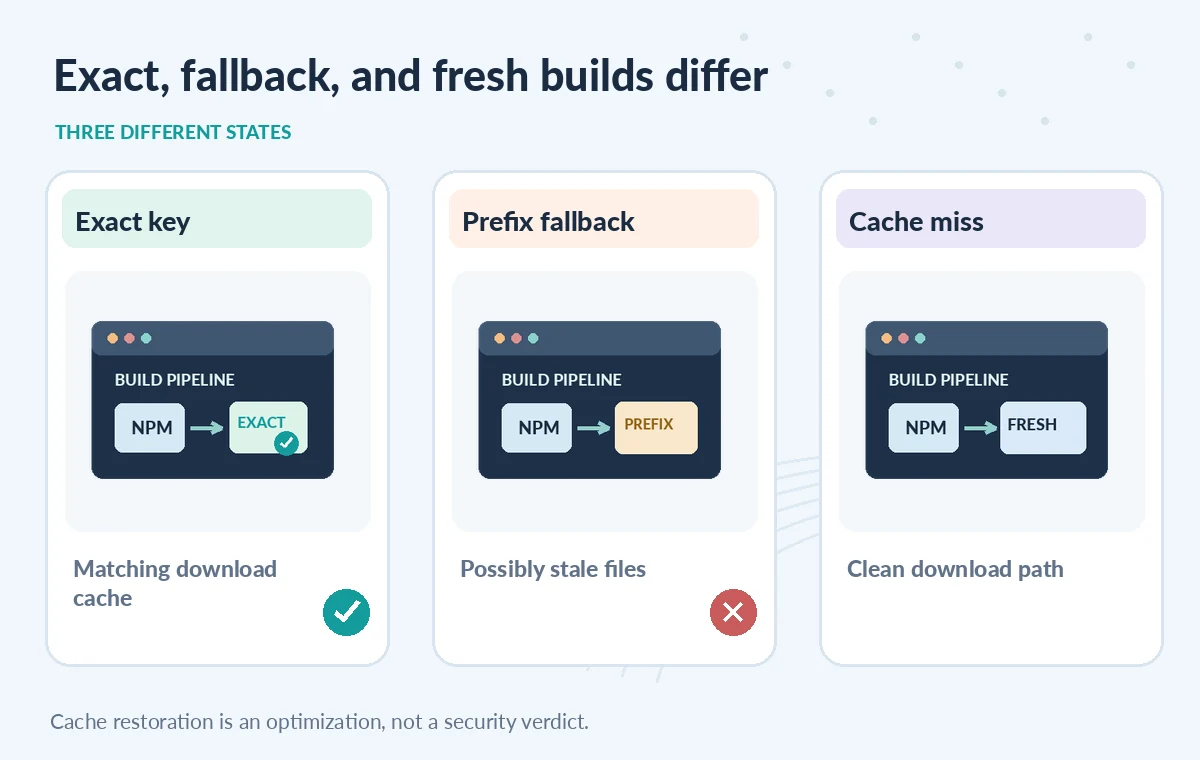
An instructional diagram should show three visually distinct build paths. An exact cache key restores a matching download cache. A prefix restore may contain extra or older tarballs and still requires dependency verification. A no-cache build downloads cleanly but should produce the same approved site assets when the inputs are pinned. These are hypothetical states, not timing benchmarks. Compare output digests and test results across paths rather than reporting invented percentage savings. If a build behaves differently when its cache is removed, investigate the underlying dependency or build reproducibility problem before trusting that release.
Protect Trusted Jobs From Untrusted Cache Contents
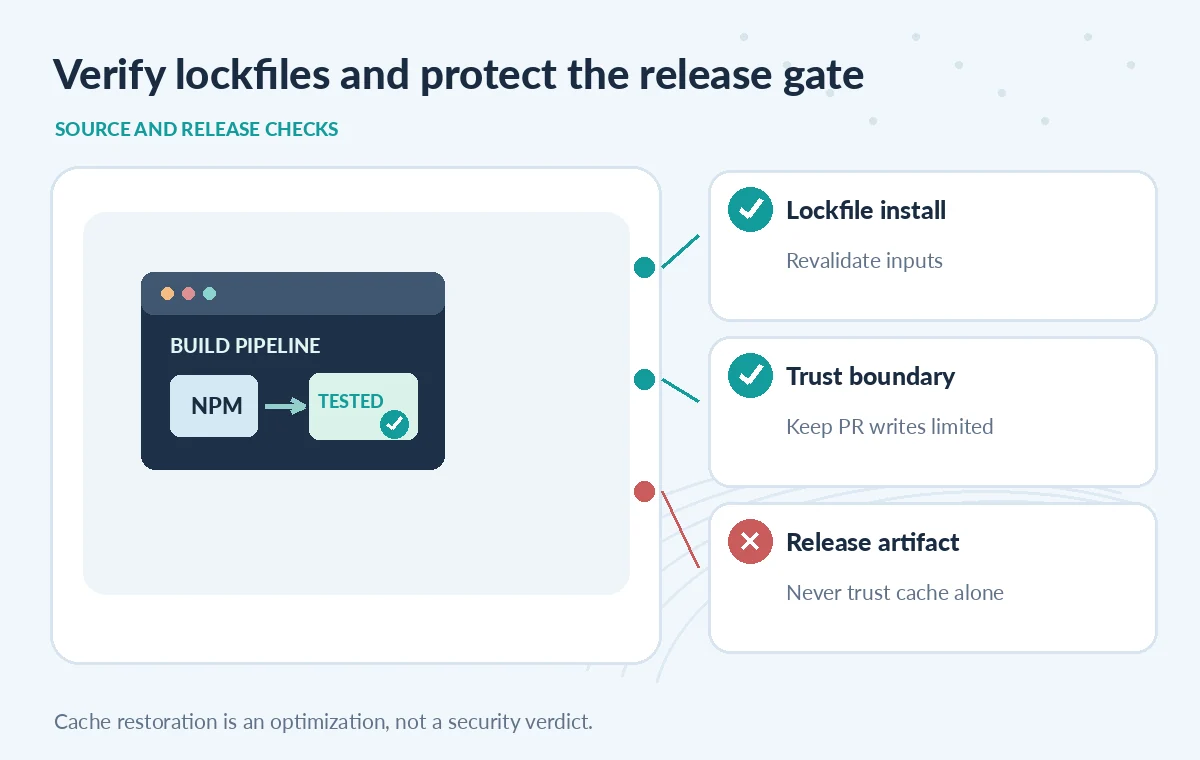
GitHub warns that restored caches are untrusted input and that cache poisoning can affect privileged workflows. Do not put secrets in a cache: a workflow that can read it may gain access to those bytes. Keep low-trust pull-request workflows from writing a cache that a trusted publishing job executes. Current GitHub documentation describes trigger-specific default restrictions and cache-mode controls; verify those controls under the repository’s actual Actions configuration. Prefer a trusted push workflow to populate shared caches and a restore-only step for low-trust tasks. Never override secure defaults casually to remove a warning in the logs.
Separate Cache Restoration From Release Artifacts
A dependency cache and a build artifact solve different problems. The cache reuses potentially replaceable inputs; the artifact preserves outputs for review or deployment. GitHub explicitly distinguishes those roles. Keep approved build assets in a versioned artifact tied to the commit and checks rather than uploading whatever directory happens to be in the cache. A release job should evaluate tests, license constraints, static-page output and required reviewer approval. Attach a digest or attestation where the workflow design supports it. A green cache-restoration step should never be the condition that authorizes publication.
Inject Failure and Poisoning Scenarios in Test CI
Use a disposable repository and synthetic sample content to test an exact cache hit, a broad restore-key hit and a deliberate miss. Change the lockfile while retaining an older cache and verify the package-manager install still resolves the current graph. Try a cache generated for a different runtime and ensure it cannot bypass build checks. Exercise a low-trust pull-request run and inspect actual cache write restrictions without exposing credentials. No live GitHub Actions tests were run for this article. The checklist describes evidence maintainers should collect before relying on the workflow in a production site.
Keep Cache Risk Visible in the Build Report
A useful CI summary records commit, lockfile digest, requested key, matched key, installation verification, tests and resulting artifact digest. Record whether the restore was exact, partial or absent. Do not log token-bearing URLs or private registry credentials. Schedule periodic cache-free builds to catch hidden dependencies, and revisit cache paths whenever the package manager or runner image changes. If a restored cache triggers errors, fail the job and rebuild inputs instead of approving an unexplained result. The desired outcome is an understandable faster build that still has the same source checks, security boundary and human release gate as a fresh installation.
How We Research
For this guide, we reviewed the official product documentation on November 8, 2026: GitHub dependency caching concept, GitHub dependency caching reference, GitHub cache action repository. We checked the named setting or feature against its published behavior, mapped the documented constraints to the specific hypothetical scenario, and reviewed whether the topic duplicated titles in the LabFin WordPress inventory or prior B0267–B0273 ZIPs. No authenticated vendor service was run; we did not perform a benchmark, observe real customer data, verify third-party rights or claim operational outcomes. All illustrated records and comparisons are teaching examples. Confirm product documentation and security requirements again before implementing a workflow in a real organization.
Frequently Asked Questions
key is the primary cache identity; restore-keys provide ordered fallback prefixes when an exact match is unavailable.
No. Run a lockfile-aware installation and validate the resulting build regardless of the restored cache.
GitHub documents cache scope rules; treat restored content as untrusted and never store secrets in it.
No. Use artifacts for outputs needing review or deployment, and cache for replaceable reusable files.
Compare a clean cache-free build with exact and fallback restores under the same pinned commit and toolchain.