
A Failed Accessibility Scan Still Needs an Evidence Trail
A museum updates its multilingual website and runs automated tests before publishing new exhibition hours. The accessibility scan reports a failure, and the normal success-only pipeline skips later work. If the skipped job was supposed to collect the test report, the editorial team may see only a red badge without actionable evidence. GitHub Actions provides status check functions such as success(), failure(), cancelled() and always() for controlling steps and jobs. Used carefully, they can allow a reporting path after a failed check while keeping deployment blocked. A status function does not itself assess accessibility, approve a release or establish the quality of the generated report. The workflow should separate evidence collection from permission to publish.
Know the Default Success Check on if Conditions
GitHub documentation states that an if expression without a status check function receives an implicit success() check. This can surprise engineers who write a condition on a label or artifact name and assume it will run even after a failed earlier step. success() evaluates prior success as documented; failure() can select work after a failure. At the job level, a dependency that failed or was skipped normally prevents a dependent job from running unless an appropriate conditional changes that behavior. Write the intended meaning explicitly: the scanner may fail, the audit report should still be archived, and deployment must require every mandatory check to have passed. Those are three separate conditions with different permissions.
Put the Report Collection at the Right Level
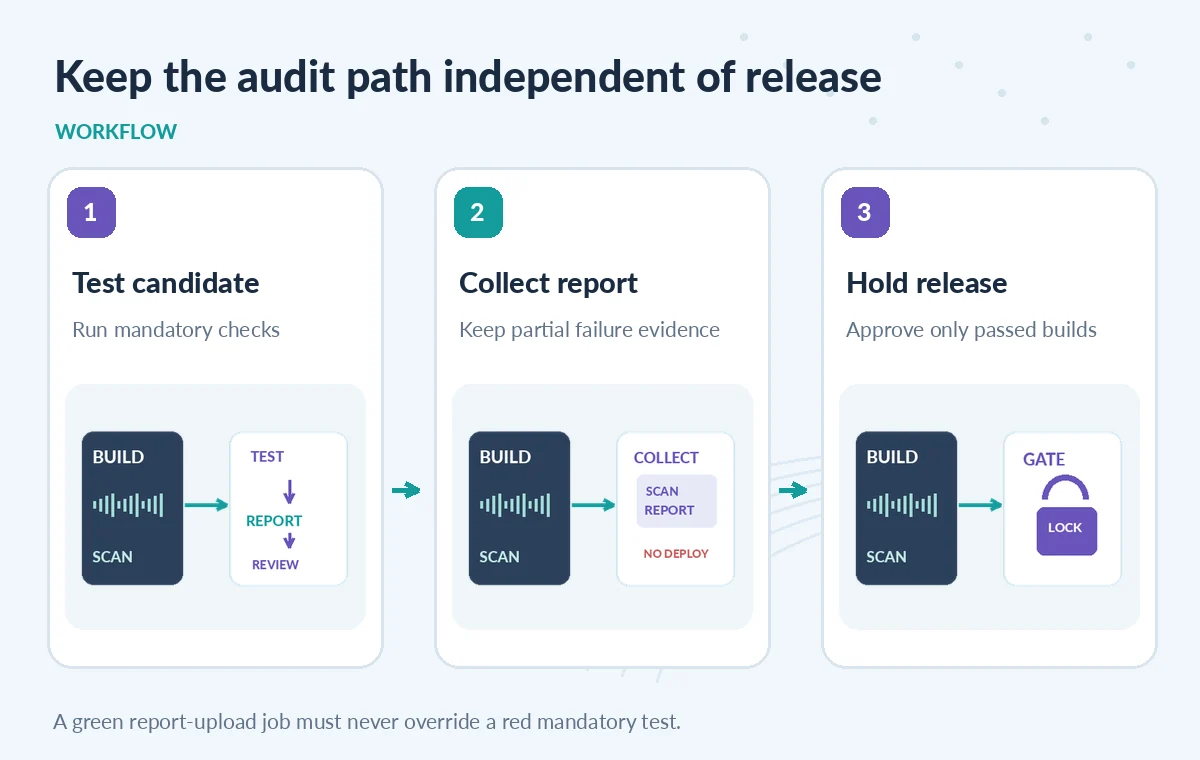
If a scan produces a partial report before failing, a later step in the same job can collect it using an appropriate failure-aware or cancellation-aware condition. If the scan is one job and the reporting task is another, declare needs so the reporter has an explicit dependency and can inspect its result. Give the reporting job read-only access and scoped artifact-upload capability. Do not grant production credentials merely because the reporter sometimes runs after failed tests. A report upload should point to a known artifact path and clearly distinguish present output from a missing file. A successful upload proves that a file was collected, not that the scan itself passed or that the report is complete.
Understand Why always() Needs Care
The function always() returns true even when a workflow is canceled. GitHub’s documentation warns against using it for tasks that could suffer from critical failure, such as checking out source files, because a job can hang until timeout. For tasks that should proceed unless the workflow is canceled, the expression !cancelled() is a documented alternative. Neither condition should be sprayed over every job. In a controlled auditing flow, choose between gathering an already-generated report, running cleanup, and starting new work. Starting a fresh network-heavy scan after a user cancels the workflow may be inappropriate. Review actual GitHub behavior for the current event and job dependency graph rather than assuming the word always means everything finishes successfully.
Compare a Green Build, a Failed Scan and a Canceled Run
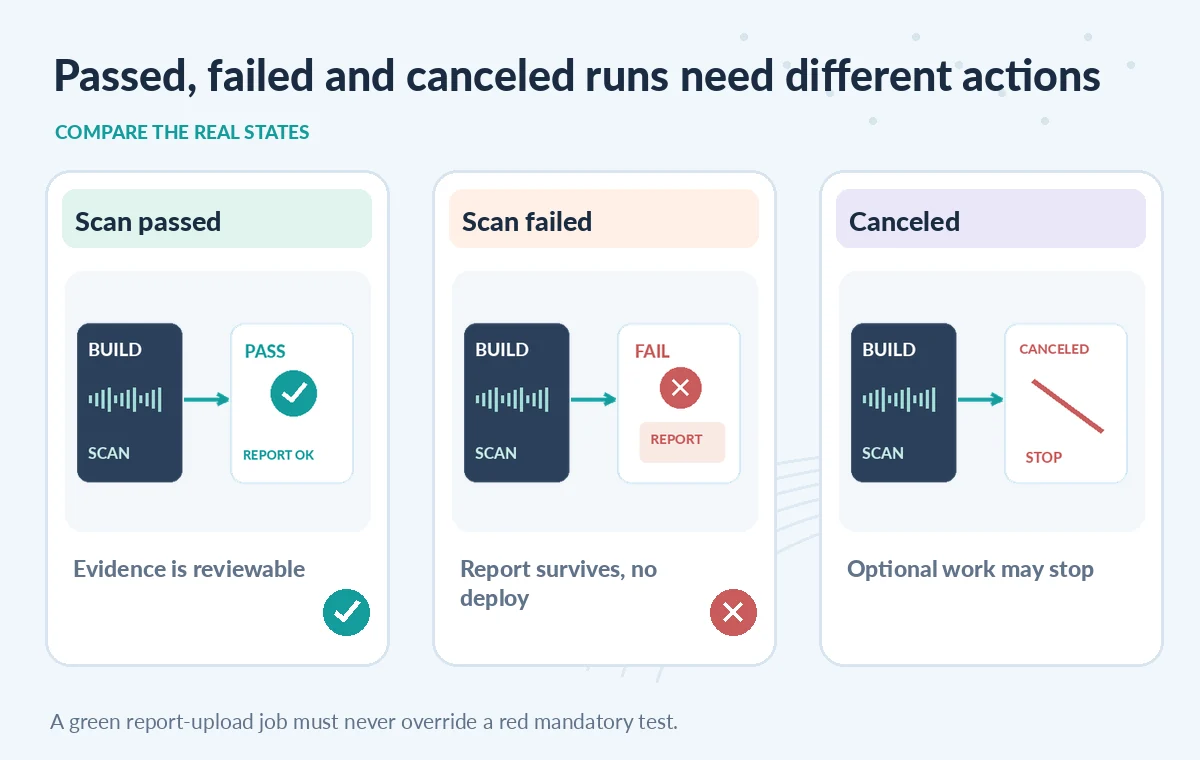
In a hypothetical green run, the build and accessibility scan pass, the reporter collects an evidence artifact and an independent approval gate may permit deployment. In a failed scan, the reporter should retain any available report and the release job should stay blocked. In a canceled run, your chosen cancellation-aware policy may skip optional work rather than continuing expensive operations. None of these are screenshots from a live GitHub repository. The visual point is that report availability and release approval are orthogonal. An audit job that ends green after collecting a red scan does not make the failed scan green. Put both statuses on the summary page with their original job identifiers.
Use needs Results for Release Gates, Not a Report Badge
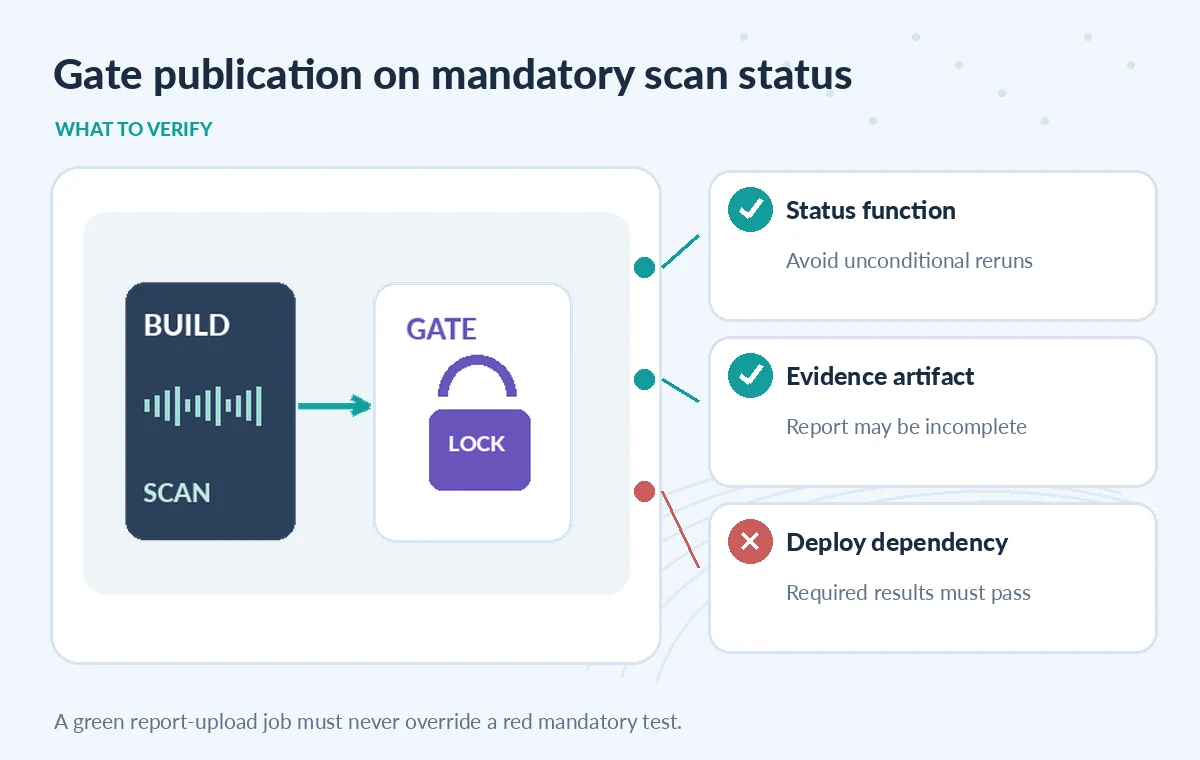
A deploy job should depend on the actual required checks, inspect their results, and use environment protection as appropriate. It must not depend only on the outcome of an evidence-upload job, because that job may succeed precisely when tests failed. In a multi-job chain, failure() may refer to ancestor jobs; confirm the conditions match the intended dependencies. Use a positive allowlist for required successful job results rather than guessing that anything not currently marked failure is acceptable. Skipped, canceled and incomplete states each deserve explicit handling. Save the workflow run ID and tested commit SHA alongside the evidence so editors can distinguish reports for two near-simultaneous candidate releases.
Keep Sensitive Test Artifacts Private
Museum website fixtures may contain unpublished captions, volunteer names or restricted accessibility feedback. A failure report can include file paths and text snippets from the tested pages. Before uploading, make sure tests use synthetic or authorized data and that artifact access and retention align with organizational policy. Avoid pasting raw test output into a publicly visible job summary. Redact secrets and limit repository permissions on the reporter. GitHub can tell you that a step failed or a job was canceled, but those facts do not guarantee the resulting file is safe to share. Assign a reviewer to assess incomplete reports and decide what must be fixed before another candidate is built.
Stage Three Failure Cases and Inspect Their Traces
Design a dry-run workflow that has a passing scan, a forced failing scan and a canceled run. Confirm which steps actually execute under success(), failure() and your selected cancellation-aware expression. If a report path is empty, require the reporter to say no report was produced rather than fabricating a green summary. Test a downstream job with needs so a failed mandatory check cannot be bypassed by a successful upload. GitHub offers logs that show how if expressions were evaluated; use them to investigate surprises. This is a proposed QA exercise, not a report of a pipeline we ran. Record expected and observed outcomes only when a repository operator performs the test.
Make the Final Release Decision Intentionally Boring
A strong release checklist names the exact tested commit, required job results, preserved scan evidence, remediation review, and human deployment approval. When a scan fails, the team gets a report and a blocked release—not an invisible failure or an auto-published site. When a run is canceled, the dashboard should say so. Build status functions for the purpose they serve: controlling which diagnostic steps may run after adverse outcomes. Leave the security and editorial gate in explicit successful prerequisites, not in a convenient success-looking report job. Clear status boundaries allow an accessibility issue to be fixed without accidentally turning it into a production deployment.
How We Research
For this guide, we reviewed the official product documentation on November 8, 2026: GitHub Actions expression status functions, GitHub Actions workflow syntax jobs needs and if, GitHub Actions contexts reference, GitHub Actions troubleshooting workflows. We checked the named setting or feature against its published behavior, mapped the documented constraints to the specific hypothetical scenario, and reviewed whether the topic duplicated titles in the supplied LabFin WordPress inventory or prior B0267–B0277 ZIPs. No authenticated vendor service was run; we did not perform a benchmark, observe real customer data, verify third-party rights or claim operational outcomes. All illustrated records and comparisons are teaching examples. Confirm product documentation and security requirements again before implementing a workflow in a real organization.
Frequently Asked Questions
GitHub applies a default success() check unless the expression includes a status check function.
Yes. GitHub warns that always() returns true even when canceled and recommends !cancelled() for work that need not continue after cancellation.
Yes. Reporting success only means evidence was collected. Release should depend on the mandatory scan result itself.
Use needs with a deliberate status-aware job condition; keep the deployment job gated on required checks.
Not automatically. They may contain private copy or sensitive paths; review the artifact before sharing.