
Finding a Warning Is Not Verifying a Repair
A volunteer repair library indexes several editions of maintenance instructions for donated appliances. A search for battery isolation returns a familiar-looking paragraph in an older manual. Azure AI Search can return highlighted matches that help the reader see why a result was retrieved. A marked phrase is useful interface evidence, not a guarantee that the section is current, that the warning applies to the model on the bench, or that a repair can be performed safely. Design the result around an exact source identity, edition and user-access check. Never let attractive highlighting replace opening the full warning and related instructions.
Understand the Two Highlight Parameters
Microsoft documents hit highlighting as an optional search-response feature for searchable fields. Depending on API and SDK, you configure highlight or highlightFields to specify fields, while highlightPreTag and highlightPostTag provide markup around matched text. Both custom tags should be supplied together when overriding defaults. These settings affect presentation of matched terms; they do not rewrite indexed documents, change search permissions or mean the result is fact-checked. Review the API version and SDK shape in the actual deployment, since request names differ among REST and client libraries. Avoid copying a JavaScript property name into a REST query without checking the reference.
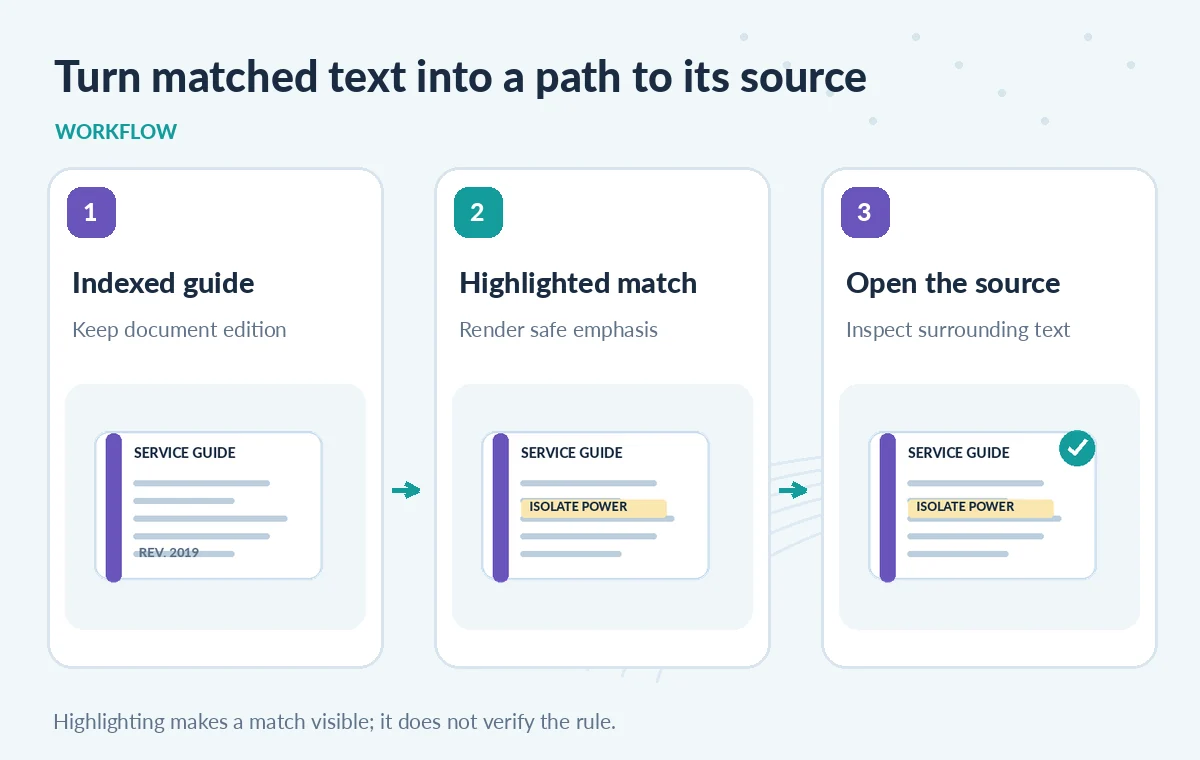
Index the Evidence Fields and Edition Separately
A repair note record should include document_id, product_family, edition_date, status, section_number, source_link and the searchable warning text. Only mark intended fields searchable. Preserve normalized display text separately from immutable source references where appropriate. A highlighted fragment without the document ID leaves reviewers unable to identify which manual edition supported it. Plan the schema so an editor can open a page image or source PDF at the precise section being discussed. Use a current/retired state as a controlled filter, not as a label inferred by the search model. This record structure makes the snippet useful without overclaiming authority.
Request Highlights for the Specific Search Field
For a typed keyword search, request highlights on the field that contains the relevant warning or repair guidance. Keep the result title, document ID and current edition next to the snippet. If the service returns no highlight, show a plain description or direct link rather than fabricating emphasis client-side. Test which queries and analysis settings create expected highlights. Avoid marking every word in a result bold, which would erase the difference between a true text match and surrounding explanatory copy. Where a safety note spans several sentences, give users a route to read the complete section instead of relying on a truncated match.
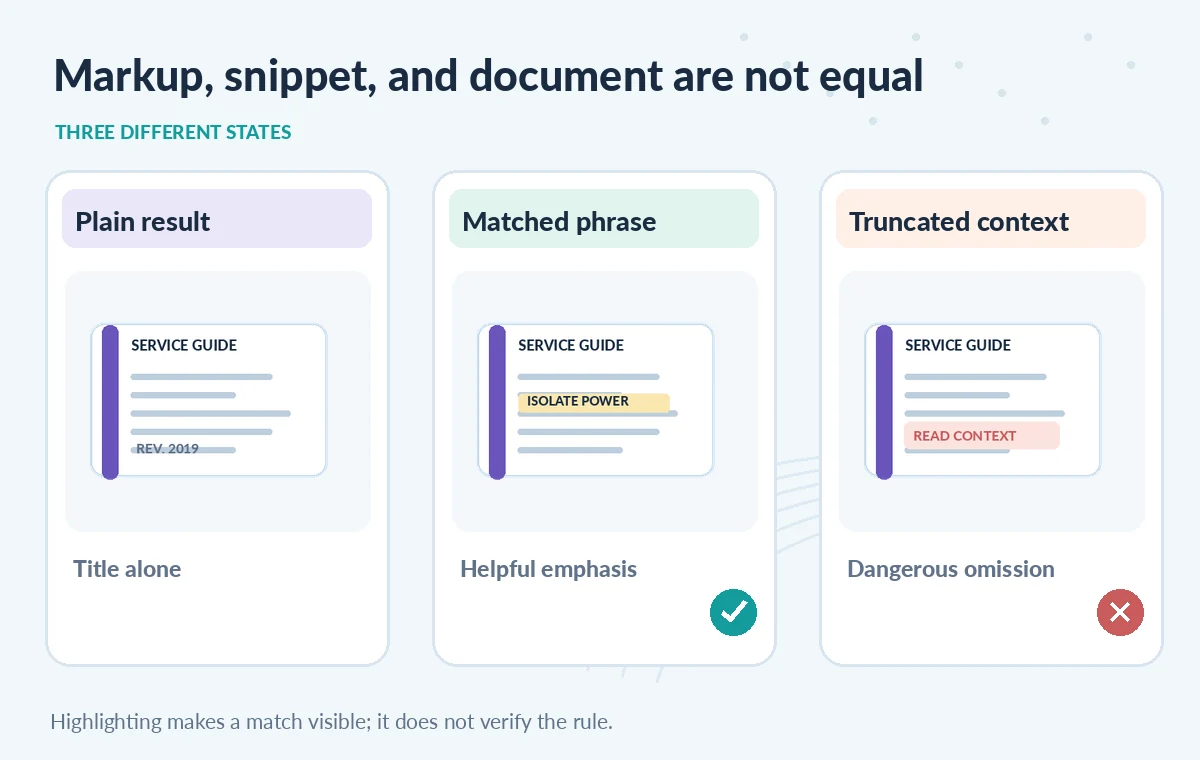
Compare an Unmarked Result, a Match and Its Source
Picture three states: a result row with only a title, a row with matched words emphasized, and a full source view showing a caution plus adjacent exception. The second improves findability, but only the third provides enough context for responsible interpretation. In the diagrams, the warning excerpt is invented for illustration, not copied from a real manual. Make it visually obvious that snippet text and complete source text are different surfaces. If a highlight captures ‘disconnect power’ but hides ‘only after the battery cools,’ the excerpt is not sufficient guidance. Explicitly label omitted context rather than claiming the snippet is a complete instruction.
Render Highlight Tags as Untrusted Display Data
Highlight wrappers may look like HTML. Never concatenate arbitrary search text into a privileged page without a safe rendering strategy. Escape document content and allow only the specific, expected emphasis markup from your presentation layer, or parse highlights into structured tokens and render them safely. Do not allow an indexed manual to inject arbitrary attributes or script-bearing tags into the WordPress result page. Include keyboard and screen-reader cues for highlighted matches, and check contrast under the site palette. The viewer should be able to navigate to the source without relying solely on color. These are application security and accessibility controls, separate from the Azure search request.
Test Analyzers, Misspellings and Long Passages
Search analyzers can affect which terms match and what highlighting shows. Build a small reviewed set of synthetic manuals with plural forms, part numbers, hyphenated terms, an obsolete edition and a warning split across a paragraph boundary. Query each case and inspect both retrieved document IDs and highlight spans. A missing highlight is not proof the document contains no relevant advice, especially when the query uses different words from the manual. Compare with an exact source read for the known cases. This article reports no observed recall percentages; it proposes manual acceptance tests to expose the user-interface edge cases.
Keep Permissions and Safety Review Upstream
Search UI formatting cannot grant access to protected documents. Apply authenticated authorization before presenting restricted results and test that search highlights never leak a snippet from a private instruction set. If a public search index includes repair directions for hazardous equipment, consider editorial policies for who may read and act on them. A highlighted clause is not a substitute for qualified assessment of the appliance, manufacturer warnings or local safety requirements. Keep a clearly labeled route to the current manual and an option to report a suspected outdated snippet. Human review should determine public-facing advice, not the color of a matched phrase.
Measure Search Usefulness Without Confusing Metrics
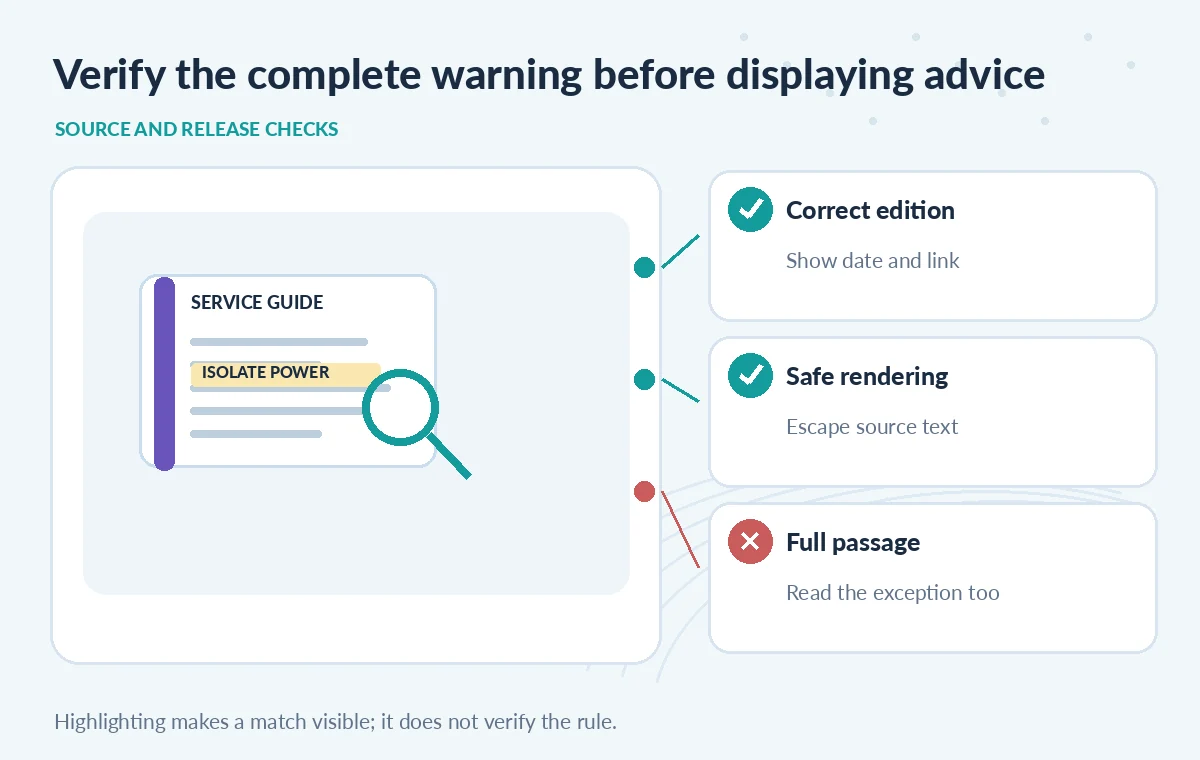
Evaluate whether the highlight helps people find the intended paragraph and identify the correct manual edition, not merely whether the markup rendered. Collect a small set of approved questions with expected document IDs, missing-term cases and deliberately confusing revisions. Record the index version, query parameters, source update time and review decision. Re-run those checks after changing analyzers or schemas. If the same query returns different editions, display that ambiguity before showing a prominent warning snippet. The goal is transparent navigation from a search match to the authoritative source, with no automated claim that the highlighted sentence resolves a repair question.
How We Research
For this guide, we reviewed the official product documentation on November 8, 2026: Microsoft: shape search results, Azure Search documents GET reference, Azure Search JavaScript search options. We checked the named setting or feature against its published behavior, mapped the documented constraints to the specific hypothetical scenario, and reviewed whether the topic duplicated titles in the LabFin WordPress inventory or prior B0267–B0273 ZIPs. No authenticated vendor service was run; we did not perform a benchmark, observe real customer data, verify third-party rights or claim operational outcomes. All illustrated records and comparisons are teaching examples. Confirm product documentation and security requirements again before implementing a workflow in a real organization.
Frequently Asked Questions
No. It shapes the presentation of matched terms in search results.
Microsoft documents highlighting for searchable fields; confirm field configuration in the index.
They serve the same purpose but appear in different REST and SDK request shapes; use the one documented for your client.
No. Open the exact source edition and inspect surrounding text before making claims.
Escape untrusted content, allow only controlled emphasis markup and test screen-reader and contrast behavior.