
A volunteer-run festival needs a one-slide summary of its approved event budget for a committee meeting. Gemini in Google Slides can generate a new slide using a prompt and, for eligible users, can use referenced Drive material. The hazard is that a polished chart can present a guessed number as an approved cost. This hypothetical example contrasts an approved total of $4,080 with a fabricated $4,800 in a rough draft. Neither number represents a real festival. The workflow keeps the approved spreadsheet as the source of truth while allowing Gemini to speed up layout and wording. Reviewers validate the figure, its units, and the ability to edit the slide before it goes into the public deck.
Create a small, locked source-of-truth brief
Collect only the budget rows approved for committee circulation. For example, label venue, supplies, access support, and contingency as separate lines, and include the exact total plus the approval date. This illustrative brief uses a total of $4,080, not a real-world quote or estimate. Mark any unapproved grant amount as pending rather than adding it to the total. If attendees are not authorized to see detailed vendor quotes, prepare a reduced summary with permission from the finance owner. Save the source sheet or document with a clear version label and note who verified its calculations. Keep a plain-text statement of the values the slide must preserve so the reviewer can check the image, chart, and speaker notes independently.
Check which Gemini slide mode the account has
Google documents more than one image and slide creation pathway. The current Help me create a slide / Ask Gemini workflow can generate editable slide content for eligible users, while a separate image-of-a-slide mode creates a rendered image and is not the same as fully editable objects. On desktop, open the existing presentation, use Ask Gemini or the slide generation entry point visible in your account, and verify the feature is available to that organization and language. Google says some slide generation access is tied to eligible plans, experiments, or beta programs. Do not promise that a personal free account has identical controls. Ask the administrator before uploading a confidential event budget to an unapproved service.
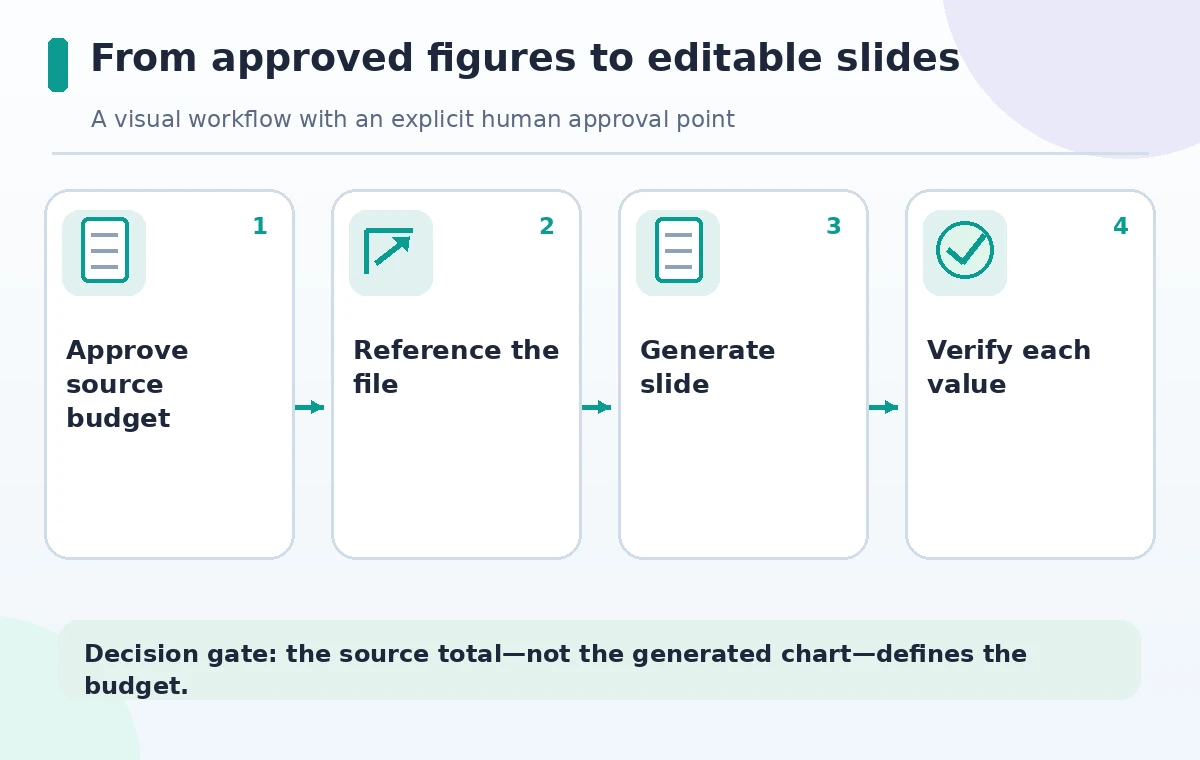
Reference the correct Drive file in the prompt
When the eligible Slides feature supports referenced files, use an @ reference to the approved budget brief rather than a vague phrase such as ‘our budget.’ Tell Gemini to include exactly four approved expense lines, to show the $4,080 total as an illustrative value, and to label pending items as pending rather than estimating. Specify the deck theme and target reading distance. If file referencing is absent in the account, paste only the approved non-sensitive values into a clearly marked draft slide. Keep the source document accessible to reviewers but do not expose restricted notes inside generated speaker notes or hidden objects. A linked source is helpful context, not proof that the AI copied it correctly.
Generate a slide and inspect the preview first
Use Ask Gemini, a visible Help me create a slide entry point, or the documented equivalent in the available interface. Prompt for a single budget summary with a restrained chart, four categories, and a footer naming the approved source version. Review the generated preview rather than inserting the first answer. Google documents options to refine the prompt and to insert or replace a slide; choose insert while evaluating a draft so the previous approved version remains visible. If the deck should use a two-column layout or simpler text, request a layout refinement. Generated design can be useful as a starting composition, but typography and attractive bars can distract from arithmetic errors.
Validate the chart against the underlying numbers
Inspect each displayed amount, category name, units, and total against the actual approved table. In the hypothetical comparison, a generated $4,800 total would be wrong even if the bar chart looked consistent with itself. Recalculate the sum with the source document, then correct the slide directly. Confirm that a pending grant is not silently counted as income and that the chart scale does not exaggerate a small line item. A pie chart with rounded percentages needs explicit checking because rounding can obscure the original figures. If the generated graphic is merely an image, do not claim that every label or element is editable; rebuild key financial values using native text and shapes instead.
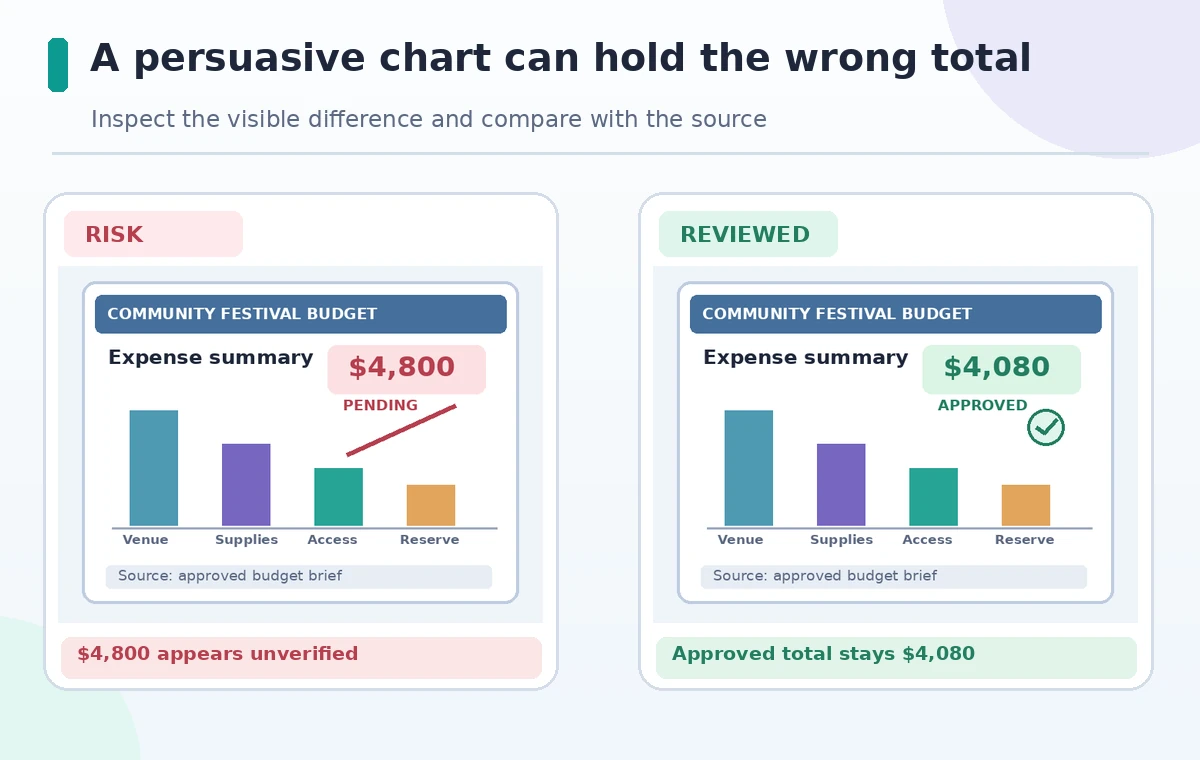
Check the difference between a slide and slide artwork
Some Google tools generate a picture to place on a slide rather than a collection of editable objects. Click the generated title, bars, labels, and footer separately to see whether they can be changed without repainting the whole slide. If a single selected image contains the entire budget, a small correction could require regeneration. For a committee working document, prefer editable native slide text, tables, and charts for facts that can change. Decorative illustrative imagery is a different category: it may be acceptable to keep as an image if it does not represent real financial evidence. Use alt text for the visual and provide the numerical summary as selectable text.
Review presentation accessibility and disclosure
Check reading order, text contrast, speaker notes, legends, and whether every essential number is readable from the back of the room. A decorative AI-generated festival graphic should not be mistaken for an actual festival photograph. Use an approved caption if an image is illustrative. Do not insert identifiable volunteer faces without authorization. Keep the source revision and slide approval date in the presenter notes or committee change log rather than stamping internal production codes onto the image. If the budget might change after the meeting, show the version date beside the total and avoid presenting projections as spent costs. The accessibility test should be performed on the delivered deck, not only in the Gemini preview.
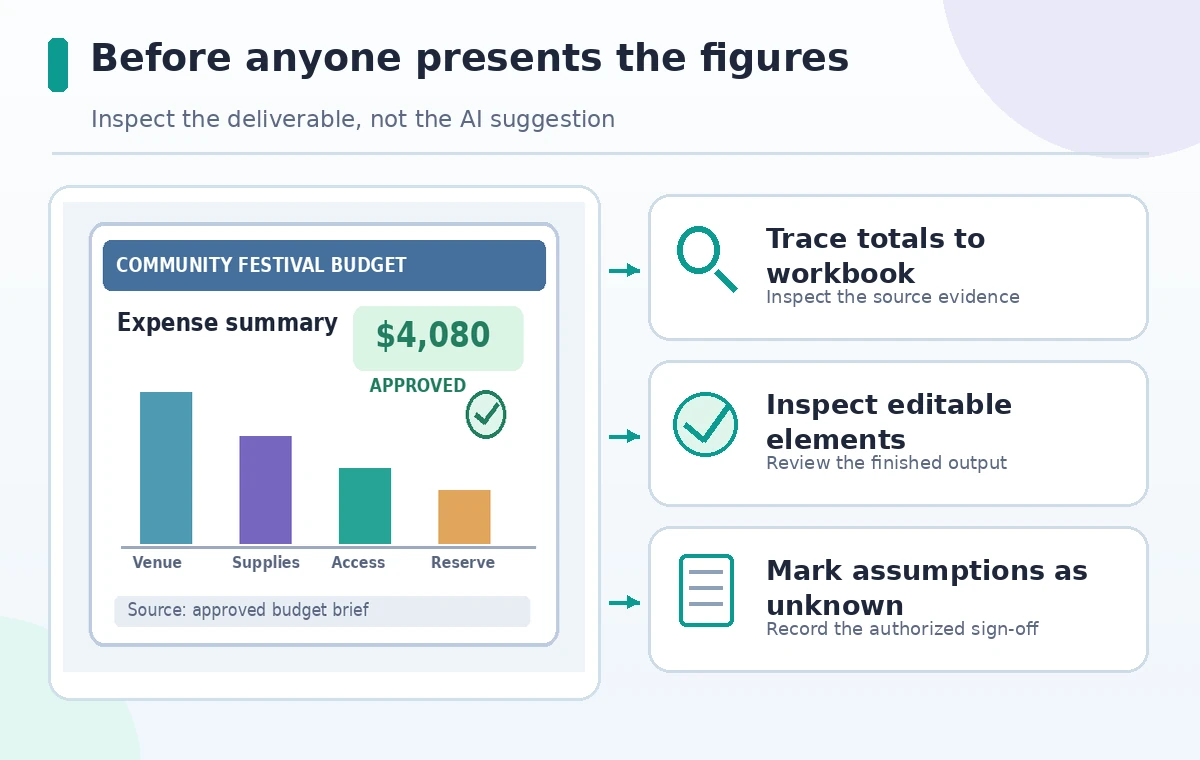
Publish only after a two-person arithmetic check
Export the presentation for the review team and ask someone other than the slide creator to verify each displayed figure against the approved document. Confirm the exact sum, any footnote describing exclusions, the unit used, and the fact that pending proposals remain pending. Check that replacing a slide did not remove other speaker notes or hide an approved accessibility disclaimer. Reopen the exported PDF and verify charts and typography survived conversion. Record the person who authorized the budget figures, then keep the editable source and approved export together. This procedure is a quality-control model, not a report of hands-on testing of Gemini or of any live festival budget.
How We Research
We checked Google’s Generate a slide instructions, Gemini in Slides guide, and image versus slide generation reference for entry points, source references, editable output and eligibility. The $4,080/$4,800 example is fabricated solely to illustrate a calculation review, not a live Gemini output. Feature availability is subject to the account, rollout and administrator settings. We did not test a real Google Workspace account.
Frequently Asked Questions
Google documents a Generate a slide feature that supports editable elements for eligible accounts; availability varies by plan and rollout.
No. Recalculate every financial amount against the approved spreadsheet or finance brief.
A slide image may not offer separately editable objects. Inspect the output and rebuild numerical charts as native elements where needed.
Google documents @ file references within supported Gemini Slides workflows. Check access rights and feature availability first.
Only when clearly labeled as provisional and approved for sharing; never allow an AI slide to fill a missing amount.