
A fictional food bank coordinates a weekend pickup through a busy Google Chat space. During the afternoon, someone proposes switching a volunteer and another person replies with a question. The shift lead returns later and wants a quick catch-up. Ask Gemini in Google Chat can summarize activity, but an AI recap must not be treated as an authorization to alter the public roster. The practical goal is to recover context, find the decisive message, and keep the actual scheduling authority in the loop.
Define the handoff question first
Write down exactly what is uncertain: Was Saturday’s 9:00 a.m. pickup reassigned, or was a change only suggested? A broad request such as “What’s happening?” may emphasize activity rather than the one pending decision. Instead ask for messages about the named shift and date, and whether the coordinator explicitly confirmed a replacement. Include the time zone if your team spans locations. In this teaching example, all names and times are invented. Do not copy a suggested assignment from chat into a published calendar until you have the approval message and a named owner. An organized prompt is a filter for evidence, not a source of new authority.
Check whether the feature is available
Google documents Ask Gemini inside Google Chat, including prompts for unread messages and recent topics. Separately, Google documents automatic conversation summaries for eligible Workspace subscriptions. Those features are not guaranteed for every free account, workspace language, or administrator policy. On a supported account, open Chat, locate Ask Gemini, and request a summary of the relevant space. If the feature is missing, read the space’s recent messages or search the conversation directly. Avoid publishing a workflow that assumes everyone can access the same sidebar, especially when a team has external volunteers who use different account types.
Turn the recap into an evidence checklist
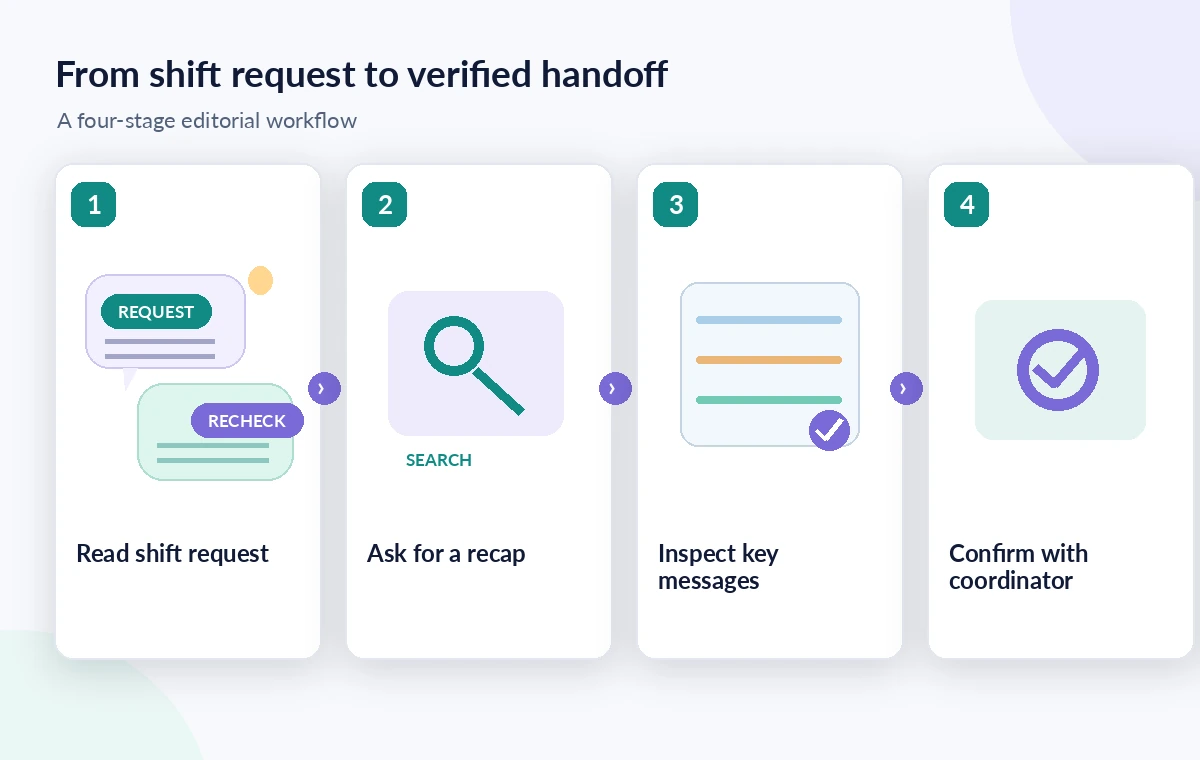
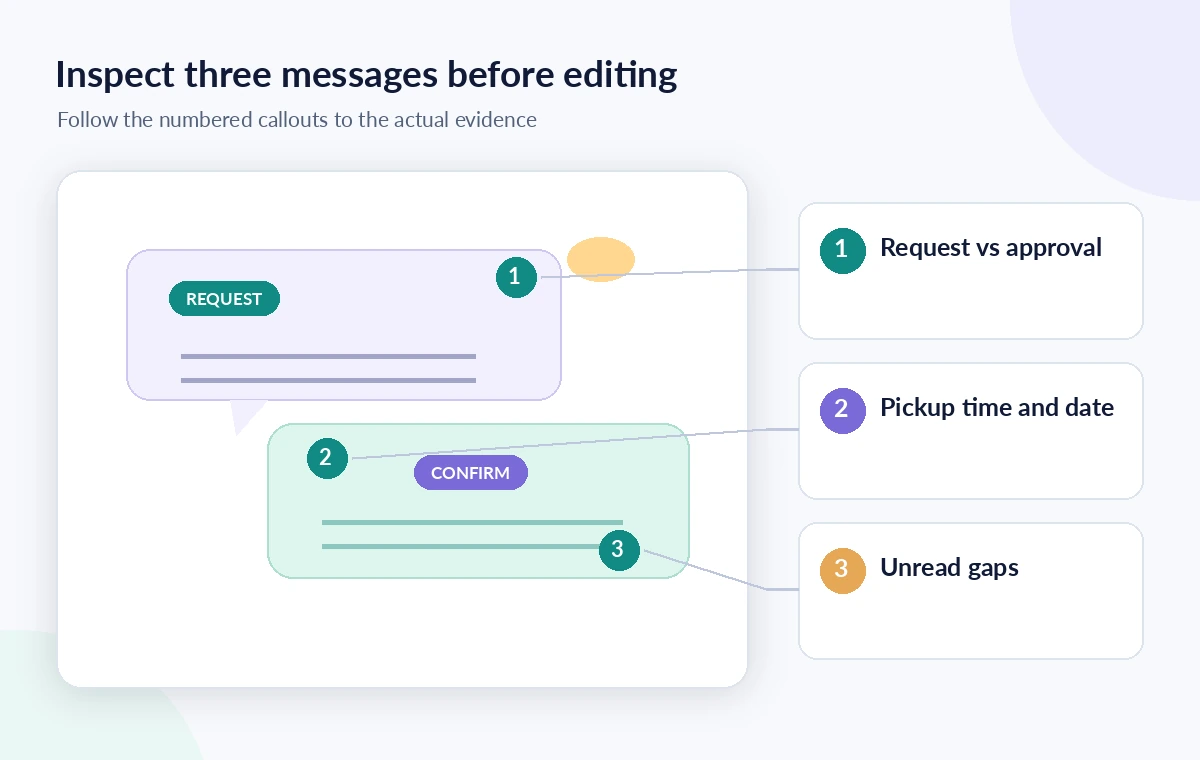
A summary is useful when it yields search targets: a proposed time, a participant’s name, a message thread, or a question that remained unanswered. Copy those points into a temporary checklist and label each as “reported by summary,” not “confirmed.” In a hypothetical thread, someone writes, “I might cover the morning pickup,” and a second person asks whether transportation is available. A confident AI sentence that “the morning shift is covered” is unsupported by those messages. Search or scroll to the original thread before changing the roster. Preserve the distinction between intentions, requests, assignments, and final acknowledgments.
Reopen the message thread, not just the excerpt
Read the messages immediately before and after the apparent confirmation, including replies in threads. Chat may contain corrections that reverse an earlier suggestion or clarify which pickup is being discussed. A response containing “looks good” might approve a different event mentioned a few minutes earlier. Recheck dates, locations, and the author’s role. If you cannot locate the source message or the space does not retain history, ask the coordinator directly rather than filling the gap with assumption. Google’s help notes limitations around conversations with history turned off and messages from apps for some summary surfaces; do not assume complete recall.
Preserve consent and minimum necessary details
Volunteer channels can contain phone numbers, accessibility requests, or private availability explanations. Ask only for the operational facts you need and avoid pasting summaries into a wider channel if they expose personal circumstances. Team leaders should decide which messages can be shared with nonmembers or downstream systems. Where a public schedule is required, publish the slot assignment and contact protocol rather than a person’s private reason for changing shifts. If the chat contains health or family information, remove it from the handoff note. Use workspace access settings rather than trying to bypass permissions through an assistant-generated digest.

Distinguish scheduling help from confirmation
Current Ask Gemini help also describes managing calendars and tasks. These are optional actions, not proof that a shift swap is authorized. Confirm whether an action is merely suggested, drafted, or actually applied in the relevant tool. A schedule update should name who approved it, when it was approved, and whether the affected volunteer acknowledged the change. Where an integration is unavailable, retain the manual step. Never let a generated summary trigger an automated text message telling someone they have a new shift unless your organization’s designated coordinator has verified the decision and the intended recipient.
Produce a concise decision log
Use three fields: “Open request,” “Evidence found,” and “Next action.” For example, “Saturday pickup proposed for replacement; original message only expresses availability; coordinator to confirm by Friday 5 p.m.” Mark the official roster as unchanged until the signoff arrives. This format keeps an incomplete handoff honest and actionable. Include one stable link or search instruction to the original conversation if permissible; do not paste screenshots of coworkers’ personal messages into a broad document. A short record of uncertainties is more valuable than a polished paragraph that hides the fact nobody accepted responsibility.
Quality-check the outgoing handoff
Before distributing the note, compare each claimed fact with the corresponding Chat message, calendar item, or coordinator response. Check the precise weekend date, pickup location, vehicle needs, contact channel, and whether proposed swaps were withdrawn. Ask a second organizer to verify any change that affects opening hours or food transport. A tool-generated catch-up should be clearly labeled as a draft until reviewed. The illustrative thread in this guide was constructed for explanation; we did not access a live organization’s Google Chat messages or test Gemini’s actual recall accuracy.
How We Research
For this article, we cross-checked the feature workflow and limitations against the official Google Chat Help: feature documentation and Google Chat Help: additional technical guidance and Google Chat Help: additional technical guidance. We used those named vendor sources to describe interfaces, supported uses, and availability caveats as documented in October–November 2026. We also reviewed the logical evidence boundaries of the illustrative scenario: which statement is a source claim, which is an inference, and which requires a person to approve. We did not access a customer workspace, run a controlled product trial, inspect private recordings, or measure model quality. Plans and interfaces can change; check the linked vendor guidance again before relying on a specific control.
Frequently Asked Questions
Google documents catch-up prompts for unread messages and recent space updates on supported accounts, subject to workspace availability and controls.
No. You need the original approval message or explicit confirmation from the person responsible for the roster.
Some Google Chat summary surfaces exclude conversations with history disabled. Check the source conversation and ask participants directly if needed.
Only after checking it for accuracy and removing private details that are not required for the shift handoff.
Record the proposed change, direct evidence, remaining uncertainty, decision owner, and deadline for confirmation; do not silently update the roster.