
A museum is preparing to reorganize its collections website. Old object links appear on printed gallery signs, in research papers, and on volunteers’ bookmarks. An eager coding assistant could rename routes or write redirects before anyone knows which URLs must remain stable. Gemini CLI Plan Mode offers a research-first workflow for designing the migration before approving implementation.
This walkthrough uses a fictional repository and sample routes. It does not describe a live CLI run or measured redirect success. The goal is an actionable inspection plan: keep the original URLs inventoried, define preservation rules, and require a human decision before a developer changes the site.
Inventory the routes that already exist
Start with a frozen list of the site’s public collection URLs, including object IDs, exhibit pages, downloadable labels, and any short links printed on walls. Include inbound links found in analytics, a crawl, or editorial records where available. A generic route such as /collection/42 may have a very different retention requirement from a disposable test page.
Create a hypothetical inventory with /objects/T-042, /visit/access, and /events/summer-open-house. Mark the first as a permanent object record, the second as a sensitive accessibility direction page, and the third as an event that may legitimately expire. Distinct content types need distinct redirect and content-retention rules.
Enter Plan Mode before giving the CLI a goal
Google documents Plan Mode as a read-only research and planning environment. Users can start with `gemini –approval-mode=plan`, type `/plan`, or select Plan using the approval-mode controls. The mode normally restricts file modification except for its own planning Markdown within the authorized plan directory. Settings and policy customizations can alter the local environment, so inspect the configuration.
Give it a bounded task: “Inventory current collection routes and propose redirect mappings. Do not edit source files, run migrations, install packages, or deploy anything. Identify references in templates, site maps, and tests.” Avoid starting a session in a mode that automatically accepts edits and then treating the answer as though it were a read-only review.
Map each old route to a defensible destination
Build a mapping with old URL, proposed new URL, page purpose, evidence owner, and approval status. A redirect is correct only if the destination truly serves the same information. Redirecting a missing object record to the museum homepage may hide an error rather than help a researcher find the right item.
Ask the plan to identify whether exhibit links should remain as archival pages, redirect to updated collections pages, or return a clearly explained gone-state. Preserve accession IDs and file references in the mapping. The AI may propose a pattern, but the collection and web teams must approve each exceptional case.
Inspect templates, imports, and hidden dependencies
Old routes can be embedded in navigation templates, QR-code metadata, downloadable PDFs, tests, sitemap generators, and structured data. A route rename that updates one controller may leave many silent broken links. Plan Mode can help inspect code structure and list probable dependency points without performing changes to the repository.
Use the generated inventory as a search checklist. Request file paths and snippets for each claimed dependency, then inspect the actual source. If the assistant says a path exists but it does not, treat the claim as a failed review item. Be especially careful with case sensitivity, locale prefixes, and trailing-slash behavior across hosting platforms.
Make the boundary between planning and writing explicit
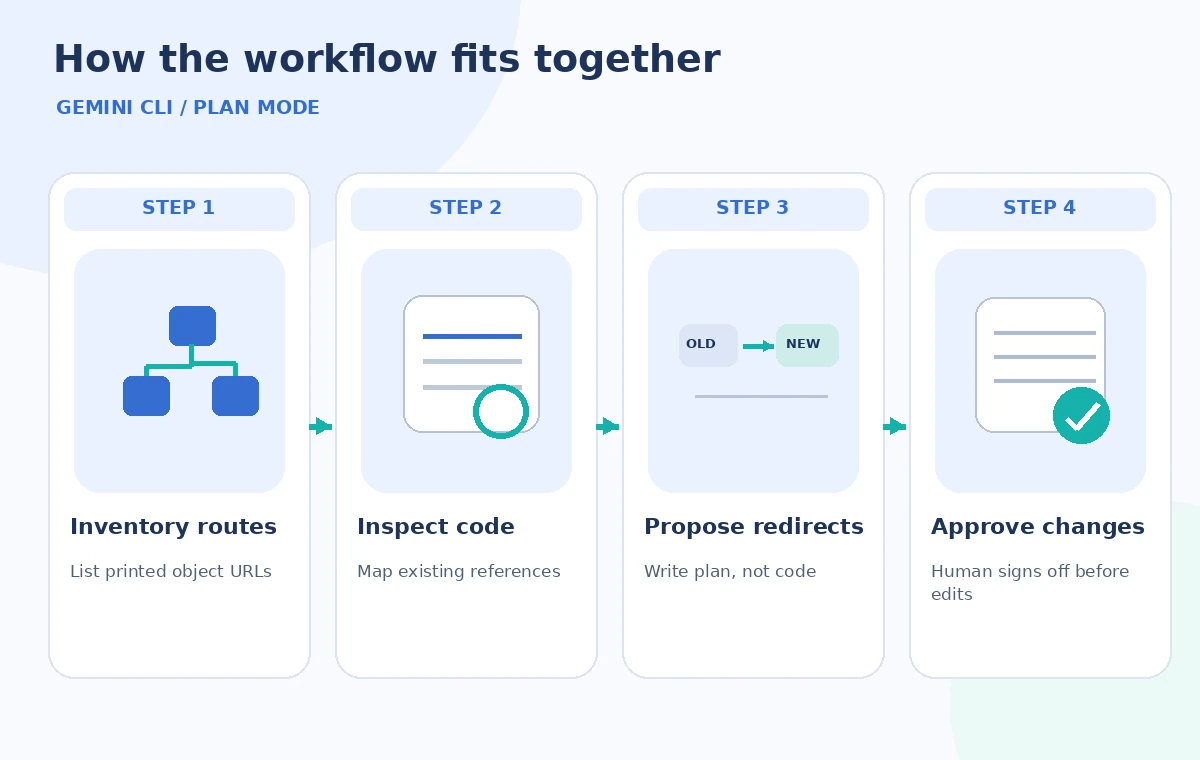
The workflow illustration shows a read-only discovery stage ending at a human approval gate; code edits occur only afterward. Google’s documentation explains that approving the plan exits Plan Mode and can begin implementation. Therefore a plan file appearing in the CLI is not proof that the migration has happened, and an approval button is not a harmless “save” command.
Review custom policies and any connected tool permissions that could weaken assumptions about read-only behavior. Plan Mode prevents ordinary edit tools by default, but the correct operational control is still access minimization: a staging checkout, limited credentials, reviewable version control, and separate deployment permission.
Catch a bad redirect before a code change
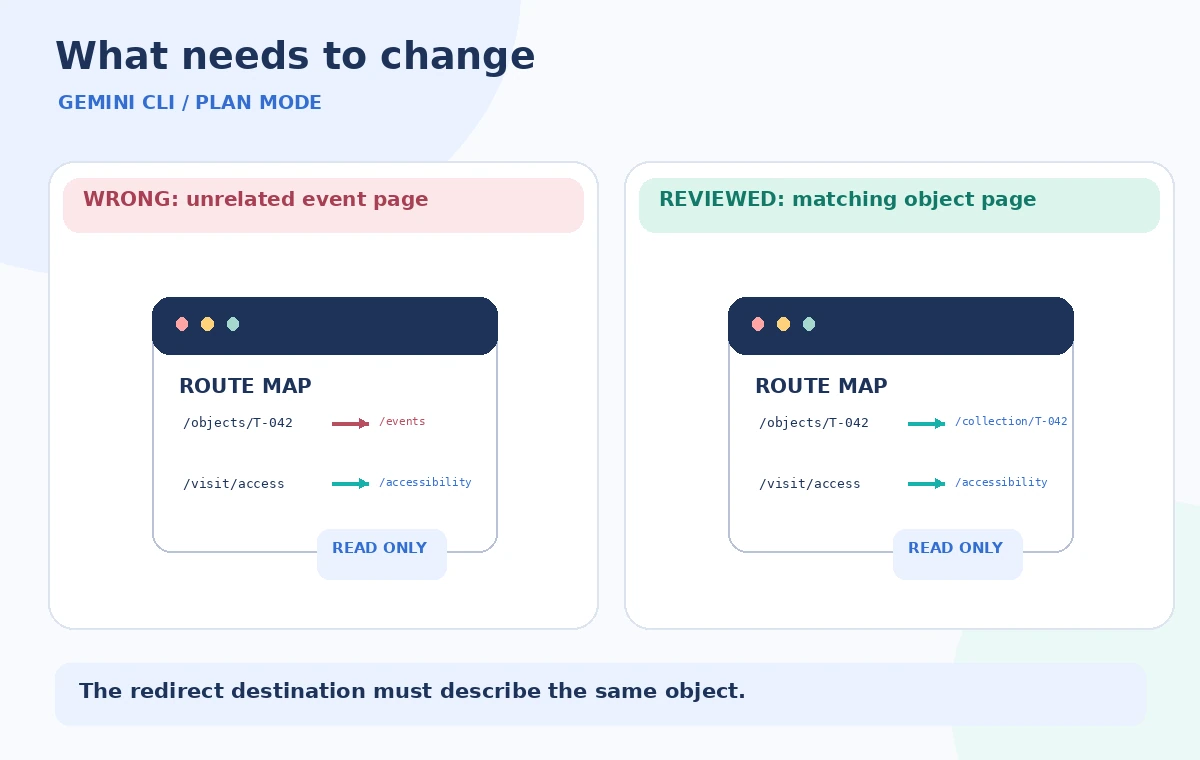
In the sample comparison, /objects/T-042 incorrectly redirects to /events/summer-open-house because an overly broad matching rule captures every old collection URL. The reviewed mapping preserves the object ID and points only to /collection/T-042 after staff confirm that record exists. The graphic illustrates possible logic, not a real output from Gemini CLI.
Ask for explicit exception lists: deleted objects, embargoed records, changed accession numbers, bilingual pages, and links that must remain accessible offline. A single successful example does not validate an entire redirect pattern. A meaningful review walks through both routine routes and deliberately awkward cases.
Approve a test plan, not a deployment shortcut
Before leaving planning, require an artifact with a migration sequence, rollback steps, redirect inventory, acceptance tests, and named sign-offs. A route response should be checked for its status code, destination content, preserved query parameters where appropriate, link loops, and stable canonical URLs. Accessibility information must be updated deliberately, not moved by a broad string replacement.
After a separate approval, implement the smallest change set in a branch and test it in staging. Keep the original public site intact until the redirect checks are complete. A successful preview build does not establish that QR codes in the physical gallery now resolve; those must be checked on representative devices.
Keep the plan useful after the migration
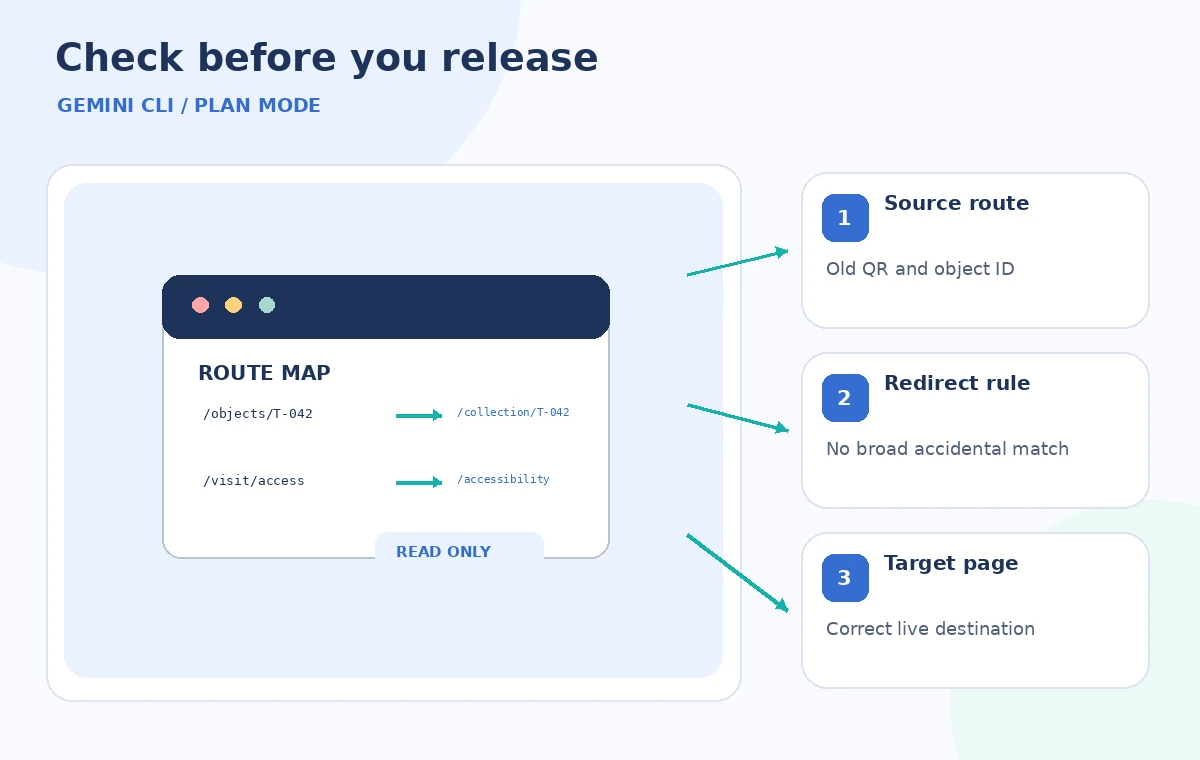
File the approved route map and tests alongside deployment notes. When new collections are added, use the same review method to prevent duplicate or ambiguous IDs. The final QC graphic highlights the map entry, code reference, and public-facing destination as separate inspection points.
If the assistant cannot find a dependency or reports an uncertain match, preserve that uncertainty in the ticket. Plan Mode is particularly useful when the best answer is “we need an inventory from another team” rather than an invented list of files to modify. Its value lies in controlled preparation, not automatic confidence.
How We Research
For this November 5, 2026 editorial review, we read the following official primary references: Gemini CLI: Plan Mode, Google Developers: Plan Mode announcement, Gemini CLI command reference. We compared documented entry points, input requirements, privacy or permission boundaries, and stated limitations against the hypothetical workflow above. We did not access a paid account, process real museum or customer data, generate output in the named service, or measure error rates. Diagrams show designed teaching examples, not product screenshots or empirical performance. Availability and UI details should be rechecked in the actual account before operational use.
Frequently Asked Questions
By default it restricts normal editing tools and permits writing planning Markdown in its designated plan directory. Custom policies and tool permissions must still be inspected before treating the environment as safe.
The official reference documents `gemini –approval-mode=plan`. You can also enter the mode with `/plan` during a session when that capability is enabled.
Approval can exit Plan Mode and begin implementation work. It is not a deployment authorization by itself, and your repository, staging, and production permissions should be separately controlled.
Confirm that its destination represents the same useful resource. Preserve stable object IDs and check printed QR links, archival citations, language variants, and accessibility information.
An old-to-new URL inventory, verified source references, exception handling, acceptance tests, rollback steps, and written approval by the relevant collections and web owners.