
A small museum is preparing a six-slide pitch to fund a hands-on exhibition. The team has a mission statement, an approved program budget and last year’s visitor count, but no defensible attendance forecast. Gamma Agent can help organize the story and design an editable deck. It can also fill empty space with impressive-looking statistics or promises. This fictional workflow starts with a fact register, uses Gamma’s planning conversation to build a presentation and audits the claims before anyone shares the deck with sponsors. No visitor totals or sponsor commitments in the illustrations represent real museum data.
Write a source register for the sponsor claims
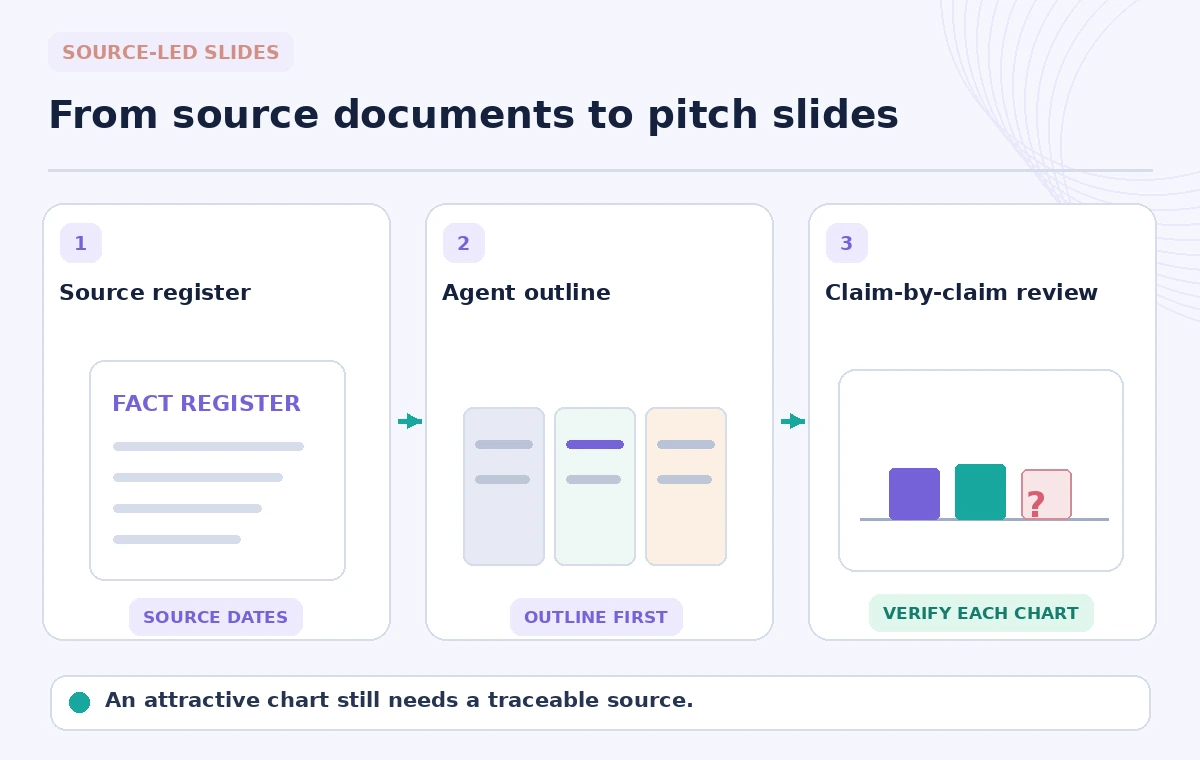
Make a compact table with each proposed factual claim, its source, source date, approval owner and whether the claim may be used publicly. Keep the audited visitor count separate from projected attendance, and do not invent a growth percentage to make the chart more attractive. A museum may have valid numbers for annual visits but none for a new exhibition; say “forecast pending” rather than quietly extrapolating. Record the approved budget categories and whether any sponsor tier has been formally authorized. Your content brief should identify facts that may be used verbatim and open questions that must remain visible. This reduces the temptation to ask the model to manufacture details that a polished pitch seems to require.
Choose Plan mode for a reviewable outline
Gamma’s help center describes a conversational creation flow with Plan, Express and Research modes. Plan asks clarifying questions and shows an outline before building; this is useful when the deck contains sensitive claims. Begin with a brief such as “six-slide museum exhibition pitch, use only the attached approved facts, mark missing metrics as TBD.” Tell the agent the audience, requested funding purpose and required sections, then inspect the proposed outline before generation. Express skips much of that pre-build review, while Research may gather external information; neither setting relieves the presenter of fact checking. Do not upload confidential donor data or unreleased contracts without organizational authorization.
Create the six-slide argument without unsupported promises
Use a narrative order that answers sponsor questions: museum mission, exhibition experience, documented audience, exact funded activities, approved support opportunities and next steps. Separate historical evidence from proposed outcomes on different slides. A typical AI suggestion such as “attendance will double” is a prediction, not a museum fact, and should be rejected unless an accountable forecast supports it. Avoid using generated testimonial quotes or photos that depict real visitors without consent. Gamma can create slide content and images, but any visual that implies an actual past exhibition should be sourced and labeled accurately. The illustrated storyboard is a conceptual layout, not a captured Gamma interface.
Inspect numbers and dates in every graphic
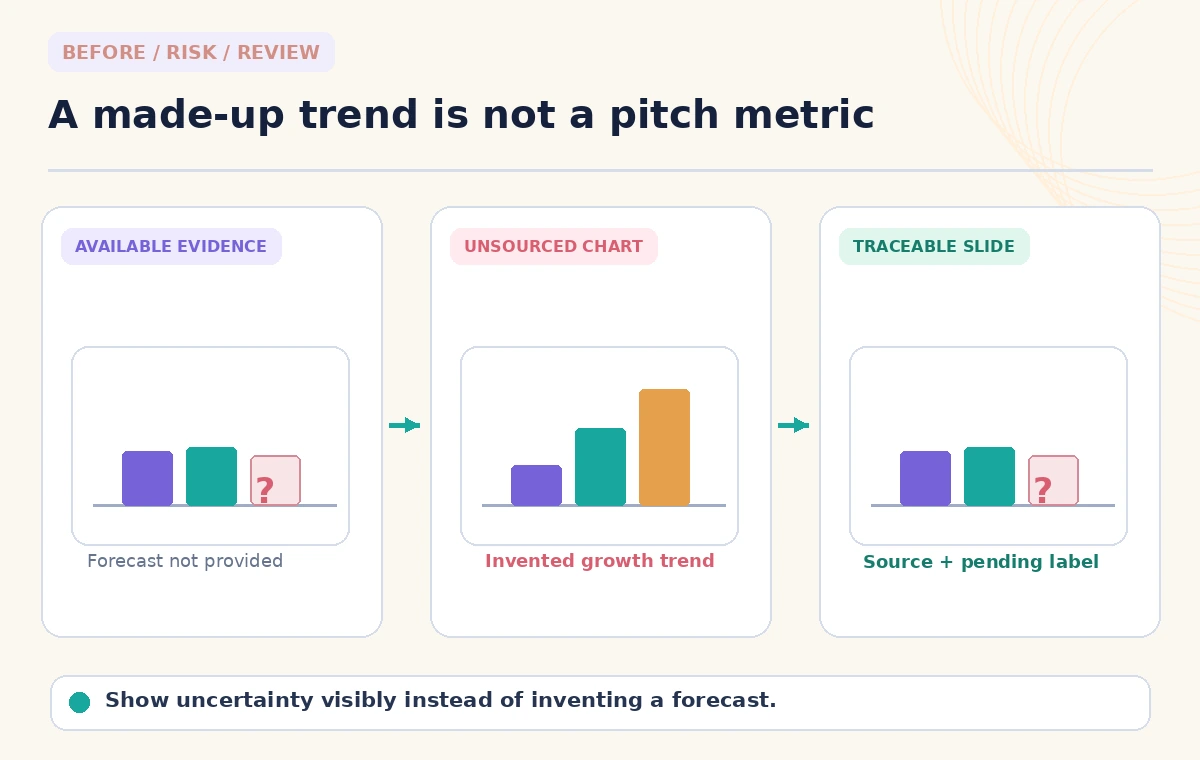
A bar chart can exaggerate certainty even if its values look plausible. For this example, compare a supported historical count, a budget figure from an approved worksheet and an explicitly empty forecast field. The risk diagram uses labels like “UNVERIFIED” rather than fabricated numeric results. If the agent creates a chart from prose, inspect its underlying values; transposed digits and unsupported percentage changes are easy to miss in a large slide. Check fiscal-year boundaries and whether “visits” counts repeat visitors. Add a short source line to each statistical slide. If an exact published source cannot support a claim, remove the graphic or frame it as a question for the museum’s leadership.
Keep research mode separate from internal evidence
Gamma’s Research mode can gather and read outside material before drafting. Such material may help explain the broader sponsorship landscape but cannot supply the museum’s internal budget or visitor count. Keep external benchmarks separate from claims about the institution, and store direct URLs and access dates for any market statement you retain. A generic museum attendance trend does not establish the expected visitors for this exhibition. Recheck citations before presenting; source relevance is more important than the number of links in the speaker notes. If the research surfaced a sponsor logo or quote, confirm permission to use it before incorporating it.
Use targeted edits and preserve the approved copy
Gamma says the agent can make targeted revisions while leaving other manually edited parts intact, but changes still deserve a slide-by-slide review. Ask it to shorten a heading or improve hierarchy without altering financial meaning. After a revision, compare the total requested amount, dates, percentages, sponsor benefits and contact information against the fact register. Avoid prompts like “make the numbers more convincing,” which invite unsupported enhancement. When an infographic is essential, simplify it rather than packing an ornate layout with tiny references. Duplicate a known-good version before major changes and keep approved source text outside the presentation for comparison.
Check accessibility and visual integrity
Review text contrast, heading order, reading sequence, chart labels and alt-text needs in the final format. A generated illustration can accidentally show a logo, exhibit object or building facade that the museum does not own. Use licensed or museum-provided visuals when claiming to depict a real site. Present the sponsor opportunity plainly, without suggesting an endorsement from an organization that has not agreed. Open the deck on a small laptop, where footnotes and source dates may become unreadable, and run a verbal read-through with a colleague unfamiliar with the project. The strongest design is the one that preserves the distinction between established evidence and a future plan.

Run a named sign-off before sending the deck
Give the director, finance lead and communications reviewer their respective pages: institutional claims, spending figures and public permissions. Confirm that each sponsor benefit is allowed, every total matches the approved budget and visitor statistics refer to the intended year. Mark unresolved figures as pending and assign the person who will supply them. Save the final version, source register and approval date together so a later sponsor conversation does not rely on an obsolete deck. Gamma Agent can accelerate layout and drafting, but only the institution can authorize promises, approve a fundraising ask or validate its performance measures. Keep that boundary clear in the final export.
How We Research
We reviewed Gamma’s official How do I create with Agent in Gamma? and creation workflow guide for Plan, Express, Research, revisions and editable decks. The museum, sponsor story, slide mockups and example data labels are fictional teaching materials. We did not generate a live Gamma deck, audit a museum’s financial statements or verify visitor statistics.
Frequently Asked Questions
Plan mode provides an outline review before generation. Express drafts faster; Research can add outside material that still needs verification.
Do not rely on AI to invent institutional metrics. Use the museum’s approved attendance records and show dates.
Yes. Gamma describes editable slides and targeted agent revisions, though all changed claims still need review.
Use an explicitly marked internal placeholder, never a fabricated quote presented as a real endorsement.
Confirm the budget, attendance sources, sponsor benefits, contact details, permissions and unresolved claims with named reviewers.