
A coach records a simple jump-rope demonstration for beginners. Viewers need to see one rope move from behind the jumper, overhead, and beneath the shoes. Slowing the clip might make the sequence easier to study, yet synthesized frames can make a fast thin rope appear doubled or leave a floating arc. This example is hypothetical; the drawn frames are not measurements or actual Final Cut Pro output.
Apple documents Smooth Slo-Mo as a machine-learning retiming option in Final Cut Pro on Macs with Apple silicon. It selects Best (Machine Learning) for the clip’s video quality and needs extra analysis and rendering time. The feature creates intermediate motion. It does not independently certify that a tutorial’s physical movement remains an accurate teaching reference.
Use a source clip with a visible complete cycle
Choose footage where the rope remains in the frame and the landing moment is visible. Record whether the original clip is a continuous take and note its source frame rate before retiming. A clean high-frame-rate recording can often be slowed without as much interpolation; a low-frame-rate clip with rapid motion demands more judgment from the frame-generation process.
Make a tiny reference storyboard with four authentic moments: rope behind, over the head, underfoot, and landing. That order is the teaching truth. Do not treat blur as evidence of an additional rope. Keep source timecode notes so an editor can return to the original event when generated images introduce odd shapes.
Choose a speed that serves the lesson
Select the clip or range in the Final Cut Pro timeline and use the Retime menu to choose Smooth Slo-Mo, then pick an available speed preset. Apple also documents using Custom Speed with Clip Video Quality set to Best (Machine Learning). Confirm the supported hardware first: Smooth Slo-Mo requires a Mac with Apple silicon.
Choose a slower result only when it helps viewers see the rope crossing the shoes. A dramatic quarter-speed shot is not automatically more informative than half speed. Review the added duration in the lesson timeline and check whether spoken narration still matches the slowed movement. Audio may require separate treatment rather than stretching a short cue into an awkward warning.
Understand what interpolation can and cannot know
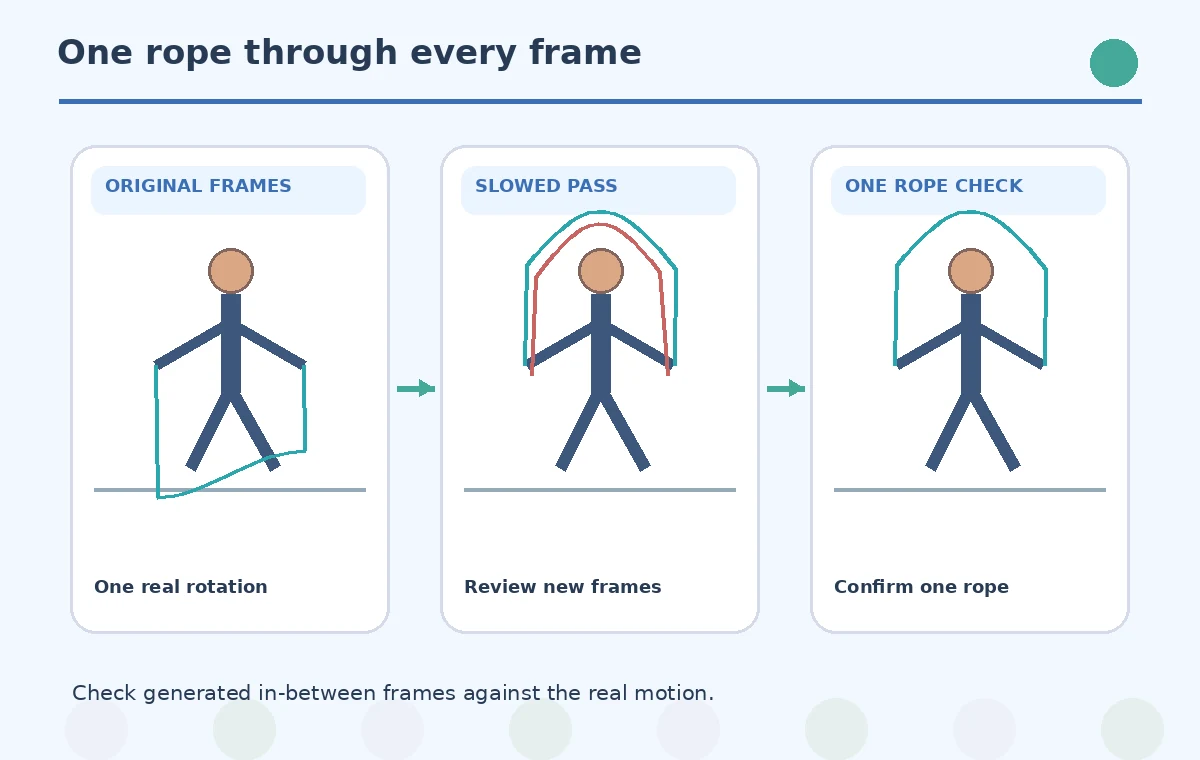
The algorithm predicts intermediate frames between recorded frames. That is valuable for fluid motion, but thin fast-moving shapes are ambiguous when the source contains blur or occlusion. The model may create two adjacent rope arcs in a single generated frame. Treat such a shape as a synthetic artifact, not as a second piece of training equipment.
Compare authentic frames from the source to the retimed sequence. Use the same visual landmarks: jumper’s hands, rope centerline, shoes, and ground contact. If a generated frame seems physically impossible, do not add it to a freeze-frame teaching card. The source footage remains the only direct record of the action.
Audit the fast rope pass frame by frame
Scrub through the overhead transition, where the moving rope may overlap the jumper’s arms, then inspect the underfoot pass where the rope crosses the shoes. The comparison diagram depicts one incorrect double-arc frame and a clean single-arc target. It is a conceptual illustration of what to look for, not a claimed result of a particular rendering.
Watch the output at ordinary playback speed after still-frame inspection. Some isolated synthesized frames are harmless in motion, while others cause visible stuttering or suggest a different movement. For instruction, prioritize the segment viewers actually need. You may decide to use the unslowed original with a simple replay instead of a misleading synthetic motion effect.

Keep the direction and number of rotations intact
A beginner should not see the rope reverse direction, pass through a shoe, or complete an extra rotation between two landings. Build a simple annotated timeline of the authentic cycle and compare against the slowed output. Avoid duplicating a short loop without a clear edit: repeating a landing can falsely imply extra repetitions in a counted exercise.
If the clip must include rep counts or a safety cue, position those overlays against the source event, not against newly synthesized timestamps alone. Keep annotations as editable graphics separate from the footage. This makes it possible to revise the timing without rendering new fake rope positions into the image.
Check render time and hardware requirements
Apple says Smooth Slo-Mo uses additional analysis and rendering time compared with other methods. Higher-than-1080p clips take more processing, and formats above 4K require an M2 or later Mac. Check the current Apple Support page for complete resolution limits and supported Final Cut Pro versions before budgeting a delivery date.
Do not promise that a particular computer will render a certain number of frames per minute. Performance depends on source codec, timeline effects, resolution, and available resources. Keep a fallback plan: ordinary retiming, a tighter demonstration captured at higher frame rate, or a real-time replay with arrows on top.
Combine AI Tools With Source Checks
Export a clear and physically faithful tutorial
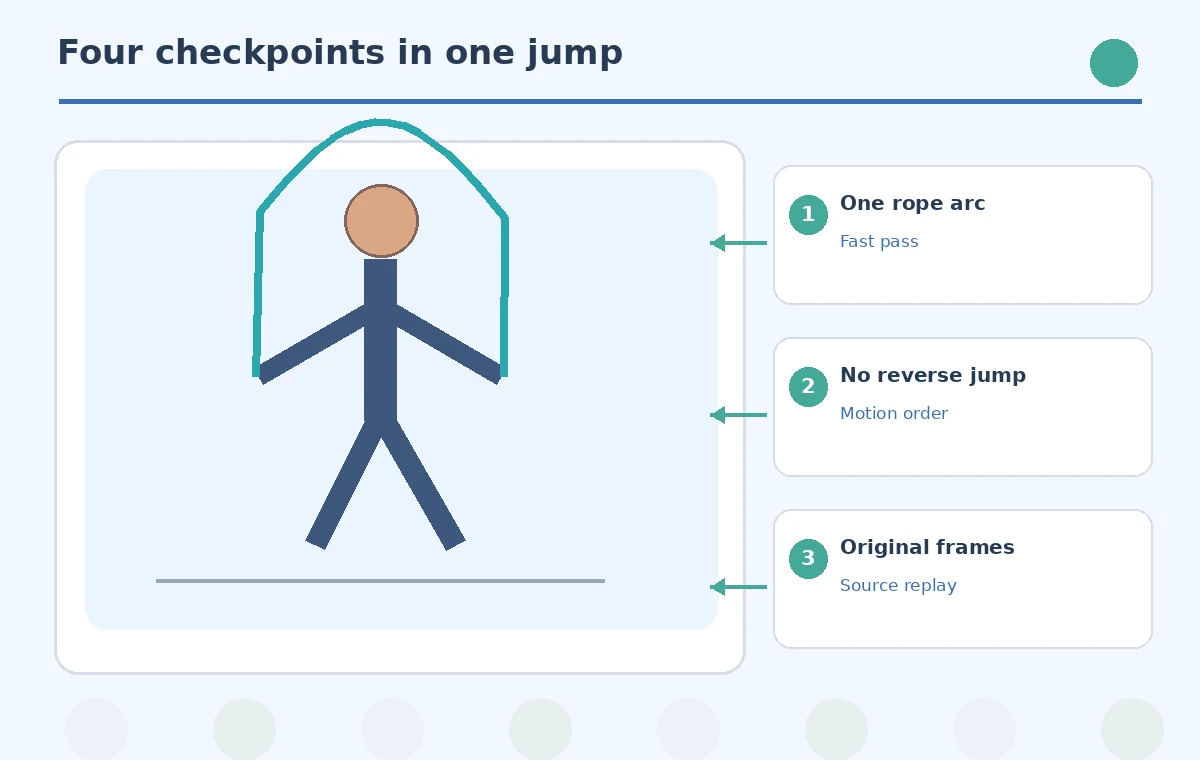
Before sharing, compare the slow segment to the original full-speed recording. Confirm one rope, a consistent rotation direction, recognizable shoe contact, and no ghost edges at the hands. Ask the coach whether the movement communicates the technique accurately; a beautiful slow-motion effect can still be an unhelpful lesson.
Export with the needed frame size and review it on the intended phone screen, where a thin rope may become nearly invisible. Keep the original master and source frame references. The release gate is physical fidelity and clear teaching, not simply the presence of the Smooth Slo-Mo effect on the clip.
How We Research
We reviewed these named official sources on November 4, 2026: Apple Support — Change clip speed in Final Cut Pro; Apple Support — Final Cut Pro release notes. We compared the documented controls, version or account restrictions, and stated limitations with the editorial task described above. The scenario, dates, people, drawings, and before/after images are fictional teaching examples, not reports of a live product test. We did not measure output accuracy, purchase a subscription, or verify individual generation results. Readers should inspect the current interface and source assets before acting on the workflow.
Frequently Asked Questions
Yes. Apple states that the machine-learning Smooth Slo-Mo feature requires a Mac with Apple silicon.
Not exactly. Smooth Slo-Mo selects a machine-learning quality method to synthesize smoother intermediate images.
Synthetic frame interpolation can produce ambiguous or doubled fast-moving edges. Inspect the actual output before using it for instruction.
Apple notes extra analysis and rendering demands; footage over 4K requires at least an M2-based Mac.
Only after validating its physical accuracy against recorded frames. For exact positions, authentic source frames are more dependable.