
A local-history interview includes the phrase ‘we opened in nineteen sixty-four, maybe sixty-five, and spent about forty dollars.’ Readers benefit from punctuation and readable numerals, but a cleanly formatted date can look more certain than the speaker sounded. Deepgram Smart Formatting adds presentational structure to transcripts, including punctuation and paragraph breaks and, for supported English models, dates, times, and currency formatting. In this hypothetical editorial workflow, an archivist treats the formatted text as a draft to check against the recording rather than a verified historical record.
Mark the facts that formatting can distort
Before transcription, identify classes of phrases that need special attention: years, ranges, approximate amounts, addresses, personal names, and negated statements. The example phrase ‘nineteen sixty-four, maybe sixty-five’ contains two possible dates and uncertainty. Turning it into one neat year can lose the actual claim. Define an annotation method for uncertainty before anyone starts correcting punctuation or normalizing currency symbols.
Preserve an immutable recording and the relevant permissions alongside the working transcript. A human reviewer should know whether the file is a raw interview, a cleaned edit, or an excerpt cut from a longer conversation. A speaker who corrects a date several minutes later must not be misrepresented by a standalone polished sentence. That risk comes from editorial context, not just the speech model.
Understand what smart_format changes
Deepgram documents smart_format=true as a parameter for its transcription API. The feature supplies additional text formatting. At minimum, it supports punctuation and paragraph organization for whitespace-delimited languages; broader formatting depends on the language and model. English support includes formats for dates, times, amounts, telephone numbers, email addresses and URLs. These are readability transformations, not independent historical fact checks.
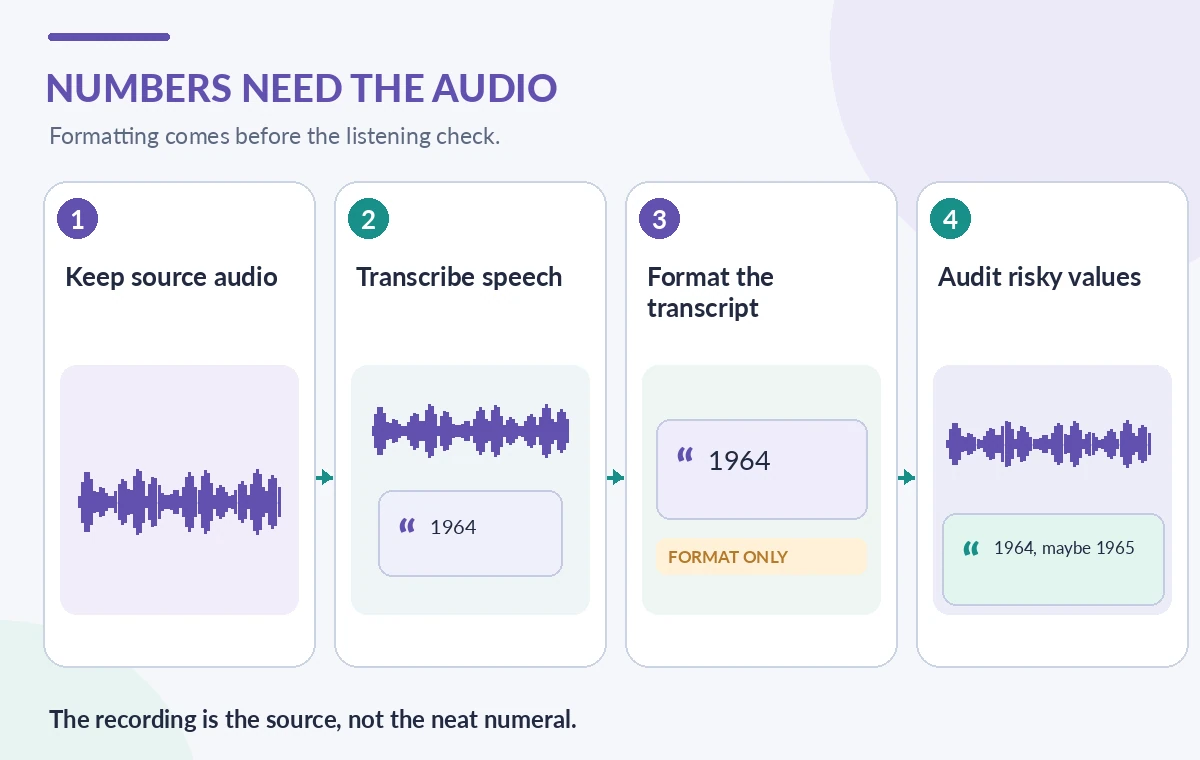
Deepgram also states that enabling smart formatting enables punctuation, so separately specifying punctuate=true is not required for that purpose. With certain prerecorded multichannel English audio, formatting may use context from all channels; streaming channel handling differs. Document the model, language, audio mode and request settings because the output presentation is not a universal constant across every configuration.
Create a compact evaluation transcript
Choose a short authorized excerpt that includes a definite year, a doubtful year, an amount, a street name and a long silence. Write a listening-based reference transcript before viewing the model output. Use bracketed uncertainty only when the recording actually supports uncertainty, and distinguish unintelligible sound from a guessed phrase. Keep a simple version history so formatting review does not overwrite the first pass.
A review table can contain the spoken words, the generated text, the normalized display text and the final staff decision. The labels must not imply that a model understands museum history or knows when an organization opened. If the audio is insufficient, use a literal note such as ‘[year unclear]’ according to the archive’s style guide. This article includes an instructional example, not a claim of having transcribed a real interview.
Link each risky number to audio context
Map every candidate date or number to the corresponding audio interval available in the transcript workflow. Where word-level offsets are not available or not aligned well enough, navigate manually using surrounding context. A number that appears obvious in a text editor may refer to a fee, a clock time, a room number, or a street address. Review the neighboring sentence before deciding how to display it.
For ‘forty dollars’ the display ‘$40’ may be appropriate if the recording clearly says dollars; it should not become ‘$400’ or imply a precise accounting record. For ‘sixty-four,’ context might indicate a year, age or route number. If the speaker says ‘about,’ retain the approximation. Do not silently convert a verbal uncertainty into a precise historical date, even when the result is grammatically smoother.
Compare readability with source fidelity
A conceptual comparison shows a rough spoken phrase, a well-punctuated normalized text line, and a reviewer-approved transcript that restores uncertainty and links to audio. The middle state is not an error by default: formatting is useful when it makes a correct utterance easier to read. The concern is an authoritative-looking representation without audio checking. Use visible uncertainty marks rather than inventing a probability that the model did not supply.
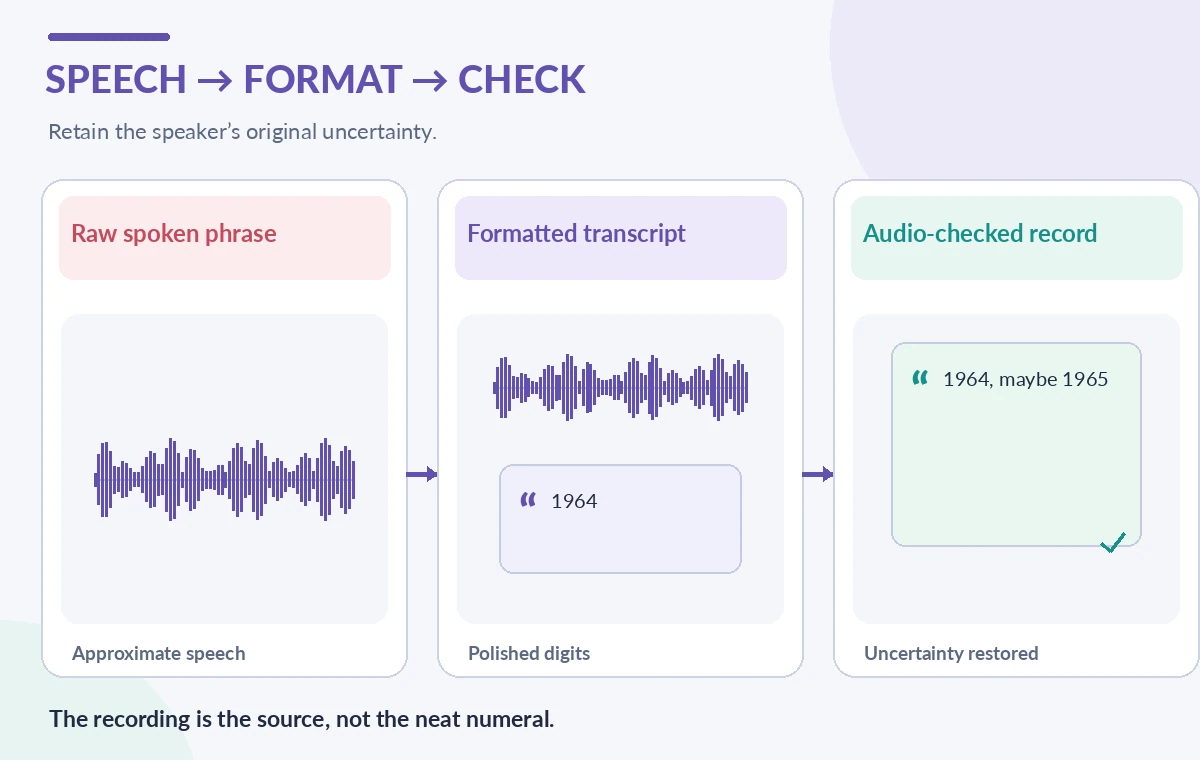
When the transcript is destined for subtitles, also check whether the normalized text fits the on-screen reading time. Long digit strings can be hard to parse while watching, whereas a written archive may favor standardized date formatting. Maintain separate display rules for verbatim transcripts, accessible captions and a catalog summary. They can differ in presentation, but none should make a stronger factual assertion than the underlying recording supports.
Treat personal numbers as sensitive data
Telephone numbers, email addresses and precise street addresses may be formatted neatly by the feature even when the speaker would not want them searchable. Perform privacy and access review before posting a transcript or feeding it into a public search index. A redacted public version can coexist with an access-controlled preservation transcript. Record each redaction without rewriting the original audio or falsely indicating that the information was never spoken.
If a speaker corrects a contact number or mentions another person’s address, a human should determine whether it belongs in the public record. Smart formatting cannot decide consent, archival restrictions, jurisdiction-specific privacy duties, or historical sensitivity. Treat automated text as content subject to the same review as manually keyed interview notes. A polished output is not a signal that it is safe to publish.
Audit false precision systematically
Build an editorial sample containing exact and approximate dates, ambiguous phrases, negation, unusual monetary units, and statements corrected later in the interview. Have reviewers mark where punctuation or formatting changed the speaker’s intended meaning. Count value substitutions, lost uncertainty, wrong units and incorrectly merged speakers separately. A general word-error rate cannot explain whether an archive falsely moved a local event by a decade.
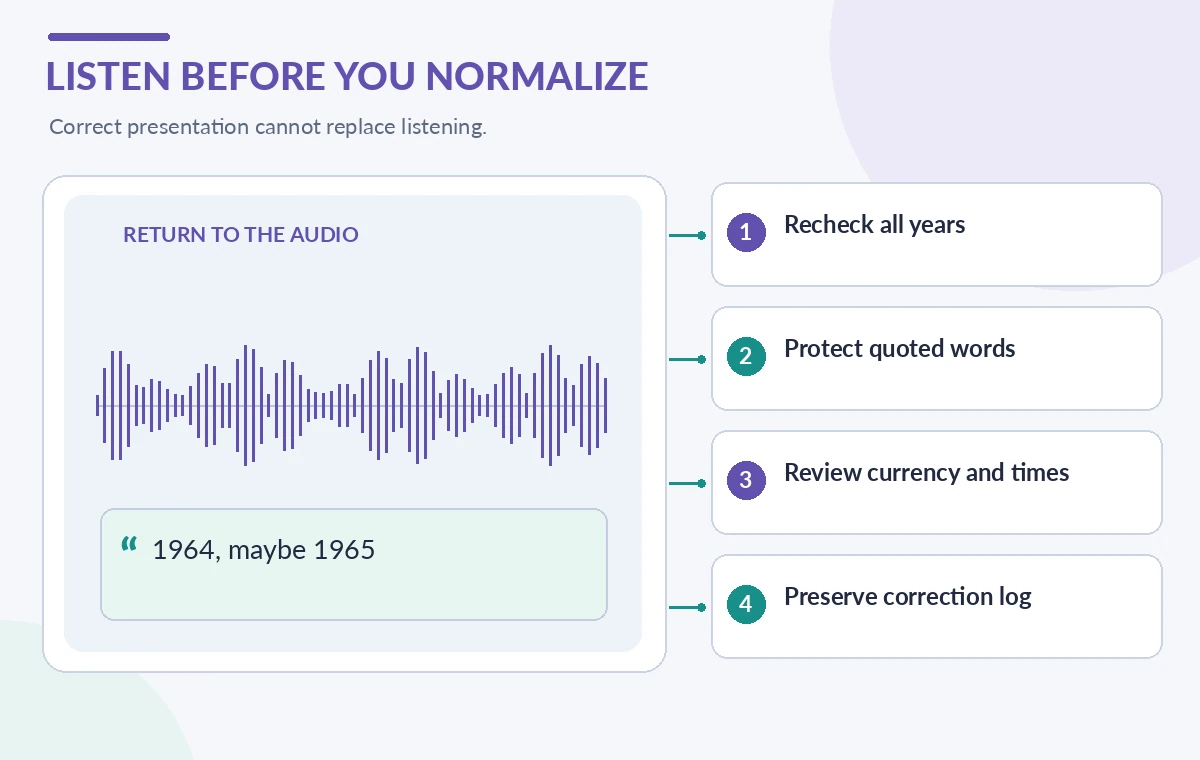
After a model or formatting setting changes, replay the same sample and compare the final text against the frozen listening reference. Keep the audio version and reviewer decisions accessible for appeals. Do not describe an imagined error reduction as measured product performance. The best quality metric for this workflow is the number of material factual ambiguities that staff catch before the transcript enters a public catalog.
Release a transcript with an accountable trail
A publication-ready page identifies the recording, transcript edition, date of review and how corrections can be submitted. Where the speaker’s words are uncertain, retain the marker rather than choosing the most common year. Link the transcript to the original audio when rights allow, and distinguish editorial punctuation from substantive corrections. A catalog synopsis should be checked separately because it can introduce unsupported dates even when the transcript is sound.
Smart Formatting helps people read; it does not authenticate memories, establish chronology or replace listening. A carefully designed workflow gets its benefit without turning a nicely typed ‘$40’ or ‘1964’ into proof of an event. When conflicting archival records exist, preserve their source attribution and let qualified historians evaluate the discrepancy.
How We Research
For our November 2026 editorial review, we consulted the named official developer sources: Deepgram Smart Formatting documentation; Deepgram punctuation documentation. We compared documented feature scope, parameters, supported inputs, workflow boundaries and important failure cases with a hypothetical, nonproduction museum or library scenario. We did not run paid API calls, access personal visitor records, independently benchmark model quality, conduct a real deployment, capture vendor interface screenshots or verify a particular institution’s permissions. All figures are original conceptual instructional drawings, not live results. Readers should verify current documentation, plan limits, regional availability, prices and applicable data policies before a trial.
Frequently Asked Questions
No. It changes presentation of recognized speech; factual accuracy requires source and context review.
Yes. Deepgram documents that enabling Smart Formatting enables punctuation behavior.
No. Formatting capabilities vary by model and language, with broadest support documented for English.
Keep the source audio and a traceable editorial version so normalization does not erase the speaker’s wording.
Use the archive’s documented uncertainty notation and avoid turning a speaker’s guess into an exact date.