
The best first project in Cursor is not a complete app generated from one sentence. It is a small change to a real repository where the expected behavior is clear, tests exist and you can inspect the difference. This tutorial uses a fictional shopping-cart app to add a specific validation rule and a user-facing error. It illustrates the workflow; it is not a claim that we ran the app or measured Cursor’s performance.
Cursor has separate Ask, Plan, Agent and Debug workflows in its current documentation. We will use read-only exploration before allowing edits, give Agent a narrow change request and verify everything with conventional tests and Git. This is intentionally different from LabFin’s broad Cursor product review and pricing articles.
Open a repository and establish a clean baseline
Open the root folder in Cursor and confirm the project is the intended repository. Inspect Git status, active branch and package scripts before prompting an agent. Install dependencies using your project’s approved method; do not let an assistant guess a package manager or replace a lockfile casually. Run the existing test command manually so you know what passed or failed before the new work starts.
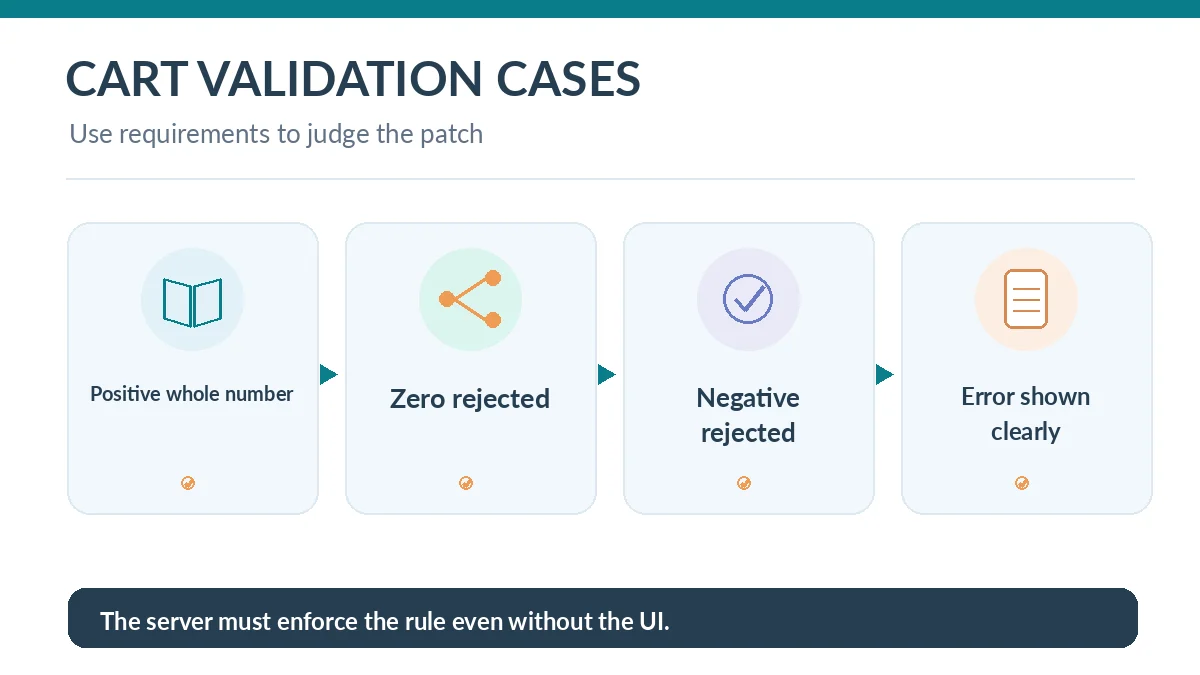
Write down the behavior you want to change. In our example, quantity must be a positive whole number when a customer updates a cart, and an invalid value must produce an understandable error without modifying the cart. Keep the scope to input validation and its tests. Adding payment providers, analytics or database migrations would be unrelated expansion.
Use Ask to understand code before requesting a patch
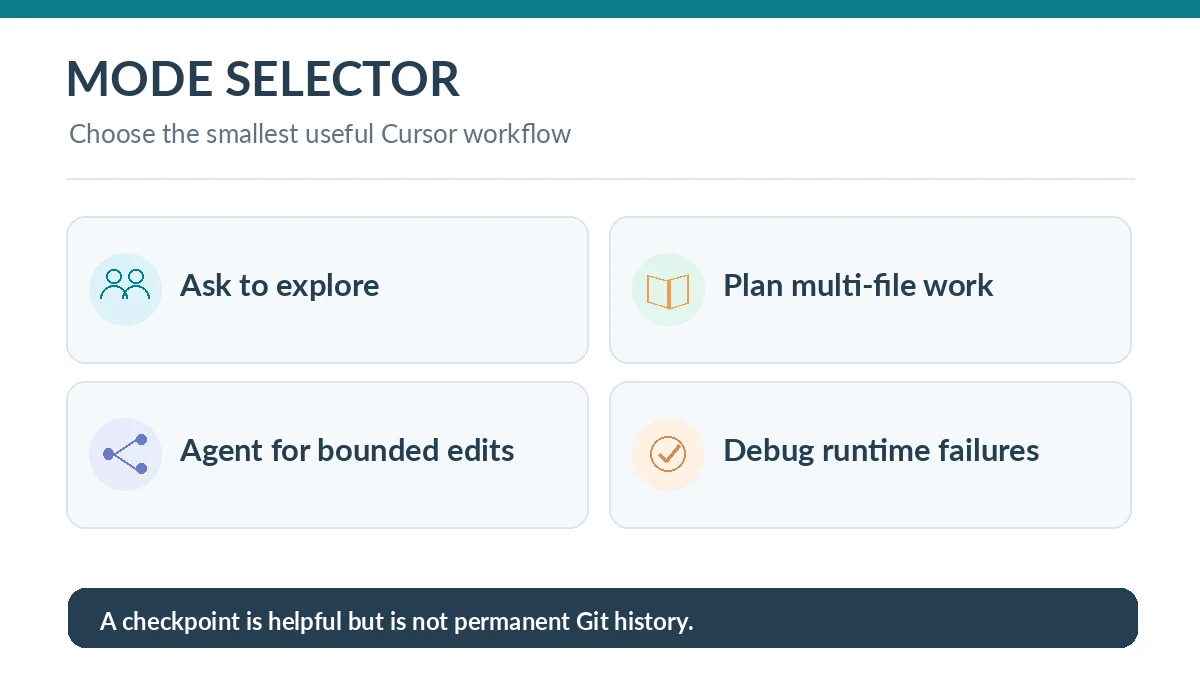
Open Cursor’s Agent panel and choose Ask, the read-only mode described in its documentation. Prompt: “Find the functions that validate cart quantity, identify the user-visible error path and list tests that exercise the update action. Do not edit files.” Follow the file references and inspect the actual code; verify that the assistant found both the server-side rule and client-side presentation.
If the code uses a shared validation helper, find every caller before editing it. A change to that helper may affect admin tools or bulk-import workflows. Ask which callers use the helper and what assumptions they make. This short investigation can prevent a superficially correct patch that breaks unrelated behavior.

Write precise acceptance tests and a non-goals list
Specify allowed inputs such as 1 and 2, and rejected examples such as 0, -1, 1.5, blank or a string that cannot be parsed. Decide separately what the application should do with very large positive numbers; do not invent a maximum if the business has none. State that the server must reject invalid values even when client-side checks are bypassed.
Create or request tests that demonstrate the old bug before fixing the implementation. Keep the test oracle independent: if an AI writes tests, review them against the requirement and ensure they fail appropriately on the faulty version. A passing test that only checks a mocked helper may miss an endpoint that still accepts invalid data.
Ask Plan mode to outline the minimal edit
For a change spanning the API handler, validation helper and error component, use Plan to request file-by-file steps and test commands. Tell the assistant not to install new dependencies, rename public interfaces or touch billing. Review the plan and narrow any steps that go beyond the defined rule. Current Cursor documentation says Plan is useful for complex features where you want an approach reviewed before execution.
An effective prompt names the desired output: “Apply the approved plan, update the relevant tests, show all touched files and report tests you ran. Stop and ask if more files are needed.” The plan is not an implementation guarantee. It is a way to detect mismatched assumptions before the agent gets permission to modify source code.
Let Agent edit, then inspect the actual diff
Switch to Agent when you are ready for changes. Cursor documents multi-file edits, command execution and a diff review interface. Watch the listed files as the agent works, especially if it proposes deleting a defensive check, weakening a type or changing unrelated UI copy. Interrupt the run if it expands scope or asks for unexpected network and secret access.
Afterward, read each addition and deletion as a code reviewer. Check that invalid quantity cannot reach the mutation, the error remains accessible to keyboard and screen-reader users, and successful updates retain the prior experience. Ask for an explanation only after inspecting evidence; a confident explanation is not itself evidence that the patch is correct.
Run negative tests and recover from a bad change
Run the test suite yourself, then inspect boundary conditions and the full update path. If tests fail, capture the precise failure and request a focused correction rather than telling Agent to make everything pass. Avoid weakening assertions to satisfy a failing test. Keep a Git commit from before the task so you can compare or revert changes unambiguously.
Cursor checkpoints can restore files changed by an Agent session, but the documentation notes that checkpoints are local and distinct from Git. Use version control for durable history and team review. If the agent made a risky dependency update, fix or revert that change separately; do not assume restoring edited source files reverses installed packages or external operations.
Turn the completed change into a reviewable PR
Write a short PR description: the customer problem, acceptance cases, files affected, test results and known limitations. A reviewer should be able to inspect the server validation, client error behavior and tests without reading an entire AI conversation. If you did not run a specific test, state that plainly. Do not describe generated code as independently verified until a person has checked it.
Use the same workflow for later changes: explore, scope, test, plan, edit, inspect and release. For tiny isolated fixes, Ask plus a manual edit may be more efficient than a broad agent run. For production bugs that require traces and timing evidence, Cursor’s Debug mode may fit better, but its findings still need reproduction and review.
How We Research
We relied on the current Cursor first-project guide, Cursor Agent-mode documentation and Cursor Agent checkpoints. The shopping-cart task is a worked editorial scenario, not a completed test or performance claim. Documentation checked October 26, 2026.
Frequently Asked Questions
Use Ask to investigate the repository without edits, then Plan for a more complex change and Agent only after the scope is clear.
Yes, current official documentation describes command execution, subject to configuration and user oversight.
Review every test change against the requirement and independently check negative cases; passing by weakening assertions is not a valid fix.
Review the diff, use supported checkpoints for Cursor Agent changes when appropriate and rely on Git for durable recovery.
Current feature access and quotas depend on the specific plan; check Cursor’s current account and pricing documentation before assuming availability.