
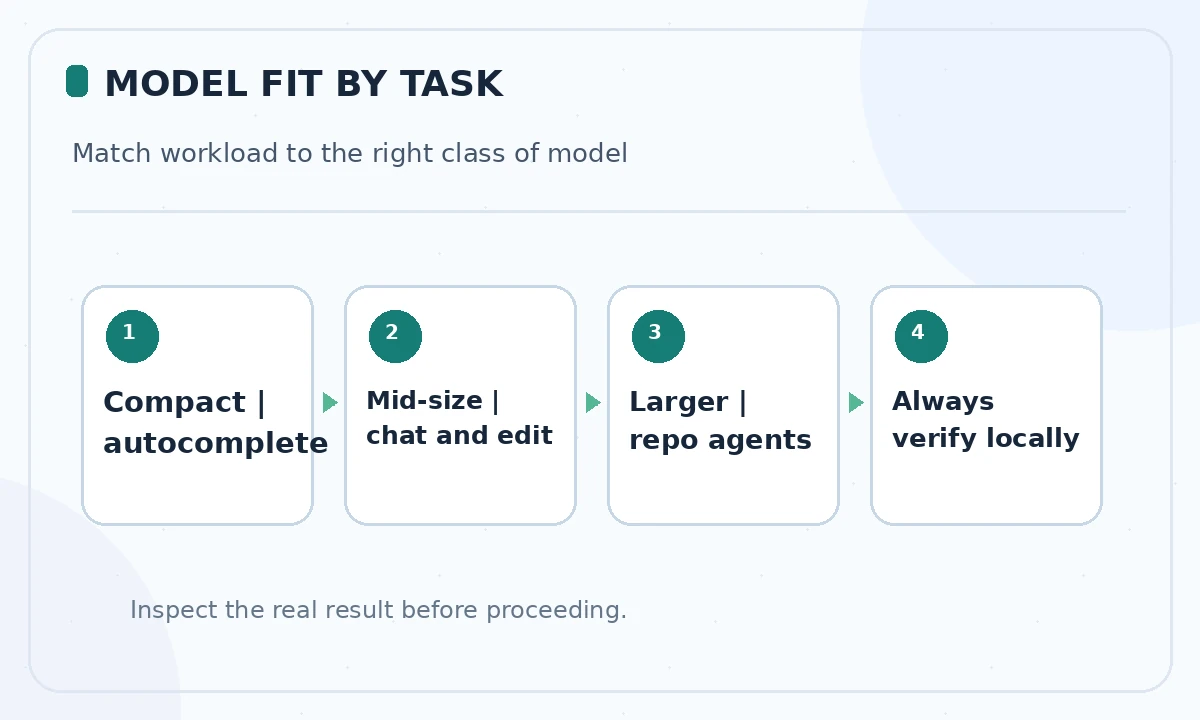
The best local AI model for coding is not simply the largest downloadable weight file. A coding assistant must fit the available memory, accept the context your editor can send and produce useful changes in the tool you actually use. A small model may be sufficient for short completion; repository-scale agents have more demanding context and tool requirements.
This is a documentation-based shortlist, not a claimed LabFin hardware benchmark. Model cards often publish their own evaluation results under different conditions. We explain the practical trade-offs and how to verify them, rather than manufacturing speed scores or declaring a universal winner for every laptop.
Start with memory and context, not a leaderboard
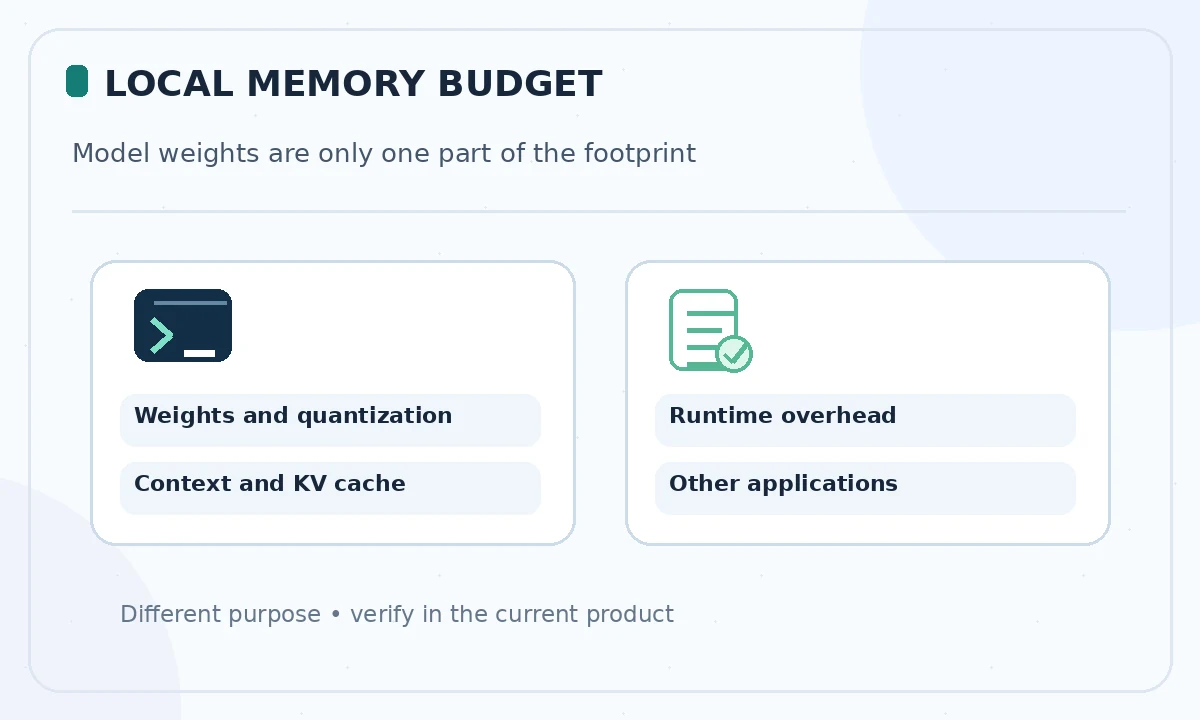
Write down your available GPU or unified memory, system RAM, storage and tolerance for slow CPU inference. Quantized checkpoints use less space than full-precision ones, but their actual resident memory also depends on context length and runtime. Download size is not a reliable promise that a model will run fluently on your machine.
Ollama explains that coding and agent work often benefits from at least 64,000 tokens of context, which significantly increases memory demand. Its local defaults vary with detected accelerator memory; check the configured window and actual processor split instead of assuming the full model-card context is usable.
Qwen3 Coder: a strong local agent candidate with a size caveat
The Ollama catalog lists a Qwen3 Coder 30B variant with a roughly 19 GB package and a larger 480B family member that is unrealistic for ordinary consumer computers. Its model card presents the 30B mixture-of-experts configuration as a coding-oriented option with a large nominal context and support for tool-driven workflows. Treat those as vendor specifications, not LabFin test results.
For a workstation with sufficient memory, the 30B variant deserves a pilot on multi-file modifications. Confirm that your IDE connector recognizes its tool format. If it offloads heavily to CPU or you cannot allocate enough context, try a smaller model or simpler editing tasks before adding an agent harness.
Devstral Small: a candidate for code-editing agents
Continue names Devstral Small among supported local model configurations. It is worth considering when you need repository assistance rather than prose generation, provided the available distribution, license and tool interface fit your setup. Do not equate a model family name with the exact version, checkpoint or runner image you have installed.
Compare its behavior on bug fixes and tool requests against your other candidates using identical repository snapshots. If a model repeatedly returns malformed tool parameters, record this explicitly instead of silently switching prompts or agent adapters only for that model. A fair comparison treats interface compatibility as a real operational feature.
gpt-oss 20B: weigh the inference stack as well as the weights
OpenAI’s gpt-oss family is distributed as open-weight models, and Continue and Ollama document local integration options for the 20B variant. It is a reasonable candidate for developers who want a general reasoning model and coding assistance, but its format and serving stack must be supported by your editor and runtime.
Before installing, verify the current usage policy and license, confirm the exact model tag and determine whether the assistant uses local inference or a remote fallback. Test source-code transformations with strict unit tests. A model that reasons well in chat may still perform inconsistently when asked to generate tightly formatted tool calls.
Compact Qwen2.5 Coder: for lightweight completion
Continue documents smaller Qwen2.5-Coder variants, including a 1.5B autocomplete-oriented configuration and a 7B option. These are useful reference points for constrained memory and lower-latency work. They should not be assumed to handle the same repository-scale decisions as a larger agent model.
Use a short, deterministic task: finish a function signature, suggest a simple guard clause or create a docstring from an existing implementation. Judge whether suggestions reduce editing effort and whether completions stay within the correct file and style. If your editor role is autocomplete only, do not pay a large memory cost for capabilities you will never invoke.
Choose a model by workflow rather than reputation
For autocomplete, prioritize response delay and style consistency. For chat about a selected file, prioritize accurate explanation and grounded reference to supplied code. For multi-file agents, prioritize context, tool-call validity and safe command permissions. The same user may run one compact model for completion and another for deliberate refactoring.
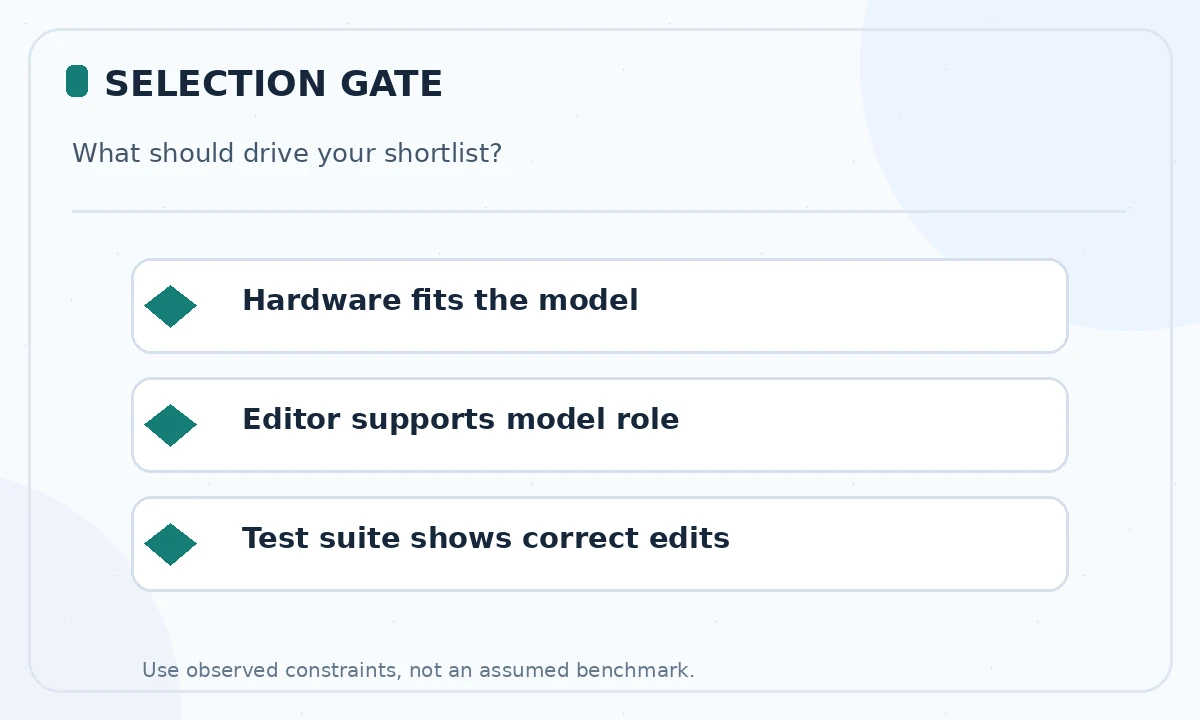
A practical decision matrix has four columns: task, hardware, model role and evidence from your own acceptance tests. Start with only two candidates that fit memory; changing model, runtime and interface simultaneously makes failures difficult to diagnose. Preserve the exact download tags when sharing recommendations inside a team.
Privacy, licensing and the offline claim
Downloading an open-weight model is not a complete privacy architecture. An editor extension may transmit telemetry, retrieve cloud embeddings or call a hosted provider for another feature. Read connector settings, monitor outbound access in a permitted test environment and disable remote integrations when your policy requires offline operation.
Licenses and model-specific use policies also matter for redistribution and commercial deployment. Verify current terms from the model creator, not an aggregator label. Keep secrets out of example prompts and code logs even when inference stays on a workstation; access to the local machine and saved transcripts remains a data risk.
A small pilot before rolling out a local assistant
Create a feature branch with three tasks: explain an existing module, repair one failing test and propose a small refactor. Capture the exact model and quantization, configured context, runtime version, pass/fail results and reviewer time. Compare the model against your baseline workflow, not against an imaginary perfect autonomous programmer.
If output is slow, inspect offloading, context size and system load before blaming model quality. If an answer is fluent but incorrect, keep the failing case as a regression example. Promote the model to daily use only when the relevant tasks are reliable and a developer remains responsible for accepting changes.
How We Research
We reviewed the current primary-source documentation as of October 26, 2026: Ollama Qwen3 Coder catalog; Continue local model guidance; Ollama context length documentation; Ollama launch and model recommendations. We distinguished documented plan features and limits from editorial workflow suggestions, and we compared the intended reader task with the previously published LabFin material. We did not purchase plans, perform product benchmarks, run code or verify an individual account’s entitlements. Where product pages conflict or terms may change, we have identified the uncertainty and recommend confirming checkout or live account details.
Frequently Asked Questions
Start with a compact model such as a smaller Qwen2.5-Coder variant and use it for autocomplete or short edits, then test larger models only if your hardware allows.
No. The model specification and the context actually allocated by your runtime are different; larger allocations require more memory and may affect speed.
Not necessarily. Treat publisher benchmarks as claims made under stated test conditions and evaluate relevant tasks on your own repository.
A downloaded model can provide local inference, but your editor, embeddings and update services may still contact remote endpoints unless configured otherwise.
No. Harness compatibility, context, prompt design and engineering task determine usefulness. Verify with tests and review rather than choosing by parameter count alone.