
The best AI chatbot for drafting a delicate email may not be the right one for a sourced research brief or a question buried in Microsoft 365. Rather than inventing a league-table score, this guide sorts five mainstream products by the work they are equipped to do, the proof you can inspect, and the restrictions that can defeat a seemingly obvious choice.
Our selections are editorial starting points based on documented product capabilities, not results of controlled LabFin head-to-head tests. Interfaces, model access and usage limits can change faster than a static article. Check the live account screen and the current provider documentation before you pay.
The five picks at a glance
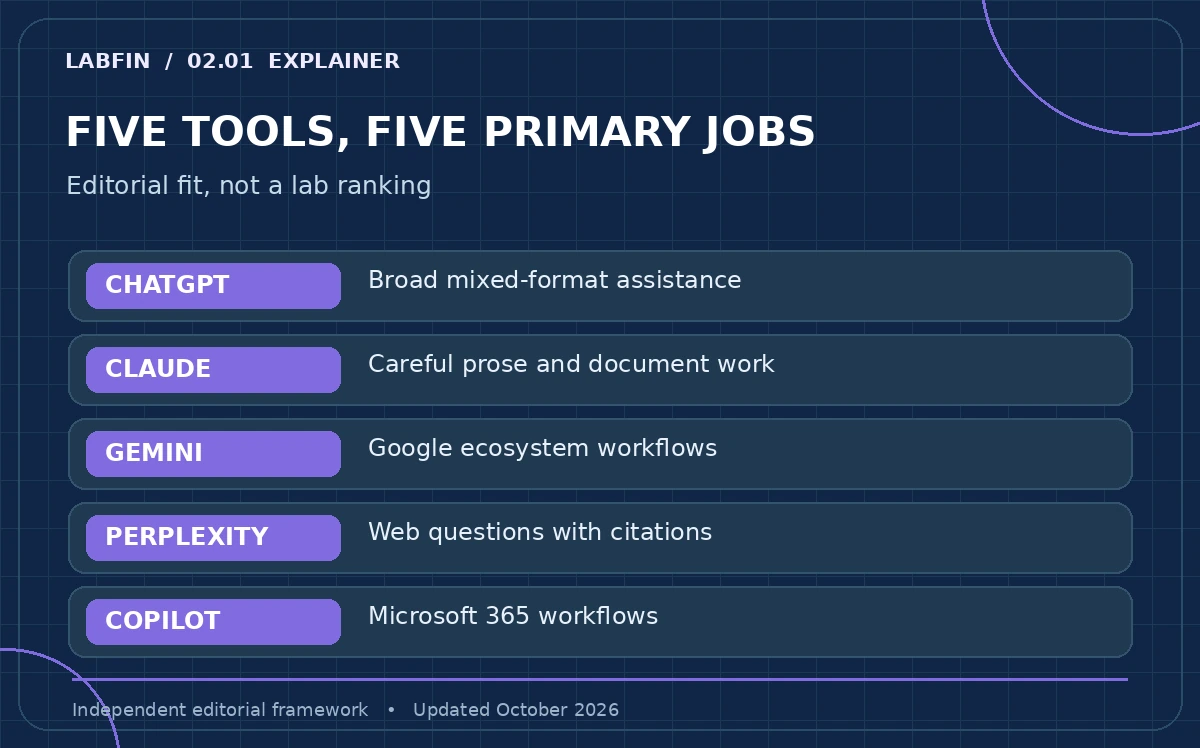
ChatGPT is the broad all-round starting point; Claude is worth shortlisting for careful prose and long-document work; Gemini belongs on a Google-centered shortlist; Perplexity starts with web evidence; and Microsoft Copilot makes particular sense when work already happens in Microsoft applications. These are best-fit categories, not scientifically measured rankings.
The deciding variable is your primary task. Mark one task as mandatory, one as optional and one as disqualifying. A researcher who must inspect citations should not buy a model based on the smoothest fictional dialogue. An Office-heavy team should not pay twice for document integration it already receives through a managed workplace subscription.
ChatGPT: a flexible general-purpose starting point
ChatGPT combines everyday conversation with tools for documents, analysis, search and other tasks; access varies by plan and rollout. Its practical advantage is range: one account can take a messy brief, turn it into an outline, help critique a draft and propose a checklist for a human to verify. That flexibility is not evidence that every answer is current or every user has the same tools.
Use it when your work mixes formats rather than depending on a single company ecosystem. Before upgrading, compare Free with the paid options for the features you actually hit. OpenAI’s help page describes Plus as a paid plan with higher limits, while emphasizing that specific model and tool availability can change.
Claude: an appealing alternative for document-heavy writing
Anthropic describes Claude as supporting writing, editing, code and file analysis. Its Pro offering expands usage and offers additional workflows, but session and other limits still apply. For an editor, the useful test is whether a revision preserves the argument and caveats, not whether the first paragraph merely sounds polished.
Give Claude and one alternative the same two-page draft and the same explicit instruction: mark unsupported claims, preserve quoted facts and do not introduce new references. Inspect the differences yourself. A larger advertised context allowance or a more persuasive tone cannot substitute for checking whether the model noticed a contradiction deep in the source.
Gemini: strongest reason to shortlist is Google context
Google’s ecosystem can reduce copying between apps when integrations are available and enabled. But permissions, activity settings and access to connected services matter: a helpful connection in one account may be unavailable in another. Its privacy hub explicitly documents how some connected features and personalization interact with activity controls.
If your day runs through Gmail, Docs or Drive, test with a non-sensitive sample file first. Ask for a summary with named source sections, then verify access boundaries. Do not assume that a consumer Gemini chat and an organization-managed Google Workspace account share identical contractual or retention protections.
Perplexity: start with sources, not polished prose
Perplexity is oriented around answering questions using web information and showing citations. That makes it a useful first stop for discovering relevant pages. It does not make every cited proposition true: source freshness, publisher reliability and accurate interpretation remain the reader’s responsibility.
Test it with three research questions: one with a clear official answer, one with contradictory sources and one whose answer has changed recently. Open each citation and record whether the specific claim is supported. If your main task is drafting original prose or controlling many revisions, a general assistant may fit better than a search-first interface.
Microsoft Copilot: choose it for established Office workflows
For organizations already working in Microsoft 365, Copilot’s value depends on the specific app, license and document permissions involved. In-product help inside Word or Excel can be more convenient than exporting files to an unrelated consumer chatbot. However, the Copilot brand covers different consumer and work experiences; feature descriptions should be tied to the exact subscription.
Test the narrow action that matters: can it find a policy in a permitted location, summarize it accurately and leave the source accessible? Ask an administrator which data boundaries and retention controls apply. Skip the license upgrade if the function you need is unavailable for your account.
How to compare five chatbots without fake scores
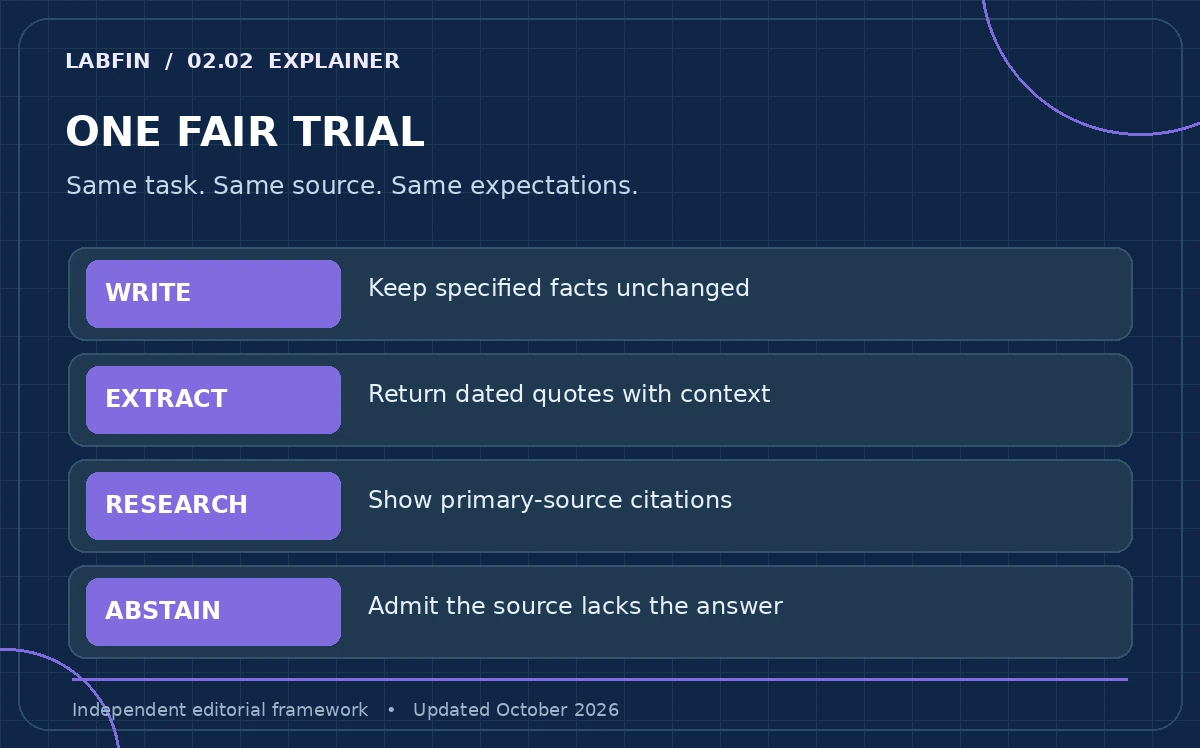
Use a small, transparent task battery. Task one: rewrite an awkward email while preserving three fixed facts. Task two: extract dates from a public document with section references. Task three: answer a web question with primary citations. Task four: decline to invent a fact missing from supplied material. Task five: state what connected actions require confirmation.
Write down what you observed, the product version or account context, and whether a feature was available. This is a personal trial protocol, not a comparable benchmark across products. Different access tiers, retrieval settings and model rollouts make a percentage score from five informal prompts misleading.
Pricing, privacy and lock-in matter more than a badge
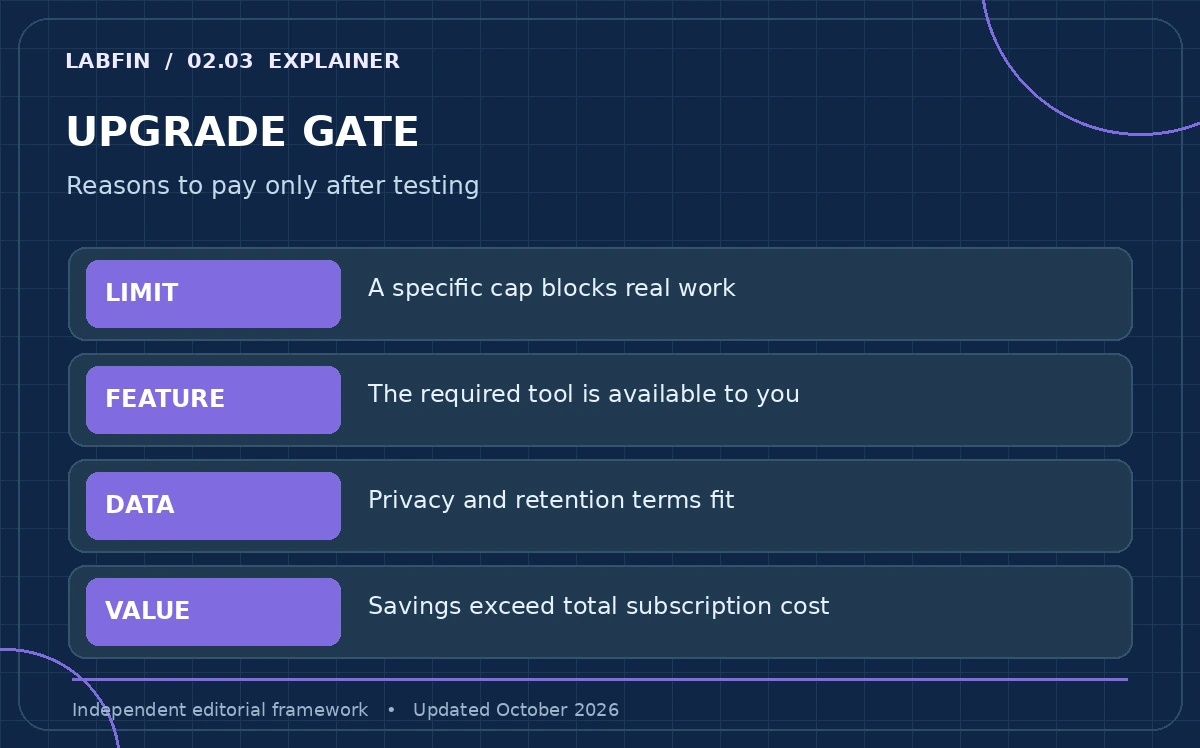
A plan’s headline price is only part of the decision. Look for message limits, paid extras, seat minimums, annual commitments and whether your team can export its documents and prompts. Review each provider’s training and retention controls independently; marketing terms such as secure and private do not explain a real data-handling agreement.
If you rarely hit a limit, maintain a free option and reassess after two weeks of real tasks. If your organization will depend on a connected workflow, put permission reviews and a manual fallback in place before anyone treats the bot’s answer as an operational decision. Feature availability may vary by plan and region.
How We Research
For current, source-led scope checks we consulted OpenAI’s Plus help page, Anthropic’s Claude plan descriptions, Google’s Gemini privacy documentation, the Perplexity Help Center explanation of cited answers, and Microsoft Learn’s Copilot product overview. We also used the Zendesk chatbot taxonomy. No unverified live prices or universal limits are presented. We did not independently execute identical tests across paid plans, so there are no fabricated benchmark scores or lab-tested claims.
Frequently Asked Questions
Start with a general-purpose free offering such as ChatGPT and use a real, low-risk task. Choose a second tool only if you identify a missing feature such as source discovery or specific workplace integration.
Neither is universally better for every writer. Compare them using the same original draft, fixed facts and editorial criteria; check changes manually rather than accepting an unsupported ranking.
Perplexity is a natural search-first candidate because its workflow emphasizes cited answers. Still open the underlying primary documents and check dates and exceptions before relying on its summaries.
No. Free-tier access, message caps, tools and model availability vary by provider, time, location and account. Verify current in-app limits and official plan descriptions.
Do not assume so. Obtain an organization-approved service, confirm contract and retention terms, examine connected-app permissions and avoid sending regulated or sensitive data into unapproved accounts.