
The One-Blob Trap in an Archive Export
A heritage collection may export a catalog as a single JSON Lines file: one item per line, with an accession ID, authorized title, current description, and status. If a search pipeline treats the entire file as one record, a user looking for a single object can receive a composite result that merges unrelated objects. This is not just an inconvenience. It can cause an outdated description, restricted record, or incorrect object ID to appear attached to another item.
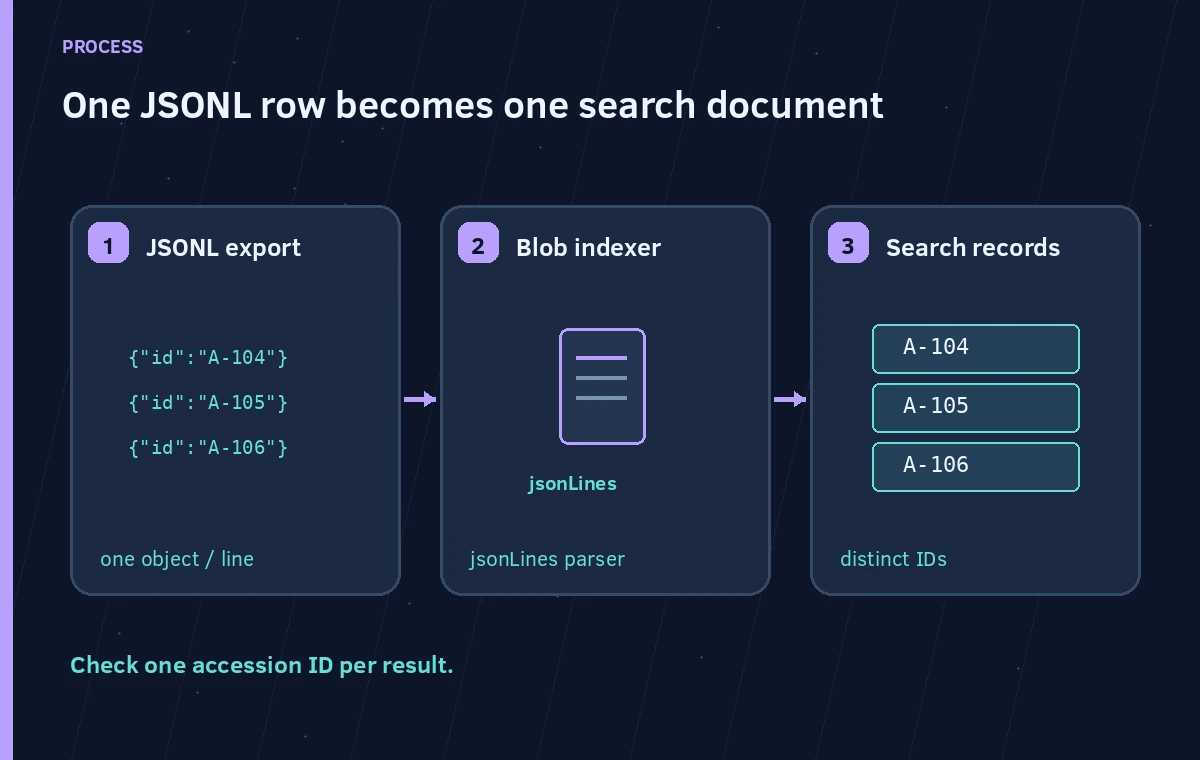
Azure AI Search blob indexers offer a `parsingMode` configuration intended for structured JSON sources. The `jsonLines` option creates separate search documents from separate newline-delimited JSON entities. The workflow still needs a deliberate key strategy, clean source data, and a test of who may query which records. Parsing documents is a structural operation; it is not a data-governance system.
Understand json, jsonArray, and jsonLines
Microsoft documents three distinct JSON parsing choices. `json` treats one JSON blob as one search document. `jsonArray` expands elements of a JSON array, while `jsonLines` creates documents from newline-separated JSON objects. Selecting the wrong mode changes the number and shape of indexed documents. Do not substitute a JSON array with commas for JSONL merely because both represent multiple entities.
Create a deliberately tiny local test with three fictional accession records, each containing an independent object ID and source file reference. Confirm that the object per line is valid JSON and that no line accidentally contains a header, trailing comma, or multiline object. A line break is a document boundary in this parser, not harmless decoration. The intended search index should expose three independently addressable records.
Define Keys and Provenance Before Importing
The source ID is a curatorial identifier; the search document key is a technical uniqueness requirement. Keep them separate when the catalog schema requires it. Record a source URI, version or revision, accession code, and an authorized-publication flag. Do not infer a missing item ID from its row position, because rerunning an export in a different order would silently attach information to a new identity.
Indexing one blob as many documents has important key-disambiguation behavior described by Microsoft. Review that guidance before relying on a generated key for durable catalog links. If your source can produce duplicate accession codes, decide whether that is a data error, a legitimate variant, or a migration problem. Flag the duplicates for a catalog steward rather than allowing one line to overwrite another without notice.
Configure the Indexer and Field Mappings Carefully
In the blob indexer definition, the relevant configuration is `parameters.configuration.parsingMode` with the value `jsonLines`. Point the indexer to the intended source and index. Define field mappings where source property names differ from target fields, and check each mapping against a realistic line. Do not assume every JSON property belongs in public full-text search.
For example, a sample row can include `accession_id`, `public_title`, `status`, and `private_notes`. The public index should not expose `private_notes` merely because the source contains it. Map only approved fields, use a separate document key as needed, and apply the project’s authorization model to the index/query path. The presence of a JSONL parser is not an access-control feature.
Verify the Difference Between One Record and Many
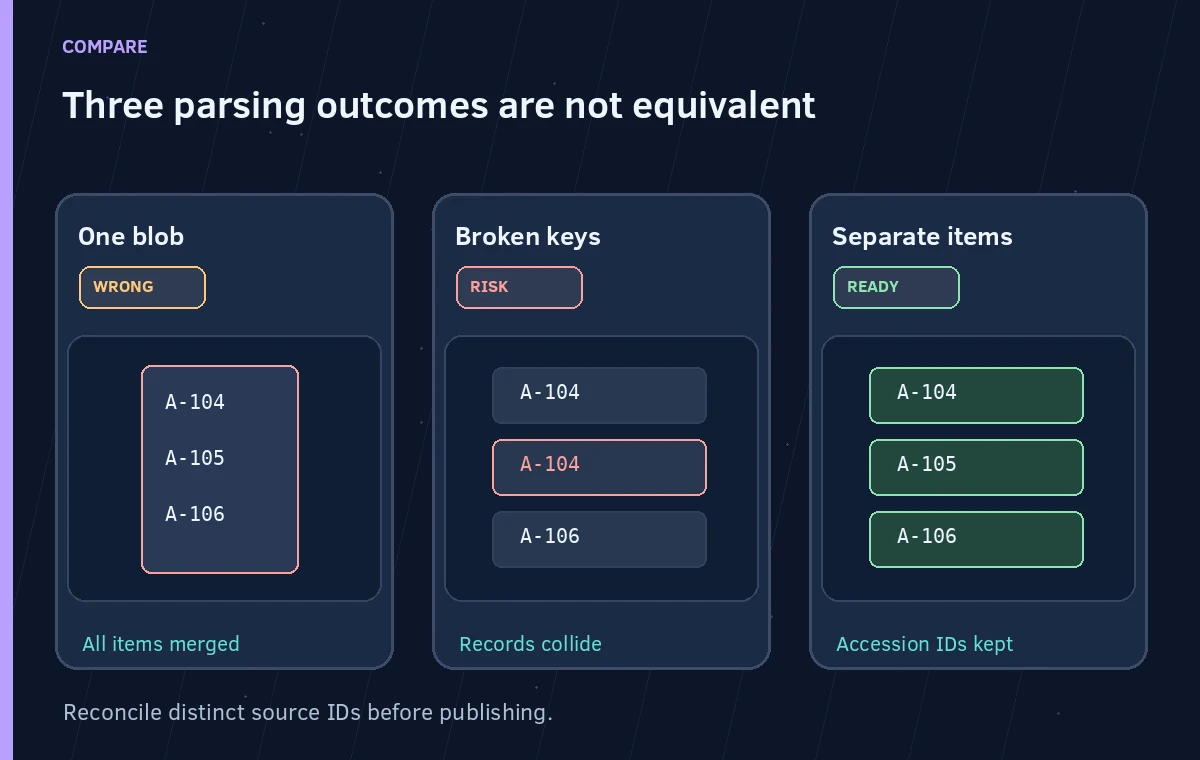
Compare three hypothetical index states. In the first, an entire three-line file becomes one blended search document; the result contains unrelated titles. In the second, the JSONL parser emits three records, but two have conflicting or unusable keys. In the third, three searchable records each preserve their own accession ID, public status, and source reference. Only the third state is appropriate for the intended public catalog.
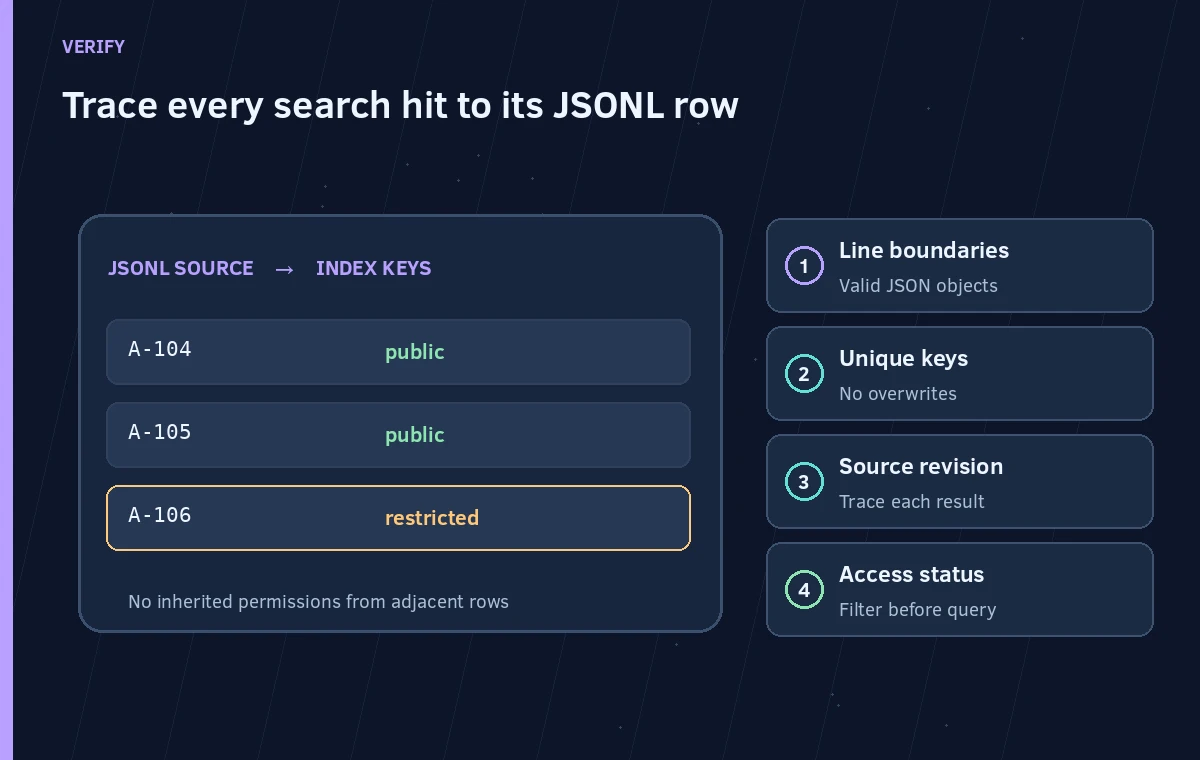
Count source lines, successfully parsed entities, searchable index documents, and rejected rows separately. A successful indexer run is not the same as complete, accurate coverage. Query the test set by exact accession code and by a descriptive term; confirm that the matching title, status, and source all belong to the same source row. Also test a restricted record to ensure public users cannot retrieve it.
Handle Mixed Files, Revisions, and Deletions
Microsoft warns that a JSON parsing mode is applied to the selected blobs. Do not aim a JSONL-specific indexer at a container full of unrelated PDFs, CSV files, and JSON arrays without carefully controlling included extensions or using separate data sources. Mixed formats can produce unexpected parsing failures and make the record count impossible to interpret.
A second risk is a stale search result after a catalog correction. If a line is removed or an item is withdrawn, establish a documented update and deletion process rather than assuming every reindex erases all old documents. A source revision number or timestamp helps a reviewer distinguish a fresh export from an old one, but it cannot replace a tested lifecycle policy.
Audit Public Queries Without Publishing Internal Notes
Create a review matrix with sample records: a public item, a withdrawn item, an item with a special-character code, and an item that shares a common descriptive word with another object. Use only fictional data for the editorial diagrams. Query them under both authorized and public roles. Confirm the result is correctly scoped and the source link opens the matching record.
Logs should contain technical identifiers and counts rather than unrestricted private descriptions. Curatorial corrections and rights decisions remain in the source system of record. If the public index is a derivative, the editorial workflow should always point staff back to a verified source entry before approving a caption, label, or release.
Release the Import Only After a Reconciliation
A compact import acceptance report might state that a fictional three-line source produced three distinct public search documents; it should also list skipped rows, duplicate keys, access-test findings, and the index revision. Review the counts after a full refresh and after an incremental update. Test rollback with a known earlier export without confusing it with a current approved record.
When one line produces a merged record or loses provenance, stop and fix the parser or mapping rather than compensating in answer-generation prompts. Retrieval accuracy starts with stable source identities and access policy. A better prompt cannot recover distinctions that were destroyed during indexing.
How We Research
We reviewed official documentation current at the time of writing: Microsoft Learn: Index JSON blobs; Microsoft Learn: Indexer field mappings; Microsoft Learn: Azure blob indexing. We compared the published configuration terms, response behavior, and operational caveats against the hypothetical workflow described above. The examples and diagrams are original teaching illustrations, not screenshots or results of a live product test. We did not upload a patron recording, inspect a real institution’s documents, benchmark model accuracy, or verify any individual consent. Product availability, limits, and policies can change; confirm the current primary documentation before deployment.
Frequently Asked Questions
JSON Lines has one separate JSON object per line. JSON arrays place objects in one array; Azure documents different parsing modes for them.
No. Review the index key and mapping behavior, especially when one source blob yields multiple documents.
Use separate data sources or filters as needed; the configured JSON parsing mode expects matching source formats.
No. Reconcile counts, inspect errors, test individual IDs, and verify source provenance.
No. Restrict source fields and enforce authorization independently in index design and application queries.