
One export file, many independent objects
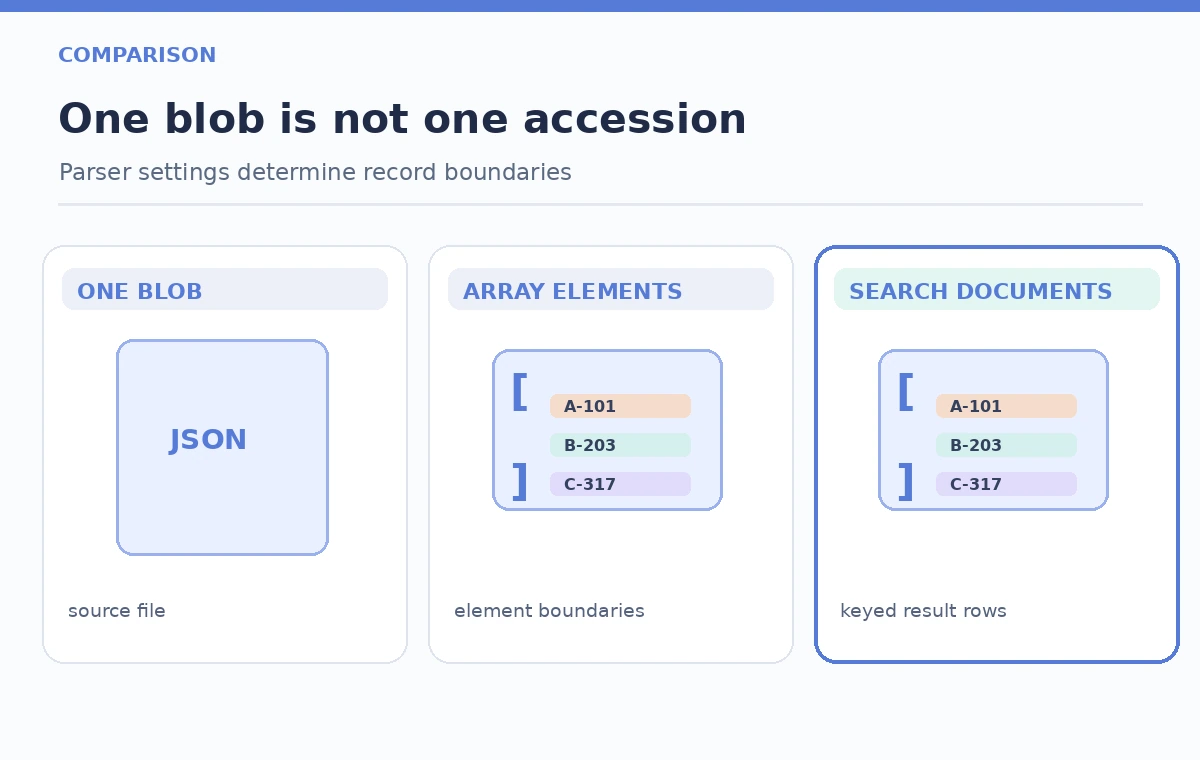
An imagined collections department exports a nightly JSON file containing a few hundred accession records. The default blob-indexer behavior treats a blob as a single search document, which is wrong when staff want one result per object. Azure AI Search supports `parsingMode: jsonArray` for arrays of JSON objects, producing multiple search documents from one blob. The change is not merely about splitting text; each resulting record needs a stable index key, rights-aware fields, and an audit path back to the original accession. The diagrams use fictional objects, not a real search service screenshot.
Inspect the source JSON shape before writing an indexer
Check whether the file begins with a JSON array or holds an array under a nested property. Confirm that each element is a record with consistent data types and a stable identifier. Do not assume an accession number is always unique across institutions, or that a missing source ID can be fixed by taking the array position. If the export is actually JSON Lines—one standalone object per line—it needs a different parser mode. Keep a small representative fixture with an empty field, a duplicate-looking accession code, and a rights-restricted sample to catch mapping mistakes early.
Set parsingMode to jsonArray for the blob source
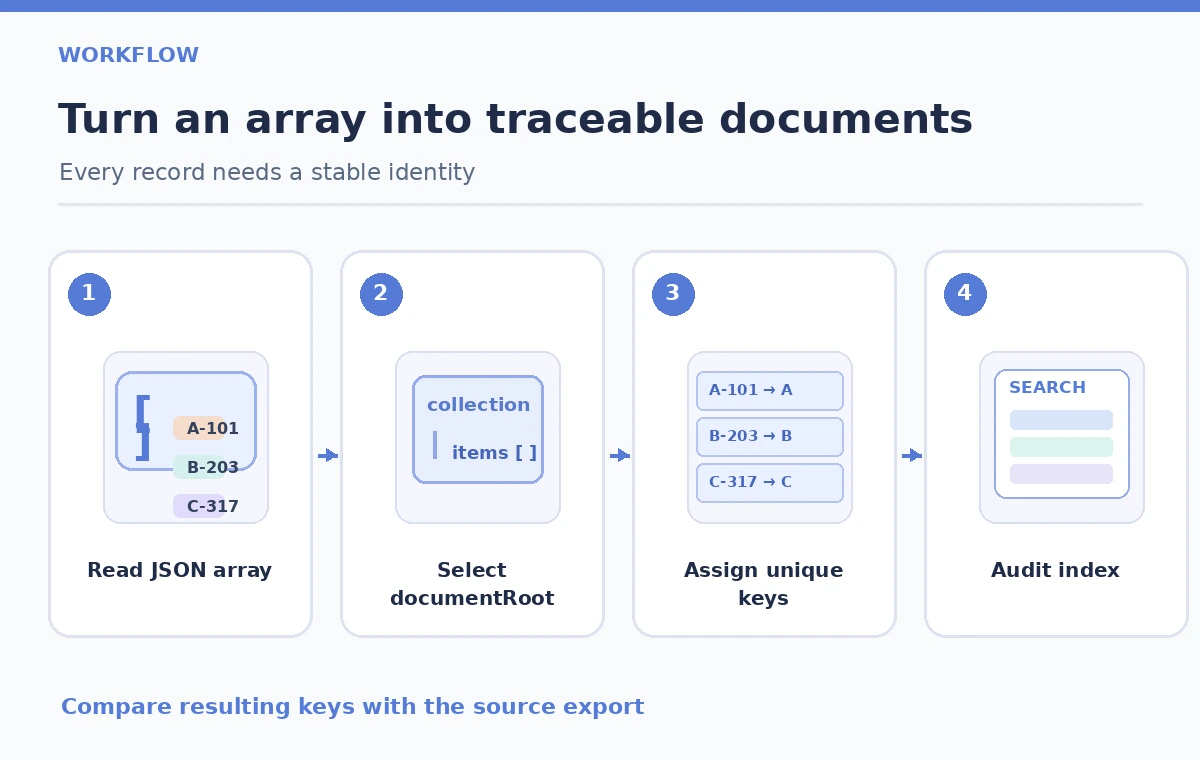
Microsoft documents the blob indexer configuration `parameters.configuration.parsingMode` with the value `jsonArray`. With this mode, individual array elements become separate search documents rather than one giant text field. When an array is nested, the guide describes `documentRoot` as a way to identify its location. Use the appropriate API version and SDK representation for your environment; the setting is attached to the indexer, not to each individual search request. Keep input datasets with incompatible formats in separate sources or apply supported file-extension filters.
Solve unique key generation before a bulk ingest
One-to-many indexing introduces a key-mapping problem: a single blob name is not a unique identity for every extracted record. Study the Azure guidance on indexing one blob into many documents and choose a stable key strategy before the first production run. An accession ID may require normalization and namespace context to avoid collisions. Validate how the indexer constructs or maps a document key, and do not assume the raw source field automatically becomes a safe unique index key. Preserve original accession text in a separate searchable or retrievable field where appropriate for provenance.
Map collection fields without weakening access boundaries
Define the target schema for fields such as accession, display title, rights status, source revision, and public description. Field mappings should be explicit where source property names or data types differ. A searchable public caption and a restricted internal note must not be casually combined into one retrievable field. Azure index projections, role-based access, and application-layer authorization are distinct concerns: parsing a JSON array does not create a permission system. Verify the display app filters and access checks before sharing an index endpoint with visitor-facing clients.
Test one-to-many expansion with a known fixture
Use a three- or four-item fictional JSON array and compare the expected IDs against actual indexed documents in a staging index. The count should reflect each array element that meets mapping and validation rules, not merely the number of blobs. Inspect any indexing errors and verify that keys remain stable when the file is reordered. A record that disappears after reordering points to an identity problem, not a relevance-scoring issue. This article does not claim a successful live indexer run; it provides the checks to run locally or in an approved Azure test service.
Watch the difference between parser and documentRoot
If `jsonArray` is correct but no records appear, inspect whether the array is actually at the root expected by the configuration. A nested export such as `{ “collection”: { “items”: […] } }` may need a `documentRoot` path matching that hierarchy. Avoid copying a path from a tutorial without inspecting your file. Wrong root settings, invalid JSON, schema mismatches, and missing keys can all show up as an apparently empty index. Diagnose each separately, starting from the blob content structure and the indexer’s status and error messages.
Plan incremental updates and deletion handling explicitly
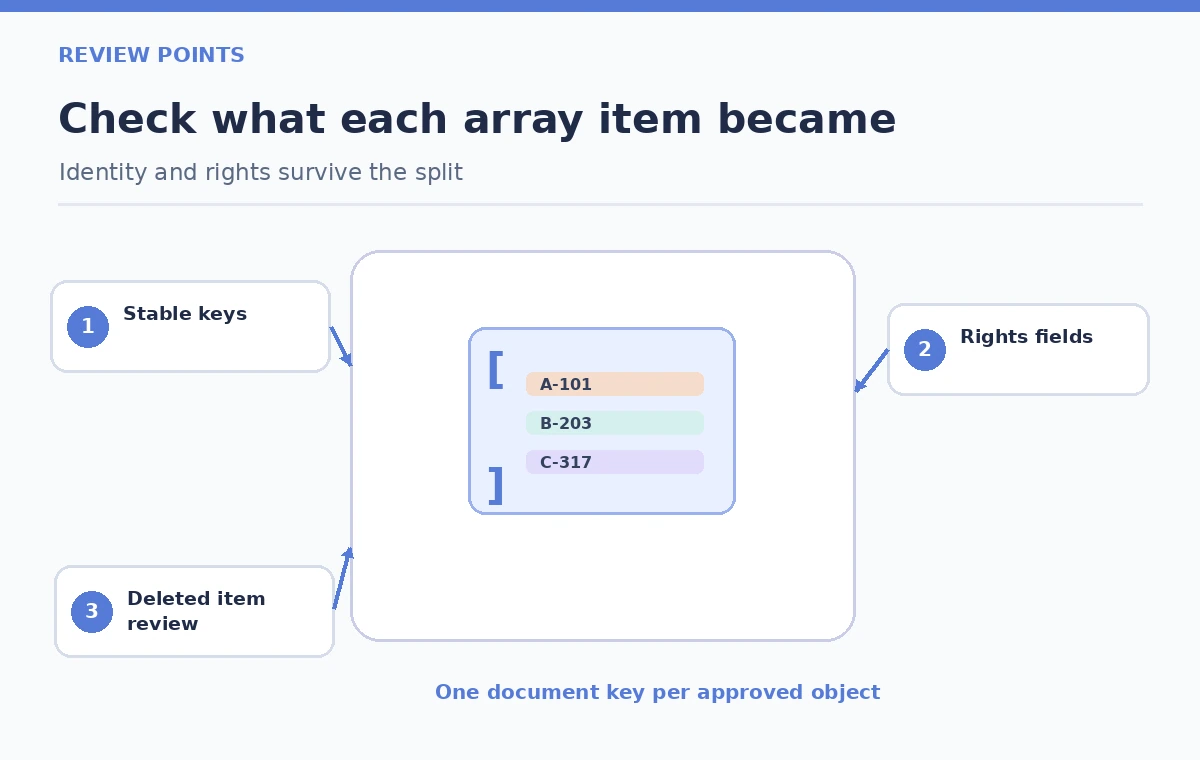
After a successful import, test what happens when a source record changes, disappears from the array, or gets a corrected accession label. One-to-many indexing, indexer change detection, and deletion detection interact; do not assume removing an item from an export automatically removes the old search document in every configuration. Define a reconciliation process for expected-versus-present record keys and document it alongside the indexer schedule. A revision ledger with source blob version, export date, and import status gives a curator better evidence than a green scheduled-job indicator alone.
Ship only after records and permissions match
A sensible release checklist compares source record counts, unique key sets, public versus restricted fields, sample accession lookups, and indexer errors. Review a few records that share a title but have different accession IDs. If data quality fails, hold the staging index and fix the mapping or source export before changing a public index alias. Publish an audit note specifying which synthetic checks were performed and which production checks remain outstanding. Indexing completeness is distinct from semantic rank quality; first prove that each object is represented correctly.
How We Research
We reviewed Microsoft’s Search over JSON blobs guide for `jsonArray`, `jsonLines`, and `documentRoot`, and the one-to-many indexing guidance for document-key handling. We did not run an Azure indexer or inspect a real institution’s source export. The sample hierarchy and diagrams teach validation questions rather than representing a measured ingestion result; teams must verify their actual index schema, API version, and data restrictions.
Frequently Asked Questions
jsonArray parses elements in a JSON array; jsonLines parses separate JSON entities delimited by newlines. Match the mode to the actual source file.
Not with jsonArray. The indexer can create one search document per array element, subject to keys and mappings.
When the array is nested instead of appearing at the top level, documentRoot can point the indexer to the relevant property path.
It is unsafe as a long-term identifier because source ordering can change. Use an approved stable identity strategy.
No. Indexing success is not an authorization audit. Check field exposure, filters, and application access controls independently.