
An ingest filter is not a rights review
A museum stores approved catalog PDFs beside raw photographs, audio interviews, and temporary video derivatives. The public search index should cover approved descriptive documents, not every asset in the same blob container. A team discovers that the indexer configuration can exclude filename extensions and assumes this alone enforces publication permission.
Azure AI Search blob indexers expose excludedFileNameExtensions under the indexer’s configuration. It can prevent selected file types from being processed during indexing, but a filename suffix is a coarse technical filter. It does not determine whether an individual document is public, legally reusable, accurate, or already indexed.
Locate the setting in the blob indexer configuration
The Azure documentation places excludedFileNameExtensions inside parameters.configuration of a blob indexer. It accepts a comma-delimited set of filename extensions, such as .png,.jpeg. The same reference also documents indexedFileNameExtensions for an allowlist approach. Choose a policy based on approved file types rather than copying an example into production.
If a file extension appears in both inclusion and exclusion lists, Microsoft documents that the exclusion wins. That precedence is useful for testing but does not justify a messy configuration. Keep the approved inventory of MIME types, filename suffixes, and content ownership separate from the indexer’s textual settings.
Distinguish excluded files from unsupported content
An unsupported file type can cause an indexer problem when not handled through documented controls. Excluding known types proactively is different from allowing unsupported-content errors to be skipped after processing is attempted. Keep an exception ledger so that unexpectedly omitted records are investigated rather than silently rationalized as normal filtering.
A container may contain a PDF with the wrong extension or an unpublished Word document with an apparently allowed suffix. Do not treat extension filtering as malware scanning, data classification, or permission enforcement. Real authorization and public search visibility depend on data governance, identity, and correctly designed indexing and query boundaries.
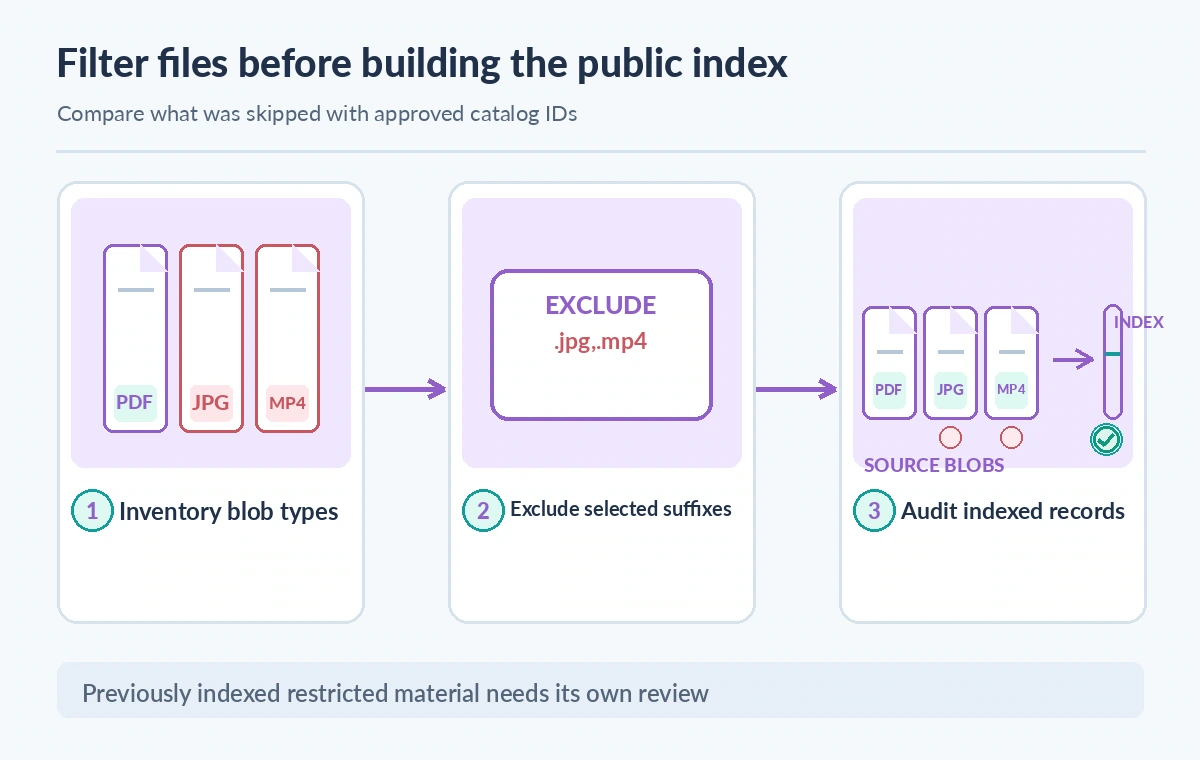
Build an inventory before choosing exclusions
Count files by extension, source collection, rights state, and expected search purpose using an approved inventory export. For a hypothetical exhibit, PDFs and approved text descriptions may be searchable, while raw JPEG masters and donor interview audio are restricted. Use explicit classification rules that can be checked against the source system.
Take care with mixed-case extensions, multi-part filenames, aliases, and files without a useful suffix. Verify behavior against the supported service and input data rather than assuming operating-system matching rules. Prefer a narrow approved source container when possible, since filtering a large mixed-use bucket cannot by itself remove broader access risks.
Show what a file-filtering comparison means
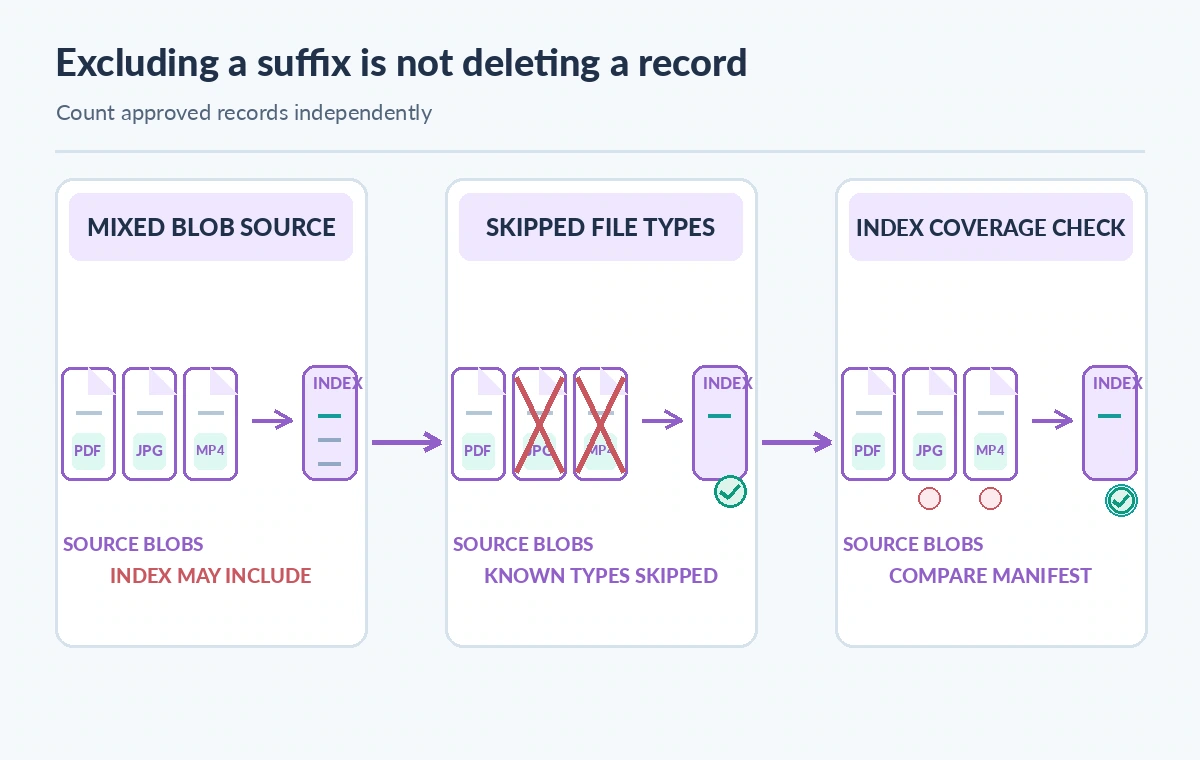
The diagram begins with mixed blobs, then shows one hypothetical filtered ingest set, and finally a reconciliation against the approved catalog list. These are conceptual states, not a live screenshot or a claim that Azure indexed a particular collection. The middle state should be labeled skipped, not securely deleted.
The test must distinguish skipped files from files that failed unexpectedly. A clean status alone may not establish that all approved PDFs were indexed, and an exclusion setting does not guarantee that past indexed documents vanished. A separate index cleanup or rebuild plan might be required when the publication boundary changes.
Understand the existing-index problem
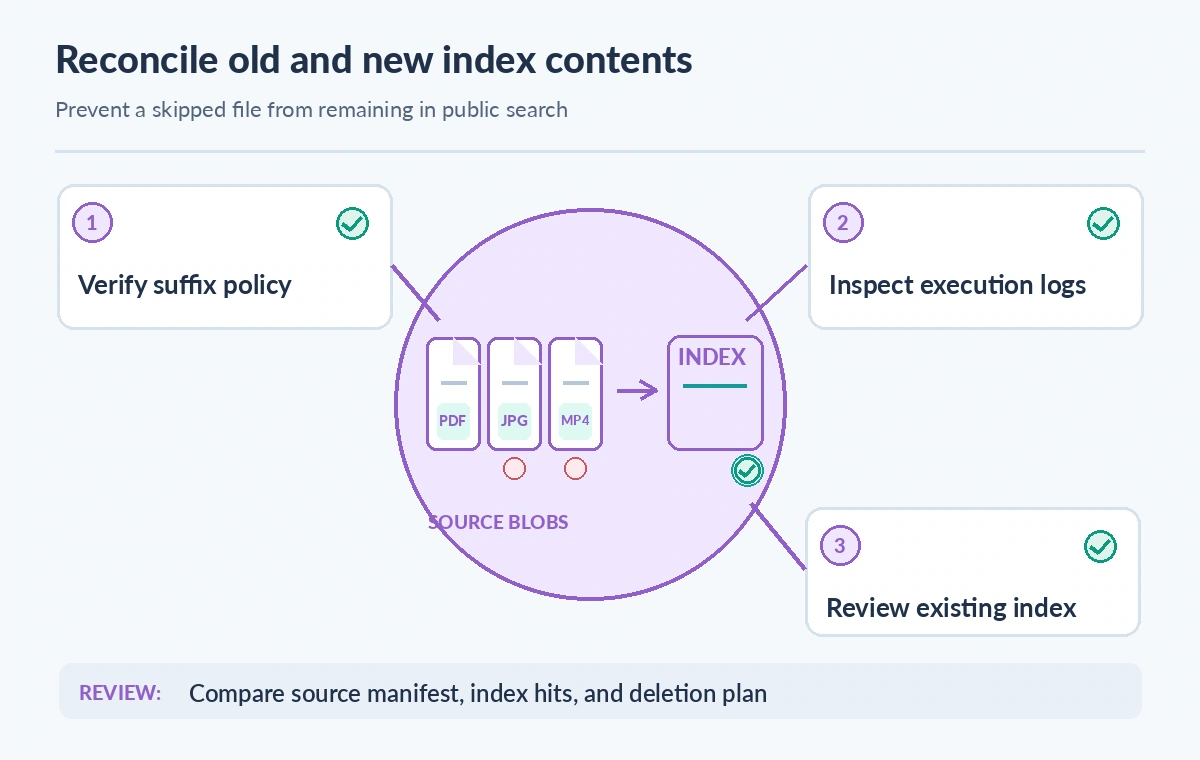
Changing an indexer configuration affects subsequent processing but must not be assumed to purge content already present in a search index. If a restricted document was previously ingested, audit the destination index and the current document deletion policy. Use the documented remediation pathway for your data source and search service.
An immediate release hold is appropriate if a previously public result is found to contain restricted content. Remove or secure the result through an approved administrative procedure and verify it is no longer retrievable. Do not claim the problem is resolved solely because the next indexer run reports an excluded extension.
Measure coverage against authorized records
Use a source manifest listing approved items, their expected search keys, and their current revision. Compare that manifest with actual indexed document IDs, excluding explicitly out-of-scope media. Check that approved records did not disappear because a useful extension was mistakenly excluded or parsed incorrectly.
Record the number of expected, indexed, missing, and incorrectly present items from actual service queries when conducting a real audit. This article provides no measured figures. A percentage in an illustration would be misleading without a reproducible source manifest, saved search results, and documented filtering rules.
Validate the configuration with a small fixture
Create a sandbox container containing a synthetic PDF, image, text file, and a deliberately restricted example with a distinct suffix. Run the indexer only in an authorized test environment. Compare the result with the documented behavior, including the precedence of the two extension-list settings.
Inspect run status, warnings, skipped files, mapped keys, and generated index documents. Do not infer behavior by viewing the portal configuration alone. Store sample names without personal information and ensure test data is unrelated to live donors. Capture the indexer configuration revision so future maintainers can reproduce the result.
Protect the search boundary beyond ingestion
A query projection that hides a field is not the same as permission enforcement. Public endpoints, API keys, security filters, and application-level authorization must all be reviewed separately. Search indexes should not combine public labels and restricted archival notes without a design that reliably prevents leakage.
A file type exclusion can simplify processing and reduce irrelevant indexing work, but it should sit inside a broader governance plan with approved containers, restricted identities, data retention, and publication sign-off. Check backup copies and caches when a sensitive document was already exposed by an earlier index version.
Require a release-ready inventory comparison
Before publishing an index update, check that expected catalog records are present, unapproved media is absent, historic restricted results have been remediated, and search queries return only approved content. Record the reviewer, source inventory snapshot, configuration hash, and index revision.
This guide is based on Microsoft’s documented configuration and a fictional archive scenario. We did not deploy an Azure indexer, inspect customer blobs, test suffix matching on a live service, or claim any measured coverage. Confirm API version and current governance requirements before modifying production indexing.
How We Research
We consulted these primary vendor documents on November 11, 2026: Azure Blob indexer guidance; Azure indexers REST list schema; Azure AI Search indexers overview. We checked the named request fields, response definitions, and known limitations, and compared them with a hypothetical collection-management failure mode. The images are original conceptual diagrams rather than product screenshots or measured before-and-after results. No live API calls, customer content audits, source-image recognition tests, performance benchmarks, permission tests, or price measurements were performed. The example museum, identifiers, and outcomes are fictional. Production decisions require fresh version-specific documentation, authorized access, rights review, and human acceptance testing.
Frequently Asked Questions
It belongs under the blob indexer parameters.configuration object and accepts a comma-delimited list of extensions.
Microsoft documents that the exclusion takes precedence.
Do not assume so. Audit existing index contents and follow a separate documented deletion or rebuild process if required.
No. Filenames are not a rights or access-control mechanism, and other formats or previously indexed data may remain.
Reconcile actual search document IDs and indexer outcomes against a curator-approved source manifest, including exceptions.