
Treat an erroneous edit as a recoverable incident
A hypothetical museum volunteer coordinator accidentally overwrites several shift assignments during a bulk roster edit. The first action should be to stop the faulty writer and preserve incident evidence, not immediately replace a table. DynamoDB point-in-time recovery, or PITR, can restore table data to a selected second within its configured recovery window when protection was enabled. AWS describes a recovery window configurable from one to 35 days. The actual available earliest and latest restore times must be checked from the live table’s status. Recording the corrupting job’s start and stop times is essential, because the safest restoration target may be just before the first damaging write.
Understand why the restore creates another table
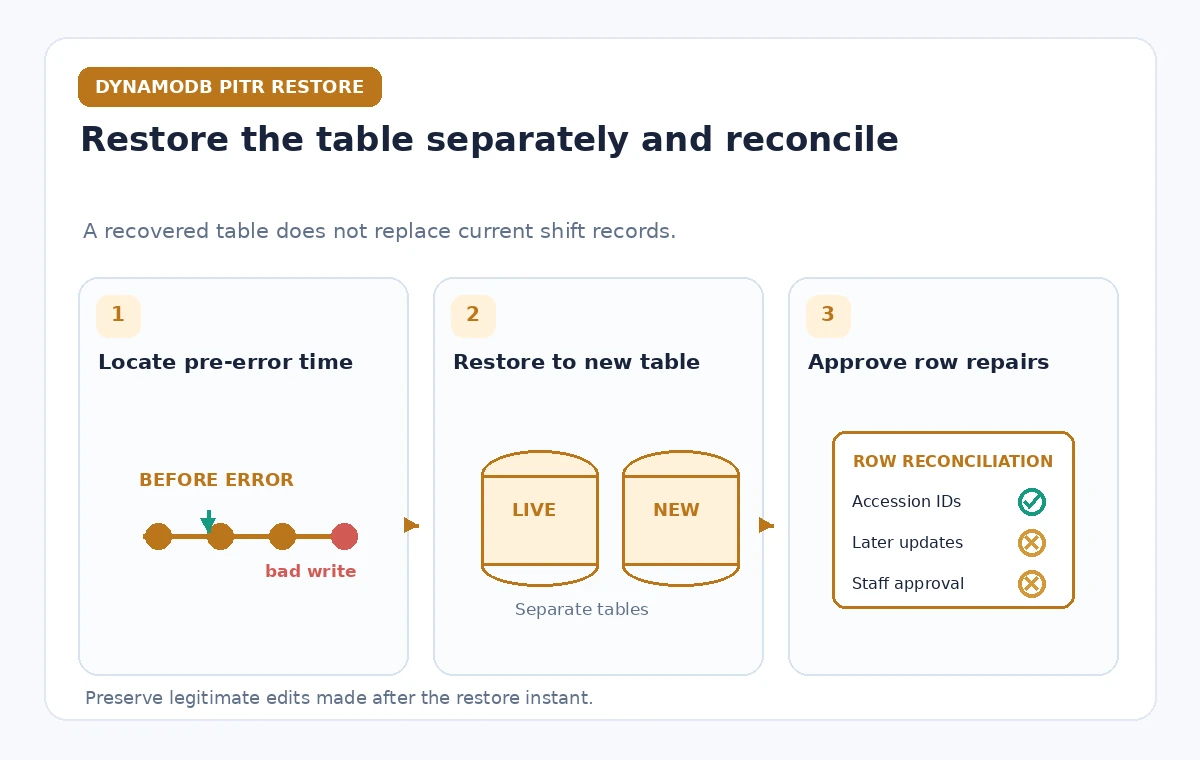
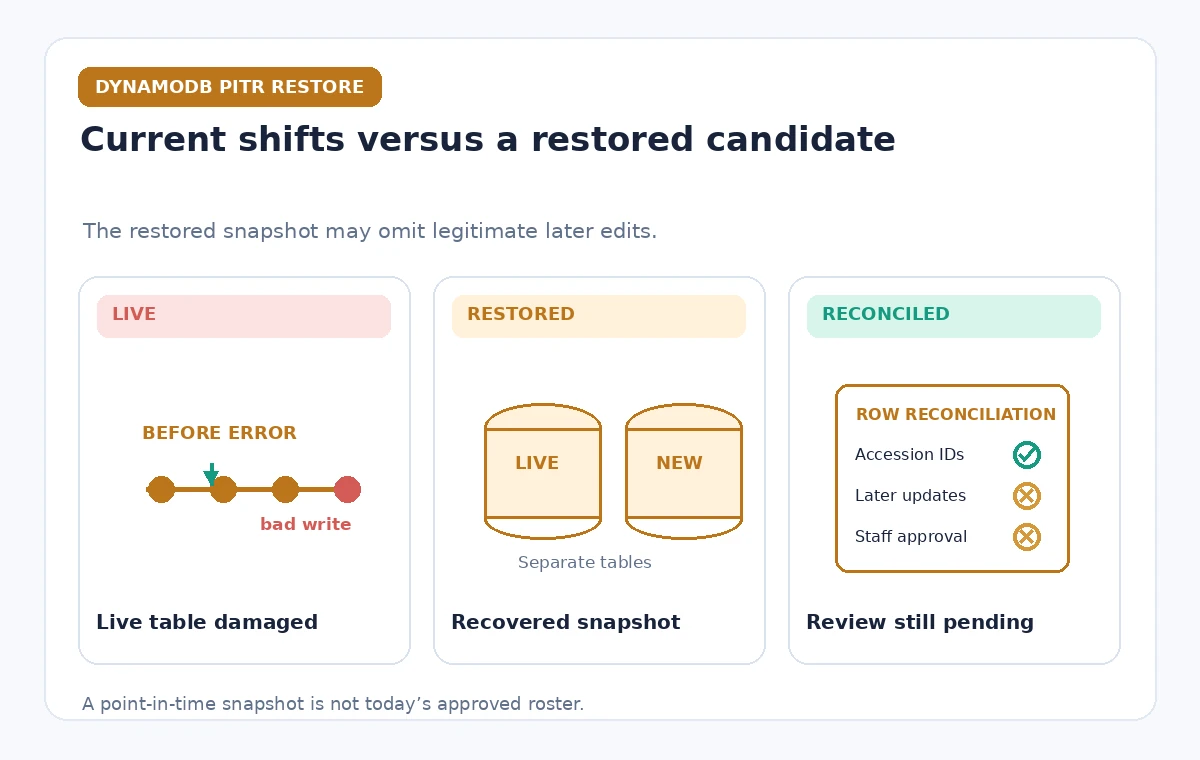
AWS documents that a PITR restore creates a new DynamoDB table; it does not rewrite the current production table in place. That separation is valuable. It allows the team to inspect a recovered version while the original table remains available for investigation and carefully controlled operations. Give the destination a distinct staging name and restrict its readers and writers to the recovery team. A successful restore operation indicates that table data has been reconstructed at a point in time. It does not mean the volunteer roster is approved to replace current records, and it does not tell you which later legitimate shifts must be preserved.
Select the restore instant from evidence
Review database change logs, deployment timestamps, coordinator reports, and the faulty job’s audit trail to find when the first wrong entry appeared. Confirm that the desired timestamp falls inside EarliestRestorableDateTime and LatestRestorableDateTime rather than assuming the full 35 days are available. AWS notes that disabling and then re-enabling PITR resets the recovery start, which can sharply reduce recoverable history. Pick a time immediately before the incident when possible, but test whether important legitimate edits from that minute will be absent. Store the selected time with its timezone and the incident rationale so a future reviewer can reproduce the decision.
Inspect table metadata after restoring
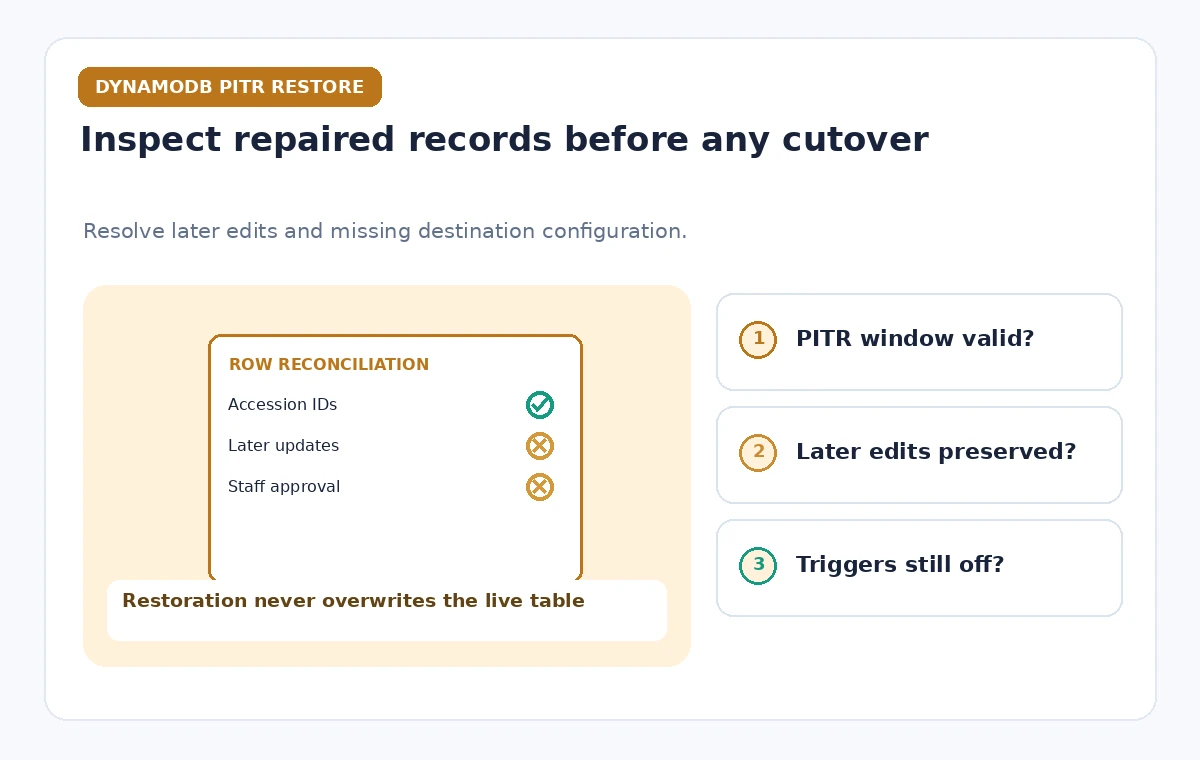
A restored table contains data and supported infrastructure settings, but some operational configuration requires manual work. AWS specifically notes that auto scaling, IAM policies, alarms, stream settings, TTL, tags, deletion protection, and PITR settings may need to be configured on the destination. Do not copy all permissions or event triggers blindly. Start with the minimal read access needed to validate candidate roster rows. If you enable streams or an event consumer prematurely, the restored data may trigger new notifications or secondary workflows. The recovery checklist should distinguish data recovery from restoring an application environment, because the latter has side effects outside the table.
Compare recovered rows with the current roster
A museum needs a reconciliation procedure instead of a broad assumption that old data is correct. Compare shift IDs, volunteer identifiers held in approved private systems, assignment dates, and the known scope of incorrect changes. A restored row may still be obsolete if a legitimate shift swap occurred after the chosen restore time. Mark each candidate row as damaged and recoverable, legitimate later change, or unresolved. Resolve conflicts with a coordinator and documented records rather than overwriting everything. For illustrations and training, use invented IDs and anonymized labels, never identifiable volunteers or real schedules copied from production.
Avoid the temptation to restore the entire application
After finding the missing or altered entries, decide whether a targeted repair is safer than a wholesale cutover. In many incidents only a few records need correction. An application can read approved values from the restored table and apply conditional repairs to current data under a separate change plan. Such a repair must protect against a second concurrent update while validation is under way. If a full table cutover is truly required, plan application references, environment variables, keys, secondary indexes, permissions, and rollback separately. PITR is a recovery source, not a transaction-level merge tool.
Check throughput, indexes, and restore progress
AWS supports choosing destination settings and indicates that restore duration varies with table size and secondary-index work; do not promise a fixed completion time. Follow the restore operation’s real state and cost implications in the account. Depending on destination options, secondary indexes, throughput, and encryption settings may be restored or configured. Run a staging query that exercises the same application access patterns and verifies expected keys and index behavior. A table with the expected number of rows can still fail a roster search if application queries use an index that is missing or configured differently. Keep the old table accessible until the approved verification is finished.
Protect identity information during incident response
Volunteer schedules can reveal names, contact details, attendance, and location patterns. Restrict the recovered staging table and incident exports to approved staff. Avoid copying raw rows into email threads, public issue trackers, or AI prompts merely to seek technical help. Where a synthetic fixture can reproduce the error, use it for external discussions. Record audit entries using opaque row references that authorized staff can resolve internally. PITR does not by itself decide the lawful retention or disclosure of personal data. The team must follow its existing privacy and incident handling policies alongside technical recovery.
Rehearse a recovery with synthetic records
Before an emergency, create a test table with an invented week of volunteer shifts and enable PITR where supported. Introduce a controlled mistaken update, then restore to a pre-error point and verify that the destination is separate. Check how the application reports candidate differences and whether intended later edits can be identified. Confirm that the recovery team can read logs, request restores, and inspect the staging table without possessing production deployment privileges. This is a proposed drill, not a claim that this article performed an AWS restore or measured its duration. Save the drill results and refine the operator checklist.
Close the incident with a documented approval
After the coordinator reviews repaired entries, capture the source table, recovered table, chosen instant, resolved records, and any deliberately skipped later changes. Obtain a documented approval before changing application routing or sending volunteer notifications. Validate that event consumers and reminders will not reprocess historical rows as new shifts. Finally, review whether PITR configuration, backups, deletion protection, and monitoring are appropriate for the roster’s risk and retention needs. A visible success indicator should mean the approved roster is consistent with authoritative shift records, not merely that the restore API returned without an error.
How We Research
We reviewed the named official developer references AWS: Backup and restore for DynamoDB, AWS: Restore a DynamoDB table, AWS: Recovery by initiating a table restore. We compared their documented request and delivery behavior, accepted configuration patterns, and explicit limitations with the proposed hypothetical museum workflow. This article is a source-based implementation guide: we did not execute live customer API calls, inspect private cloud accounts, run production tests, or measure latency, cost, or accuracy. Readers should verify current limits and deployment settings with the original documentation and run their own controlled staging tests before changing public systems.
Frequently Asked Questions
No. A point-in-time restore creates a new table; the source remains separate.
No. The configured window can be shorter, and only the actual earliest and latest restore times are available.
Yes. AWS documents that disabling and re-enabling PITR resets the start of the recoverable period.
No. Several settings, including IAM-related setup, TTL, streams, and monitoring, may require manual configuration.
No. Reconcile the recovered data with legitimate later updates and obtain approval for any targeted repair or cutover.