
An AI T-shirt design generator can create an interesting illustration in seconds, yet a print-on-demand shop needs a much stricter file than a social preview. The main jobs are isolating artwork from its background, verifying actual dimensions, checking contrast on cloth and following the selected printer’s specifications. This walkthrough uses an original illustrated mountain-and-sun motif as a hypothetical design and Printful’s current print-preparation guidance. It does not claim that a shirt was ordered, printed or tested; the outcome is a reusable proofing and export checklist.
Start from the printing method and product template
Choose the exact garment and printing method before finalizing art. Direct-to-garment (DTG) and direct-to-film workflows may have different requirements, and all-over printing is not simply a large chest graphic. Printful’s print-file guidance says to consult each product’s File guidelines and downloadable templates for its print area and safe zones. The sample design is a centered chest illustration rather than edge-to-edge art. Reserve space for the printable area, and do not assume that a 1200-pixel AI image will be suitable for a large garment. The printer’s specific template takes precedence over any example dimensions in an online article.
Generate artwork as a removable illustration, not a shirt mockup
Ask the generator for an isolated two-color mountain landscape with thick clean contours and no lettering, fabric texture, folds, human model or photographed shirt. A model may draw a shirt in the picture when the prompt says “T-shirt design”; specify the underlying graphic instead. If you need a slogan, add it later in a conventional editor with exact type, kerning and spelling. Keep the mountain silhouette distinct from the rays so their edges can be checked over transparency. Review three concept candidates by subject clarity and likely printability, rather than inventing performance scores. A generated mockup belongs in the sales presentation, not in the production print file.

Clean the background and check transparent PNG edges
Printful recommends PNG for DTG when transparency is needed because JPEG cannot store a transparent background. Remove the backdrop and inspect the actual alpha channel over a white, a black and a checkerboard canvas. White pixels are not the same as transparent pixels. Examine narrow gaps around the sun, rays and mountain peaks for pale halos or residual shadow artifacts. Printful cautions that semi-transparent fades and thin details may behave unpredictably on DTG and DTF products. Redraw thin lines, solidify the intended shapes and remove tiny islands. Save the editable source separately so the edge fixes are reversible. Export a production copy only after the background passes all three contrast checks.
Calculate effective print density before stretching the image
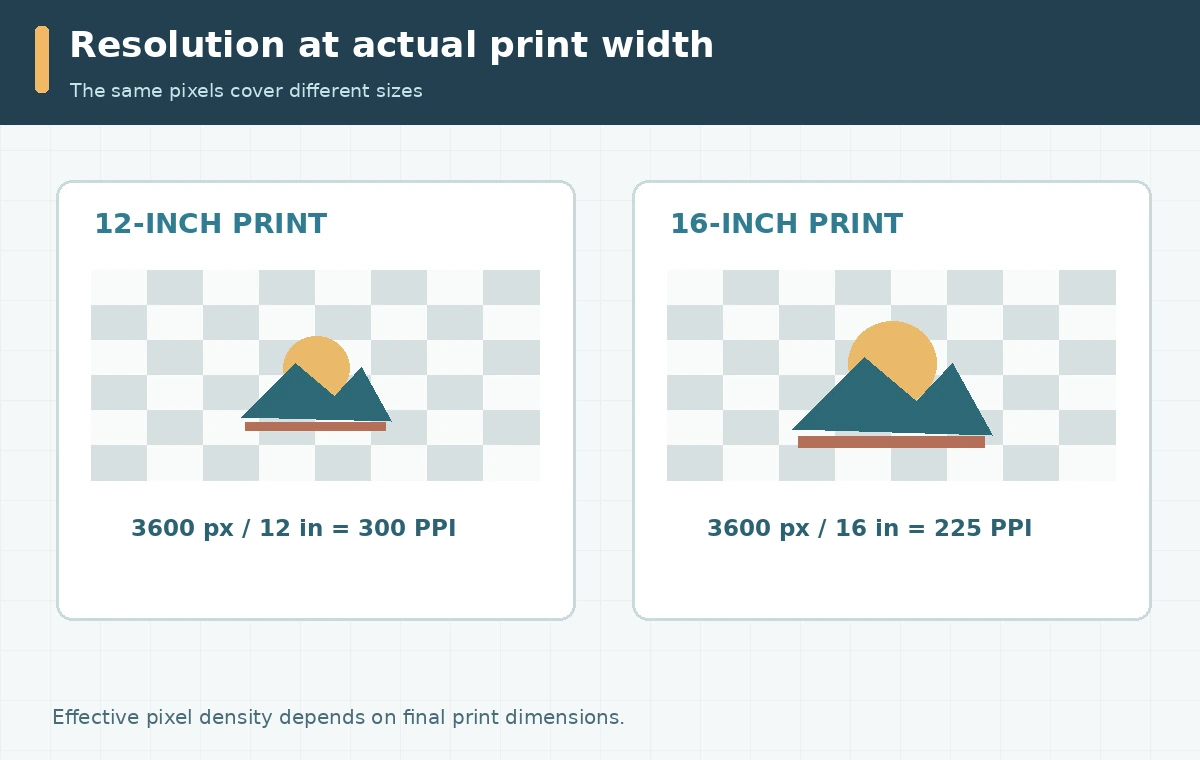
Pixel size divided by desired inches gives the file’s effective pixels per inch. For a purely illustrative example, 3,600 pixels across at 12 inches yields 300 pixels per inch; that same raster at 16 inches yields 225. This calculation is a screening method, not a promise of print quality. Printful’s 150 versus 300 DPI advice describes at least 150 DPI for its DTG products and higher requirements for other methods. The selected product template and design complexity still govern. Rewriting a DPI metadata field cannot create missing detail. If the raster is too small, rebuild a vector-appropriate illustration or re-create a sufficiently detailed source instead of trusting invented upscale texture.
Proof on both light and dark garments
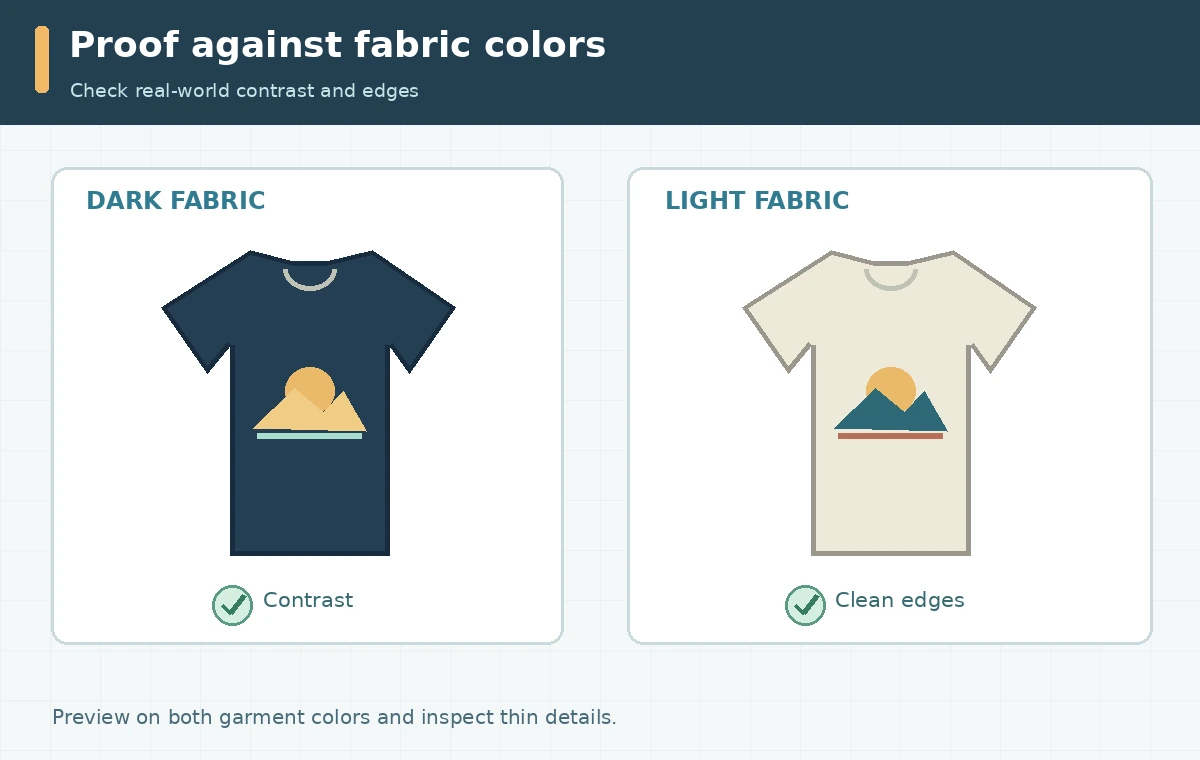
Put the exact transparent production graphic on preview swatches matching the intended shirt colors. Dark navy mountain lines may disappear on a black tee; pale sun rays may disappear on cream. Evaluate the artwork at the actual chest print size and also from a few steps away. Fine lettering, hairlines and subtle gradients can fail on textured fabric even when they look sharp on a monitor. Printful advises considering fabric and ink differences, including shifts from vivid screen RGB colors to printed appearance. Keep one version for light garments and a separate, deliberately adjusted version for dark garments when necessary. Avoid automatic inversion if it changes brand colors or makes the original scene unreadable.
Prepare a product-specific export and sample decision
Printful recommends the sRGB IEC61966-2.1 color profile for uploaded design files and cautions against legacy “Save for Web” export settings. Use the product template at final size, check its safe area and preferred resolution, and choose the supported file type. Name the editable master separately from the upload copy. Check whether any shadows are represented by low-opacity pixels rather than intentional halftones; those may need redesign. If the business can order a sample, use it to review actual fabric, placement, size and color before offering the product widely. A digital product preview should not be described as a photographed sample. The sample is an optional future quality gate, not something this article performed.
Release with rights notes and a reversible asset record
Review the image-generator model’s license, the rights to any references, and whether the graphic uses protected characters, team names, symbols or trademarks. Typography needs its own font-license check. Save the final illustration, source file, product template, printer notes, garment variants and decisions about any actual proof. If the artist is commissioned, document ownership and permitted use. Use realistic product mockups that accurately show positioning and proportions; do not imply that an AI rendering proves production quality. The deliverable is a transparent, sized file that a printer can evaluate plus a repeatable QA record, not an unverifiable guarantee that a generated image always prints perfectly.
How We Research
We checked Printful’s file-preparation checklist, its DPI guidance and its pixel-density explainer on October 28, 2026. All example density calculations use stated illustrative dimensions. We did not order a sample or compare actual print output; product-specific current guidelines override generic examples. The diagrams are original conceptual illustrations; they are not vendor screenshots, measured outcomes, or evidence of first-hand tool testing.
Frequently Asked Questions
A transparent PNG is commonly appropriate for DTG at Printful, but check the exact product and print method first.
No. Actual source pixel dimensions divided by final print inches determine effective density; metadata alone does not improve detail.
Not for the production file. Generate the artwork separately, then place the final graphic in a mockup for visual review.
Residual background pixels, imperfect masking or semi-transparent edges can show on dark clothing. Inspect and clean alpha edges.
Only after checking model and input permissions, trademark issues, fonts, and the production partner’s policies.