
AI product photography can speed up creative lifestyle variants, but its strongest uses are not identical to a reliable product catalog photograph. Shoppers need to see the item they will actually receive. A generated backdrop can add context to a real packshot; a generated replacement of the product itself may invent texture, labels or dimensions. This guide shows an approval-first workflow for a hypothetical ceramic mug and explains the current Shopify media editor constraints without implying we conducted an account test.
Classify images before creating them
Start with three labels: evidence packshot, detail view and lifestyle concept. The evidence packshot should document the real item, accurate color and packaging. Detail views show material, dimensions or functional parts using reliable photography. Lifestyle concepts can explore settings, crops and mood, but must not mislead customers into believing an impossible scene or unverified configuration is included. The separation belongs in your content management system as well as in the creative brief.
For a mug, take one clean front view and one handle/detail shot. Record the actual volume, glaze color, logo and dimensions in a fact sheet, using a verified product specification. These facts are the benchmark against which generated scenes are judged. Do not let an image model decide whether the product has a lid, gift box or additional accessory.
Capture a source image suitable for safe transformation
Photograph on a neutral background with predictable light, enough edge space and sharp product details. Check color against a physical reference under consistent lighting. Save the unmodified camera file in a protected folder. For variants, work on a derivative rather than overwriting the master. Ensure the brand owns or has licensed both the source image and any references added later.
Put the intended crop and marketplace requirements into the brief before generation. A wide hero banner can tolerate empty space around a product; a square marketplace tile may require a flatter backdrop. Avoid an artificial environment that changes the viewer’s sense of scale, such as a tiny cup made to look like a large bowl by surrounding it with unusually small props.
Understand Shopify’s current editing capabilities
The official Shopify media-generation help documents background color changes, subject selection corrections and generative scene changes in its file editor for eligible plans. It describes prompting backgrounds and lighting, plus options for extending a background. Treat these as editor capabilities—not as proof that an edited asset is accurate, legally cleared or available in every store interface.
The same documentation notes a default one-megapixel generation size and says original image formats are generally preserved. It instructs editors to use PNG for transparent background exports. For a complex catalog, verify the exact dimensions and format of a saved sample before committing hundreds of images. A large banner may still need higher-resolution source material or a separate finishing workflow.
Prompt for surroundings without reinventing the merchandise
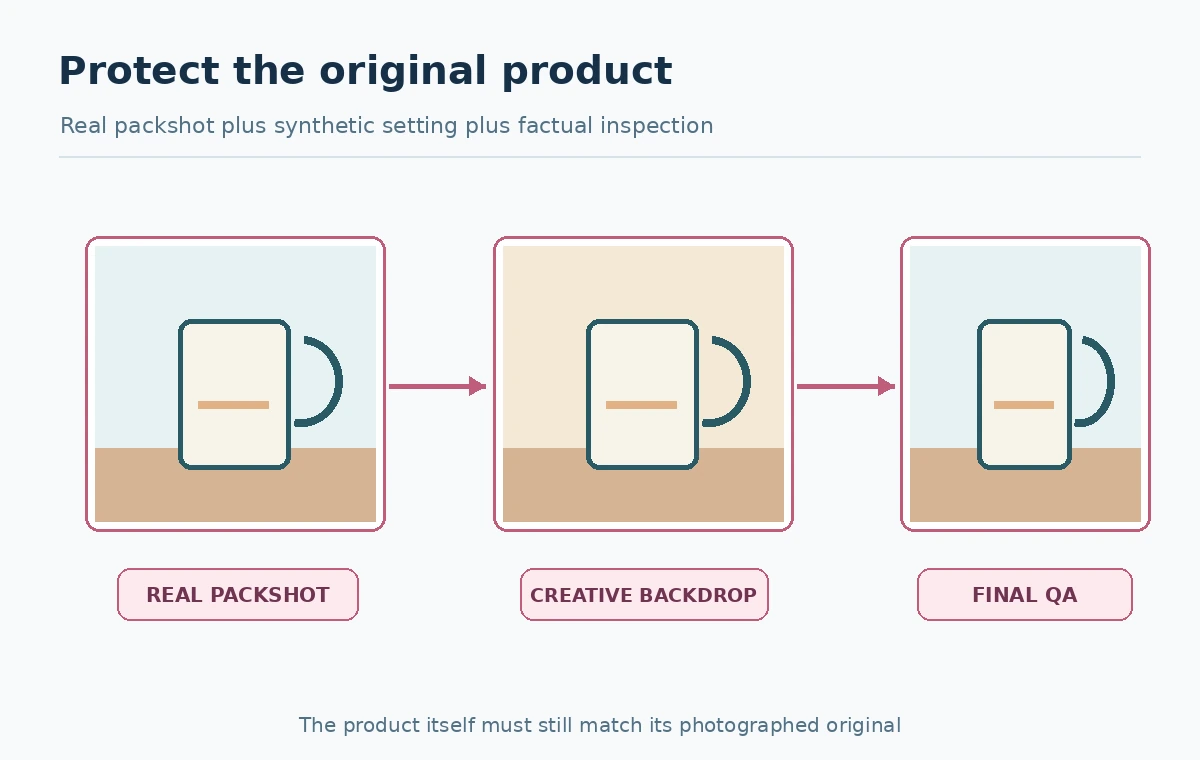
Use a prompt such as: “Keep the photographed ceramic mug unchanged, on a light oak table in soft morning light; clean neutral kitchen in the background; realistic contact shadow; no extra objects, labels or text.” This is an editorial example, not a guarantee of perfect compliance. A controlled background operation and human review matter more than a long list of prohibitions inside the prompt.
Choose one setting appropriate to a real use case, not a dramatic fantasy that implies false capabilities. If the model alters the rim, handle, color, printed trademark or fill level, reject the candidate. Keep a side-by-side original view open while evaluating; human memory alone is a poor tool for detecting subtle substitutions.

Apply a product-truth gate before aesthetic ranking
Write down invariant features: silhouette, finish, count, visible text, connectors, accessories and safety labels. Check every generated variant for these features before comparing which background looks more appealing. A marketing creative can be visually better and factually worse. Maintain a rejection category for false merchandise attributes and do not use a minor touch-up to conceal a major mismatch.
Also look at lighting consistency, contact shadow, scale against scene objects, reflections and the position of seams or grips. When a generated scene includes a person, avoid implying a real endorsement without permission. The underlying rule is simple: creative freedom applies more to context than to claims about the product.
Export distinct assets for distinct placements
Shopify’s product-media guidance describes how images and other media appear in product listings. Prepare separate files for a product detail page, category grid and editorial campaign. Save them with clearly different names and metadata so the creative concept does not replace the factual master by accident. Open the final files at realistic mobile and desktop widths.
For transparent cutouts use a format that supports alpha. For photography and rich backgrounds, select web-appropriate compression that preserves label legibility. Record the crop target, color profile if applicable and a reviewer’s signoff. Do not claim the generator can replace professional photographs for regulated, technical or safety-critical product claims.

Pilot the workflow on a representative SKU sample
Choose a small test set: a reflective object, matte object and item with a fine label. Compare original and generated variants on their intended listing layouts. Count approved outputs and log reasons for rejection. This is a proposed quality method, not a claim that we measured merchant conversion or model accuracy. Use the evidence to improve photography or prompting rather than buying a larger generation budget immediately.
Create a revision path: prompt or crop for background mistakes; retake the photo for blurred or hidden real details; route rights and sensitive imagery to a qualified reviewer. Separate throughput metrics from creative quality. Ten generated scenes do not equal ten publishable product images.
Create a final audit trail and disclosure decision
Store the original packshot, generated derivative, prompt, tool and version where visible, editing date, permissions, reviewer and publication location. Label synthetic scenes internally even if they look photographic. Consider whether customers need an explicit disclosure for the particular context and consult the relevant marketplace rules; a generic blanket promise is not appropriate across every channel.
The most reusable result is an approved product image set with a source-of-truth mapping: one real reference, controlled visual variants and a documented reviewer decision. AI can help with background ideation and styling, while the store remains accountable for depicting the product accurately. When a scene or required angle cannot be made truthful by editing, return to real photography.
How We Research
Verification date: October 27, 2026. We checked primary official documentation: Shopify: media generation in file editor, Shopify: product media, Shopify: AI product photography guide. The decision cards, scenarios and review checklists in this article are original editorial guidance based on those sources. We did not buy subscriptions, run controlled product benchmarks, or inspect private user accounts. Prices, permissions, credit rules, interfaces and license terms may change; confirm them in the product before a purchase or high-stakes project.
Frequently Asked Questions
No. Real product images are essential when customers need accurate shape, color, labels and included items.
Its official media-editor guidance documents background color and generation tools for eligible stores, subject to current availability.
No. Use PNG or another alpha-supporting format for true transparency; Shopify recommends PNG for this purpose.
Yes. Compare every output with an actual product reference and reject changed labels, materials, accessories or proportions.
Keep the original, candidate, prompt, output location, invariant checks, rights notes and named reviewer approval.