
A polished AI meeting summary is not the same as an agreed plan. Meeting tools can extract action-like phrases, but they may assign ownership to the wrong person or mistake a suggestion for a commitment. The useful deliverable is a short, traceable task list that people can accept or correct. This guide focuses on the handoff after the meeting rather than another ranking of notetaking bots.
Define what qualifies as an action item
Before invoking any summarizer, distinguish an idea, decision, blocker and commitment. An action item needs an observable deliverable, one accountable owner and a date or explicit unresolved deadline. “We should improve onboarding” is a topic, not a task. “Maya will circulate the revised onboarding checklist for approval” is closer to a task if Maya actually agreed to it.
Train reviewers to use four labels: confirmed, proposed, blocked and needs clarification. This avoids treating brainstorming as an authorization to act. If the recording contains disagreement, reflect that in the notes. The safest default is a pending status until an owner confirms the assignment.
Capture the evidence without recording everything by default
Start with a shared agenda and allow a participant to jot down decisions during the call. Where AI transcription is permitted, retain the relevant transcript passage or timestamp so an action can be traced to who said it. Otter’s documentation describes advanced chat features for creating and assigning follow-up tasks; that capability does not guarantee the model infers all owners correctly.
Choose whether a recording is necessary at all. For a small weekly stand-up, a manually confirmed action log may be enough. If audio is retained, avoid copying sensitive full transcripts into unrelated task boards. Share only the minimum evidence needed for an owner to understand their responsibility.
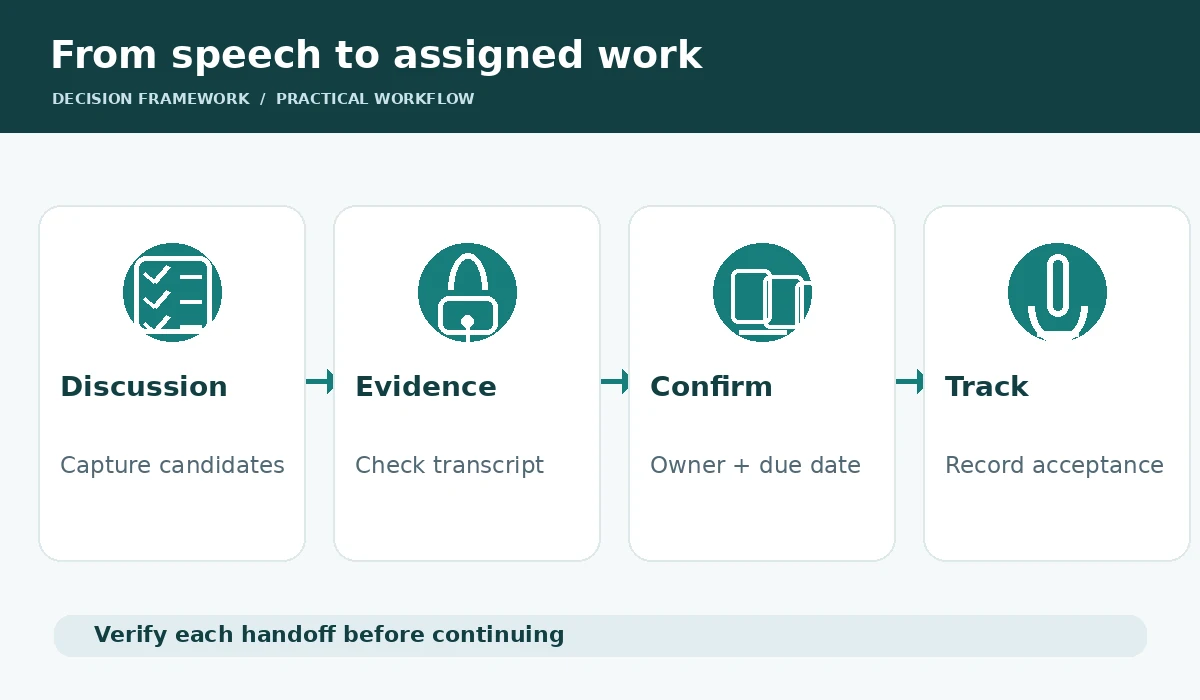
Use a structured extraction prompt
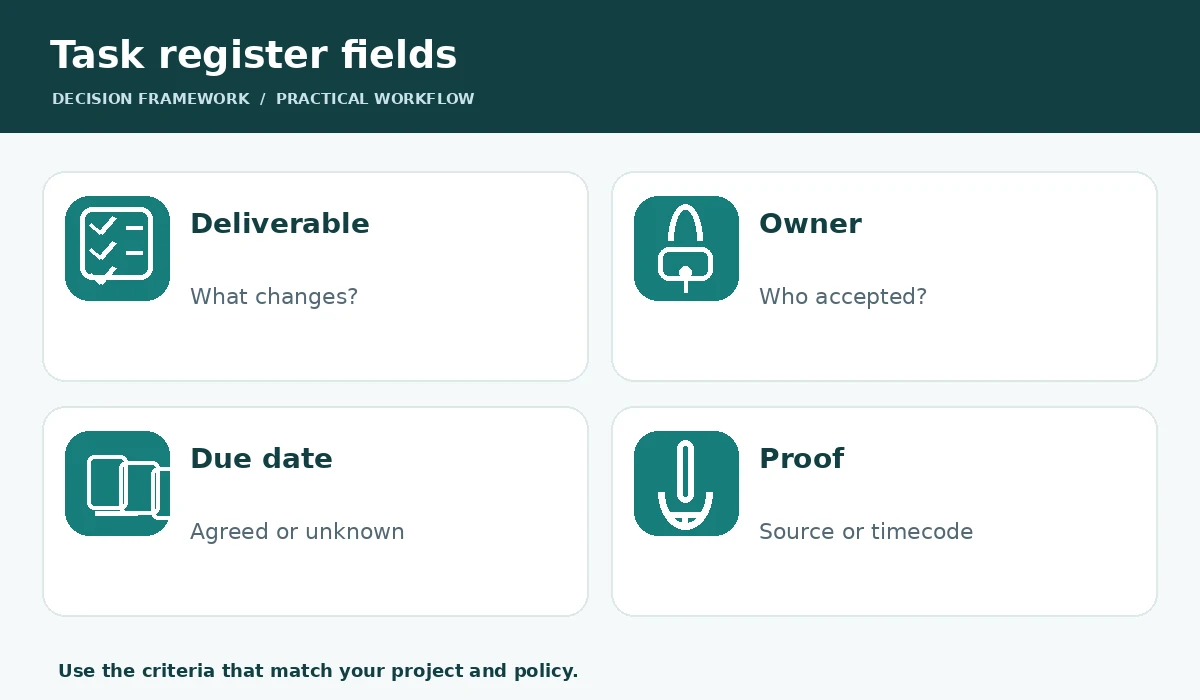
Ask for a table with action description, accountable owner, due date, evidence line or timecode, status and open question. Add an instruction to leave fields blank when they were not explicitly agreed. This makes ambiguity visible. For example, “Prepare draft budget | owner not confirmed | date unknown | proposal” is useful; “Finance to deliver by Friday” would be fabrication when nobody committed.
Separate decisions from tasks in the same output. A decision may already be complete and need no follow-up; a task may require a new approval before work starts. Do not let the summarizer issue emails, tickets or calendar events automatically until a human approves both ownership and wording.
Confirm owners and due dates with the team
Send a concise decision-and-action recap quickly while the conversation is fresh, but explicitly invite corrections. One person should own each task even when several people contribute. If the discussion used phrases like “someone from design,” mark the owner unresolved and ask for assignment. If no deadline was discussed, propose one as a question rather than asserting it was agreed.
For recurring meetings, maintain a separate issue log: who accepted the task, when, and which commitment changed. This makes the action tracker a living record rather than a static AI summary. Avoid sending a full transcript to attendees who do not need it.
Move accepted tasks into one operational system
A list buried in a notes document gets forgotten. Choose the team’s real task manager and map the approved fields to that system: title, owner, due date, source meeting and relevant evidence. If the team uses ClickUp, Asana, Jira or a simple spreadsheet, build around the tool already maintained daily rather than installing another dashboard solely for AI output.
Run one controlled export and inspect what happens to multi-line notes, time zones and duplicate descriptions. A meeting repeated weekly can regenerate the same unfinished task; compare IDs and prior statuses before creating a second one. If automation is used, require explicit approval for updates that reassign owners or overwrite deadlines.
Write a useful follow-up, not a transcript dump
A readable follow-up starts with two or three confirmed decisions, then lists accepted tasks with owners and dates. Put unresolved questions in a separate section with who will resolve them. Make language actionable and neutral. “Decision pending legal review” is honest; “Legal approved the plan” is not, unless somebody actually made that determination.
Link to a meeting artifact only if recipients have permission and a reason to open it. Redact sensitive side conversations and avoid forwarding private customer details. A follow-up email should help people act in minutes, not force them to read a lengthy automatically generated transcript.
Measure whether the workflow improves execution
Audit a small sample of meetings for wrong owners, missing decisions, invented dates, duplicates and time spent correcting the draft. Compare the percentage of tasks acknowledged by owners and later completed with the team’s prior practice. Those are more meaningful indicators than the number of words the model generated. Do not attribute improved delivery to AI without considering process changes.
Include failure handling. When the recorder fails, the task process should still function through meeting notes and verbal confirmation. When participants disagree over what they approved, use the original agenda, evidence and clarification conversation—not a model’s confidence—to resolve the record.

A reusable action-register template
Use these columns: Meeting and date; Item type; Action or decision; Assigned owner; Due date; Evidence reference; Confirmation status; Tracker link; Next review date. For a small team, a simple spreadsheet is often enough. Make unknown values explicit. Leave an audit trail for corrections rather than silently replacing earlier summaries.
Review open tasks at the start of the next meeting. Cancel or close outdated items, note changed deadlines, and distinguish work finished from work merely reported. The goal is accountability that survives handoffs. AI helps format and search the record; people remain responsible for confirming commitments and acting on them.
How We Research
We reviewed official and product-maintained documentation including Otter AI Chat modes, Zoom meeting summary controls, Notion AI meeting notes. We mapped each documented feature to the specific workflow discussed above, separated product claims from editorial recommendations, and documented cases requiring confirmation by a human or a workspace administrator. We did not purchase or operate paid accounts, run independent quality benchmarks, test every platform configuration, or guarantee costs, privacy outcomes or productivity gains. Source checks were performed on October 27, 2026; documentation and feature availability may change.
Frequently Asked Questions
Some support action-item extraction or assignment, but a human should confirm owners, dates and permissions before tasks are sent.
Leave the date unset or propose one clearly as a question. Do not turn an assumption into a commitment.
No. Keep proposals, decisions and unresolved issues separate from accepted deliverables.
Match each new proposal to existing task IDs, owners and status before creating another entry.
Usually not. Share approved action summaries and provide restricted evidence only to people who legitimately need it.