
An AI image-to-prompt generator is a vision-enabled assistant that describes an existing image so a designer can write a new creative brief. It is not the same as a text-to-image prompt generator that begins with an empty page. The useful task is to capture observable details without hallucinating product brands, exact colors under unknown lighting or the identity of a person. This guide works through a fictional desk photograph containing a lamp, notebook and window. It produces a structured creative prompt plus a separate accessibility description, because their purposes are different.
Decide what the output description will be used for
A creative prompt can include desired mood and changes; alt text should communicate the actual image’s purpose to people who cannot see it. An image-to-prompt tool may also be used for organizing reference folders or suggesting a composition. Choose one job before asking the model to describe everything. For the desk example, the goal is a new illustration with similar spacing, not an exact copy of the photograph.
Write down the permitted reference source and intended use. Do not upload private family portraits, client confidential screenshots or third-party protected material to a service without checking privacy and permission. If an image contains names or account numbers, remove or redact those before using it as prompt inspiration.
Ask a vision model for observable facts first
Google’s Gemini image-understanding documentation describes captioning, classification, object recognition and visual question answering using image input. Those capabilities make a first description possible; they do not convert inferred details into facts. Ask: “List visible objects, relative positions, lighting direction, dominant colors and any readable text. Mark uncertain observations explicitly.”
For the invented desk photo, the useful answers are lamp left, notebook centered, window on the right and soft side lighting. A claim that the desk is in Paris or belongs to an architect would be unsupported unless explicitly visible or corroborated. When text matters, zoom the original yourself instead of trusting a rough machine transcription.
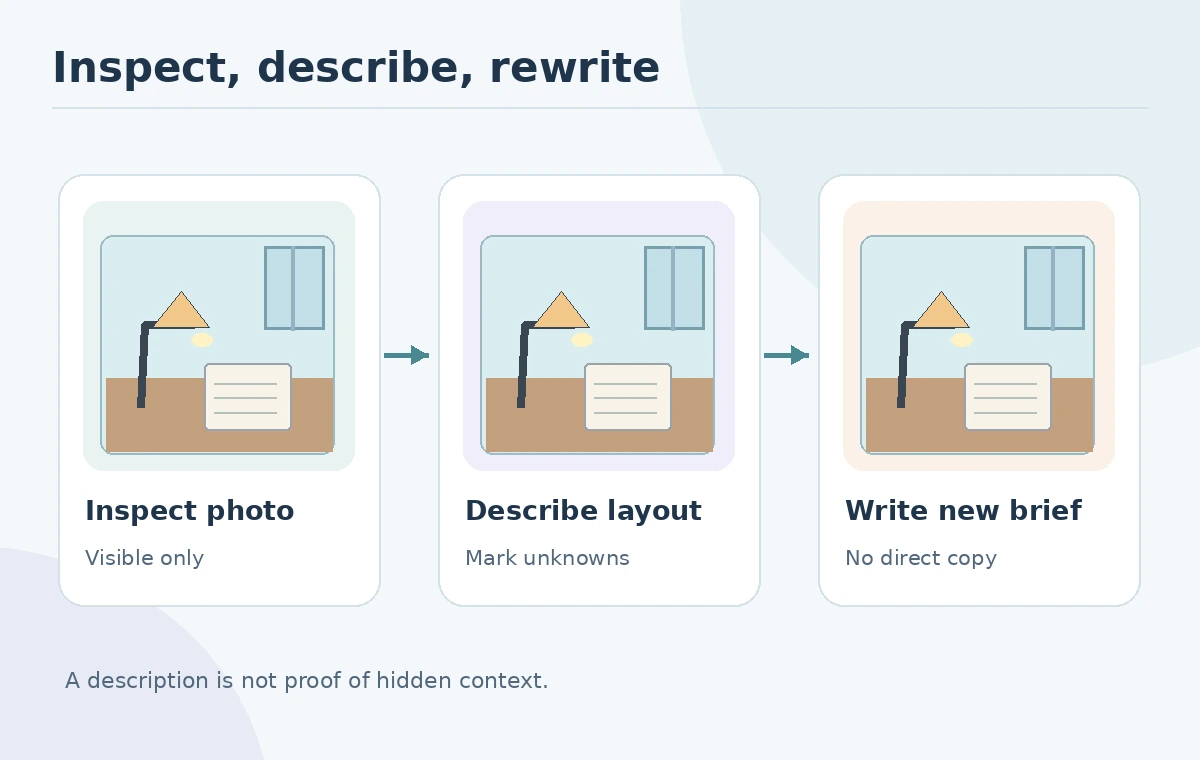
Separate observation from inference in two columns
Make an evidence table with observed features on the left and interpretations on the right. Observed: cylindrical desk lamp, open notebook, a shadow falling diagonally. Inference: “late-afternoon study,” “designer studio,” or “walnut desk.” The inferred phrases may work as creative directions but should not appear in an objective image caption as fact.
Add a third column for unknowns, such as exact lamp model, time of day, photo location and whether a handwritten line is legible. This table is the primary safeguard against persuasive but unsupported detail. Keep the original reference available for comparison. If a tool adds nonexistent decorations, remove them from the observed list even if they improve the prose.
Turn facts into a fresh generative prompt
Write a new prompt using layout and visual properties rather than requesting an identical image: “Minimal editorial illustration of a desk, warm lamp on left, open notebook centered, large window on right, soft directional light, generous blank space for heading.” Add aspect ratio and intended placement. Do not transfer brand logos, signatures, private writing or distinct copyrighted compositions into the new work by accident.
If the goal requires altering only one element of the original, an image editor is more appropriate than a generalized prompt. Midjourney’s Image Prompts guidance explains using a reference for inspiration rather than exact copying, while its editor addresses precise image edits. This is a functional distinction, not a guarantee of legal clearance.

Write truthful alt text separately from the creative prompt
The W3C’s alt-text decision tree asks whether an image is informative, functional, decorative or redundant. For the reference desk photograph, “Desk with a lamp to the left of an open notebook beside a window” may describe important layout information. An imaginative style prompt full of adjectives is not a useful substitute. If a chart conveys data, give the actual data in nearby text.
Short, contextual alt text is usually preferable to a list of every pixel. Do not add uncertain brand names or demographic guesses. If the image is merely decorative and repeats nearby information, W3C guidance may call for empty alt text. The correct answer depends on how that specific image functions on the page.

Use a three-question verification pass
First, ask whether every asserted item can actually be pointed to in the original. Second, identify whether the prompt preserves only the intended composition rather than protected or private content. Third, review the generated candidate for added unrequested text, impossible geometry and new objects. These are editorial checks, not a measured assessment of a vision model.
If another reviewer sees a different color or object, record the disagreement. A blurry shape could be a cup or candle; the prompt should use a broader descriptor or omit it. Do not repeatedly ask the same model until it confidently invents an answer. High confidence in natural language is not independent visual evidence.
Hand off a prompt with provenance and boundaries
Deliver a short reference caption, observation-versus-inference table, final creative prompt, permissions note and list of prohibited copied details. For the desk example, list the layout but exclude the notebook’s handwritten words. If a generated asset will be published, add editable typography only after inspecting the output.
This creates a traceable link from source image to new design brief without pretending the two are identical. It also prevents an AI-written caption from drifting into an uncheckable story about the source. Revisit the W3C purpose test when that final generated image receives its own accessibility text.
How We Research
We read Google’s Gemini image input documentation, Midjourney’s Image Prompts guide and the W3C’s alt decision tree on October 27, 2026. The desk photo and workflow are illustrative; we did not measure captioning accuracy or process a real client image. Our method was to compare published vendor feature descriptions with the article’s concrete decision checkpoints, avoid unsupported performance claims, and keep fictional illustrations separate from documented product behavior.
Frequently Asked Questions
No. Image-to-prompt starts with an existing reference; text-to-image starts with a written request and creates a picture.
No. Treat identities and hidden context as unknown unless confirmed by visible evidence or outside sources.
Not automatically. Check copyright, privacy and other applicable permissions before uploading or reusing it.
Usually not. W3C guidance makes alt text depend on the image’s purpose and the surrounding content.
Visible layout facts, desired changes, output requirements, excluded details and a reference permission note.