
An AI concept art generator can help a creative team explore environment options quickly, but the deliverable should be a coherent location design that an artist could build on. This example develops a fictional cliffside village with one watchtower, a stone bridge and a waterfall. The goal is to preserve identifiable geography across thumbnails, daylight studies and a handoff sheet. We focus on repeatability of worldbuilding decisions, not on pretending that attractive generated frames constitute finished production art.
Write the location bible in plain spatial terms
Start with a diagram of the place before asking for atmospheric scenery. Our cliff village has a watchtower on the highest western ledge, a bridge extending east to a smaller plateau, and a waterfall below the bridge. Those relationships stay fixed whether the scene is sunny, foggy or viewed from another camera. Note scale cues and navigable paths so the design is more than a mood painting.
Specify the intended medium and visual destination. A game environment needs clear walkable edges and identifiable landmarks, while a novel’s promotional illustration can prioritize dramatic atmosphere. Make the art direction flexible but the geography testable. A designer can approve the brief even before seeing a beautiful image.
Start with black silhouettes and compositional thumbnails
Produce several rough monochrome sketches: one wide establishing view, one bridge-level view and one close-up of the tower entrance. Judge whether the tower and bridge can be located immediately. Resist spending generation credits on ornate textures before the overall shapes work. If the bridge disappears behind fog in every draft, simplify or move the camera rather than inventing a second bridge.
Adobe Firefly’s composition-reference feature is intended to guide outline and depth relationships with a reference image and adjustable strength on supported models. It can help maintain the design map, but artists still need to compare results against the approved silhouette.
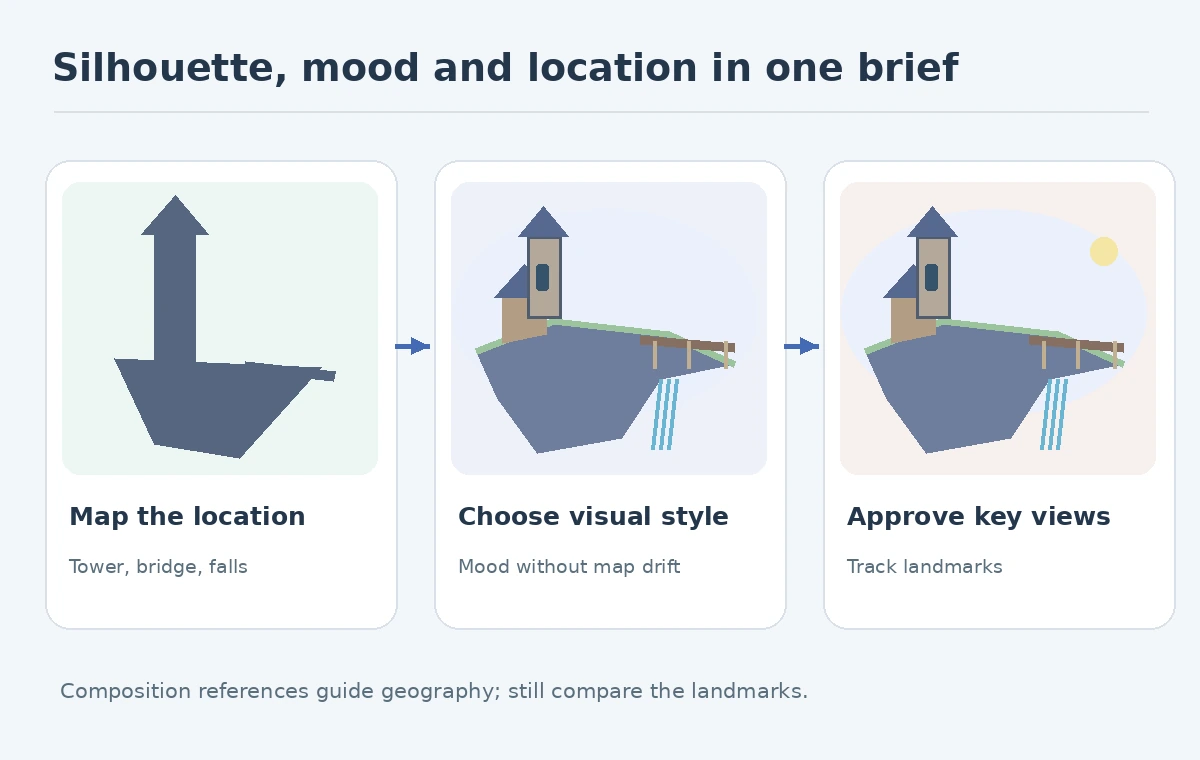
Separate structure references from style references
Create a two-column reference board. The first side describes structural facts: one tower, one bridge, waterfall below and a narrow access path. The second side shows approved visual influences such as cool twilight light, rough stone textures and a muted teal palette. A model can match atmosphere while changing the bridge position, which is why the two controls should not be treated as interchangeable.
Adobe separately documents style references that guide the aesthetic look. Do not assume every model supports the same reference types, and do not use someone else’s copyrighted concept board without the permissions necessary for the intended use.
Generate controlled lighting studies
Once the silhouette passes, request morning, overcast and night variants while retaining camera, structures and approximate geometry. Each variant should answer a design question: is the bridge legible at night, where would an entrance light belong, and does fog obscure the navigational landmark? Save the same composition thumbnail as a comparison anchor.
An AI model may quietly change the number of buildings or alter the path as lighting shifts. Label any such output as a divergent exploration, not as the approved village. Change only one parameter at a time when possible; otherwise it becomes impossible to know whether mood or geography caused the change.
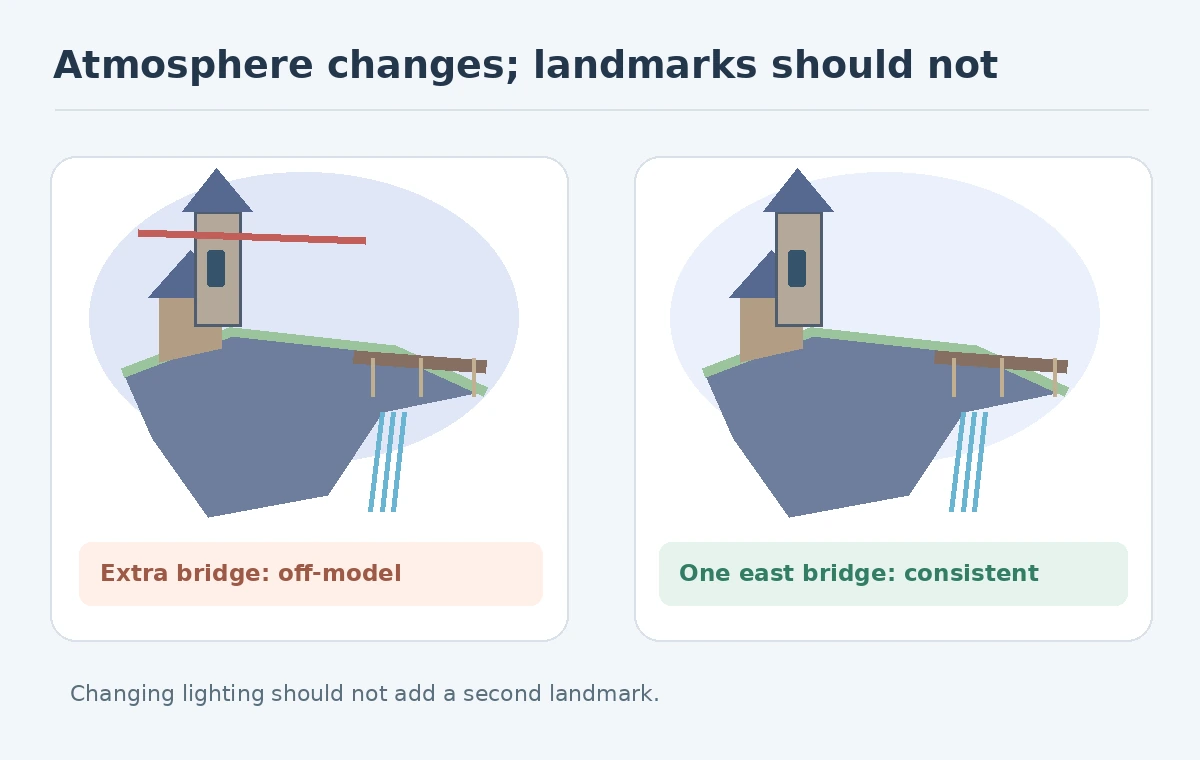
Use an annotated paintover to resolve contradictions
Choose the strongest draft and annotate exact repairs. Put a circle around the disappearing bridge support, draw the preferred path and mark the tower roofline to keep. Localized inpainting, compositing or manual painting may be appropriate depending on the asset and tools. A series of loosely related generations is not a substitute for a master production sheet.
For multi-reference work, Midjourney’s V8.2 Edit Model supports text-directed edits and up to four references; older Omni Reference instructions apply to V7 and should not be copied into a V8.2 production recipe. Even with references, inspect landmarks and material logic by eye.
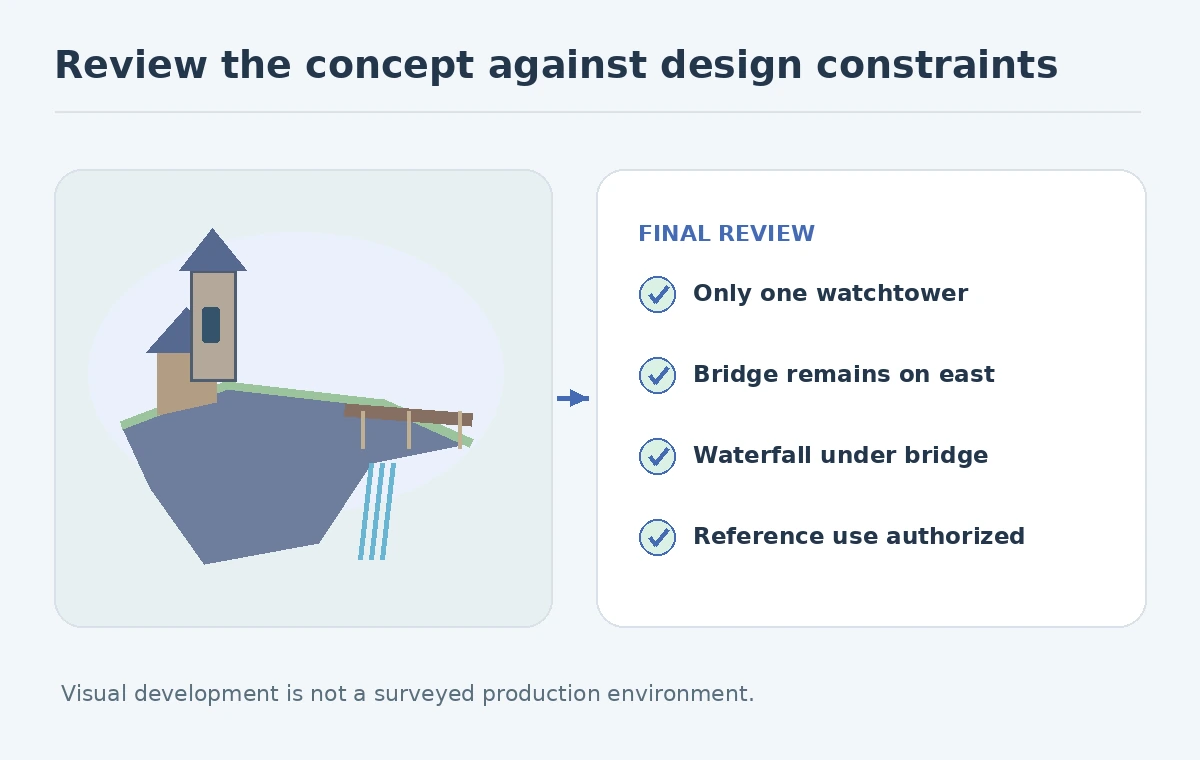
Hand off views that a 3D or illustration team can actually use
A concept sheet should contain an establishing view, close-up of two distinctive structures, rough top-down relationship sketch, material callouts and a compact palette. Keep alternative designs marked as exploratory and isolate one approved version. The project file should state which view is authoritative for bridge placement and which parts still need design decisions.
Do not describe an AI-created perspective as a construction drawing. It may distort proportions, hide structural impossibilities or invent doors. Downstream artists need a human-authored plan or model if exact spatial proportions matter. An attractive image can inspire geometry but cannot independently validate it.
Approve consistency, readability and permissions separately
Use three review passes. First check geography: the watchtower is on the west ledge, bridge extends east and waterfall remains under it. Next check mood and communication: the camera reads the main settlement and night lighting supports navigation. Finally check permissions: reference materials are authorized, and downstream reuse follows the applicable tool and client terms.
The UVU is a production-ready concept approval sheet with a simple landmark map. The exercise passes if all three key features remain identifiable across selected views. It fails if a night variant silently adds another bridge or if a stylistic reference is used without appropriate rights. These are editorial acceptance criteria, not benchmark measurements.
How We Research
We reviewed Adobe’s composition reference guide, style references and Midjourney’s current Edit Model help on October 27, 2026. The floating village is fictional concept art; no generated image is represented as a surveyed location or production game level. We used named vendor pages for capability claims, not performance measurements; our accept-or-reject examples are editorial review criteria applied to deliberately fictional drawings.
Frequently Asked Questions
No. Use an explicit landmark map and compare views; references guide outputs but do not guarantee geometry.
Black silhouettes and composition thumbnails, so the location remains understandable.
No. It can guide art direction but exact dimensions and structures need separate design work.
V8.2 uses the Edit Model for current multi-reference workflows; Omni Reference is documented for V7.
An approved view, a location sketch, landmark notes, palette, material callouts and open questions.