
A missing photo may still have preserved versions
Imagine a museum staff member reports that a collection photograph disappeared from the public preview after a bulk ingest. A current-object listing alone cannot tell whether the photograph was removed, hidden by a delete marker, or simply superseded. In a versioning-enabled bucket, `ListObjectVersions` exposes object versions and delete markers. The audit task is to collect the relevant generations for approved keys without silently stopping after one API response. This is an inventory and investigation workflow, not an instruction to delete or restore production objects.
Confirm bucket, permissions, and prefix before listing
Record the approved bucket, AWS account, region, and a narrow key prefix corresponding to the collection. The API requires appropriate authorization, including the ability to list bucket versions. Use an inventory identity whose permission scope is reviewed by the archive team. A prefix is a key-name filter, not proof that everything under it belongs to one department or rights class. If the prefix is wrong, a complete traversal will still be a complete answer to the wrong question. Keep private object keys out of public incident notes.
Read Versions and DeleteMarkers separately
The response can contain `Version` entries and `DeleteMarker` entries. A version describes a stored generation with properties such as version ID and an `IsLatest` flag; a delete marker is a different kind of entry that affects how an unversioned request appears. Do not count a delete marker as another image file, or conclude that `IsLatest=true` always identifies an accessible content version. An object may have a latest delete marker while earlier content versions remain available. Recovery eligibility still depends on retention, access, and object-lock rules.
Understand the two-marker pagination contract
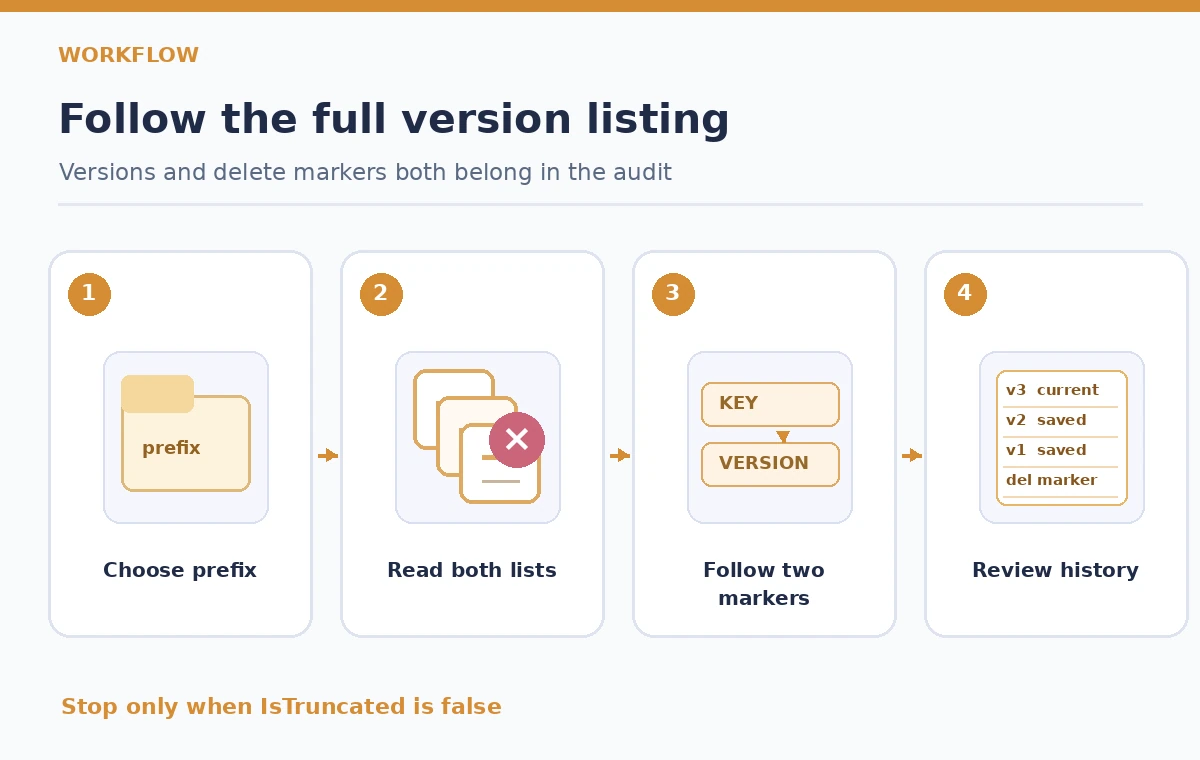
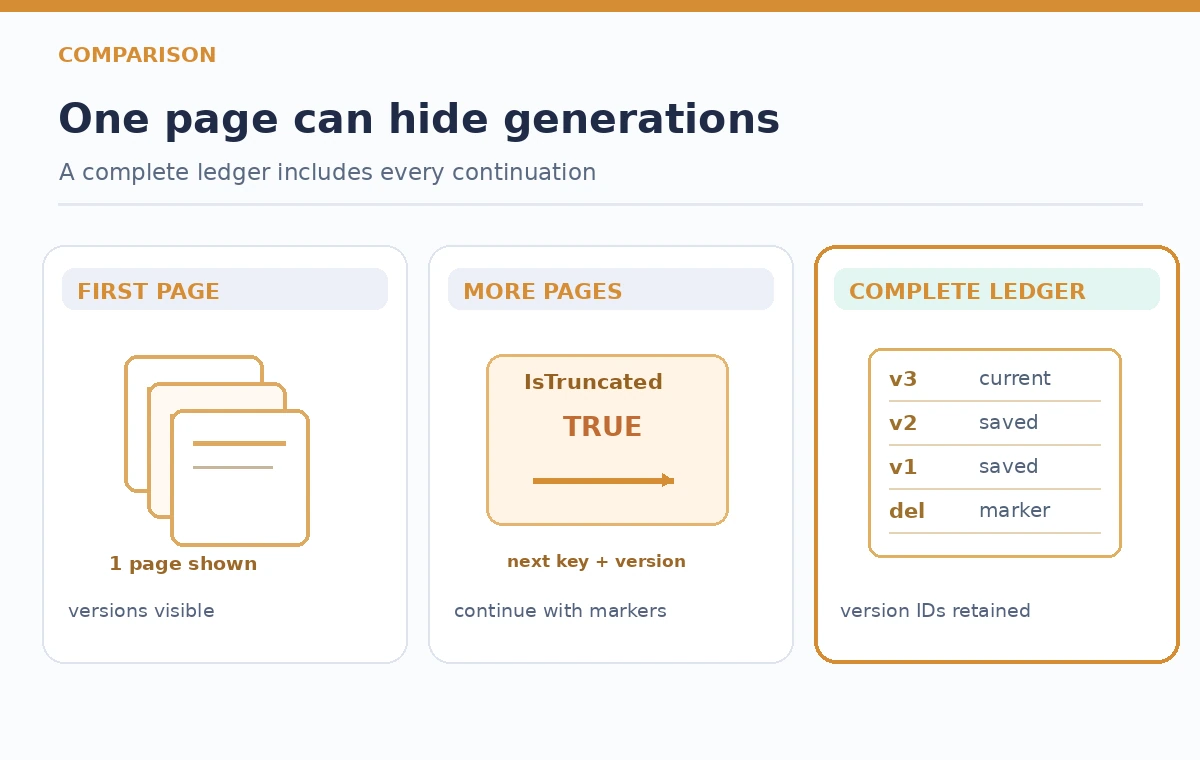
The S3 REST reference documents `key-marker` and `version-id-marker` request parameters. When `IsTruncated` is true, the response exposes `NextKeyMarker` and `NextVersionIdMarker` for continuing the list. Preserve both cursor components when supplied rather than paging by object key alone. Multiple versions may share a key, so a key-only cursor can omit generations within that group. `max-keys` places a limit on returned results, not on the total number of historical versions in the bucket. Requesting a large page does not remove the need to handle truncation.
Traverse to completion and store the audit trail
Process a page, record its source bucket and request markers, then append normalized rows for versions and delete markers. If `IsTruncated` remains true, continue using the next markers from that response. Persist enough cursor state for an interrupted audit to resume safely, but protect the log because object keys can reveal restricted projects. If you use an SDK paginator, check how the SDK maps service cursors and never assume its page token is interchangeable with raw REST fields. A completed traversal should report the last non-truncated response and the number of distinct generation IDs observed.
Build a ledger keyed by more than a filename
An audit ledger should retain object key, version ID, entry kind, last-modified time, latest flag, relevant checksum availability, and a documented review status. Avoid deduplicating solely by key; that would erase historical generations. Store the data in a controlled repository and tag any entries that need legal-hold or ownership verification before proposed action. The ledger answers questions such as which versions exist and which generation is current. It does not certify that the bytes have been independently fixity-checked or that a photograph is cleared for publication.
Recheck a moving bucket before drawing conclusions
A list traversal is not necessarily a frozen snapshot of a bucket receiving new uploads and deletes. The collection team should coordinate a change window or compare the resulting inventory with event and ingest logs. An object can change between the first and last pages. Note the start and end times and consider a second targeted listing for affected keys before a restoration decision. If the list changes, report the discrepancy instead of forcing two traversals into an invented single history. S3 Inventory reports are another scheduled aid but are not a live substitute for this API.
Separate a hidden object from a deleted generation
For a sample photo with three stored versions and a latest delete marker, a normal unversioned GET can behave differently from a GET pinned to a prior authorized version ID. That difference should trigger a review of why the marker exists, whether an approved rollback is appropriate, and whether a preservation hold applies. Do not remove a delete marker automatically just because the public website lacks an image. A prior version may be outdated, restricted, or intentionally concealed. Require curator and rights approval before changing the live object view.
Failure cases: partial pages, permissions, and wrong assumptions
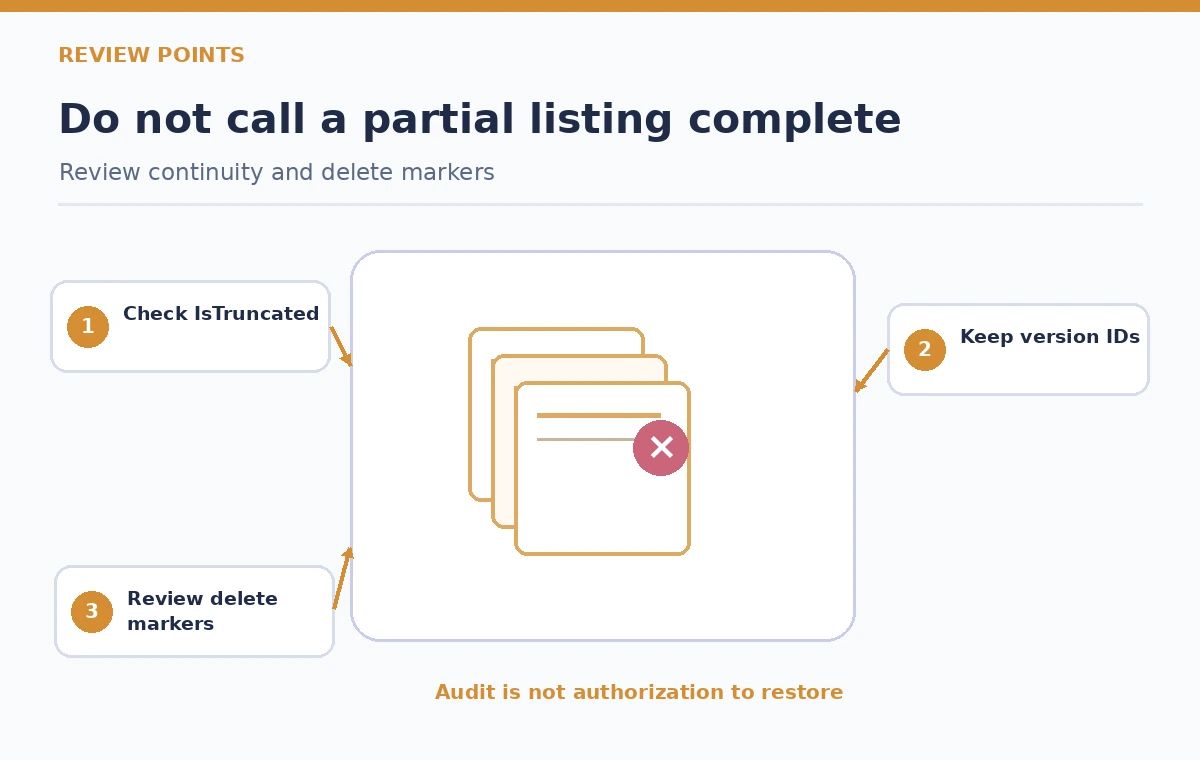
A short response may still be truncated; always use `IsTruncated`. A directory-like delimiter groups prefixes and can complicate an inventory if the team interprets the display as all underlying keys. Missing permission can produce an error rather than a trustworthy empty inventory. A single page returned by the console or a command with default output handling is not a sign that no older versions exist. Keep pagination diagnostics separate from the collection’s preservation claims and include the exact command or SDK configuration used to generate the ledger.
How We Research
We consulted the Amazon S3 ListObjectVersions API reference for both marker parameters, `IsTruncated`, version and delete-marker fields, and the documented page behavior. We checked the AWS CLI command reference for the corresponding operational terminology. The photographs and version timelines in the graphics are fictional. We did not query a live S3 bucket or establish a measured count of preserved objects.
Frequently Asked Questions
No. A current object listing is not a version inventory. Use ListObjectVersions on a versioning-aware investigation.
Several versions can share the same key. The API supplies both cursor values to continue through the result sequence accurately.
It indicates the end of that listing traversal, subject to the correct prefix and permissions and any concurrent bucket changes.
No. It can hide prior content from an unversioned request while older versions remain, subject to the bucket’s lifecycle and retention state.
No. Inventory results do not establish publication rights or approval. Review the intended version and organizational controls before any restoration.