
A successful download is not an archive fixity report
Imagine a registrar downloads a 12-gigabyte oral-history master so an external preservation team can examine it. The HTTP transfer succeeds, but the registrar must confirm that the received bytes correspond to the intended stored object version. A status code alone does not establish independent long-term fixity, and an Amazon S3 ETag cannot always be treated as an MD5 digest. The S3 GetObject API can return stored checksum metadata when checksum mode is enabled. That feature supports an integrity workflow, provided the team understands which algorithm and checksum type were originally recorded.
Pin the version and define the expected evidence
Before retrieving an archival master, identify its bucket, key, version ID if versioning is in use, approved media manifest, and checksum policy. A mutable object key can point to a newer version after a replacement upload, so record which version was requested and obtained. The expected result is not a vague statement that S3 is “healthy”; it is a comparison tied to a specific byte sequence. Keep rights metadata, preservation identifiers, and access approvals outside the diagnostic screenshot. The illustrated workflow assumes a controlled preservation collection rather than a production bucket that we accessed.
Request checksum metadata explicitly
The GetObject API documents the x-amz-checksum-mode request header with the value ENABLED. Depending on the stored algorithm, response fields can include checksum values such as SHA-256, CRC32C, or CRC64NVME. Not every object is guaranteed to return every algorithm, and client libraries expose the same operation through their own request parameters. Handle an absent checksum separately from a comparison mismatch. Do not try to fill an absent response field with the ETag and label it the same checksum. Confirm that the SDK you deploy supports the headers and checksum algorithm you intend to verify.
Download the bytes through an approved transfer path
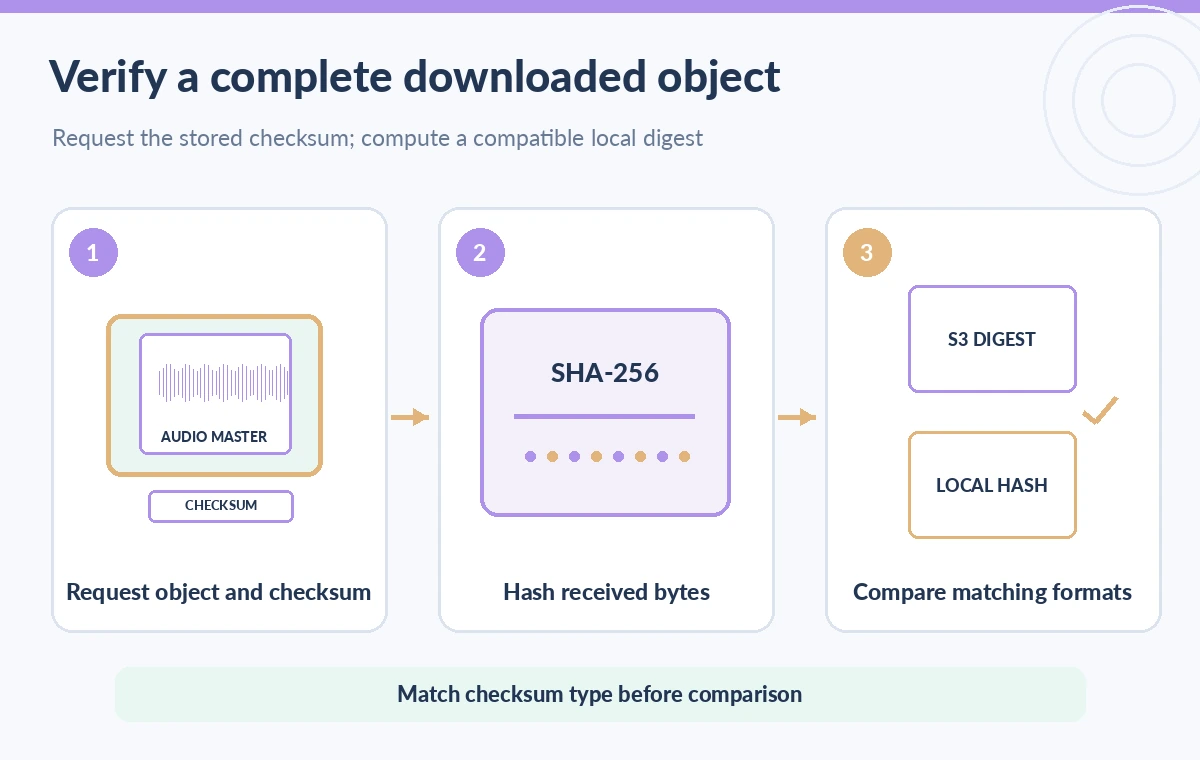
Choose an authenticated, authorized GetObject request that identifies the intended object version. Keep the full response body in a controlled file, or use a streaming process that hashes bytes as they arrive without duplicating the recording into temporary logs. If transfer errors occur, do not present a partial file as a validated master. Range requests and multipart download strategies complicate what exactly the client hashes; use a complete-body verification path when the objective is to compare a full-object checksum. Keep transport retries idempotent and do not overwrite the original verified source file.
Compare the algorithm and checksum type, not only the text
S3 supports full-object and composite checksums for multipart uploads. A composite checksum is constructed from part-level checksums and cannot automatically be equated with a simple hash of the concatenated downloaded bytes. Even when two values are called SHA-256, the calculation and formatting must match before a direct equality test is meaningful. Store the algorithm, checksum type, object version, and expected encoding in your verification record. If the S3 metadata represents a composite checksum, use the documented matching verification procedure or compare against a separate full-object archival digest prepared by the preservation team.
Understand why an ETag shortcut is unsafe
The S3 integrity guide explains that ETags do not always represent an MD5 digest of the object data. Multipart uploads and certain encryption modes are well-known cases where treating ETag as a plain MD5 checksum leads to invalid conclusions. A download report that compares a local MD5 to an ETag may show a “failure” for a valid multipart object. Conversely, an ETag match in one supported scenario is not a substitute for broader archival policy. Prefer a documented checksum field and an independent institution-managed digest that travels with the preservation manifest.

Plan for permissions and encrypted objects
Checksum retrieval can interact with the object’s server-side encryption and AWS Key Management Service permissions. The S3 HeadObject API documents additional KMS permission requirements when checksum mode is enabled for some SSE-KMS objects, with different details for general-purpose and directory buckets. Verify the exact operation, bucket type, key policy, and IAM permissions before diagnosing a missing checksum as corruption. Do not broaden access to a preservation bucket solely to make a diagnostic call work. A narrowly authorized operator can ask the storage administrator to verify metadata without distributing decryption rights to public-facing services.
Use one clear failure taxonomy
The integrity ledger should distinguish four situations: download incomplete; checksum metadata absent or inaccessible; algorithm/checksum type incompatible with the local calculation; and a valid comparison that actually mismatches. Only the last case directly indicates a discrepancy requiring immediate preservation investigation. A mismatch merits quarantining the candidate local copy, rechecking version selection and transfer path, and consulting the independent master. Do not automatically replace the preserved S3 object because a single workstation reported a failed comparison. Record the evidence and escalate through the collection’s fixity policy.

Keep an independent digest beyond cloud metadata
S3 stored checksums can help detect transfer integrity problems, but preservation teams typically need their own fixity history and documented provenance. Retain a verified digest created at ingest, the hash algorithm and software used, and dated comparisons against future copies. This establishes a separate reference that remains available across storage migrations. Treat checksum metadata, S3 replication status, and restore status as different kinds of evidence, not interchangeable seals of authenticity. A passing byte comparison does not establish that the recording has correct consent documentation or that its spoken content is accurate.
Document an audit others can actually reproduce
A concise record names the object version, GetObject checksum mode, returned checksum algorithm/type, local calculation, transfer completion state, and comparison decision. Include a reviewer and date, but avoid putting sensitive audio or cryptographic credentials in the report. Repeat the workflow on a small nonsensitive fixture before handling archival masters, especially if your SDK recently changed. The desired outcome is a traceable download check that can be repeated after a migration. The diagrams illustrate conceptual checksum paths; no actual AWS download or benchmark is claimed.
How We Research
Our named primary official documentation sources were: Amazon S3 API — GetObject; Amazon S3 User Guide — Checking object integrity; Amazon S3 API — HeadObject. We reviewed the documented GetObject checksum-mode request, checksum response headers, multipart full/composite differences, ETag limitations, and KMS-related metadata access conditions. No S3 object or checksum was downloaded or measured. Check the current documentation, account permissions and model or API version before implementation. The figures are original editorial diagrams rather than live vendor screenshots or measured results.
Frequently Asked Questions
Do not assume so. Request the documented ENABLED value and inspect which checksum response fields are actually returned.
Not automatically. Confirm whether the object metadata is full-object or composite and use a matching calculation.
No. Multipart uploads and certain encryption cases do not produce a plain data MD5 ETag.
No. Check metadata availability, object history, request mode, supported algorithms, and required permissions first.
No. Byte integrity and rights or consent review are separate preservation controls.