
Why an answer alone is a poor audit trail
Imagine a grant coordinator receives an AI-assisted draft summary of eligibility rules, then notices the funding deadline is different from the PDF on file. The generated answer cannot by itself show exactly which user messages and supporting items entered the response. An input audit starts with the response identifier and the authorized record of what was submitted, not with a confidence statement from the model. The purpose is to reconcile a specific response with approved documents and human review notes. This is a hypothetical museum workflow, not a report of a tested grant application.
Know what the input-items endpoint actually returns
The documented GET /responses/{response_id}/input_items endpoint returns a paginated list of items used to generate the named response. The list can include different item types rather than only plain user text; an application should examine the type and role of each object. Input items are not the assistant’s final conclusions, and they are not an independently verified source bibliography. Keep the response ID linked to a local case record with restricted access; do not publish the raw list on a visitor-facing site.
Start with the right response and permission boundary
First match the response ID to the grant case, submission time, approved reviewer, and environment. Do not try random identifiers or assume a response from another project is accessible. Retrieval depends on how the response was created, stored, and retained, and a response that cannot be retrieved does not prove that no input was ever supplied. Check the organization’s configured privacy controls and storage choices before enabling audit collection. If the record is unavailable, mark the review incomplete and reconstruct only from authorized source records; do not fill the gap with a generated memory.
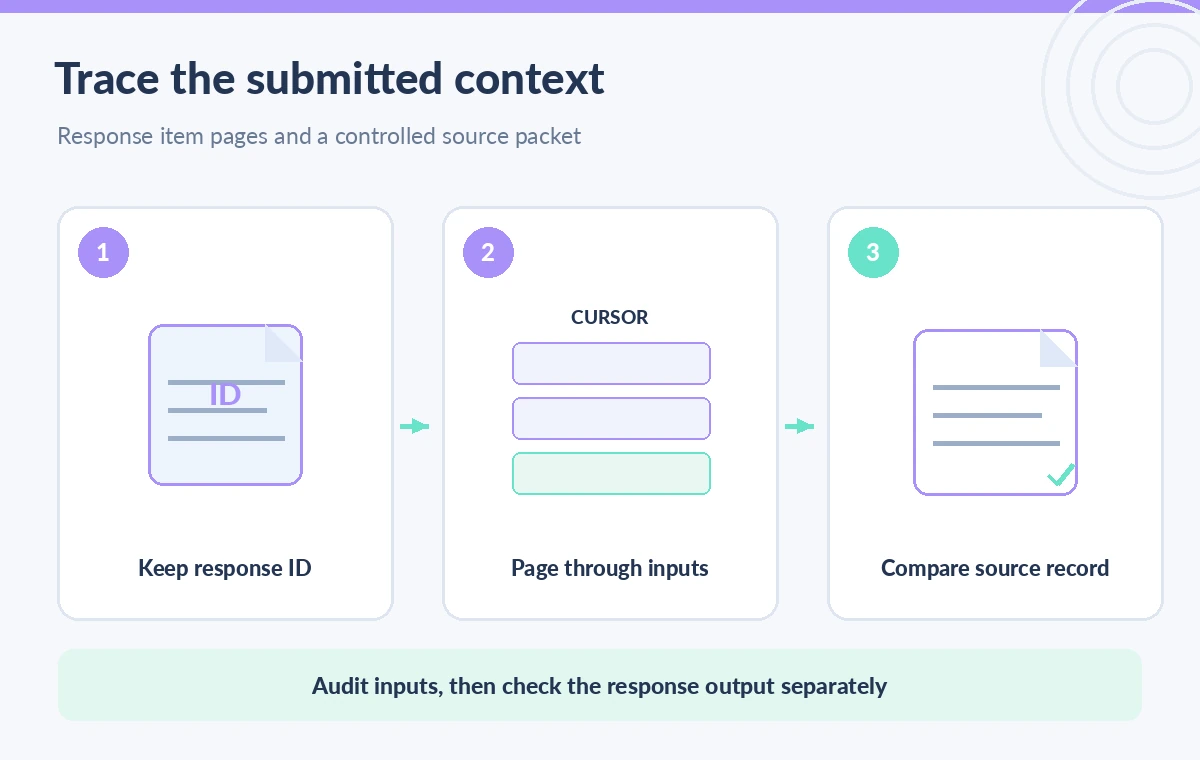
Walk every cursor rather than trusting the first page
The API reference defines a default limit of 20, supports limits from 1 to 100, and provides an after cursor plus an order parameter. A safe audit records the returned first_id, last_id, and has_more state. When has_more is true, fetch the next authorized page using the appropriate item cursor, preserving the chosen order in the audit notes. Do not infer that a short first page establishes a complete input history. Separate pagination errors and access errors from an actual end-of-list result; an interrupted loop is not a successful completeness check.
Compare item content against the controlled grant packet
With the available input pages assembled, map references to the approved application packet and policy versions. Did the workflow send the current terms, or only a pasted summary? Was an amendment or exception supplied as an input item at all? Treat embedded text as untrusted material that can be incomplete or misleading, and compare it to the original files in the controlled repository. A hypothetical auditor might find an older deadline in one attachment; that is a signal to inspect the official amendment, not proof that the model deliberately ignored it. Record missing citations separately.
Use include only for documented additional details
The list operation accepts an optional include array for particular additional fields, such as tool-result data. Choose an include field only when the audit genuinely needs it and when the response type supports it. Expanded tool content may expose sensitive excerpts, so restrict access and minimize what is saved to a case file. Never describe expanded results as a universal dump of all model context, and do not imply that an include parameter retroactively verifies factual accuracy. For most grant checks, a list of referenced records plus human comparison with authoritative sources is more defensible than copying every tool payload.

Keep input evidence distinct from response completion
A complete inventory of input items does not mean the response finished successfully, answered the requested question, or used the correct version of policy. Retrieve the associated response through the documented response endpoint and review its status, error or incomplete state as applicable, output, and any tool calls. A single green label based on input count is insufficient. Design the review checklist so a supervisor can see three different conditions: the input record was obtainable, the process completed as expected, and the resulting grant language was independently checked against official terms.
Control who can view submitted instructions and identifiers
Response inputs may include private drafts, internal collection IDs, personally identifying details, or confidential reviewer instructions. Avoid sending such data to spreadsheets, shared issue trackers, or public debug logs. Store only the minimum input identifiers and source-document references required by the audit, with access restrictions and deletion schedules set by policy. Where possible, describe the discrepancy instead of pasting the full grant PDF. A retrieved list is a diagnostic artifact, not permission to republish its contents or to retain them indefinitely.
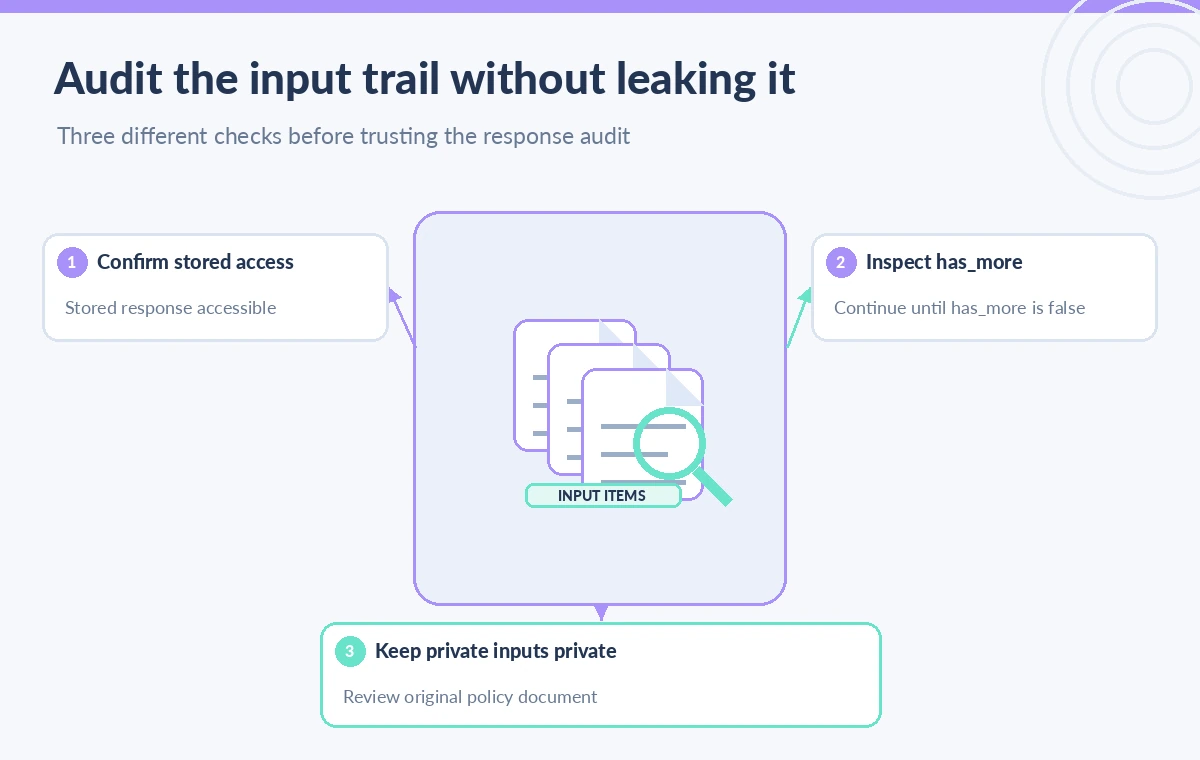
Run a small acceptance drill before expanding the workflow
For a non-sensitive test response that is intentionally retained, record the known submitted items, then page through the result until has_more is false. Confirm the order and count against the test fixture without inventing missing entries. Repeat with multiple pages and simulate a rejected or unavailable response ID to verify that the reviewer sees a clear incomplete state. Finally compare the output against a deliberately revised mock policy paragraph using the underlying document, not only the input inventory. Only after this drill should the team decide whether input-item auditing is useful for actual grant reviews.
Build a minimally sufficient audit record
A useful reviewer record includes the grant case ID, approved response ID, retrieval date, page order, item identifiers, a completion marker for pagination, and the list of authoritative documents checked. It need not reproduce confidential full-text instructions or every private attachment. Include the name of the person who resolved any discrepancy and a link to the internal correction, not just an AI-generated summary of the correction. If page retrieval failed, retain an explicit gap marker. A later auditor should be able to explain what was checked without gaining unnecessary access to individual applicants or protected museum operations.
When not to use the input endpoint
The endpoint is a poor fit for a visitor-facing explanation of an answer, for real-time validation of an eligibility decision, or for recovering a response that organizational policy intentionally did not retain. It is also not a replacement for signed application records and source-version control. If a simpler document provenance log can show which official rule was consulted, prefer that narrower record. Treat a missing input listing as a workflow limitation to investigate, not permission to regenerate a plausible transcript. The practical outcome is a bounded provenance check that ends with independent editorial review, not automated approval.
How We Research
Our primary named official sources were: OpenAI API Reference — List input items; OpenAI API Reference — Get a model response. We checked the documented endpoint path, after cursor, limit range, order parameter, response item types, and the distinction between a response object and its inputs. We have not queried a real museum account, confirmed its retention policy, or validated any actual grant decision. Readers should verify current environment-specific documentation and permissions before adopting a workflow. The figures are original teaching diagrams, not vendor screenshots or measured results.
Frequently Asked Questions
No. It lists input items associated with the response. Retrieve and inspect the response object separately to assess output and completion.
The documented default limit is 20, with an allowed limit from 1 through 100. Use pagination and has_more rather than assuming one page is complete.
Do not assume retrieval is available when storage or retention settings prevent it. Check the response configuration and your organization’s policy.
No. It shows what was submitted, not whether sources were valid, complete, current, or correctly interpreted.
No. Use restricted records and minimal identifiers; review sensitive inputs within the approved system and retention policy.