
A schema change can silently undo another
A museum’s public catalog uses Azure AI Search to find accession records and visitor-facing descriptions. One engineer updates a synonym map reference to improve common names; another changes a field setting for a new exhibit. Both read the same index definition and later submit separate updates. Without version-aware coordination, the second request may unintentionally restore the old field configuration from its stale copy. Azure AI Search supports optimistic concurrency for resources such as indexes, indexers, data sources and synonym maps. Each resource has an ETag that identifies its current version. A conditional update can reject a request based on an old ETag, turning an invisible overwrite into a reviewable conflict.
Use ETag as a configuration version marker
The Microsoft guidance describes a get-modify-update flow: retrieve the resource and its ETag, change the local definition, and send a write conditioned on the version that was read. REST callers use request headers such as If-Match; supported SDKs expose access conditions, including options such as onlyIfUnchanged. When another client changes the resource, the previously read ETag becomes stale. A mismatch can produce an access-condition error such as HTTP 412 or a conflict response, depending on API behavior. Do not hard-code one status text as the entire recovery strategy. ETags identify index resource revisions; they are not content-approval marks for the documents stored in the index.

Inventory the full index definition before editing
Before submitting a change, capture a versioned configuration snapshot with field definitions, analyzers, scoring profiles, synonym references and relevant vector settings. Mark which attributes the requested change is allowed to touch. Keep separately the intended state of the visitor-facing catalog and any indexing jobs that depend on it. Changing a synonym reference is not interchangeable with changing the text of a synonym map. A schema update may have restrictions that require an index rebuild, so a successful conditional write alone does not establish that the feature is operational. Use a staging index where necessary and plan a migration rather than forcing an unsupported mutation into a live index.
Design the conditional update workflow
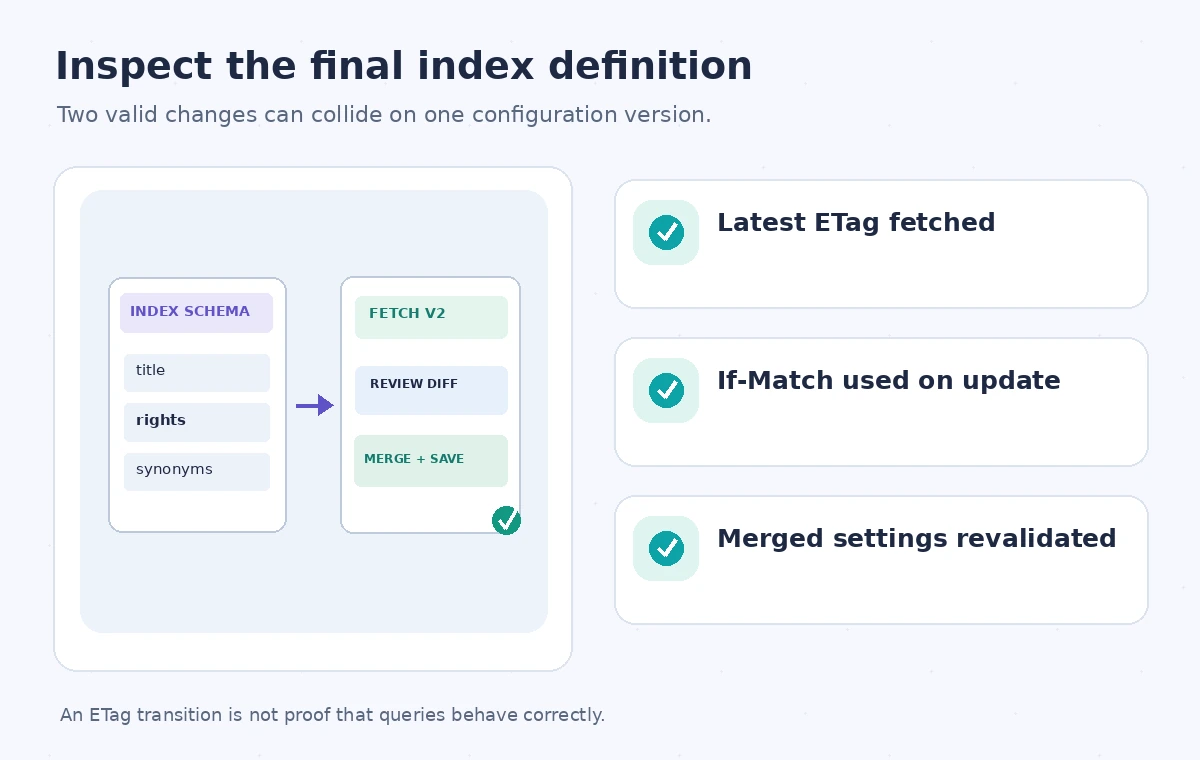
Have the editor retrieve the latest index object with its ETag. Apply the smallest intentional change and send the update with an If-Match precondition or the equivalent SDK option. On success, fetch the resource again and compare the returned definition with the approved change set. When a conflict occurs, do not retry the identical stale payload indefinitely. Fetch the new index definition, inspect the other editor’s change, reapply only compatible edits and seek approval if the desired configuration is now ambiguous. Microsoft shows this pattern with a bounded retry after re-reading a resource. Preserve the first rejected diff because it can explain why an apparently simple deployment required a merge.
Visualize the conflict without implying data loss
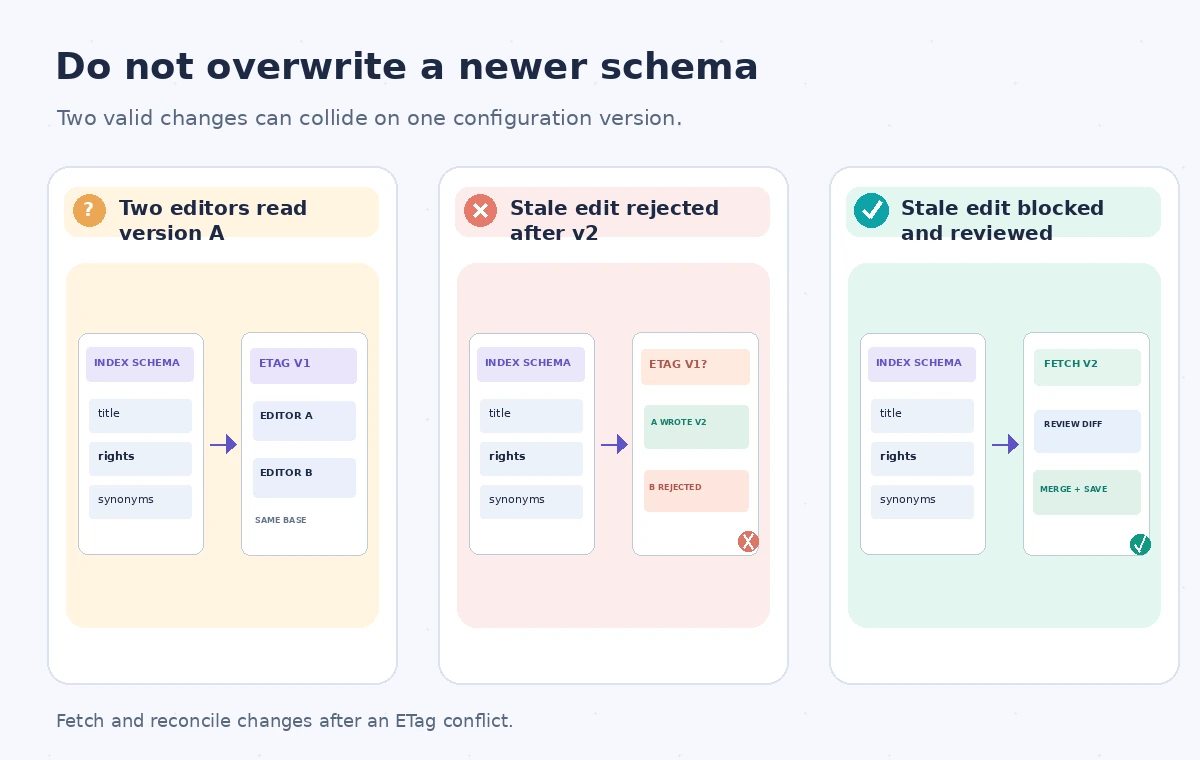
An instructional comparison begins when engineer A and engineer B both read ETag v1. A submits a valid update and the index now has v2. B then attempts an update conditioned on v1; this should be rejected rather than overwriting A’s work. In the corrected state, B retrieves v2, reviews the changed fields, creates a compatible edit and submits it under the current precondition. The version labels are schematic, not actual Azure ETag values. The point is configuration conflict detection, not a claim that documents have been deleted or that an index replica has been corrupted. Show both intended changes in the final review artifact.
Handle API and SDK differences explicitly
Azure Search clients can use REST or SDK operations, and each surface expresses access conditions differently. A client that omits the precondition may still perform a valid request but will not offer the same protection against stale local data. Verify the particular API version and operation for conditional requests, including whether the resource type supports the property being changed. Log the failed precondition and expected resource version without exposing administrator keys or the full private index definition. Distinguish conditional-update failures from incompatible schema changes, authorization errors and service availability issues. Retrying with a fresh ETag cannot fix a change that Azure does not allow for an existing index.
Test two editors against a staging index
Use a staging index populated with synthetic public records. Let two test clients retrieve the same resource version; have the first alter a harmless synonym reference and submit a conditional update. Have the second use its stale ETag with a different intended change. Confirm that the second operation fails without overwriting the first, then fetch the current version and review a merged update. Run a search fixture to ensure the intended behavior remains intact. Do not claim to have run that test on production: it is a proposed acceptance drill. The test is incomplete if the HTTP call returns success but the expected search field behavior has not been checked.
Coordinate deployment and rollback with provenance
Store index configurations in source control, including the change request, approver and intended query behavior. Before deployment, compare the approved file with the live resource and note the ETag that will be used. After a write, fetch the resource and run queries for known museum titles, restricted accession records and updated synonyms. If rollback is needed, treat it as another conditional update based on current state, not an unconditional replay of an old JSON snapshot. A stale rollback can erase legitimate later changes as easily as a stale deployment. Where changes require rebuilding an index, use the institution’s versioned migration procedure and a controlled alias switch instead.
Approve the behavior, not just the ETag transition
A reviewer should be able to see the prior ETag, the accepted change, any rejected concurrent update and the final index definition. Search administrators verify that both requested improvements survive, while an editor tests representative catalog queries and checks public/private field separation. A passed conditional write means a race was avoided at the configuration layer. It does not guarantee that every document is indexed, all permissions are correct, or visitors get the intended results. Maintain separate indexing and search-quality checks. When an ETag conflict remains unresolved, stop the deployment and require a deliberate merge; automatically bypassing If-Match would defeat the safeguard.
How We Research
For this guide we consulted the official documentation: Manage concurrency in Azure AI Search; Azure Search REST indexes operations. We compared named fields, supported behaviors and stated limitations, then developed an instructional museum scenario with explicit failure states. We did not run a live vendor API benchmark, inspect a production museum system, or measure vendor performance. The workflow and illustrations are proposed review steps; verify API-version support and your organization’s current policy before applying them.
Frequently Asked Questions
It marks the current version of a search resource, allowing a writer to test whether its local copy is stale.
REST clients can use If-Match with the ETag; SDKs expose corresponding access-condition options.
Retrieve the latest resource, compare changes, reapply compatible edits and retry with the new precondition.
No. Some schema changes require a new index or another migration procedure.
No. Validate the resulting definition, indexer state, query behavior and public access separately.