
Temporary Previews Need a Different Policy From Masters
A museum generates small image previews while curators review an online exhibition. The working files may include multiple crops, watermarked proofs and rejected drafts. Its approved high-resolution masters must remain available for conservation and licensing review. Putting both groups in one undifferentiated deletion rule is a costly mistake. Google Cloud Storage Object Lifecycle Management lets bucket administrators define actions for objects whose conditions are met. The important design task is selecting which objects are genuinely disposable and how the rule identifies them. A preview reaching the end of its review cycle does not mean the corresponding approved original should disappear, and a life-cycle action never constitutes an editorial decision to withdraw an exhibit.
Read How Lifecycle Rules Actually Work
Google documents three lifecycle actions: Delete, SetStorageClass and AbortIncompleteMultipartUpload. The configuration applies at the bucket level and contains conditions such as age, creation time, isLive, object name prefix or suffix, storage class and noncurrent-version age. Rules are not executed at an exact second. Cloud Storage checks eligible objects asynchronously, so an object can remain visible after its rule condition is satisfied. Do not build a promise that a proof link disappears precisely at midnight simply because an age threshold has elapsed. Delete may interact with versioning, soft delete, holds and retention policies. Administrators should inspect these behaviors for the actual bucket before choosing an expiration policy.
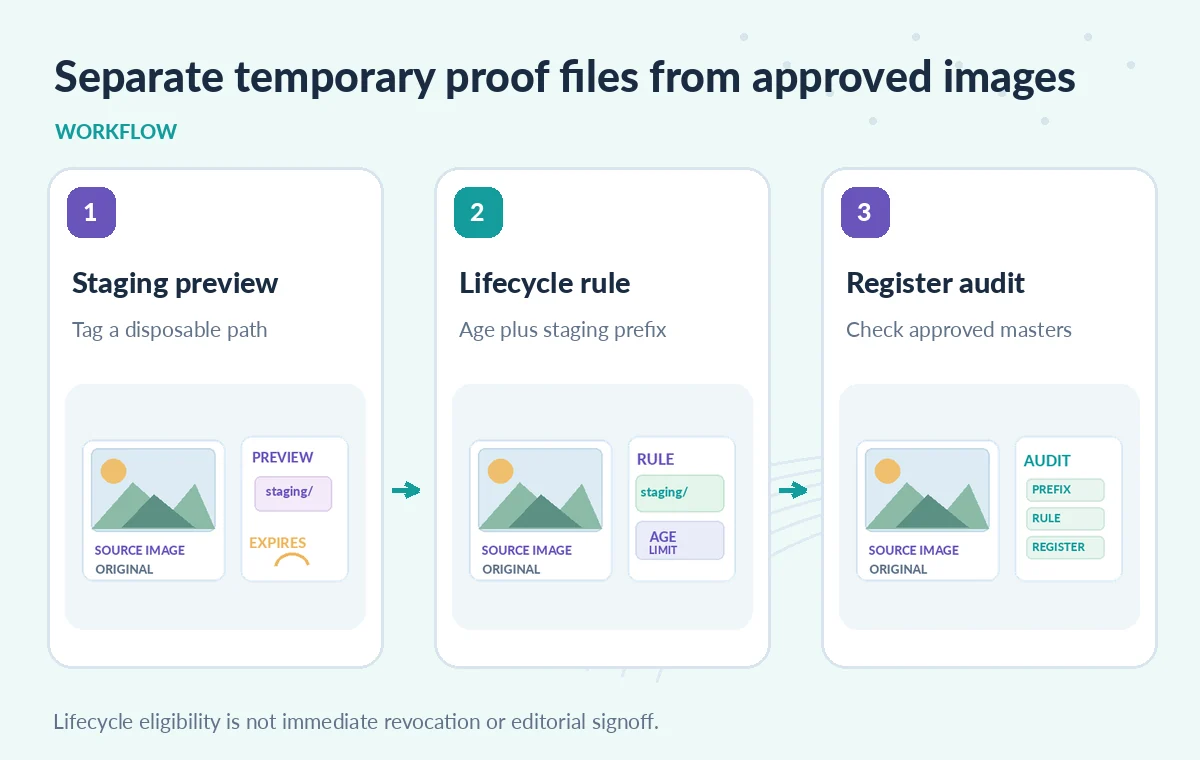
Separate Staging Namespaces and Responsibilities
An easy-to-audit design is to use a dedicated staging bucket for temporary proofs rather than storing them alongside the approved archive masters. If a shared bucket is unavoidable, define narrow naming conventions such as staging/previews/ and approved/masters/, and test matchesPrefix carefully. Prefix is a string condition, not a recognition system: a mistakenly named original can match a deletion rule. Review who can upload or rename objects, and avoid allowing a model to choose storage keys without validation. Give the operator a short written list of which object classes are eligible for deletion. Preserve independent copies of irreplaceable masters and keep a separate rights or consent decision before reusing previews publicly.
Build a Rule for Disposable Files Only
For a hypothetical proof bucket, an age-based Delete rule could be appropriate when every object is genuinely temporary. For a shared bucket, a Delete rule combining an age condition and a staging-only prefix is narrower, but it still requires tests against real naming practices. Avoid treating the age of an object as the age of its underlying artifact: a newly exported preview may come from a century-old photograph, while an approved master may have been uploaded yesterday. If the workflow uses object custom time, understand the difference between that timestamp and creation time. Review whether the bucket has Object Versioning, soft delete or protective holds. Each can change what removal means and what remains recoverable.
Compare Eligible Proofs, Protected Masters and Noncurrent Versions
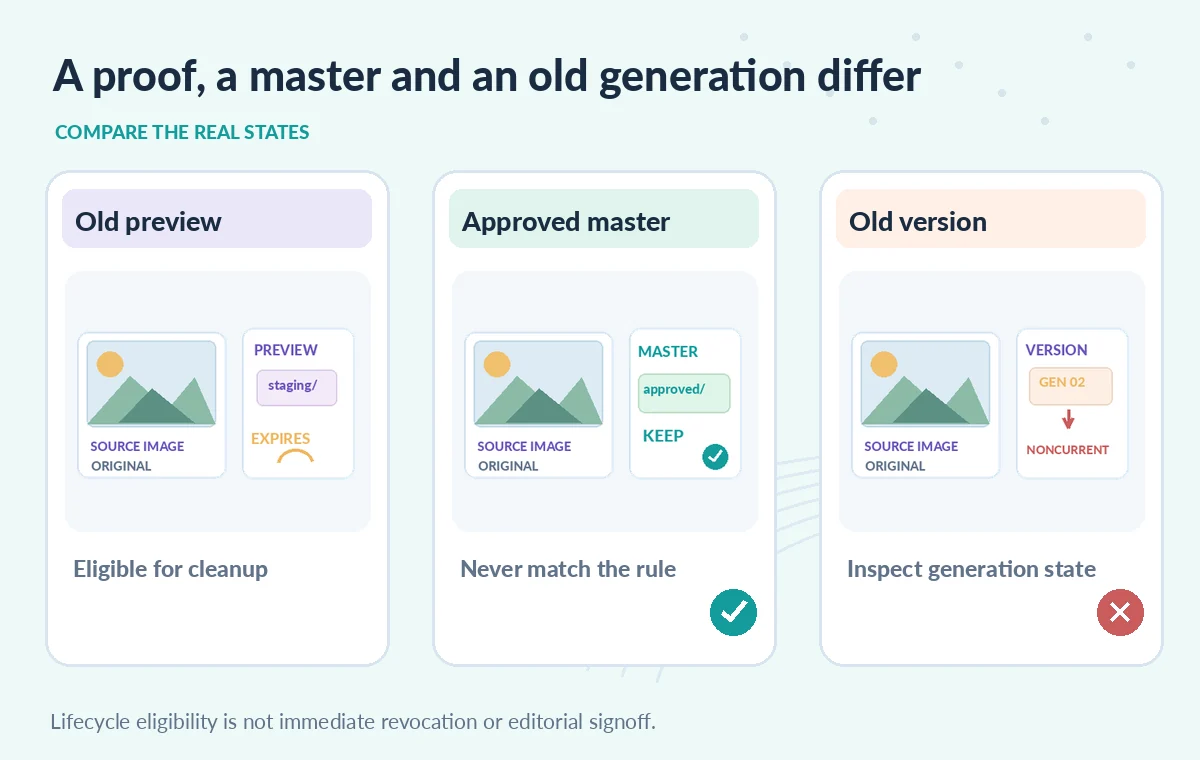
In a conceptual test, one staging preview has passed its configured age and prefix conditions and is eligible for deletion. A second file lives under approved/masters/ and must not match, even if it is older. A third is a noncurrent generation in a versioned bucket; a rule that unexpectedly includes it may change the recovery plan. Google notes that deleting a live object in a versioned bucket makes it noncurrent, while deleting a noncurrent generation removes that generation. In other buckets, soft delete can retain deleted data for a configured period. The diagrams illustrate possible states, not results of a live bucket test. Keep generation IDs in the QA worksheet where versioning matters.
Protect Against the Asynchronous Timing Trap
The service runs eligible lifecycle actions asynchronously, with lag possible between an object meeting a condition and the actual change. That means a curator should not depend on lifecycle deletion to revoke a sensitive public preview immediately. Use authenticated access controls, link removal and explicit operational response procedures for immediate exposure incidents. Conversely, a file that still exists after its deadline is not necessarily evidence of a broken policy. Inspect the policy, object conditions, holds and execution state before concluding anything. After changing a rule, validate its impact through small synthetic test objects and scheduled inventory checks rather than manually deleting everything that still appears in a folder.
Account for Retention Holds and Recovery Layers
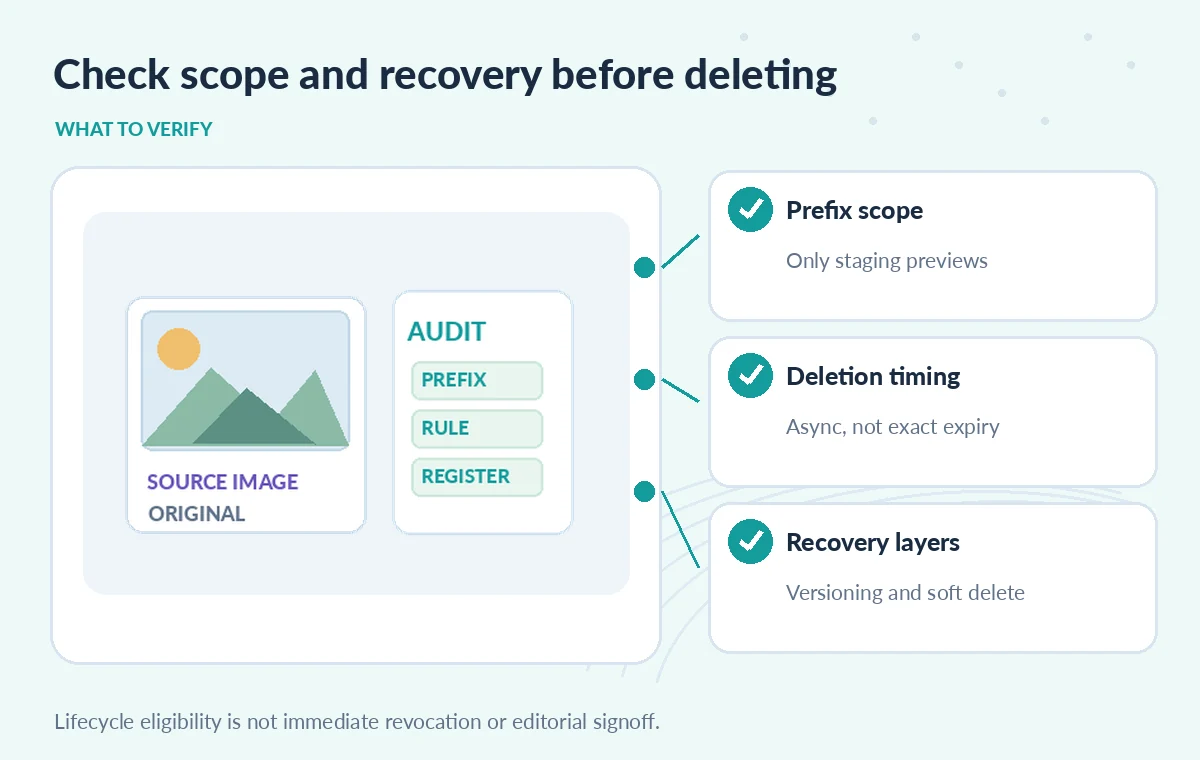
Object holds and unmet retention policies can prevent deletion. Soft delete can affect recoverability and cost, and Object Versioning can preserve previous generations differently from soft delete. These features are not equivalent to a complete off-site backup or a documented accession policy. A museum should identify which layer protects against accidental deletion, which controls legal retention and who may restore a file. If a master is accidentally stored under the staging prefix, correct the classification and check whether it is eligible for any deletion rule before the next lifecycle operation. A successful restoration still requires checking that the correct approved image and catalog metadata are referenced.
Test With Synthetic Names Before Production
Create a harmless set of test objects whose names and ages exercise rule boundaries, including a staging preview, an approved master and a similarly named misleading object. Draft the lifecycle configuration and check its documented schema. In an isolated bucket, observe the results over time without assuming immediate execution. Include a versioned-object case if the production bucket uses versions. Check the exact permissions required to update a bucket policy, and preserve a copy of the previous configuration for rollback. The illustration does not come from a Cloud console and this guide did not create, modify or delete any bucket. Publish only what the test can actually demonstrate, and record where real behavior remains unverified.
Use an Editorial Retention Register Alongside Automation
The release checklist needs separate columns for object purpose, approved prefix, expected retention period, backing record, governing policy and recovery contact. Curators decide when a preview is no longer needed, while cloud administrators ensure lifecycle rules operate on the correct class of objects. A periodic report should reconcile storage with the approved master register instead of simply counting files deleted. Treat unexpected matches as incidents rather than normal cleanup. Review the rule whenever naming practices, access controls or storage classes change. Good automation removes disposable drafts while leaving the integrity, legal status and public accuracy of the archive under human control.
How We Research
For this guide, we reviewed the official product documentation on November 8, 2026: Google Cloud Storage Object Lifecycle Management, Cloud Storage Object Versioning, Cloud Storage soft delete. We checked the named setting or feature against its published behavior, mapped the documented constraints to the specific hypothetical scenario, and reviewed whether the topic duplicated titles in the supplied LabFin WordPress inventory or prior B0267–B0276 ZIPs. No authenticated vendor service was run; we did not perform a benchmark, observe real customer data, verify third-party rights or claim operational outcomes. All illustrated records and comparisons are teaching examples. Confirm product documentation and security requirements again before implementing a workflow in a real organization.
Frequently Asked Questions
No. Lifecycle actions run asynchronously and may occur after the eligibility time.
It can match object-name prefixes, but it relies on correct naming and permissions. A separate staging bucket is often easier to audit.
The live version normally becomes noncurrent; subsequent rules and noncurrent-version conditions can then affect it.
No. Recoverability depends on the bucket policy and applicable retention window. Review it independently of lifecycle rules.
No. Because deletion is asynchronous, control link availability and object access separately for urgent cases.