
A retention lock is a policy decision, not a backup
A small historical society stores high-resolution scans of donated photographs beside cropped web previews and unfinished color corrections. It wants to prevent anyone from casually deleting the approved source scans. Google Cloud Storage Bucket Lock can enforce a bucket-level retention policy and, once the policy is locked, prevent that period from being reduced or removed. That is a strong commitment, not a general-purpose undo button. A mistakenly locked bucket full of temporary previews can become costly to maintain. This guide uses an illustrative collection and does not instruct anyone to lock a real production bucket without formal approval. The first task is to distinguish preservation obligations from backup, version history, and editorial approval.
Keep approved masters away from working derivatives
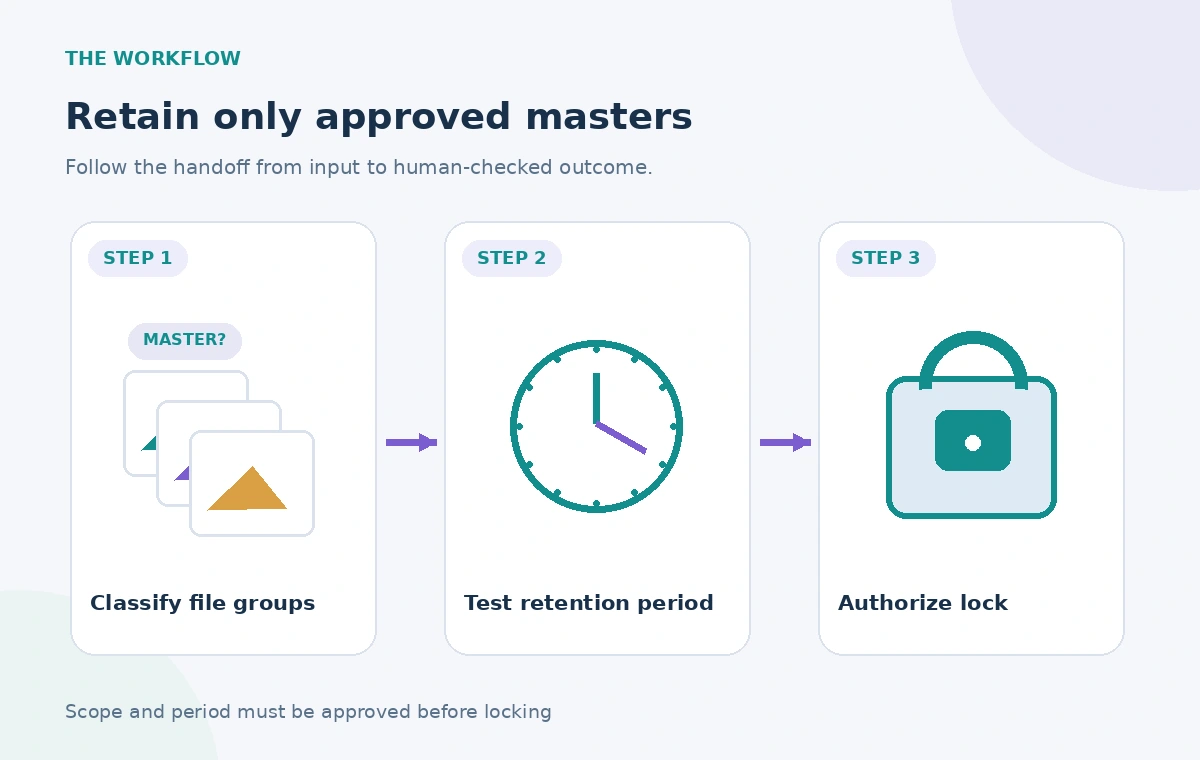
Decide which objects have an actual retention requirement. An approved TIFF master with accession metadata may qualify, while a batch of preview JPEGs, OCR experiments, and failed uploads probably should not. Build an explicit inventory by object prefix or, preferably, separate buckets with clear ownership and permissions. Bucket-level retention applies to objects already in that bucket and to new objects added afterward, so organization is essential before applying a policy. A name like final does not prove a file has passed image-quality review. Require a registrar or collections manager to confirm authenticity, accession linkage, rights notes, and checksum records before copying the item into the preserved location. Do not use a locked bucket as a queue for unreviewed material.
Work out the required retention period before setting it
The documented retention period is a minimum age during which protected objects cannot be deleted or replaced. It is not the same thing as an automatic destruction date. Determine the obligation using donor agreements, legal requirements, institutional policy, and any applicable access restrictions. Record the retention rationale, not just a bare number of days. Review storage-class costs and the likely volume of corrections. For example, a collection might need a working area where editors can revise labels even while the master scan remains protected. Google documents that editable object metadata is not fully governed by the bucket retention restriction, so teams should separately audit rights metadata changes. A preservation plan should address both protected bytes and mutable descriptions.
Stage the configuration before the irreversible lock
Start by creating a test bucket containing only synthetic objects. Add an unlocked retention policy, inspect retention expiration metadata, and verify that attempts to replace or delete an under-age object are rejected. Then examine how older objects behave when a policy is introduced. Only after the retention period and bucket inventory are approved should the irreversible lock be considered. The Cloud Storage lockRetentionPolicy API requires a matching bucket metageneration value so a lock request cannot silently race another bucket update. A second reviewer should approve the exact bucket name and period before the operation. This is a governance control as much as a technical one: once locked, the policy cannot be shortened or removed.
Compare unlocked policies, protected objects, and locked policies
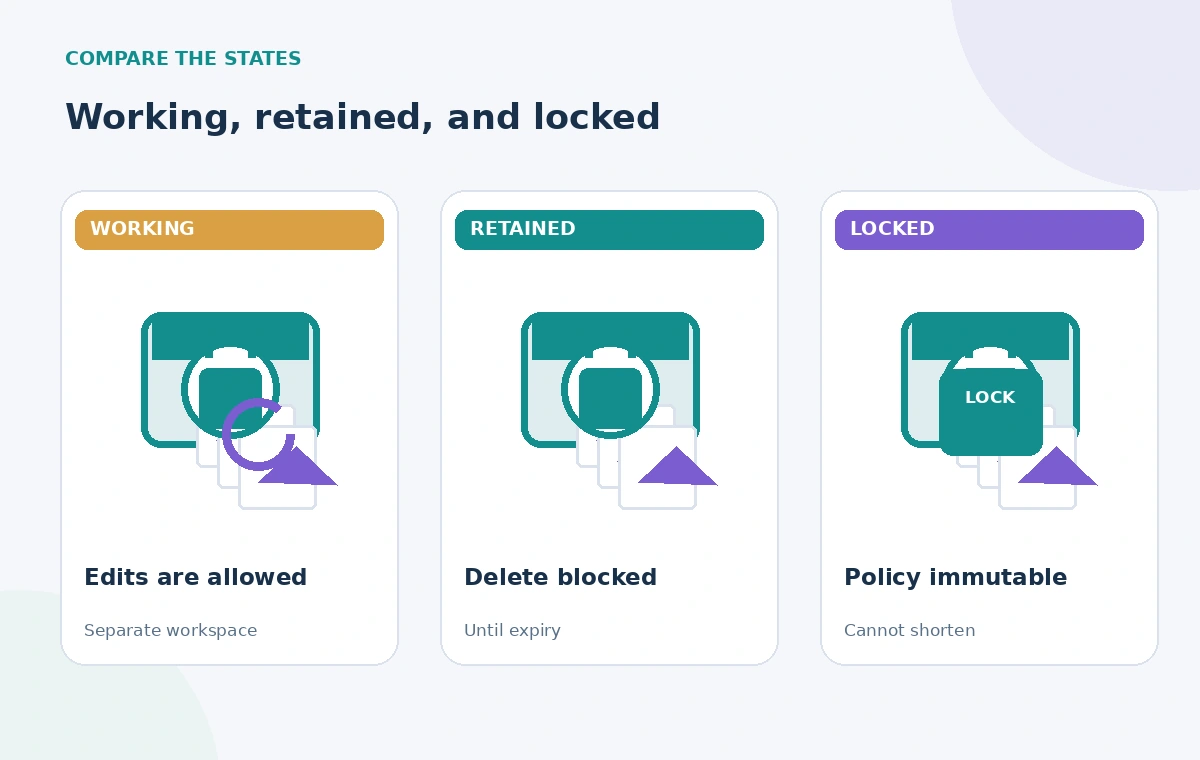
Three distinct states matter. Without a policy, an authorized editor may delete or replace a working copy. With an unlocked bucket retention policy, deletion is blocked for objects younger than the retention period, but an administrator may still change or remove the policy. With a locked policy, even an administrator cannot shorten that period or remove it. These differences are shown as diagrams, not as live console captures. Note that a locked policy can be increased, making future obligations stronger. A file reaching its retention expiration does not prove it is safe to delete: other holds, rights restrictions, or an external preservation schedule may still apply. Mark eligibility for deletion separately from authorization to delete.
Plan around versioning, holds, and lifecycle rules
Bucket retention interacts with Object Versioning and Object Lifecycle Management. With versioning, a live generation can become noncurrent while protected versions remain subject to retention; a new generation may bring its own retention age. A lifecycle rule is not permission to bypass an active retention requirement. Event-based holds also affect when a retention period begins. Draw these interactions on the storage architecture before production rollout, especially if ingest automation rewrites the same object name. Google also warns against parallel composite uploads into a bucket with a retention policy because the component pieces cannot be immediately removed. Use a separate staging area for ingestion assembly and move only approved masters to the preservation bucket.
Model operational recovery and cost before approval
A locked bucket can complicate a straightforward correction: teams may need to preserve both an erroneous file and its replacement until the required time has elapsed. Define a procedure for marking the old version as superseded in the catalog without pretending its bytes disappeared. Account for access control, geographic redundancy choices, restore drills, and the cost of retaining unwanted objects. Bucket Lock does not replace independent backup or testing a recovery path against corruption and credential compromise. It also affects bucket deletion and may place a project lien that prevents project deletion. A clear expense owner and exit strategy are part of responsible retention design, not optional finance details.
Audit the intended protection without locking real data
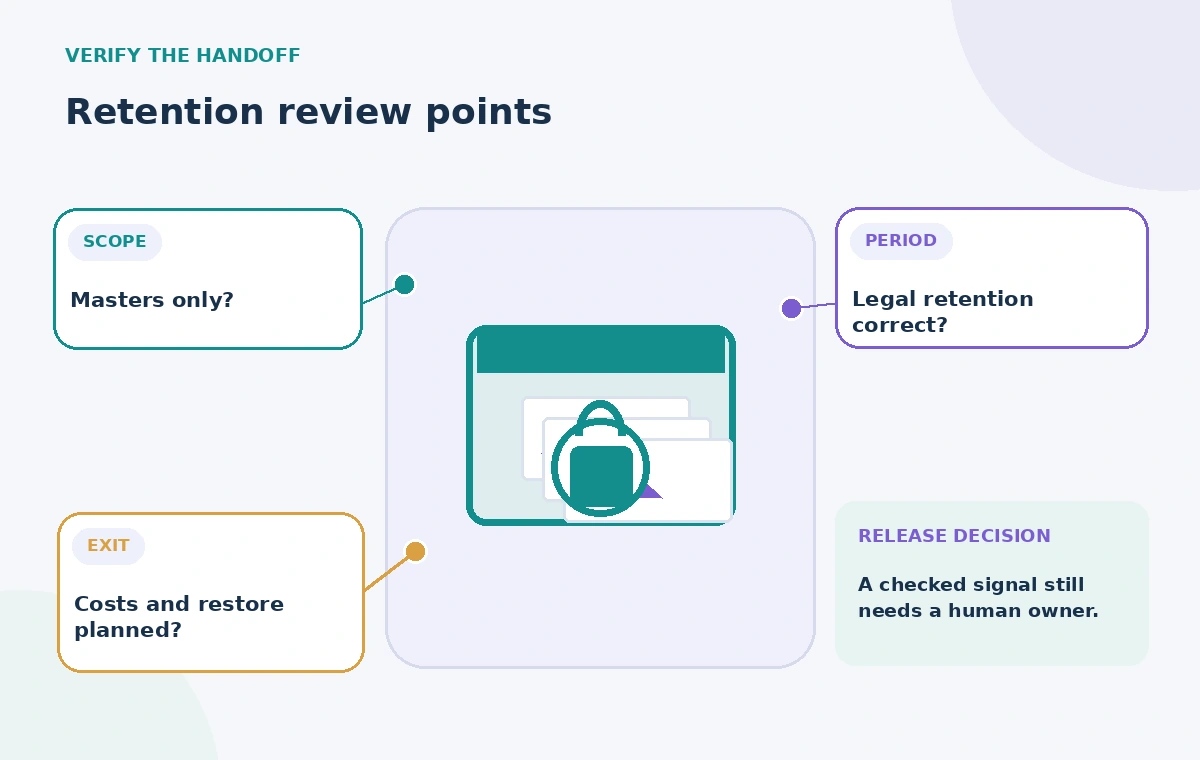
In a nonproduction bucket, create sample masters and temporary derivatives. Confirm the exact effective retention period and observed deletion restrictions before considering any permanent action. Use a checklist that compares bucket scope, object age, version history, holds, metadata mutability, IAM roles, and notification behavior. Perform a separate permission test to ensure ordinary catalog staff cannot change bucket protection. The examples should use artificial files so failed tests cannot expose or immobilize donor assets. Write down the output and any rejected operation, then have a second reviewer inspect the results. Avoid reporting the test as a compliance certification: regulations may impose obligations beyond the behavior demonstrated by a storage API.
Write the preservation runbook before enabling lock
The final runbook should identify the bucket, intended collections, approved retention period, legal basis, authorized lock operator, witness, emergency contact, monitoring owner, and cost center. It should explain how a new master enters the bucket and how an accession record points to the correct generation. A lock is not proof of a photograph’s provenance, nor does it decide whether publication rights exist. Keep restricted and public assets in workflows that respect their different access rules. Once sign-off is complete, retain a copy of the approved configuration in the preservation register. Any future increase in retention should follow the same formal review because it cannot later be reduced.
How We Research
We reviewed current named primary documentation: Google Cloud Storage Bucket Lock, Use and lock retention policies, Buckets lockRetentionPolicy API. The guide compares documented API controls with a hypothetical museum workflow; any record IDs, ranking diagrams, timelines or outcomes shown are illustrative. We did not access a customer account, perform a live service benchmark, submit a grant, apply an irreversible lock, process a real queue, or publish a site. Product capabilities and limits can change, so implementers should recheck official references and test in authorized nonproduction environments before a live deployment.
Frequently Asked Questions
No. Once a bucket retention policy is locked, Google states that it cannot be removed or shortened. Test with synthetic data before locking a real bucket.
Yes. Bucket-level retention applies to existing objects as well as objects uploaded after the policy takes effect.
No. The period establishes the earliest point at which deletion or replacement may be allowed; it does not automatically delete an object.
No. Versioning keeps generations and backup supports recovery, while Bucket Lock imposes a minimum protected age for objects in the bucket.
Usually not. Separate working files from approved collection masters and obtain explicit storage and legal approval before an irreversible lock.