
Why a Documentation Edit Can Stall a Pull Request
A museum web team may maintain exhibition pages, a collection API, and a shared accessibility test suite in one repository. Running every expensive build for every minor spelling correction can waste resources. GitHub Actions supports path-based workflow filters, so a job can start only when relevant files change. The trap appears when an excluded workflow also supplies a required status check for protected branches.
GitHub documents that a workflow skipped by path filtering, branch filtering, or a skip instruction can leave associated required checks in the Pending state. A pull request may then be blocked even though nothing is failing. That is a configuration problem, not a reason to bypass review. Design the workflow and branch protection rules together before promising faster merges.
Know What paths and paths-ignore Actually Do
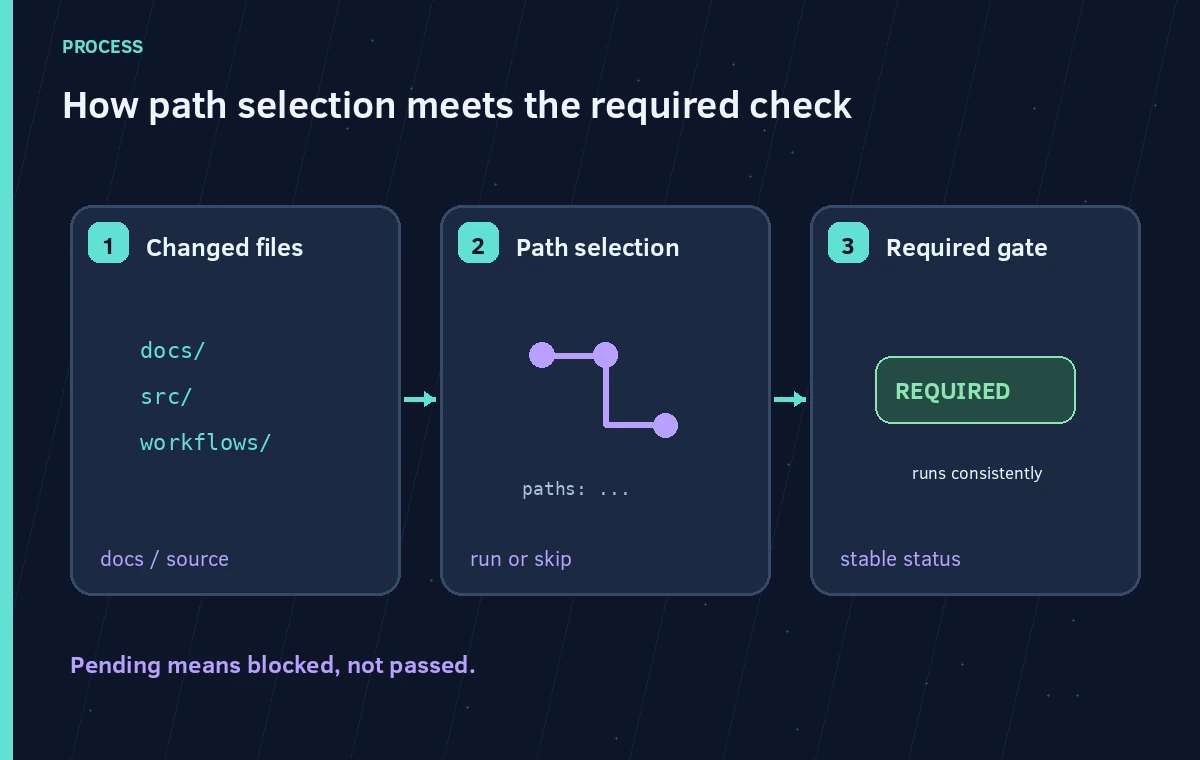
The `paths` filter names included file patterns. The `paths-ignore` filter identifies files whose changes should not, by themselves, trigger the workflow. GitHub uses glob-style patterns, and the workflow trigger evaluates the changed-file set. A pull request touching both an image and a source file can behave differently from one touching only a caption document.
Document what happens when a change lands in shared configuration, generated files, or a common component imported by multiple packages. A narrow pattern such as `src/**` can miss a security-relevant change to workflow configuration or dependency definitions. Conversely, an overly broad pattern may cause full CI on every content adjustment. Optimize only after defining which changed paths can affect each release guarantee.
Separate Always-On Gates From Optional Heavy Jobs
A safer architecture keeps a lightweight, stable required check available for every pull request, while expensive build or visual-test jobs run conditionally inside a consistently triggered workflow. Whether the required job should pass depends on the tests that are relevant to the change. The gate must fail if a necessary validation is missing; it must not simply report success because an important task was skipped.
For a fictional museum site, the required gate can verify configuration integrity, required content metadata, and the decision rule for which downstream tests must run. Gallery snapshot comparisons may be optional for text-only documentation changes. Accessibility checks should still run when templates or navigation code changes. Write down the path-to-test policy in a reviewable form so maintainers can challenge surprising omissions.
Test the Filter Using Representative Changes
Use a small matrix of synthetic pull requests: README-only, exhibition-caption-only, template CSS, API source, lockfile, and workflow-definition changes. Observe which workflow starts, which jobs execute, and what the required-check badge shows. Avoid trusting a theoretical glob pattern without testing it with real changed-file lists.
Keep the branch protection configuration in the test plan. A check that exists on a feature branch but has a different name after a refactor can still be unusable as a required check. A status that remains Pending should trigger a configuration investigation, not a merge-bypass workaround. Record changed files and expected jobs in the PR review notes.
Compare Skipped, Passed, and Dependably Gated States
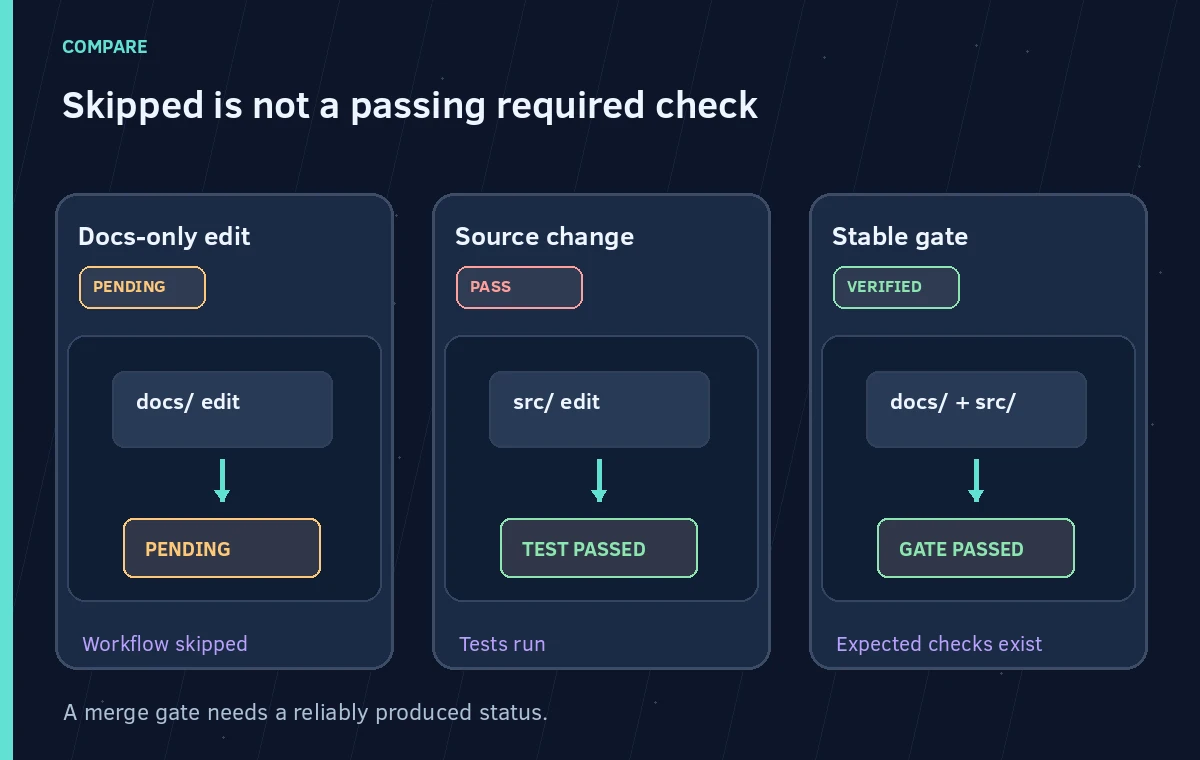
Consider three conceptual results. A documentation-only PR triggers no workflow, leaving the required check Pending. A second PR touches source code and runs the main test suite successfully, producing a passing status. A third PR uses an always-on gate that explicitly validates the changed-file plan and the required results before declaring success. The third approach gives reviewers a stable condition to inspect.
Do not draw all three states with a green checkmark. “Skipped” is not synonymous with “tested,” while “Pending” is not a hidden pass. If the workflow is intentionally optional, it may be excluded from required status checks. If it is mandatory, ensure that a reliable check is produced for every protected change, including jobs skipped within a workflow.
Watch Out for Commit Skip Instructions and Refactors
GitHub documents commit-message instructions such as `[skip ci]` for certain event types. On a protected branch, such a skip can also leave a required check pending. A team should not allow release policy to depend on whether contributors remember a special commit-message convention. Add skip-instruction scenarios to the review matrix if those conventions are used.
If maintainers rename jobs, split a workflow, or convert a shared action into a reusable workflow, re-check the required status names on branch protection and rulesets. A formerly valid name may no longer appear. Review changes to workflow YAML with the same rigor as application code, particularly if the workflow touches credentials or deployment permissions.
Make the Failure Modes Visible to Reviewers
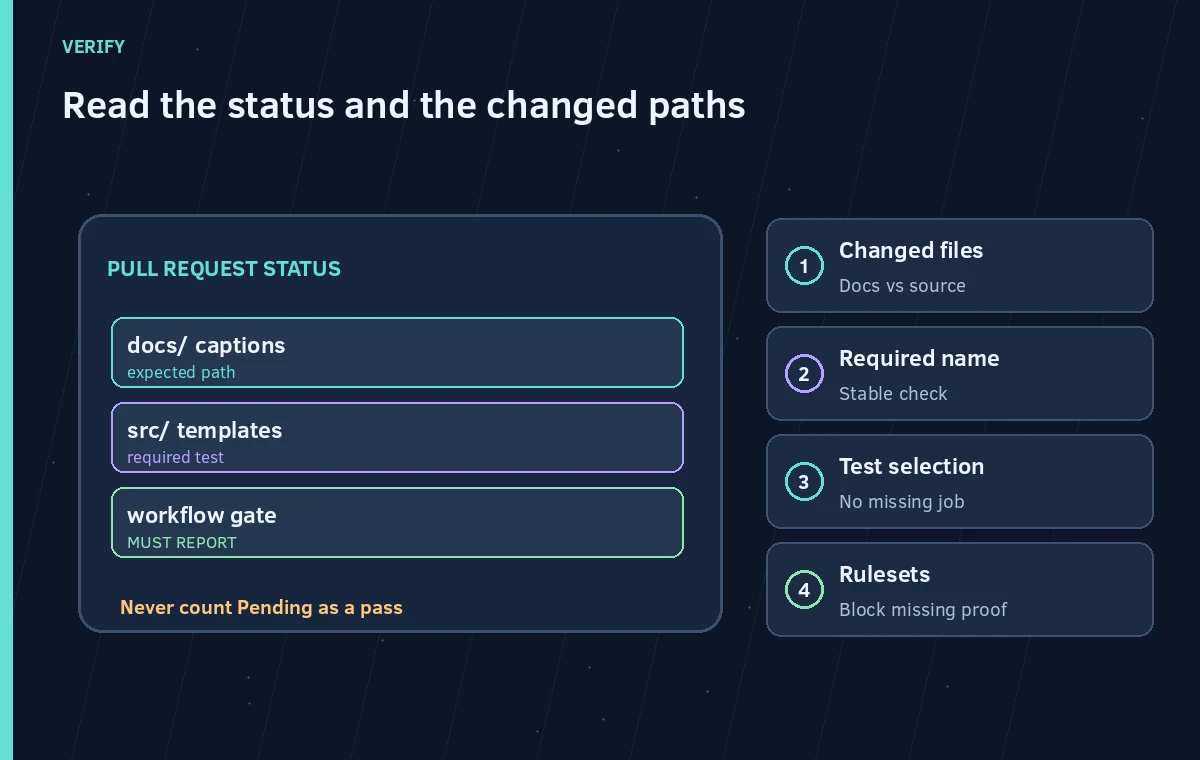
A PR summary should make it easy to see changed-file categories, selected test jobs, and the final gate decision. Where the workflow skipped a heavy test by design, say why. A reviewer should be able to distinguish an intentional fast path from a configuration fault or a missing required check. Keep the audit record narrow and avoid writing private build secrets into summaries.
Use deliberately fabricated examples in diagrams. Show a file tree with `docs/`, `src/`, and `.github/`, the required check status, and the path rule that made each branch behave differently. Include an explicit warning that the illustration is a conceptual design rather than a screenshot of a GitHub run.
Publish Only When the Required Proof Is Actually Present
The release gate needs a stable name, documented conditions, and a demonstrable success state for all protected pull requests. Maintain a short checklist for new file types and new required jobs. When someone adds a new directory for a kiosk app or moves accessibility tests to a different path, update the trigger policy and regression matrix before relying on the old fast path.
If the team cannot state which tests are necessary for a change, the safe interim choice is to run the broader checks. Saving a few minutes is not worth leaving a site update unreviewable or teaching contributors to circumvent branch protection. Optimize a proven release path, not the protections themselves.
How We Research
We reviewed official documentation current at the time of writing: GitHub Docs: Triggering a workflow; GitHub Docs: Skipping workflow runs; GitHub Docs: Workflow syntax. We compared the published configuration terms, response behavior, and operational caveats against the hypothetical workflow described above. The examples and diagrams are original teaching illustrations, not screenshots or results of a live product test. We did not upload a patron recording, inspect a real institution’s documents, benchmark model accuracy, or verify any individual consent. Product availability, limits, and policies can change; confirm the current primary documentation before deployment.
Frequently Asked Questions
The workflow that emits that status may have been skipped by path filtering. Check the required-check configuration rather than bypassing protection.
No. They include or exclude changed paths in different ways; read GitHub glob-pattern behavior for each trigger.
No. A skipped workflow can leave its required check Pending. Use a consistently produced, meaningful gate.
Usually they warrant dependency-related review. Include the repository’s lockfile and workflow configuration in the test-selection plan.
Test representative changed-file sets and confirm the actual status-check names and outcomes under branch protection.