
A museum catalog team imports batches of object records through GitHub Actions. The logs may contain hundreds of lines, making it easy to miss a rejected accession ID while the green workflow interface looks reassuring. GitHub’s job summaries let a step write GitHub-flavored Markdown to GITHUB_STEP_SUMMARY for display on the workflow run page. That can focus reviewers on relevant counts and failure categories. A summary is still just reported text: it does not fix the data, override a failed status, or make private catalog rows safe to expose. The records and figures below are hypothetical examples.
Define what the reviewer needs before adding Markdown
Start with a release decision: has the import changed the right records, and did it preserve all rejects for correction? Identify useful summary fields such as fixture revision, source file hash, processed row count, accepted count, rejected count and the responsible reviewer. Keep full records in restricted artifacts or the authoritative catalog rather than pasting private donor names into a broadly visible workflow summary.
Distinguish three states: dry-run validation, attempted write and confirmed post-import reconciliation. A successful script exit is not proof that a remote write completed or that every row was accepted. For illustration, use a synthetic import of twenty catalog cards with two validation errors. If a job cannot determine the final write status, show ‘verification required’ instead of inventing a final number.
Write a per-step summary using the documented environment file
GitHub documents GITHUB_STEP_SUMMARY as an environment file: appending Markdown from a step adds content to its job summary. A short heading, count table and failure category list are usually more useful than a full log dump. Summaries from completed steps are aggregated by job, and multiple jobs appear in order of completion rather than a guaranteed release sequence. Do not infer dependency order solely from the summary layout.
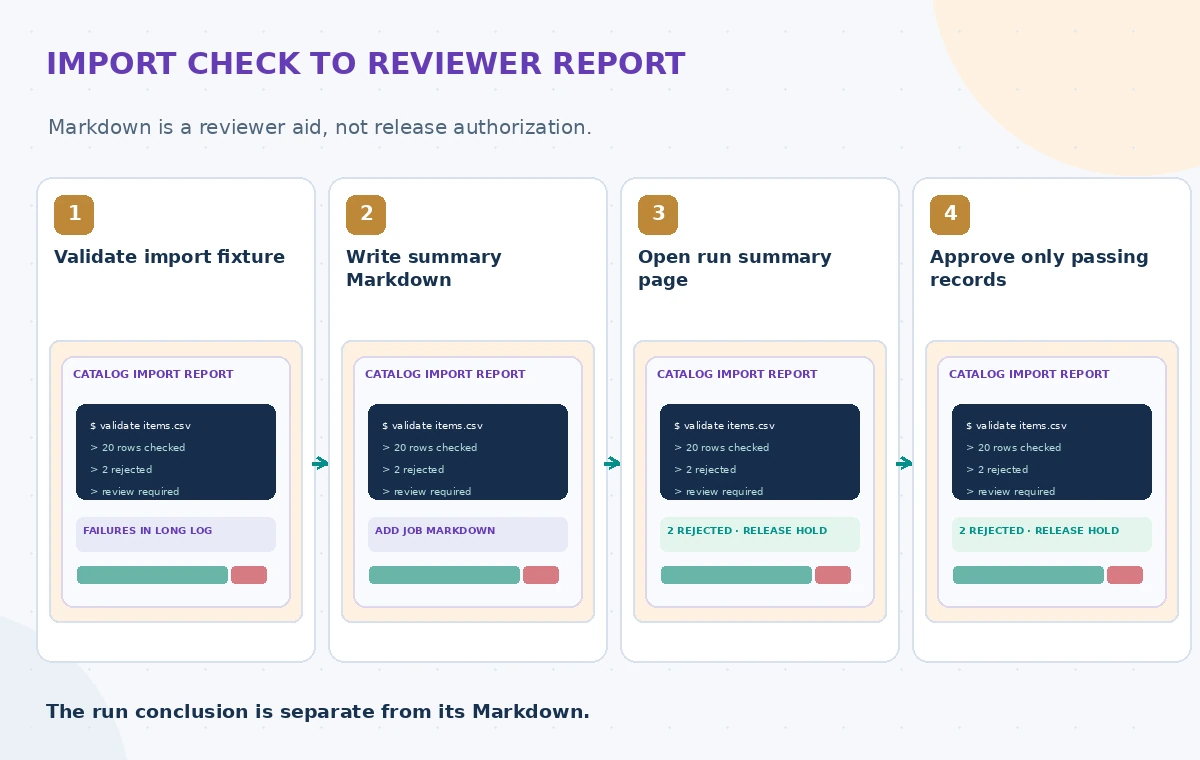
Write only approved metadata to the summary. Exclude bearer tokens, applicant information, accession locations for restricted collections and unredacted error payloads. GitHub masks known secrets but that is not a sufficient privacy filter for arbitrary personally identifying content. If an untrusted artifact provides a string used in Markdown, escape or sanitize it before displaying it; a CI report is not an appropriate surface for unreviewed instructions or external links.
Keep the summary tied to a verifiable build
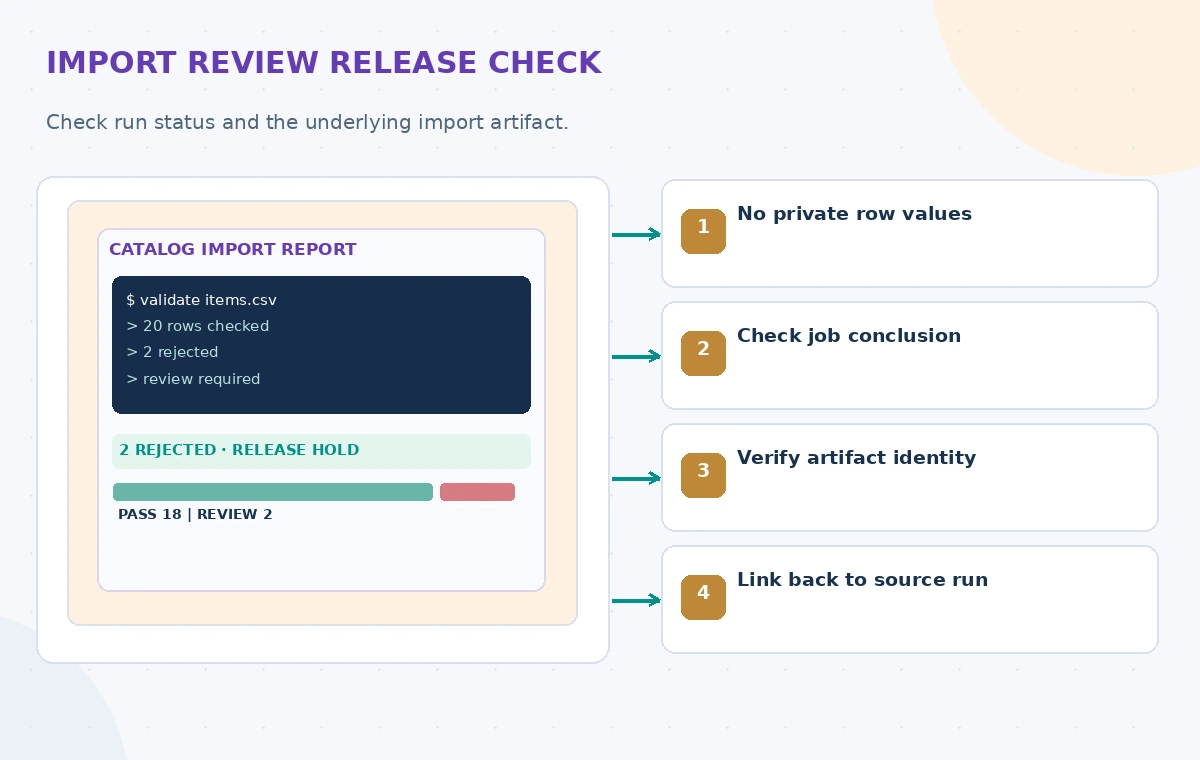
Include a truncated, nonsecret content hash, run identifier, branch or tag and the name of the validated fixture. Compare those values to the artifact the release job will actually consume. A result table without artifact identity could be copied from yesterday’s successful run and mistaken for today’s approval. Version the checks so a review conducted under old rules is not silently represented as current.
If an import step is retried, show whether the summary belongs to the first attempt or the rerun. Do not treat rerun success as evidence that an earlier partially completed write was undone. Use idempotent operations and post-run reconciliation for changes to external systems. The job summary should point to a restricted detailed report for authorized reviewers, not embed the private report itself.
Compare a neat badge with an actionable proof
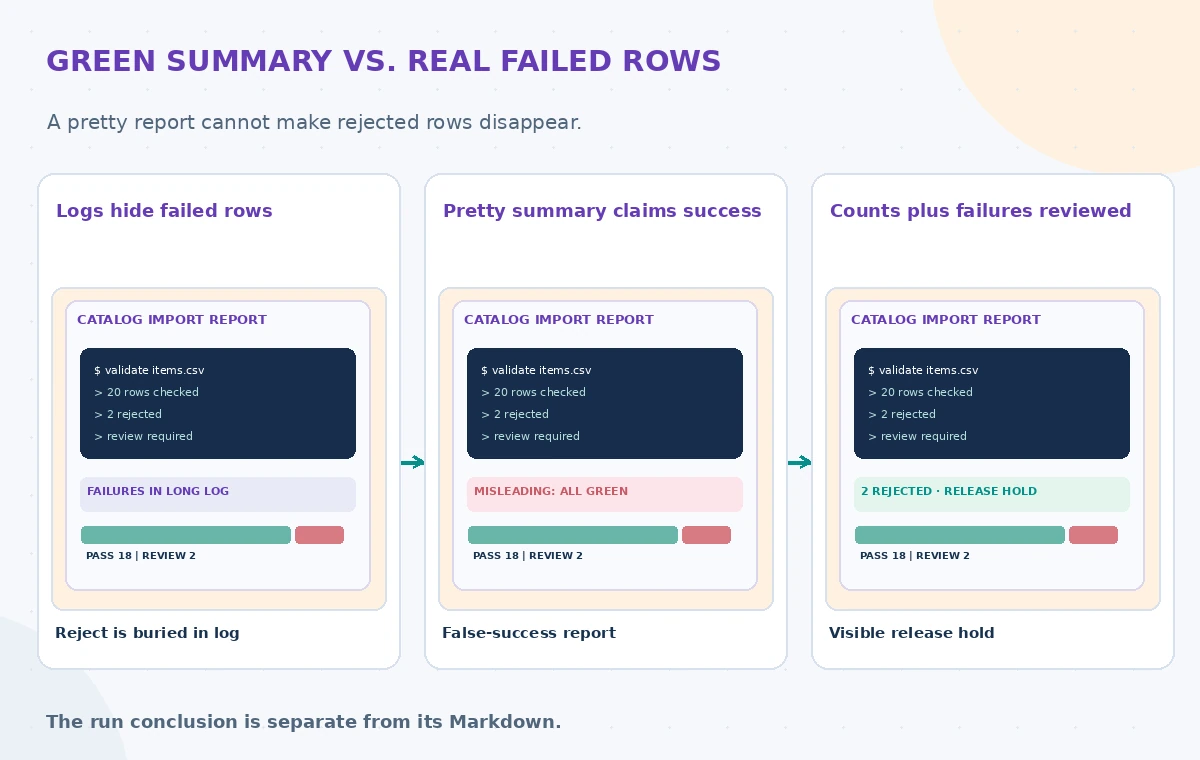
The comparison illustration begins with a long log where a rejected row is not immediately obvious. The middle card shows an attractive green ‘complete’ heading despite two unreviewed rejects. The final card shows a clear validation-failed state, processed and rejected counts, the linked test artifact and a release hold. These are made-up examples, not a tested GitHub workflow screenshot. The important change is the release decision, not the color palette.
Reviewers should confirm the workflow’s actual conclusion in addition to reading the summary. A step can print reassuring Markdown while the job fails; conversely, summary upload failure need not make the entire job fail. GitHub documents step summary limits and isolation, so keep summaries concise and test their output. The workflow must enforce approval through status checks or environment protection, not by trusting a phrase within generated Markdown.
Treat summary limits and ordering as design inputs
GitHub documents a maximum of 1 MiB per step summary and displays only up to twenty step summaries per job. Uploaded content from a completed step cannot be modified from a later step. These constraints favor a concise overview plus a separately governed report for detailed failures. If dozens of import units each create summaries, readers may never see the one that matters at the top of the page.
Produce one coherent release overview in a designated step, with references to independently verified data where appropriate. Avoid accumulating duplicate tables every time a script retries. The summary’s order should be explicit via headings and run identifiers, because separate job summaries may appear according to completion time. A clean interface is useful only if the underlying status and evidence remain consistent.
Protect the workflow against untrusted output
Catalog exports, user-contributed descriptions and third-party action output may include unsafe Markdown or links. Do not concatenate these values into a summary without escaping and review. Avoid echoing credentials into shell command output as a workaround; privacy controls must apply to logs as well as summaries. Keep write permissions limited and use separate trusted release jobs for production changes.
Create a fake record containing angle brackets, Markdown syntax and an external URL to verify that the summary renders as inert text when expected. Test a failed input validation that should block promotion. Be explicit about where approvals occur; a human reading the summary is not an approval gate until the workflow enforces that decision in its permissions and protected environments.
Reconcile counts with the source and destination
Compare source rows, accepted IDs, rejected IDs and the destination count using a stable batch identity. If the importer receives a network timeout after sending data, do not automatically replay the full batch. Determine whether the remote catalog accepted some or all rows, then retry only through a safe deduplicated path. The summary should signal an uncertain result and point to reconciliation instructions.
In a nonproduction rehearsal, include duplicate IDs, schema errors, restricted items and one unexpectedly missing record. A robust summary will show categories of failure without dumping confidential values. The release reviewer should have enough information to find the detailed record in an authorized place and know which approval step remains outstanding.
Ship a report that supports a real release gate
A useful final report includes validation status, import phase, fixture revision, artifact checksum, failure count and reviewer action. Make the required next step unmistakable: correct rejected rows, reconcile destination state, or approve the release after checks pass. Keep a record of the run and reviewer outside the summary for audit and retention. Publishing a job summary should not publish the museum catalog itself.
No workflow was executed for this article and no timing or performance results are claimed. The diagrams illustrate reviewer decisions with invented data, not GitHub UI screenshots. The quality measure is whether a human can correctly identify an unapproved import and trace it to its source, not how polished the Markdown looks.
How We Research
For this November 2026 article, we examined three named official references: GitHub: Workflow commands and job summaries; GitHub: Workflow run and job context; GitHub: Uploading workflow artifacts. We compared documented configuration, request behavior and limitations with a fictional nonprofit use case. The resulting narrative and diagrams are an editorial design exercise. We did not use real records, invoke vendor services, test accuracy, time API responses, conduct a security audit, or obtain actual publication rights. An implementation should recheck model, region, account, IAM, costs, privacy law, source status and the organization’s approval policy before processing any real material.
Frequently Asked Questions
No. It displays Markdown; actual job conclusions and enforced release checks must be inspected separately.
Each step has a separate environment file; summaries are aggregated when steps complete.
Avoid private data and untrusted input; link to a restricted detailed report instead.
GitHub documents 1 MiB per step and a maximum of twenty displayed step summaries per job.
Not after the earlier step completes; plan the report structure accordingly.