
A community workshop receives scanned participation waivers. Some pages contain checked safety acknowledgments, others have blank boxes, and several scans are rotated or smudged. Azure Document Intelligence Layout can detect text, tables, and selection marks with structural location information. The extraction is a useful organizing layer, but it cannot replace reading the original waiver or establish that a signature is legally sufficient. The forms and marks in this guide are invented instructional examples.
Define consent states before extraction
Create distinct states for `selected`, `unselected`, `unreadable`, and `missing-page` in the processing plan. A checked box is not the same as an approved participant, and an empty box is not consent. Write the exact form revision and whether a parent or guardian signature is required for a particular workshop. These are policy decisions, not labels for a model to invent.
Preserve the original scan as the review authority. Keep the extraction output attached to its page and scan version so staff can locate questionable marks without scrolling through a combined text dump. Never merge entries merely because two names look similar.
Choose the Layout model for structural reading
Microsoft describes the Layout model as extracting text, lines, paragraphs, tables, figures and selection marks from supported documents. The layout result carries structure that is lost in a plain OCR paragraph. It is suitable for finding the printed safety checklist beside a participant name, but the output is still a prediction with possible omissions.
Use a format and API version supported by your Azure resource, and confirm service permissions before uploading personal forms. For sensitive waivers, assess data-processing and retention rules with the organization’s privacy lead. A trial with synthetic forms should precede use on real participants.
Inspect page orientation and readability
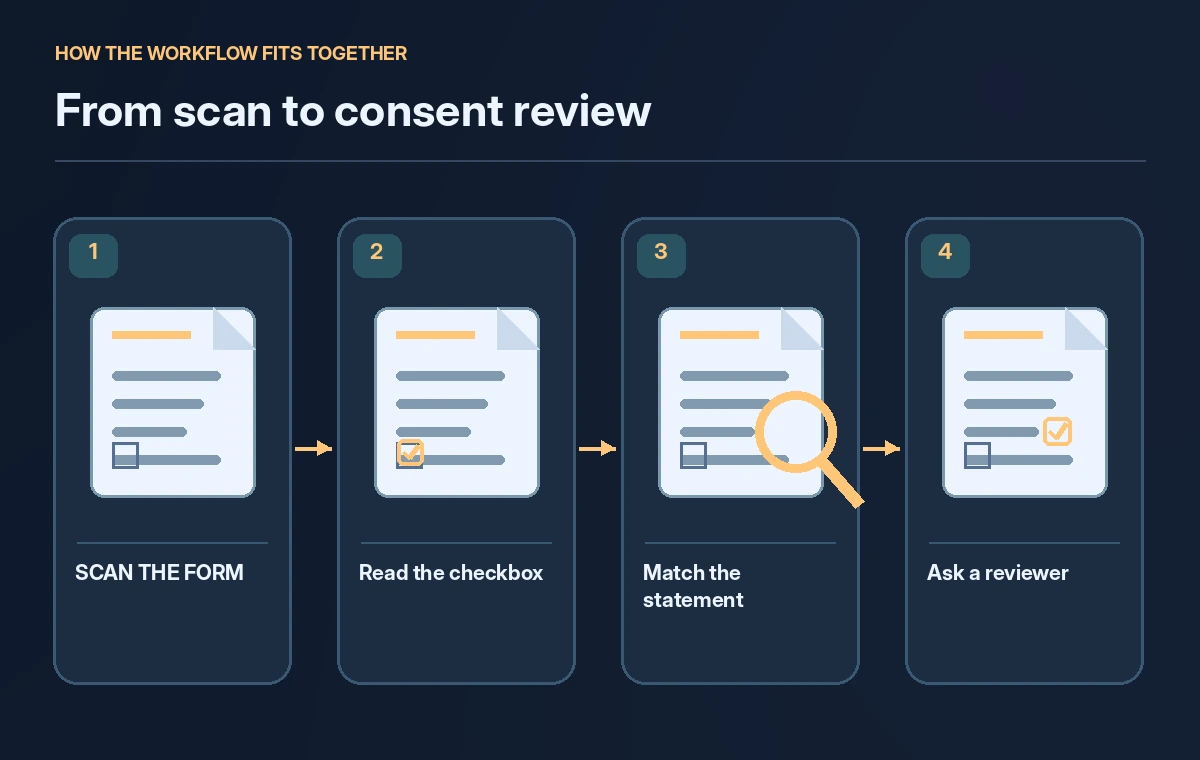
The documented page output includes page dimensions and orientation information; the exact result varies with input type and version. Establish a manual review path for skewed scans, folded paper, low contrast and marks near page edges. Rotate the original for reading rather than altering the official stored copy without a trace.
If a portion of the page is absent, record `missing-page`. A machine cannot responsibly infer the unchecked back side of a waiver from the front. Store page count and source filename so the operator can see exactly which pages were analyzed.
Read selection marks without inferring assent
Selection-mark results can include the detected polygon, confidence and state such as selected or unselected. Those fields help highlight the position of a checkbox, but a high confidence score is not a signed agreement. If a pen stroke falls between two boxes, the application should request manual review rather than assigning a nearby option.
Build a visual overlay that displays each mark against the actual scanned form. Verify the statement next to the box as well as the box state. A selected option labeled ‘I decline participation’ means something very different from a selected option labeled ‘I acknowledge safety rules.’
Protect table rows and form relationships
A consent form might contain a table listing workshop activities, required protective equipment, and participant initials. Layout extraction identifies table structure, including cell coordinates and header information, but rows or merged cells can still be associated incorrectly in messy scans. Check that initials stay on the right activity row.
Use sample cases with overlapping handwriting, blank cells and a repeated header. Compare each extracted row against the scanned page. Do not automatically fill missing initials based on the previous row or another participant’s entry; the empty cell is important evidence.
Keep signatures in a separate validation lane
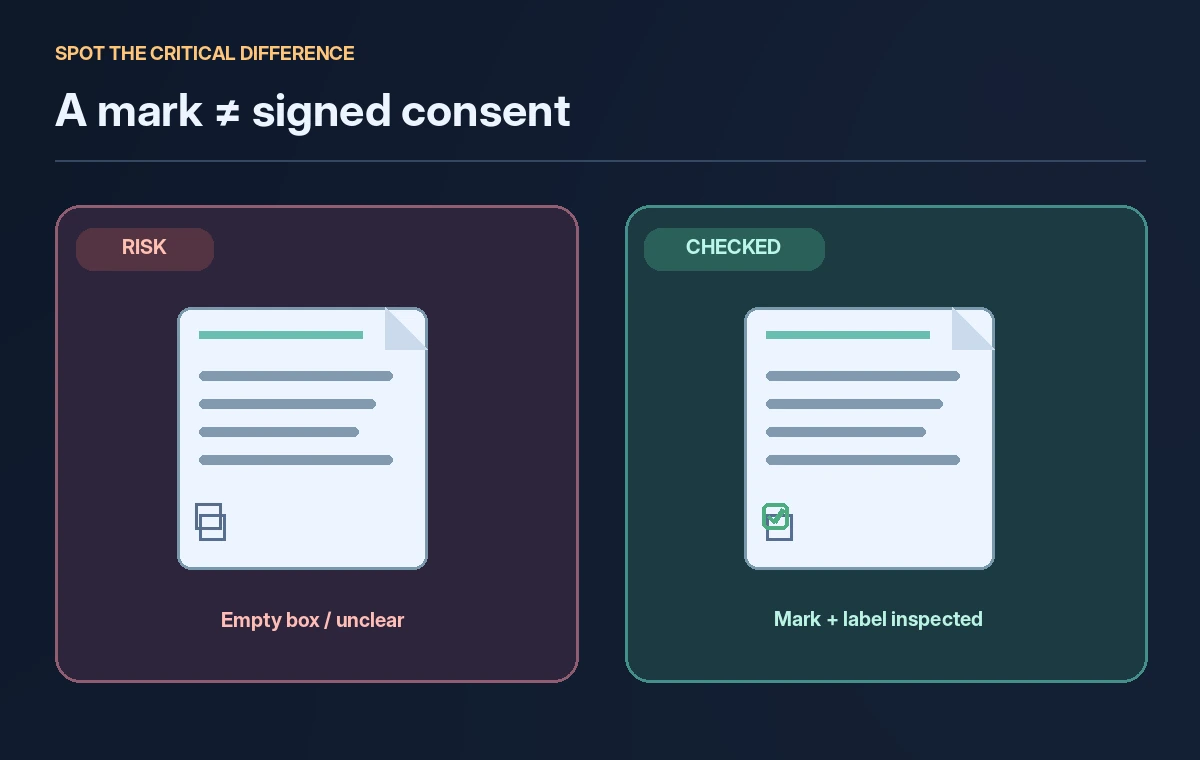
Text and selection-mark extraction does not confirm a signature’s authenticity, identity, or legal effect. A black squiggle might be ink, a printing artifact, or text from another field. Label the existence and location of a possible signature for staff review, and use the organization’s established identity and consent procedures to decide whether a form is valid.
Never publish a digital `consented: true` flag based on a single visual mark. Require a separate human determination when policy demands an actual signature. The illustrated comparison shows an extraction result and the independent authorization check.
Review mismatches with page-coordinate evidence

Build a review screen showing the original crop beside the model’s interpreted state, confidence and page reference. Sort by missing selections, contradictory responses, unclear handwritten notes, and incomplete pages. A reader should be able to open the full page instead of trusting the crop alone, because neighboring statements can reverse the meaning.
Record corrections as amendments that refer to the immutable scan, not silent overwrites of the raw extraction. Use the correction history to identify common scanning problems and improve the intake process rather than training staff to accept model guesses.
Evaluate real error categories, not accuracy theater
For a safe evaluation, prepare synthetic waivers with a clean tick, empty checkbox, crossed-out tick, two options marked, illegible signature and missing page. Define the expected state for each before running extraction. Compare predicted mark locations and review decisions to the prepared answer key. Do not invent a percentage accuracy from these examples.
Test the entire downstream workflow: a single unclear mark should block automatic registration if consent is required. A false positive consent decision is more serious than a harmless transcription typo, so issue severity must influence the release gate.
Approve the record only after review
A compliant process ends with a staff member reviewing exceptions, making a documented consent determination, and communicating unresolved cases privately. Retain only the necessary record fields in the attendance system. The document model is a fast map of where to inspect; it is not the person authorized to enroll participants.
Check Microsoft’s current supported formats, API versions and resource policies before implementation. Keep your diagrams conceptual and the production process auditable. Consent is an accountable human decision supported by original evidence.
How We Research
For this November 2026 editorial review, we checked the named primary documentation: Microsoft Learn: Document Intelligence Layout Model, Microsoft Learn: Document Intelligence model overview. We compared the documented feature boundaries and terminology with the hypothetical scenario described above and checked competing explanations for unsafe or unsupported claims. We did not use a paid account, run a live integration, upload real participant data, measure model performance, or test the illustrated outcomes. All images are original conceptual instruction diagrams rather than product screenshots or measured results. Confirm current API availability, service region, privacy rules, prices and interface details with the vendor and your organization before operational use.
Frequently Asked Questions
Yes. Microsoft documents selection marks with position, state, and confidence information, but staff must still check ambiguous marks against the original scan.
Not automatically. Consent can depend on the statement, identity, signature, policy and jurisdiction; extraction alone establishes none of those conditions.
Yes. The documented model can extract table structure and cells, but messy or merged rows still need comparison with the scanned source.
Mark the record incomplete and request manual review or a better scan; never infer the contents of an unavailable page.
No. A model confidence score describes an extraction prediction, not legal permission or evidence that a person understood the form.