
A refactor that produces a smaller CSS file is not automatically an improvement. On a community portal, the primary “Reserve a place” button must still show a strong keyboard focus indicator. If a coding assistant deletes the focus rule, sighted mouse users may never notice the regression. Claude Code checkpoints offer a way to return to earlier edits during a session, but they are not a substitute for testing or version control.
This tutorial uses a fictional repository and an illustrative focus-ring failure. No Claude Code session or accessibility audit was performed here. The goal is to distinguish checkpoint scope from the broader safeguards required before code goes into a public site.
Freeze a known-good component before the refactor
Record the existing button behavior before asking for simplification. The baseline should show the default appearance, hover state, disabled state, and focus-visible state. Keep the source file, CSS selector, and any unit or browser test names available. A screenshot of a button alone does not prove that keyboard navigation works; a keyboard walkthrough remains necessary.
Commit the baseline in Git, or at minimum confirm that the working tree is understood. Claude Code’s checkpoint feature saves states tied to its own edits, while a Git commit captures a repository history that can be reviewed independently. A checkpoint should be an extra recovery option, not the only known copy of a working accessibility fix.
Ask for a narrow change with explicit invariants
Make the task smaller than “modernize our styles.” Specify a single component and protect behavior in the prompt: keep `:focus-visible` styling, preserve accessible names, maintain disabled handling, and avoid modifying shared layout tokens. Explain what a successful change looks like so the assistant does not interpret reduced CSS as the only objective.
Request a plan or diff preview before accepting a broad rewrite. If the tool proposes altering global focus styles to remove duplicate rules, ask it to show the callers that rely on those styles. The consequences of one shared CSS change can extend across forms, dialogs, and navigation, beyond the single button being edited.
Understand what Claude Code checkpoints actually save
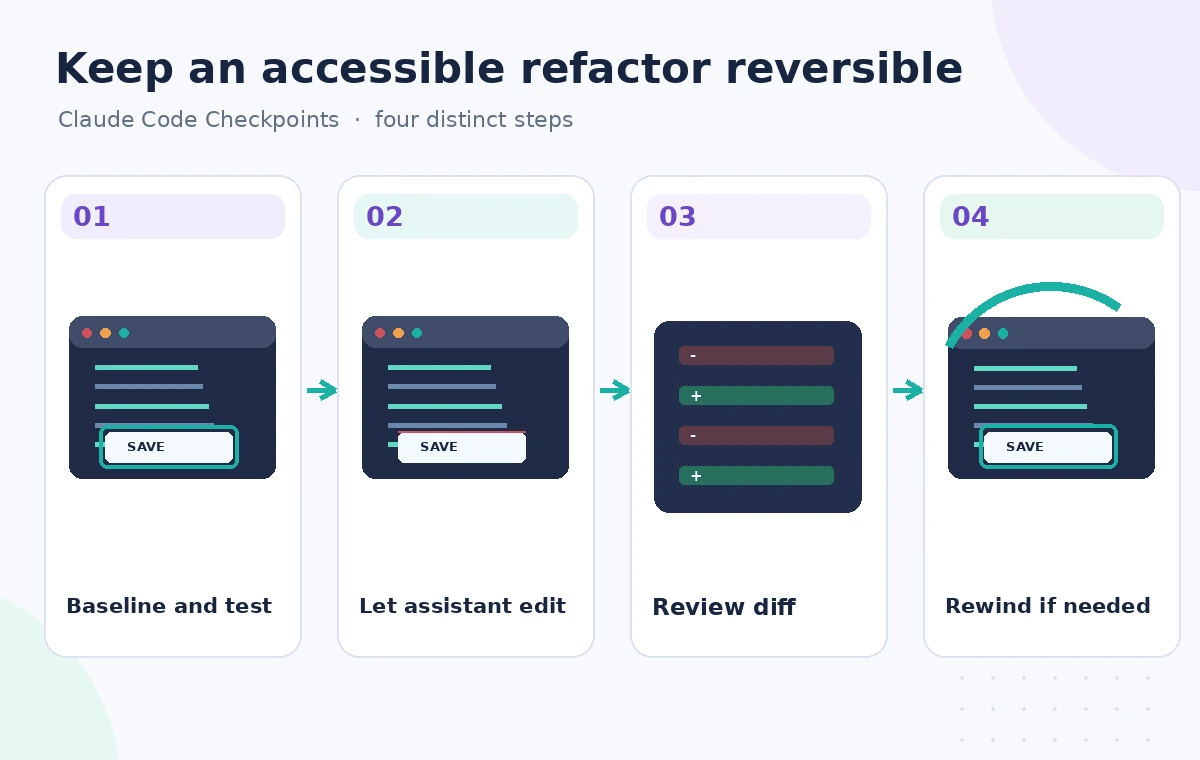
Anthropic describes checkpoints that capture code state before Claude’s edits. During a session, the `/rewind` command or pressing Escape twice opens a menu to return to an earlier point. Users may choose to restore code, conversation, or both, depending on the menu and context available in that version.
The important limit is scope: Anthropic explicitly says these checkpoints apply to Claude’s edits, not to user edits or arbitrary Bash commands. If a script ran a migration, generated assets outside that edit path, or removed temporary files, a rewind should not be assumed to reverse those effects. Inspect the actual state afterward.
Identify a regression in the diff, not by aesthetics
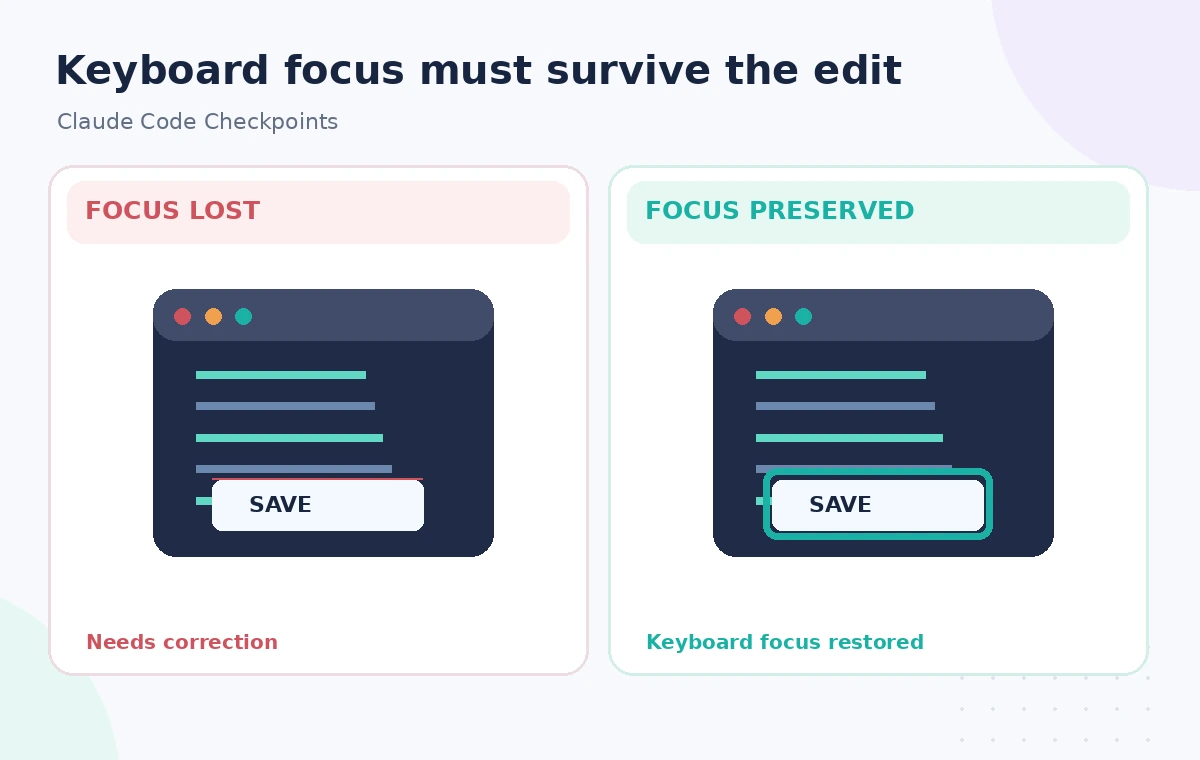
Suppose the proposed stylesheet removes an outline because it looks redundant with a box shadow. That is a risk to keyboard users, even if mouse screenshots still look polished. Look at the old and new `:focus-visible` rules, selectors, inheritance, and color contrast in the real project. A confident commit message such as “cleanup only” is not evidence of equivalent behavior.
Use the code diff to locate exactly where the focus treatment disappeared. Then reproduce the failure with Tab and Shift+Tab, including a high-contrast or forced-colors context where appropriate. The comparison graphic shows two conceptual states: a button with no visible focus ring and the reviewed design with a clear, contrasting outline.
Choose a rewind scope deliberately
If the last AI edit caused the regression, open `/rewind` or the double-Escape checkpoint menu and inspect the available point in the session. Restoring code can be useful when the editing path is tangled; restoring only the conversation may preserve code you want to examine. Select the option that matches the intended recovery, rather than choosing the broadest reset by habit.
After rewinding, run a fresh diff against the Git baseline. Confirm which files were changed and which were not. A reviewer may have manually adjusted text while Claude worked; that human edit is not guaranteed to be captured by Claude’s checkpoints. Save it deliberately before any destructive restoration and reconcile its presence afterward.
Validate restored behavior with independent tests
A restored code snapshot is not proof that every interaction works. Rebuild the component, run the project’s unit tests, and navigate the page without a mouse. Confirm that focus can reach the button in the right order, that the ring is visible against its background, and that the click action still does what its label promises.
Test adjacent components using the same token or utility class. If a rewind restored the primary button but left a shared stylesheet in an unexpected state, a second page can still have lost its focus indicator. Record the file paths and test results in the pull request, keeping the test evidence separate from the assistant’s description of the change.
Keep Bash actions and external state outside the rewind promise
Developers often run formatters, builds, package installation, test fixtures, and deployment commands from a terminal. Those commands can affect generated outputs, dependencies, or external services. Because checkpoint recovery does not promise to undo arbitrary shell commands, use reproducible scripts and Git status checks to identify what happened outside the assistant’s edit history.
Never use a checkpoint as a rollback strategy for a production deployment. That requires deployment artifacts, service-specific rollback procedures, and a change owner. For UI changes, insist on ordinary code review and staging verification even when the Claude session makes restoration feel fast and low risk.
Merge the small accessible result, not the exciting refactor
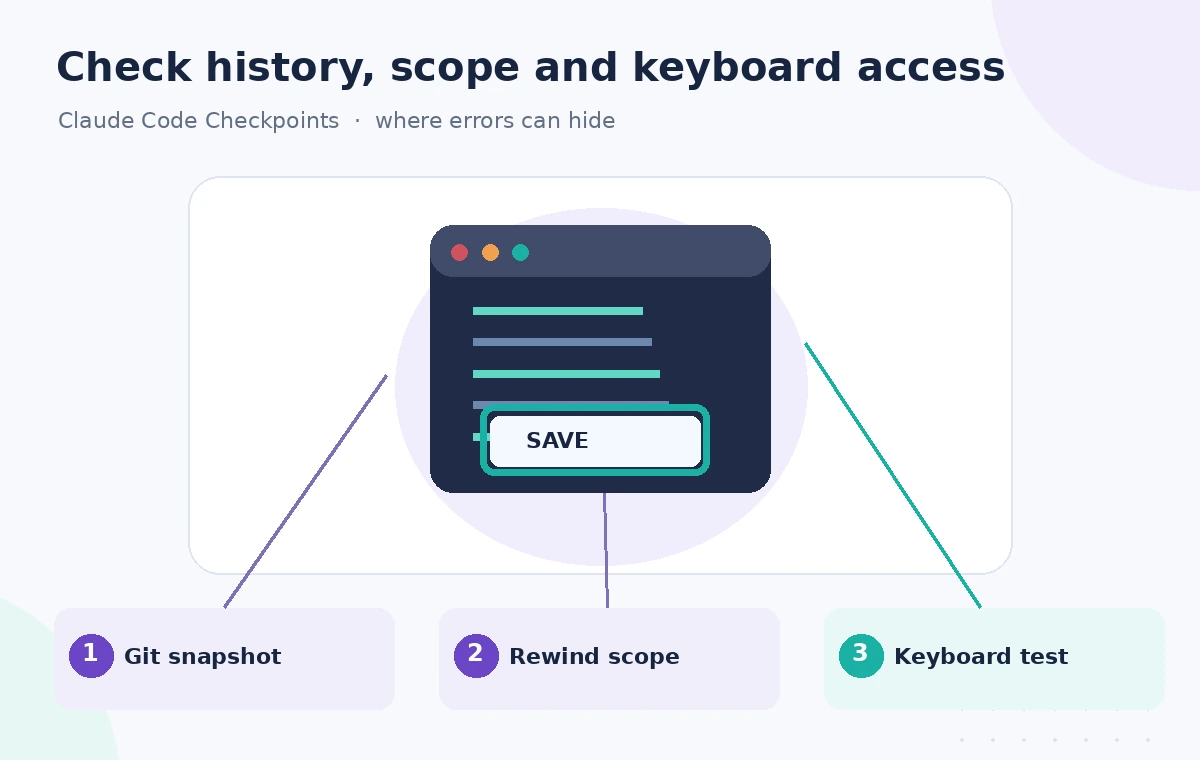
Once the focus state is restored, ask for a minimal patch that meets the original cleanup goal without removing accessible behavior. A small diff is easier to reason about than another full styling rewrite. Add a regression test or documented keyboard check if the repository lacked one, and keep the requirement in the component’s design documentation.
The checkpoint is most valuable as a quick way to recover the editing thread before a questionable change spreads. Git remains the durable history; tests remain the evidence of behavior; and human reviewers remain responsible for declaring the accessible implementation ready to merge. Treat all three as complementary controls rather than interchangeable features.
How We Research
For the November 5, 2026 editorial review, we consulted these named primary sources: Anthropic: Claude Code autonomous work and checkpoints, Claude Help: Claude Code cheatsheet. We compared the published feature description, supported entry points, permission boundaries, and stated limitations with the hypothetical use case above. We did not access a subscriber account, run the described service against real customer or archive data, measure accuracy, or reproduce any product interface. All artwork is an original instructional illustration, not a product screenshot or test result. Feature availability, plan eligibility, security settings, and UI labels may change; recheck the official help pages and local policy before deploying this workflow.
Frequently Asked Questions
It opens the checkpoint history so you can return conversation, code, or both to a previous point, depending on the available options in your version.
No. Anthropic recommends using checkpoints alongside version control. Checkpoints are session-scoped recovery tools, not a permanent team history or release rollback system.
Do not assume that. Anthropic states that checkpoints apply to Claude edits, not user edits or Bash commands. Verify actual files and external state after restoring.
Test with Tab and Shift+Tab on the real interface, inspect the focus-visible styling, and run applicable component and browser regression tests.
Choose based on what needs recovery. If you want to revisit the plan without throwing away inspected code, a conversation-only option may be preferable; check the state afterward.