
A volunteer coordinator asks an AI assistant to turn workshop sign-up notes into a friendly community newsletter. The notes contain a participant’s personal phone number and an informal comment about someone’s health. The draft should announce the next repair session, not publish private intake details. A guardrail can flag sensitive text, but it must not be the only approval system.
AI Guardrails by Zapier can screen text for personally identifiable information, prompt attacks, toxicity, and other patterns in connected automations. This fictional workflow focuses on PII checks between draft generation and posting. It is a design exercise rather than a claim that a particular newsletter was processed or that a test achieved a particular detection rate.
Define the disclosure rule before automating
Write down exactly what a newsletter may contain: the event location, the public organizer email, approved speaker names, and confirmed times. Personal attendee phone numbers, home addresses, health notes, and internal coordination threads should stay outside the public draft. If a person has consented to a testimonial, document the approved wording and scope rather than assuming general newsletter consent.
Create separate source fields for public event details and private intake notes. The safest workflow prevents unnecessary sensitive data from reaching the generation step at all. Guardrails are a second line of defense, not a substitute for controlling the initial prompt and the records that the AI assistant can read.
Place the check between AI output and the destination
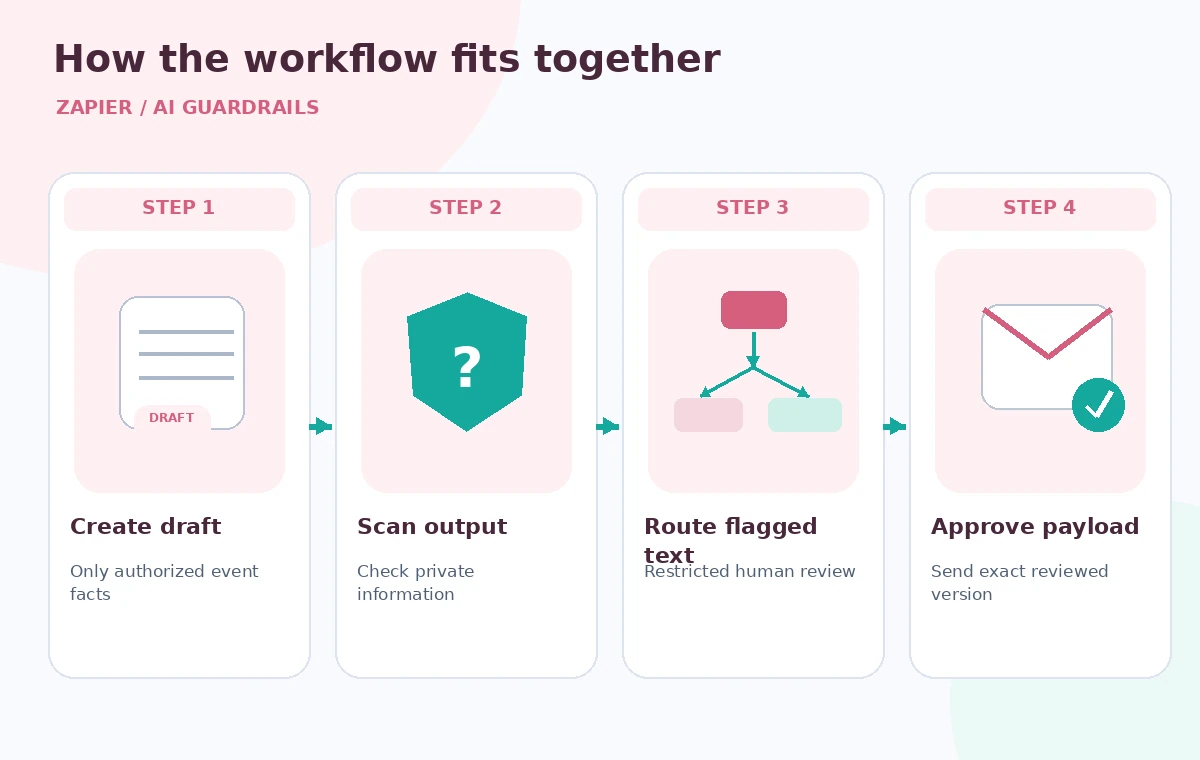
Zapier’s setup documentation recommends inserting an AI Guardrails action after the AI application step and before the next workflow action. In the illustrated flow, a drafting step creates text, PII detection inspects that text, a human review gate decides what may be shared, and only an explicitly approved draft reaches the newsletter platform or public Slack channel.
Map the exact body text that would be published into the guardrail action. If the draft has a separate subject line, preview text, and attachment, consider how each is checked; scanning a short summary while publishing a longer original body would create an avoidable gap. Keep test and production destinations distinct.
Understand what a PII signal means
According to Zapier’s official help, the guardrail can check for names, addresses, phone numbers, financial identifiers, and other PII types. Results may include flags or confidence indicators depending on the action. Its PII detection currently supports English and Spanish; a multilingual newsletter needs additional language-aware review rather than the assumption that every field receives equal coverage.
A detected telephone number is not automatically inappropriate. A published help-desk number may be intended for public use. Conversely, an unusual handwritten contact notation may escape detection. Treat the output as a review signal whose context must be checked against the approved disclosure policy and the source record.
Route flags to a person, not a public queue
Build an explicit branch: flagged content goes to a restricted reviewer, while an unflagged draft still follows the ordinary editorial approval process. Avoid designs where “no PII found” immediately triggers an external send. A false negative could reveal information, and a false positive could prevent a legitimate announcement from reaching residents.
Zapier also supports pairing checks with Human in the Loop. Decide who is permitted to inspect sensitive material and how the reviewer requests changes. The review output should distinguish “removed private phone number,” “approved official contact,” and “requires source clarification,” not simply return a mysterious green check.
Handle retention and data transfer honestly
Zapier says the detection services use AWS technology and documents how workflow data may appear in logs and Zap runs. Read the detailed retention explanation for the organization’s account, because a high-level statement about real-time processing does not establish that every connected audit trail is empty. Sensitive material may have already been present in the trigger and previous steps.
Before routing actual volunteer information, confirm data-processing agreements, permissions, storage destinations, history retention, and whether the minimum necessary data can be sent. Do not claim the AI screening step automatically makes a workflow compliant with privacy laws; compliance depends on broader organizational controls.
Compare a leaked draft with a reviewed one
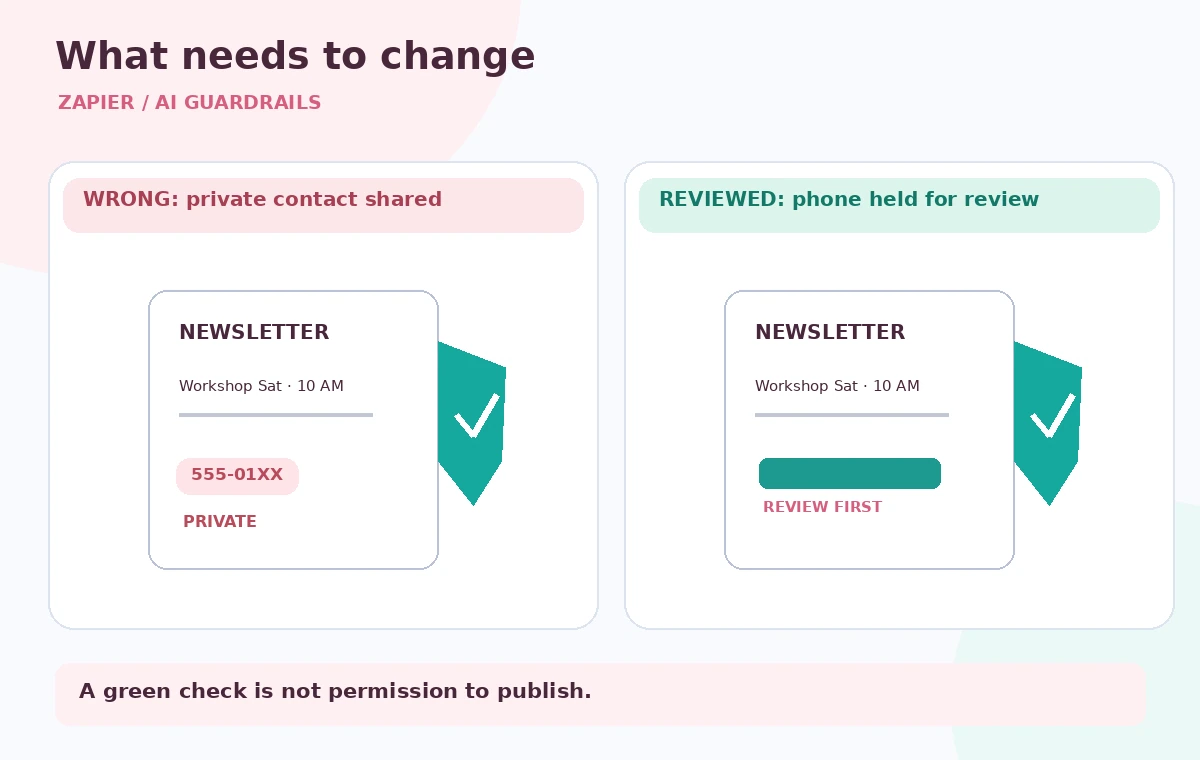
In the teaching graphic, the left-hand newsletter card contains a fictional attendee phone number and is wrongly labeled ready to post. The right-hand version keeps the public event details but removes private contact text and shows a pending human approval state. These are schematic outcomes, not screenshots or real detected entities.
The aim of the comparison is to teach what changed: the person’s phone number is absent from every publicly visible field, while the event’s official contact remains. Check subject lines, image alt text, preview excerpts, and attachments as well as the main body. A private value in one overlooked field is still a disclosure.
Test failure cases with synthetic examples
Use invented numbers and fabricated names when configuring the detection branch. Include one obvious personal phone number, one approved public line, a spaced-out number, a mixed-language phrase, and a harmless string resembling an identifier. Run both expected-flag and expected-no-flag cases, and write down how the workflow handles ambiguous results.
Do not report a “100% safe” rate from a tiny sample or promise that a successful check guarantees future safety. Update the examples when intake forms or newsletter templates change. The system should stop safely when the guardrail action fails, times out, or returns a result the downstream logic cannot interpret.
Maintain an auditable publishing boundary
Name the person who signs off each newsletter, where the final version is stored, and how a public correction would be issued if private information escaped. Separate the record of approval from the original private source notes, and limit visibility of any logs containing sensitive content. A reviewer should compare the final exact payload with the approved draft, not trust an earlier intermediate version.
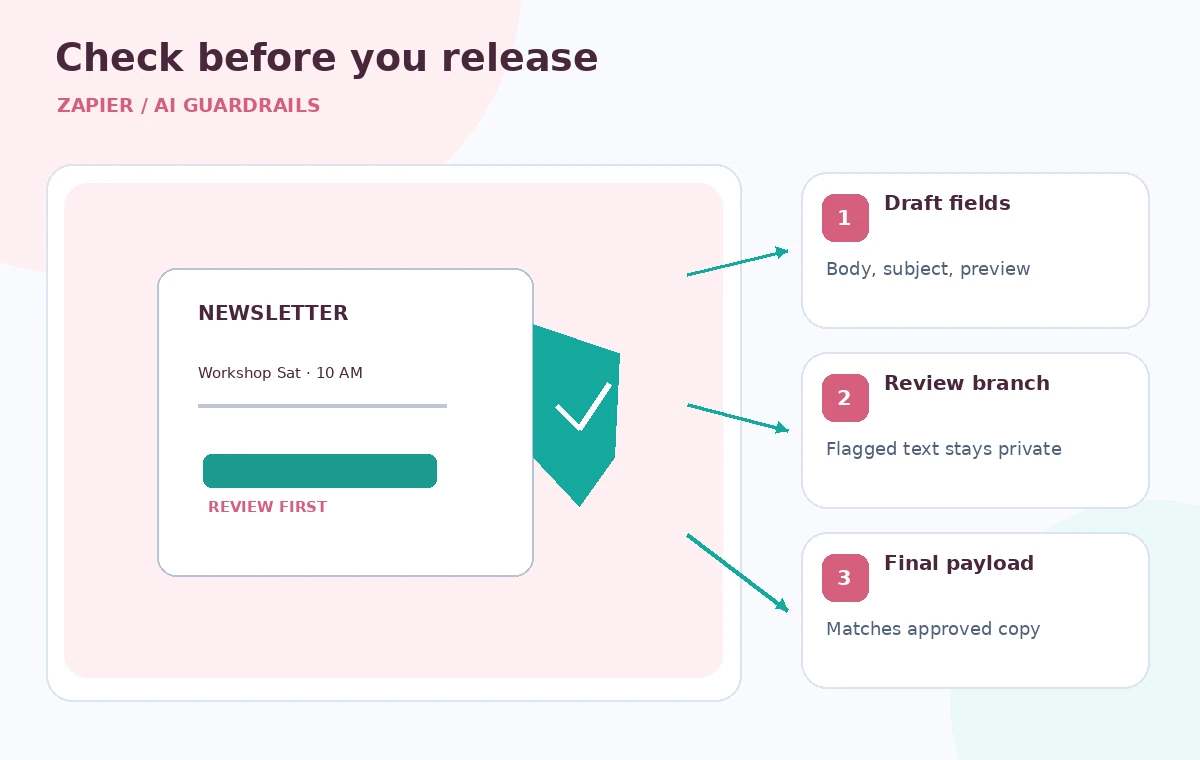
The final inspection diagram marks three checkpoints: sensitive terms in the draft, routing to the restricted review step, and confirmation of the exact public output. Those checkpoints remain useful even if the AI service or the detection rules change. The goal is accountable publication, not a decorative automated safety badge.
How We Research
For this November 5, 2026 editorial review, we read the following official primary references: Zapier: Getting started with AI Guardrails, Zapier: Screen AI output for safety. We compared documented entry points, input requirements, privacy or permission boundaries, and stated limitations against the hypothetical workflow above. We did not access a paid account, process real museum or customer data, generate output in the named service, or measure error rates. Diagrams show designed teaching examples, not product screenshots or empirical performance. Availability and UI details should be rechecked in the actual account before operational use.
Frequently Asked Questions
No. Its checks can identify likely sensitive content, but detection is imperfect. Configure explicit removal or review steps and inspect the final text before a public send.
Place it after the AI step that creates the intended public text and before any action that sends, stores, or publishes that text in an external destination.
That is risky. An unflagged result can still contain missed PII or other factual errors. Keep the normal editorial approval process for public-facing communications.
Consult the detailed official data-handling and retention documentation. Real-time screening and the storage of Zap execution logs are distinct concerns, and retention depends on workflow settings and the account.
Use only synthetic examples containing obvious PII, public contact details, tricky formats, and ambiguous strings; verify both the reviewer branch and the safe-failure behavior.