
A community seed fair has a small identity system: a simple flower with exactly six rounded petals, a muted green palette, and a hand-printed paper texture. Organizers want fresh posters for the market and volunteer desk, but they cannot afford a version that quietly turns their emblem into a five-petal daisy. Style and identity are different things; only one should be left to an image generator.
Midjourney Moodboards let creators collect images that guide a personalized visual aesthetic. They can be applied using a moodboard code or personalization controls, but those controls do not lock typography, plant anatomy, or approved marks. The workflow below uses a fictional fair to demonstrate a disciplined process: develop the atmosphere with generated examples, then insert the authentic emblem and event copy as separate, reviewed assets.
Separate the artwork brief from nonnegotiable identity
Begin with the actual vector emblem, a dated copy sheet, and a tiny brand reference showing the approved green and cream colors. Count the six petals around its center and capture the silhouette at a larger size than it will appear in the finished poster. Record the location, entry requirements, event date, and organizer credit in a source document rather than in a generative prompt alone.
Choose which properties the moodboard is allowed to influence: paper grain, botanical line quality, gentle shadows, color harmony, and the density of background foliage. It should not be responsible for the number of petals, exact logo proportions, readable venue names, or sponsor identities. That distinction keeps a successful style experiment from becoming an unauthorized rebrand.

Curate the board with rights and provenance in mind
Midjourney documents adding images to Moodboards from uploads, image URLs, or the creator’s gallery. Use artwork you own, have licensed, or are otherwise authorized to reference. Mix a few useful examples: a scanned botanical etching, a cream-paper texture, and a restrained green poster composition. Exclude photographs with recognizable people or commercial brand marks unless there is a legitimate reason and permission.
Create the board from the website’s Moodboards area, name it for the project, and preserve the selection list. Midjourney notes that each board has an ID and that changing its contents produces new codes. Treat the code as a record of a style version, not proof that every future generation will match. Keep screenshots or notes describing why the sources were included.
Apply one moodboard without asking it to typeset the event
Turn on the desired moodboard through personalization controls, or include the specific `–p` code in an image prompt. Describe the visual task narrowly: a six-petal botanical emblem area, cream paper, three border plants, and generous blank space for later typography. Do not send private participant data or imply that the generator has a copy of the event registration system.
Midjourney explains that Moodboards can be used with versions 6 and later and that they are not combined with the Style Reference version or Style Weight controls in the same way. Record the model version and chosen settings, and avoid stacking conflicting style inputs. A prompt can request six petals, but a request is not a structural guarantee; count them in every candidate.
Inspect variations before anyone approves a layout
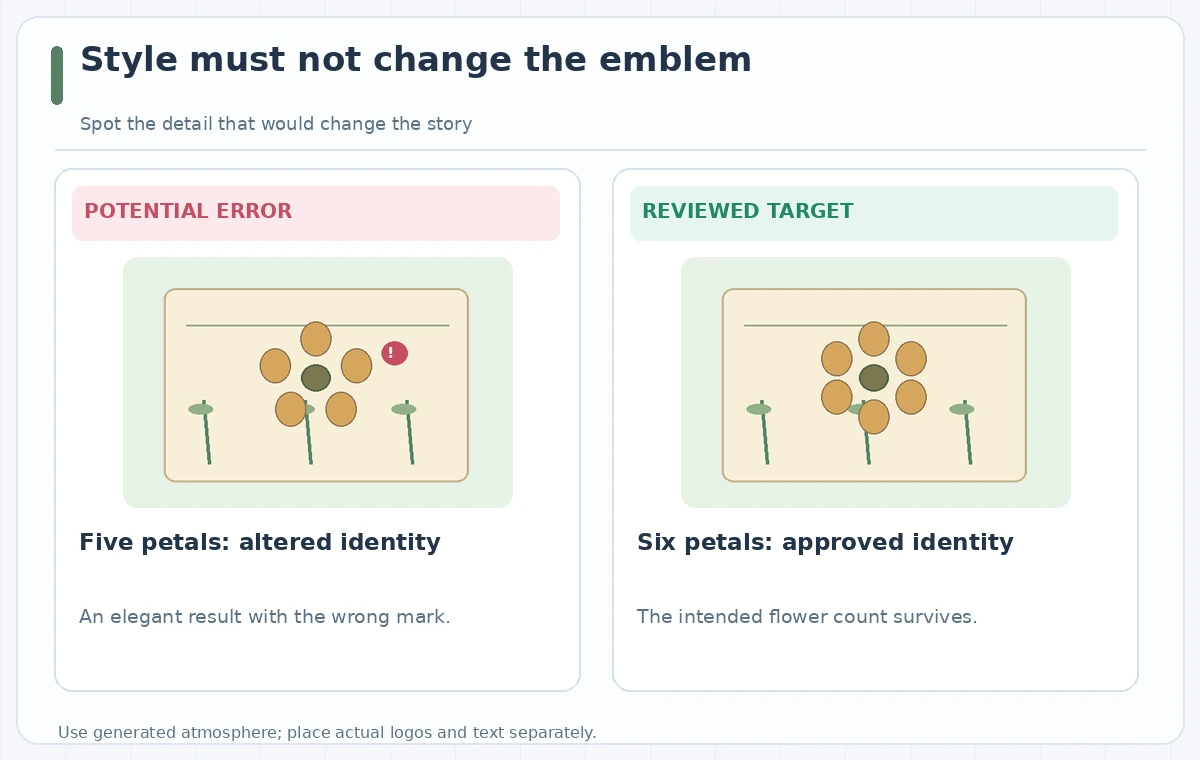
Compare candidate images side by side at poster scale and at a close crop around the flower. The deliberately wrong diagram shows five petals; the reviewed target has six. Check the center, spacing, and overlap so the emblem stays recognizable even in thumbnails. Examine generated leaf shapes for odd duplications, invented seals, and snippets of unreadable lettering masquerading as real event information.
Do not reward an image solely because it looks polished. Ask whether a volunteer could mistake a generated sponsor icon for an endorsed partner, or a decorative stamp for a safety certification. Select a background that works without those claims. If no candidate preserves the emblem, use the art only as a background and place the original approved logo above it in the layout software.
Build a controlled poster from selected pieces
Export the selected illustrative background and keep a copy of the original generation and its board code. In a conventional editor, insert the authorized six-petal emblem as a separate vector element. Set the fair name, verified date, address, accessibility note, and organizer credit using editable type. This allows proofreading without relying on the image model’s ability to spell or replicate a mark.
Produce a tall poster and a square social tile from the same approved asset kit, rather than regenerating the identity on each aspect ratio. Check margins at print size and safe areas on mobile. A visible paper texture is fine; texture that makes an address hard to read is not. Every output should use the same manually placed emblem.
Run a brand and source-review handoff
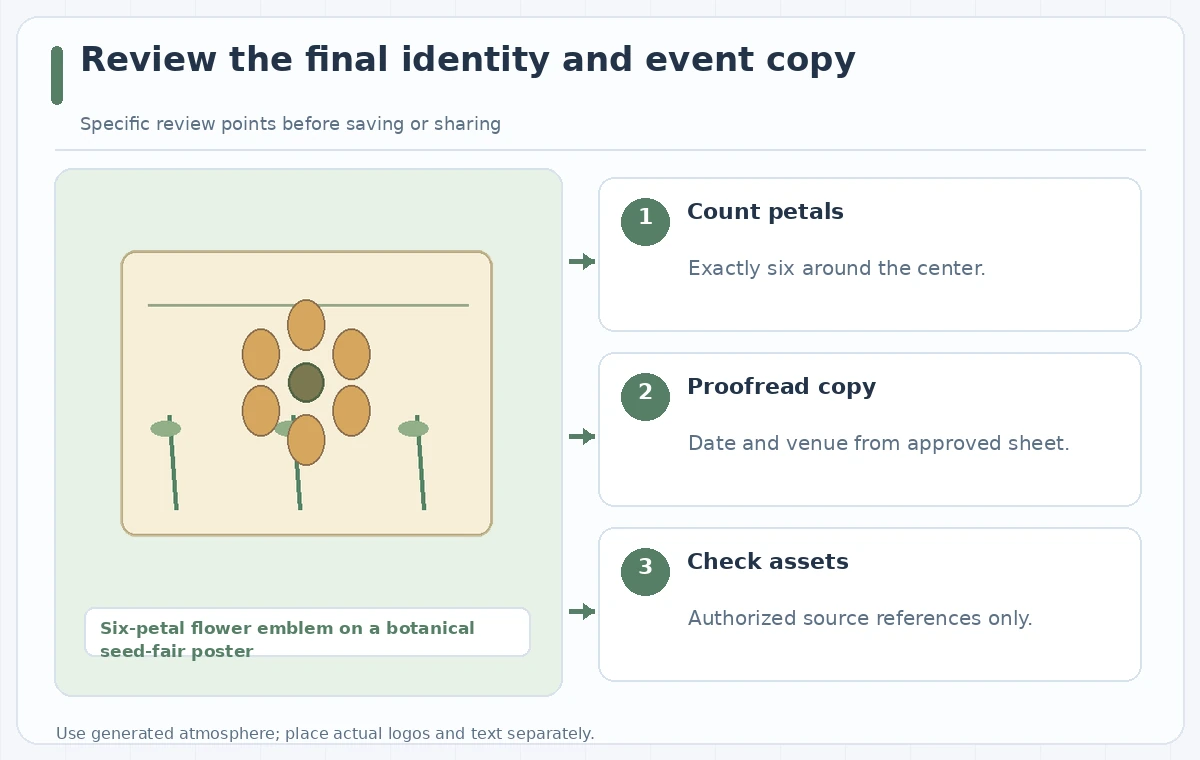
Have one reviewer compare the emblem with the source vector, another proofread the actual event details, and a third confirm that any reference images were appropriate to use. Keep the approval list short but specific: six petals, no fake affiliations, correct date and venue, sufficient type contrast, and consistent crop. A green check beside each item is not evidence until the individual checks were completed.
If a moodboard was edited after the first candidate generation, record which code produced the accepted version. It is easy to mix attractive images from different board states and assume they share a reproducible style. Save the selected prompt, settings, exports, and final composed file together so a subsequent designer can remake a matching social tile without reconstructing the process.
Release the design only with the authentic identity
Export final artwork with text readable at the actual posting size. Compare it one last time with the approved event sheet, because the human-added copy can also introduce a typo. If the fair changes hours, update the editable text rather than attempting to replace numbers inside a generated picture. Archive previous versions clearly to prevent old posters from circulating.
This use of Moodboards is most productive when it does one job well: guide the look of otherwise original design elements. The six-petal mark, identities, schedules, and claims remain under human editorial control. The example pictures in this article are diagrams of a possible failure and a review target, not screenshots or measured Midjourney outputs.
How We Research
We reviewed official product documentation on November 4, 2026: Midjourney Docs — Moodboards; Midjourney Docs — Personalization. We compared the supported workflow, permissions, constraints, and ways an editor can separately verify the output. The scenario of six-petal flower emblem on a botanical seed-fair poster is fictional. We did not log into a subscription, run a live tool experiment, measure visual or audio accuracy, establish image rights, or verify any real venue, performer, or object record. The diagrams are original explanatory illustrations of possible problems and desired checks—not application screenshots or measured software results. Recheck feature availability, account terms, and source facts before publication.
Frequently Asked Questions
No. Moodboards influence the visual style rather than enforcing exact emblems or lettering. Place the official mark separately.
Yes. Midjourney documents uploads, image URLs, and images chosen from a creator gallery, subject to the appropriate rights.
The board can generate new version codes as its contents change. Keep the code used for an approved design.
No. Add names, dates, and addresses as editable type and proofread them against a source sheet.
No. They are original conceptual illustrations showing the type of identity mismatch a reviewer should catch.