
A local heritage center holds a winter photograph of an orchard beside an old stone wall. For a future walking-route brochure, staff would like an illustration of what the same view could feel like in late spring. They have no photograph from that season, and the orchard’s historic planting pattern is uncertain. The new image can communicate an idea, but it cannot be presented as archival documentation of a real spring landscape.
Adobe’s Neural Filters gallery lists Landscape Mixer as a beta creative effect that can blend imagery from references and presets. Its documented limitations include incomplete seasonal changes, competing effects from multiple season sliders and possible performance pauses. This procedure is for a hypothetical heritage illustration; it does not claim that we used Photoshop, recreated past foliage or measured any particular model’s output.
Define the boundary between archive and concept
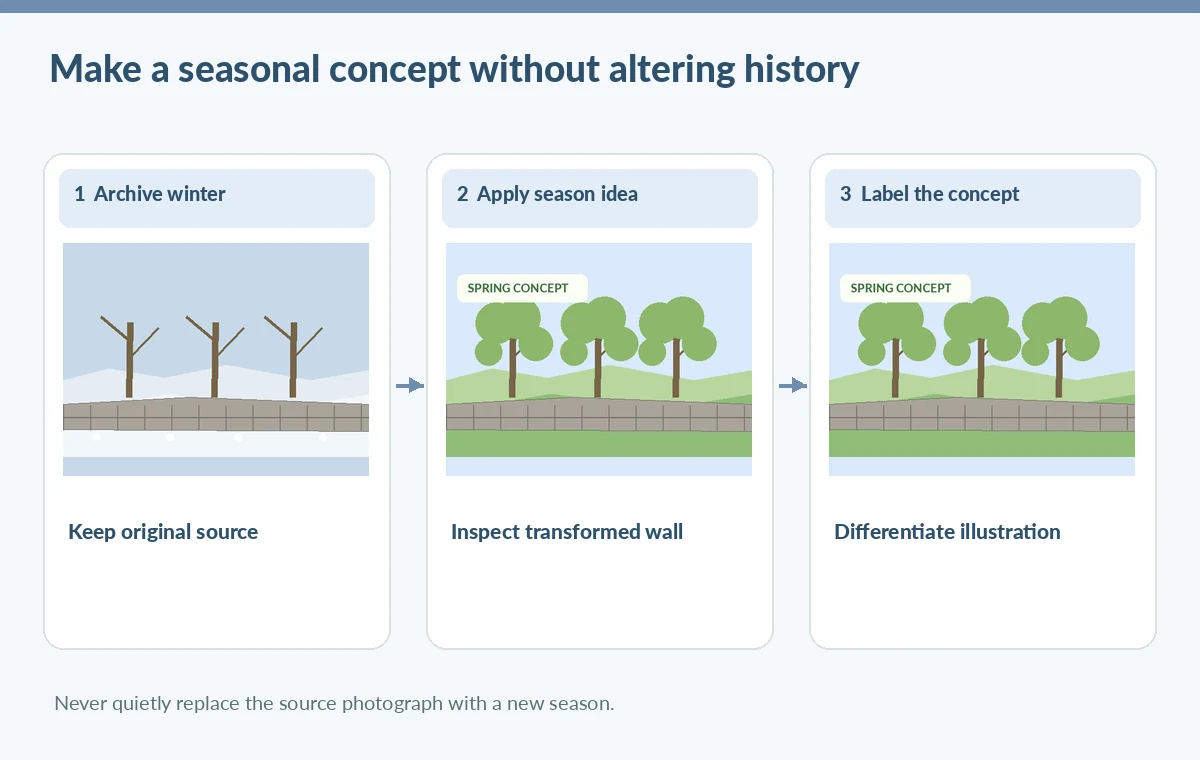
Inventory the photograph’s provenance first: collection identifier, known date or date range, photographer rights and any existing catalog caption. Do not assign a definite month if the archive does not support one. Name the proposed output ‘spring concept illustration’ within the publication rather than ‘restored spring photo.’ That wording matters because visual authenticity and documentary truth are different requirements.
Find stable landmarks in the original frame, such as the stone-wall corner, gateposts, path bend and three visible tree trunks. These anchors help the editor recognize whether an image transformation changes the landscape itself. Keep a lossless preservation copy and work in a separate derivative file. Do not replace the museum catalog’s historical source with the generated seasonal version.
Prepare a safe layer-based editing setup
Use the original as an untouched base layer and duplicate the working layer before opening Filter > Neural Filters. Adobe documents multiple output methods, including a new layer, masked layer or Smart Filter, depending on the available filter. Choose an editable output when possible so reviewers can compare it with the source. Preserve the original crop and orientation; changing the crop can hide evidence of invented landmarks.
Before applying effects, check that the photograph contains enough visible tonal detail to distinguish tree trunks from snow or bright sky. If the source is badly damaged, note those limitations separately. The program may create plausible foliage but cannot know what historical trees grew there. Keep a reference image folder with licensing notes for any modern orchard image used only as a stylistic guide.
Use a conservative seasonal transformation
Open Landscape Mixer in the Neural Filters workspace and select an appropriate reference or seasonal preset. Start with restrained adjustment, reviewing the wall, trunks and ground contours after each change. Adobe cautions that stacking several season or sunset sliders can make their effects compete. Consider applying one seasonal change at a time on separate layers for better review rather than increasing all controls at once.
Beta filters can change across versions and sometimes require downloads or internet access. Avoid promising a particular setting or a fixed render time for every installation. A greener canopy is not the same as a botanically valid tree identification; don’t add a named historical species to the caption based solely on generated leaves. The purpose is illustrative atmosphere, not ecological reconstruction.
Spot places where a plausible edit becomes false evidence
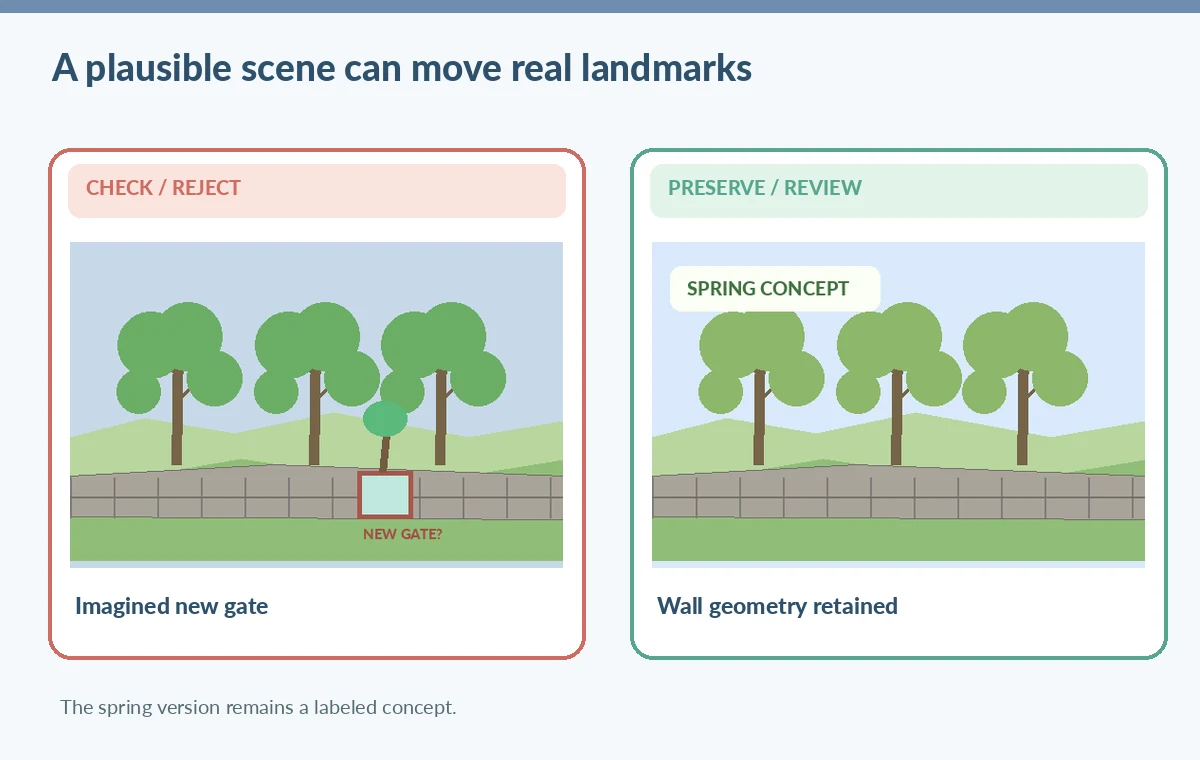
Compare the resulting scene with the archive original at matched zoom. A bad hypothetical output may bend the orchard wall, add a fourth tree or create a new gate beyond the path. Even if the altered frame looks attractive, these changes would distort a heritage route diagram. Mark the incorrect features for manual correction or reject the output as too far from the source geometry.
A second type of error is partial transformation: bright green foliage appears beside patches of snow or a winter sky. Adobe explicitly documents incomplete seasonal results. Such inconsistencies can be acceptable in concept art only if intentionally resolved, not presented as a photographic restoration. For an archival exhibit, place the unmodified image alongside the concept and name the difference in ordinary language.
Review the landscape for cultural and navigational details
Do not let the transformation invent a path that visitors might follow today. Compare the gate, wall and terrain with current approved route maps before any walk-related brochure uses the image. If the photo contains an interpretive plaque or old sign, avoid relying on generated lettering; preserve its documented transcription separately. Historic scenery edits should not create unverified place names or new rights-of-way.
Ask a collections editor to check the caption, a design reviewer to inspect compositing quality and a route owner to approve any map-related information. One person cannot establish all three kinds of evidence just by liking the image. If the spring illustration is a mood-board asset, keep it out of route instructions and identify its illustrative status visibly in surrounding editorial copy.
Export the illustration with transparent provenance
For a brochure, export a print-ready copy and a web version after checking detail at the actual display size. Provide alt text that describes the generated seasonal depiction as an illustration of a winter orchard photograph. Do not strip original source credit or imply the photograph was taken twice. Keep the output’s crop, color profile and compression appropriate to the destination without claiming they prove historical accuracy.
A simple two-image layout is often more educational than a seamless transformation: on the left, the original winter archive, and on the right, the imagined spring treatment. The labels should be legible without a tiny technical disclaimer embedded inside the art. Make the differentiation in the publication’s accompanying text so readers can understand it even on smaller screens.
Maintain an audit trail for later curators
Archive the original filename, collection reference, edit file, reference-image licenses, filter settings, exported concept and editorial approval. Keep a written description of changes that a viewer could mistake for physical evidence. If future research discovers a different historic tree layout, the illustration can be retired without modifying the original archive. This is one reason to preserve non-destructive layers.
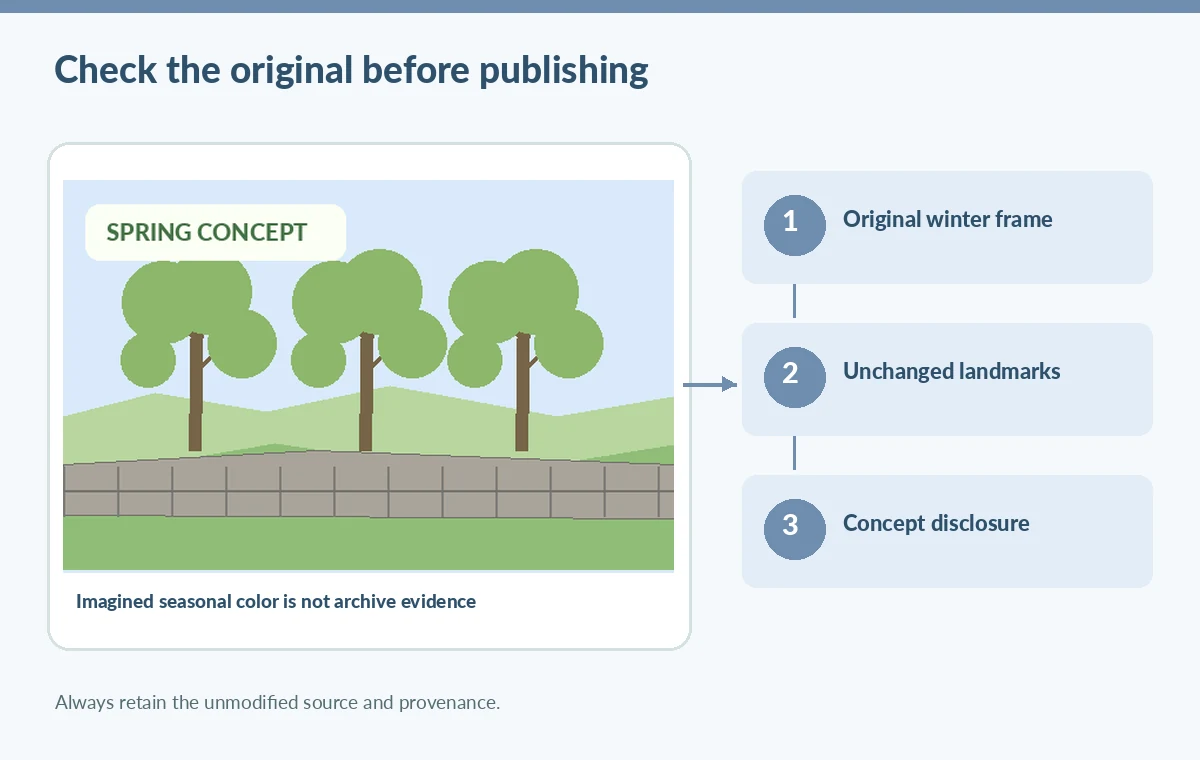
Conduct a final release review: verify the stone wall and gate remain recognizably the same, inspect for partial snow-to-spring transitions, and ensure the new image is labeled an illustration. The schemes on this page are original teaching diagrams rather than screenshots of Adobe software. They represent potential editorial decisions, not a tested historical reconstruction.
How We Research
This guide was researched on November 4, 2026 using these named official product sources: Adobe: Neural Filters gallery; Adobe: Neural Filters known limitations; Adobe: Use Neural Filters. We inspected the vendors’ published workflows and limitations, and designed a hypothetical editorial scenario with checks appropriate to the source material. No vendor account was accessed, no media was uploaded or generated in the service, and we did not measure sound quality, image restoration, accessibility, rights clearance, or factual performance. All illustrations are original educational diagrams, not product screenshots or records of real tests. Features, interfaces, account access and usage limits may change. Editors must independently confirm the original facts, permissions, platform conditions, accessibility, export behavior and human approval before public release.
Frequently Asked Questions
No. It transforms the appearance of an image. Historical plants, dates and weather need independent evidence.
Adobe currently lists it as a beta Neural Filter, so availability and behavior may change.
Adobe warns that slider interactions may weaken or overpower effects. Review one change at a time and preserve separate layers.
No. Preserve the source and catalog provenance, and present the transformed scene as a separate illustration.
Not by itself. Paths, access information and landmarks require current independent route verification.