
A family plans a fictional backyard star-watching evening and wants little telescope and constellation stickers for personal journals. The safe artwork can be charming without borrowing the name, symbol or authority of a real observatory. A round badge with an official-looking government seal could turn a personal decoration into a misleading claim of affiliation.
Microsoft describes Designer as a tool that can generate stickers from text prompts and notes a personal, non-commercial licensing framework for consumer accounts. This article sets out an illustrative review method rather than claiming that any pictured sticker was generated or tested in Designer.
Write a playful concept with a strict no-logo rule
Begin with an original theme: a small telescope on a picnic blanket, one crescent moon, four bright stars and a curved handwritten-style “Star Night” title. Put the required visual elements in one short prompt and explicitly ask for no official badges, observatory names, space-agency branding or professional certification claims.
The purpose is decoration for a family activity, not an invitation that could be mistaken for a government event. If the printed event needs dates, locations or contacts, keep those as separately proofread editable text rather than trusting AI to form precise lettering. Save the prompt so reviewers know what the designer intended.
Check the consumer account and permitted use
Microsoft’s Designer FAQ describes a consumer service using a Microsoft account and notes a personal, non-commercial license. That makes licensing a real preflight check: a sticker suitable for a private scrapbook is not automatically cleared for sale, fundraising merchandise or advertising.
Look up the current terms for the account and the proposed distribution before printing quantities or uploading a product listing. If the use is commercial or belongs to an organization, obtain an appropriate rights determination; do not rely on the word “free” as a license. Avoid uploading anyone’s private photographs or trademarks without permission.

Generate options and examine tiny marks
The Designer documentation describes prompt-based sticker creation as one of its image-generating capabilities. Use a clear description of the objects, medium and intended light or dark background. Inspect every proposed variation, not only the most attractive one.
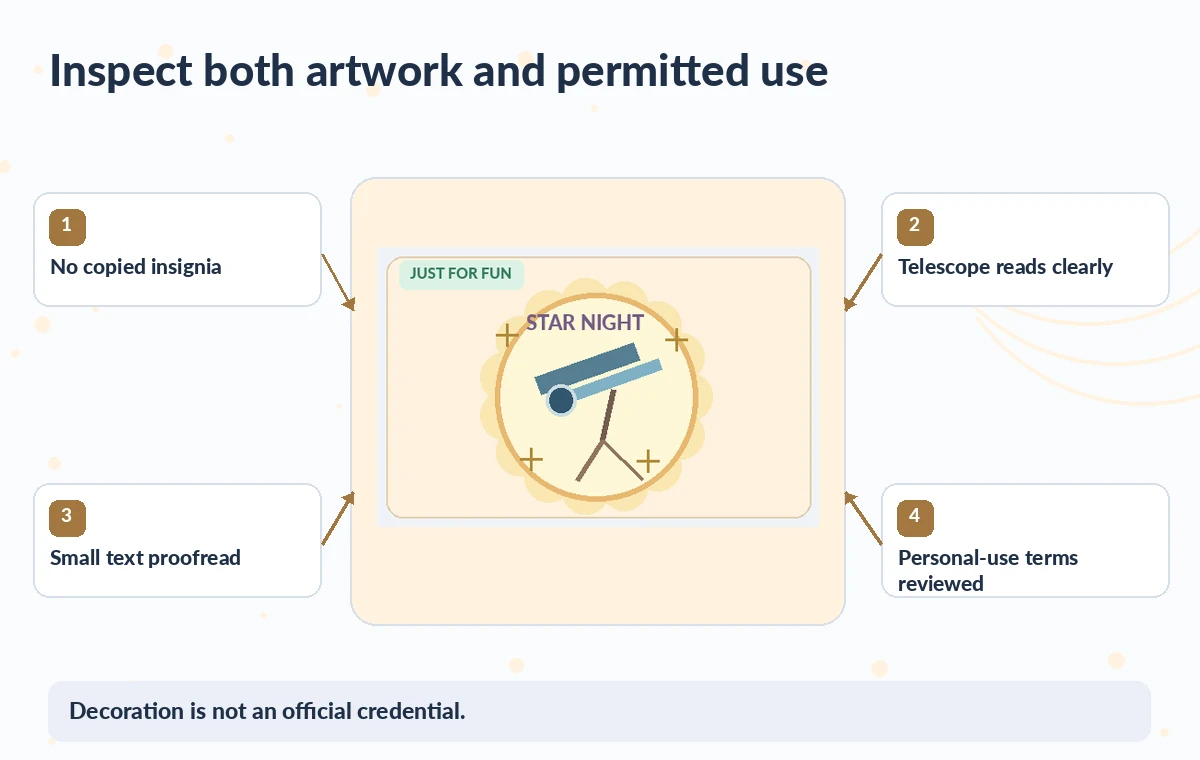
A generated circle around a telescope may accidentally resemble a seal; an extra cluster of initials might look like an agency name. Zoom in on corners, tiny labels and the area surrounding the art. A sticker is often viewed at only a few centimeters wide, making small glyphs particularly easy to misread. Reject ambiguous official-looking elements instead of trying to explain them away in caption text.
Distinguish playful decoration from institutional endorsement
The comparison diagram contrasts a hypothetical “official observatory” emblem with a non-affiliated telescope-and-stars illustration. It is not a screenshot of a generated result. The safer direction eliminates a government-style laurel, tiny agency initials and false certificate number while preserving the hand-drawn telescope.
If a real organization has explicitly licensed a logo, obtain and insert the authentic supplied file as an approved graphic rather than generating a lookalike. A disclaimer elsewhere on the page may not undo the first impression created by a familiar seal. That makes removing the visual implication more important than adding small legal text.

Protect shapes and lettering through small-scale proofing
Print a single low-cost proof at the actual sticker size before using a full sheet. Check that the telescope tripod still has three legs, that the stars remain distinct and that the title remains readable. A thick white outline may be useful, but it should not merge the telescope with a ring that looks like a badge.
On a dark notebook cover, confirm that the sticker does not lose its border or appear to contain hidden text. Compare the proof against the original creative brief and inspect the exported asset at one-to-one zoom. Regenerate or simplify rather than trusting a blurred preview.
Understand edits, downloads and content credentials
Microsoft documents download and further-edit options for Designer creations and notes content credentials for AI-generated or edited imagery. Do not remove provenance metadata simply to make an output seem hand-made. The user may still need a separate text label in an archive describing AI-assisted creation, especially after converting formats or placing the art into a larger page. Check the actual file for transparency, dimensions and expected background before adding it to a print layout. If the result has unexpected typography, manually typeset the title outside the generated image when possible.
Use only original and permitted visual references
If the family wants a particular star chart, remember that a sticker is an artistic design and not a precise observing map. Do not use it for navigation or scientific interpretation. A real observatory mascot, mission patch or photograph may carry trademark or copyright restrictions.
Prefer original toy telescopes, generic star shapes and invented decorative motifs. If a child’s name is proposed for the sticker, consider whether sharing that personal information is necessary; use the family’s private design workflow and avoid public samples. Creative choices should not accidentally publicize names, locations or identifiable private details.
Approve each variant for the intended personal setting
Review the final pack as a set, checking that no variant claims official endorsement or contradicts the family’s event details. Confirm terms of use, the intended personal distribution and the accessibility of any accompanying activity instructions. Keep the original prompt and final file for future updates.
If a family member changes the date or title, update editable copy and proof the sheet again. A visually polished sticker can still be misleading; the release check should include logo similarity, text legibility, originality and permission. Treat Microsoft Designer as a creative aid for informal graphics rather than a source of official credentials.
How We Research
We prepared this article on November 4, 2026 by reviewing the following official developer materials: Microsoft Designer: frequently asked questions and features; Microsoft Designer web app; Microsoft: responsible use and content credentials in Designer. We checked documented controls, eligibility, export conditions, workflow boundaries and features that may change with a plan or account. We designed the scenario and independently drawn illustrations to demonstrate an editorial risk, not to represent a completed product test, measured accuracy result, verified real customer story or screenshot of the service. No live library status, institutional record, venue, partnership or admission rule was accessed. For a real assignment, review current documentation and rights, inspect the source materials yourself, and obtain a named human approval before release.
Frequently Asked Questions
Yes. Microsoft lists custom AI-generated stickers among Designer’s consumer capabilities.
Do not assume so. Microsoft describes consumer Designer as licensed for personal, non-commercial use; review the current terms for the intended use.
Reject or revise that variant unless there is explicit permission to use an authentic supplied identity asset.
No. Microsoft warns that generated images can contain incorrect or unexpected lettering, so proofread it carefully.
No. It is decorative artwork, not a verified guide to celestial positions or scientific observation.