
A librarian frequently types responses to questions such as “Is my reserved book ready?” Repeating the greeting and next-step instructions is tedious; falsely stating that a hold is ready can send a patron across town for nothing. A saved voice-triggered template can help with consistent wording, provided it never silently fills in a live inventory status.
Wispr Flow documents Snippets as phrases that expand into saved text when dictated, on supported desktop and mobile platforms. Here is a hypothetical desk workflow, not a demonstration using real patron records or a claim of live testing. The sample card and transcript panels are conceptual.
Define what a standard reply may and may not say
Before creating triggers, separate invariant wording from customer-specific information. It is reasonable to reuse “Thanks for contacting the library” and “Please check your account or ask the circulation desk for the current status.” It is not reasonable to store “Your copy is ready for pickup” as the default answer without checking the library system.
Document a rule that the borrower name, exact title, pickup window and availability must be taken from the authorized circulation record at send time. Leave them out of snippets rather than inserting placeholders that staff might overlook. A reusable reply is an efficiency tool, not a replacement for an actual catalog check.
Choose a distinctive spoken trigger
Wispr Flow recommends a distinctive trigger phrase instead of a common everyday word. “Library hold status reply” is safer than “thanks,” because it is less likely to activate in an unrelated sentence. In the Snippets view, create a personal snippet and place the desired trigger in the Snippet field and the approved response in Expansion.
The official help explains differences between Add new and plus controls across platforms. Do not use a patron’s name, phone number, library-card number or other unique personal detail in the trigger. Speak the trigger aloud in a test note before using it with a message recipient.

Write an expansion that makes uncertainty explicit
A useful saved expansion could read: “Thanks for asking about your hold. I can check its current status and confirm pickup instructions after reviewing your account.” That text avoids assuming a status and leaves room for a human follow-up.
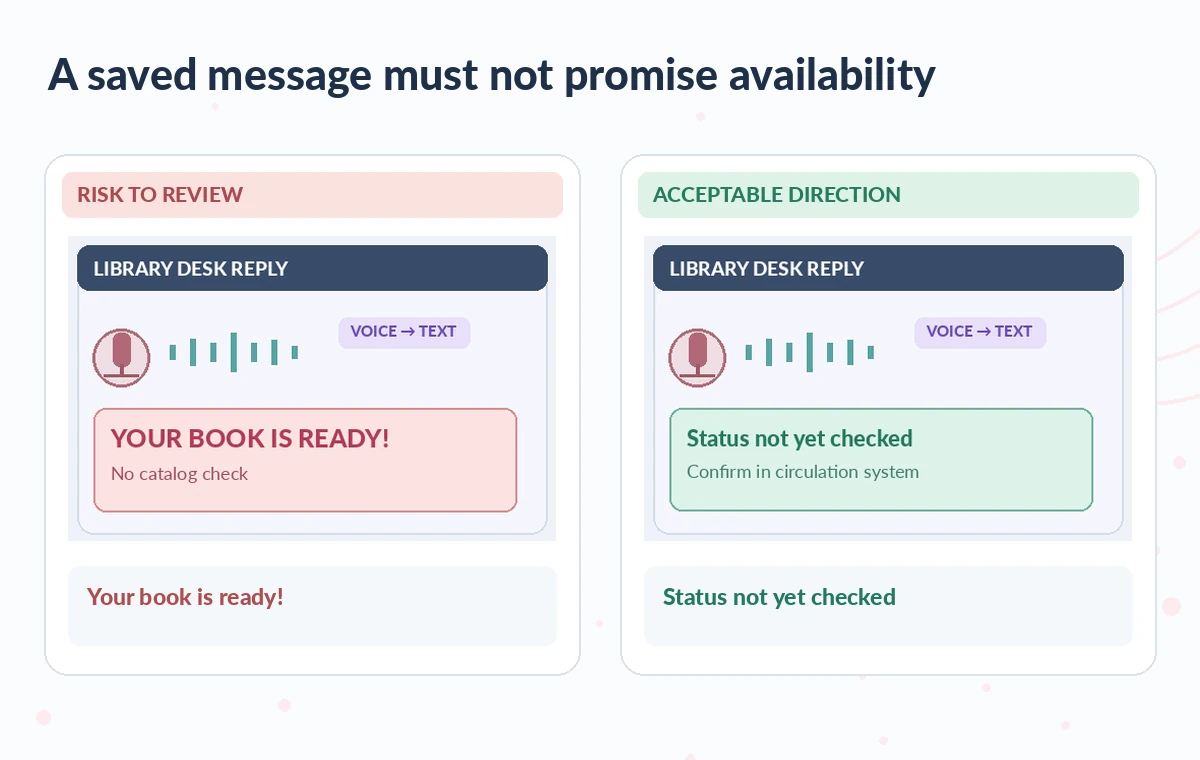
In the risky illustrated case, a template prematurely says “Your book is ready”; the reviewed version says “Status not yet checked.” Keep any live date, location or account detail out of the expansion. The exact casing of the saved text is preserved by Flow even though the spoken trigger is not case-sensitive. Proofread punctuation and capitalization once before relying on the template repeatedly.
Test expansion in a safe text field first
Open a scratch document with no personal data and begin ordinary dictation. Say the full trigger, alone or within a sentence, and stop when the saved expansion appears. Flow says snippets can expand on Mac, Windows, iOS and Android, but controls and device setup vary.
Check that only one paragraph appears, no extra conversational language is inserted and the result is not cut off. If a trigger activates unexpectedly, rename it to a more specialized phrase. If it fails, inspect the saved trigger and platform setup using the official troubleshooting steps rather than repeatedly dictating real patron information into a test.
Review recipient, context and the live circulation record
Before sending a reply, confirm the destination and whether the question is about a new reservation, a renewal or a completed hold. Read the actual library status in the permitted circulation system. The expansion should remain a neutral envelope around that verified fact, not a statement of availability itself.
If the book is delayed, answer with the correct status and next action, not a reassuring promise that staff cannot fulfill. Compare the inserted text against the question to avoid a tone mismatch, such as responding to a cancellation request with a pickup template. The staff member remains responsible for the final message.
Keep templates and dictation history privacy-conscious
Wispr’s app documentation distinguishes history across platforms and warns that deleting local history does not necessarily remove cloud copies. Read organizational retention rules before using any dictation service for sensitive work. Never save confidential notes, patron addresses or card numbers inside shared snippets, and do not dictate personally identifying data for demonstrations.
If a shared library is supported and enabled in a workspace, decide who can approve wording changes. A snippet that contains generic instructions can be shared more safely than one with customer data or internal credentials. Treat the account’s sync and organization policy as separate checks.
Handle snippet updates, sync gaps and disabled features
Wispr documents edits, deletion, import, syncing and conditions under which an administrator can turn Snippets off. A missing snippet on another device does not prove the text has been deleted everywhere; confirm the same account, try the documented refresh path and escalate when needed.
For a wording change, update the snippet and run a new sample expansion before the next shift. If a device shows an old version, do not treat the template as approved just because its trigger still works. For critical notifications, fall back to an approved written template if syncing or expansion is unreliable.
Audit the message before it leaves the desk
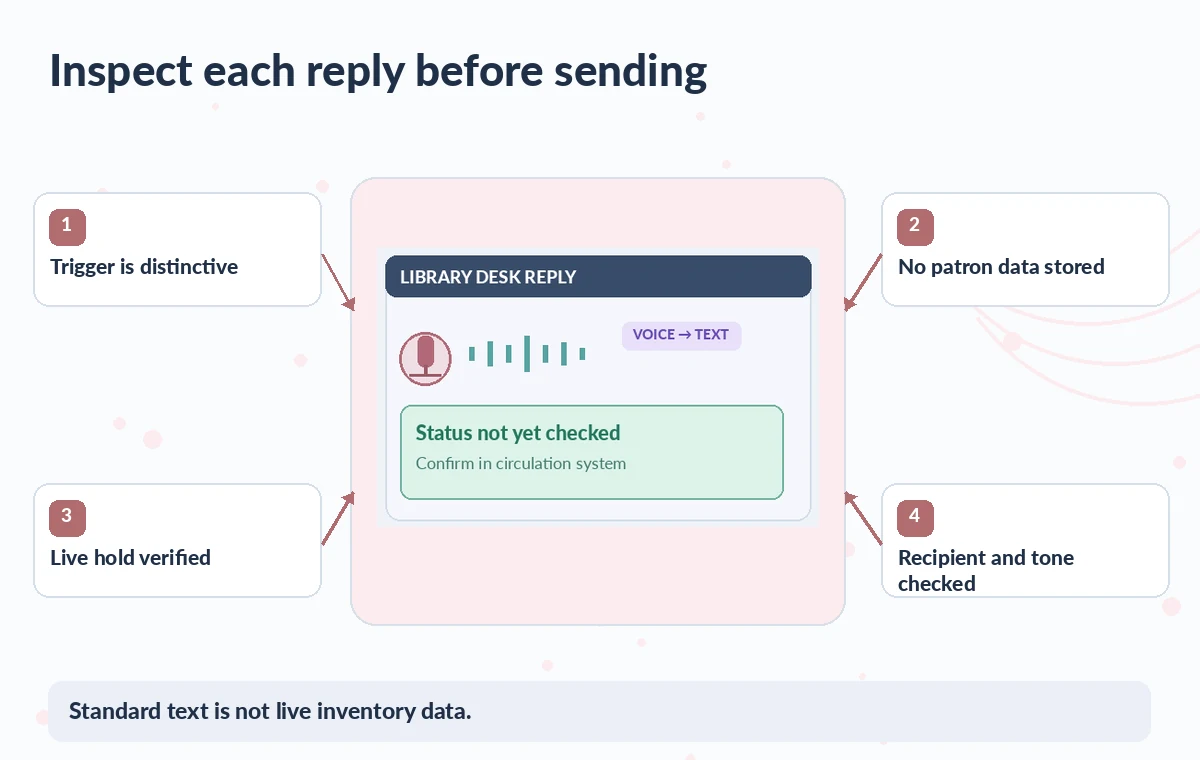
Use a quick check of four points: the expansion matches the topic, no unverified “ready” assertion appears, the recipient and account facts have been checked separately, and the message gives a useful next step. A second reader can periodically inspect the shared library for outdated pickup policies or accidental promises.
Keep a small revision log with the snippet owner, approval date and template purpose. The assistant can insert standard words faster, but it does not query the local integrated library system or validate the hold status. The final answer must still be grounded in the live record.
How We Research
We prepared this article on November 4, 2026 by reviewing the following official developer materials: Wispr Flow: create and use snippets; Wispr Flow: how dictation works; Wispr Flow: navigating the app and history. We checked documented controls, eligibility, export conditions, workflow boundaries and features that may change with a plan or account. We designed the scenario and independently drawn illustrations to demonstrate an editorial risk, not to represent a completed product test, measured accuracy result, verified real customer story or screenshot of the service. No live library status, institutional record, venue, partnership or admission rule was accessed. For a real assignment, review current documentation and rights, inspect the source materials yourself, and obtain a named human approval before release.
Frequently Asked Questions
Wispr documents Snippets on supported Mac, Windows, iOS and Android apps, although setup and editing controls vary by device.
No. The trigger match is case-insensitive, while the expansion retains the saved capitalization.
Not by itself. A snippet inserts stored text; staff must verify live availability in the authorized library system.
Wispr says personal snippets are available on every plan, though organizations may disable the feature.
Stop, correct the snippet in its editor, test it in a harmless document, and review the final message before sending.