
A local food pantry is preparing a Saturday distribution. A project board shows a van booking, packing shifts, printed pickup notices and the final route list. Some tasks are checked off, while one driver has merely posted “I can probably do it.” Asana Smart Status can draft a useful project update, but it must not turn a hopeful comment into a confirmed booking or confuse a task checkbox with a delivered outcome. This hypothetical review process treats the AI draft as a starting point for project communication. A coordinator verifies evidence, names the blockers and decides whether the overall status is on track, at risk or off track.
Make the Asana project reflect actual evidence
Before drafting, organize the board around concrete deliverables: vehicle confirmation, packing completion, pickup-site readiness, volunteer coverage and route handoff. Give every task an owner, due date and unambiguous completion criterion. “Contact driver” is not the same as “Driver accepted route and time”; the second should require an affirmative response in a task comment or attached confirmation. Keep private recipient lists out of widely shared tasks. Add a simple evidence field or link when a milestone is consequential, then review task dependencies so the report can show why a missing van blocks loading. AI can summarize project activity only as well as that activity was recorded.
Generate the draft within the correct date window
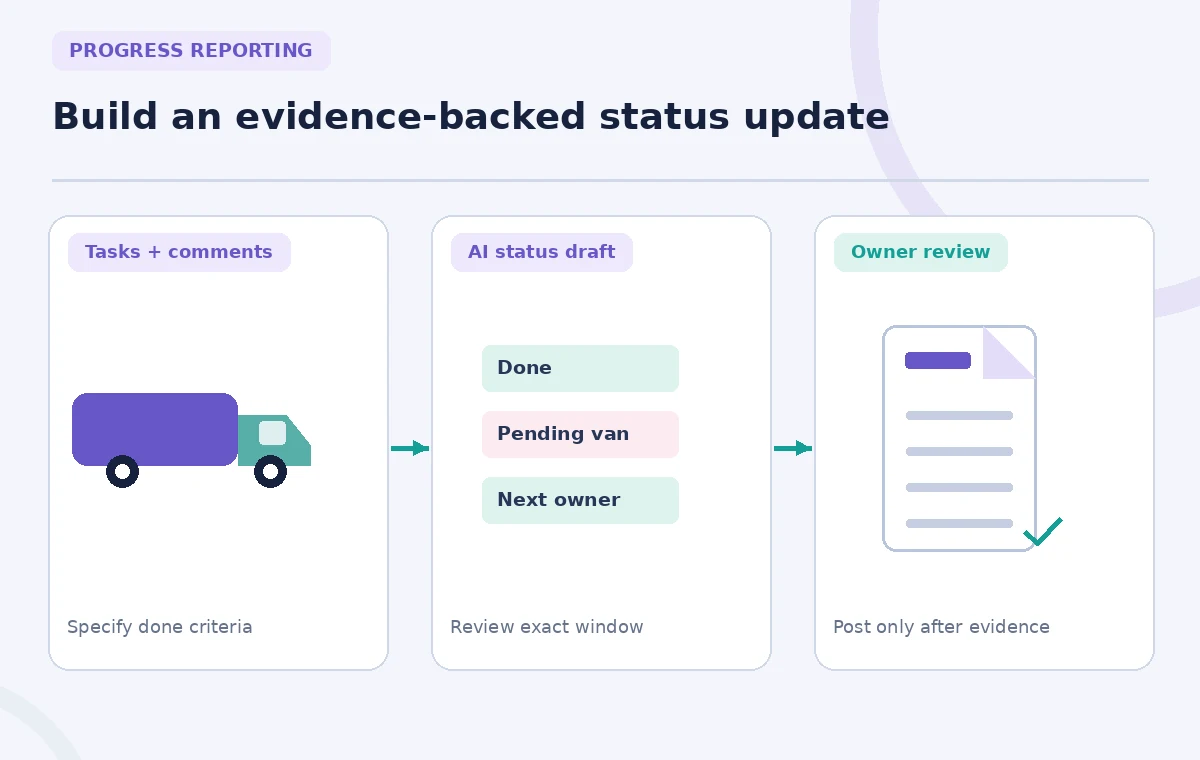
Asana’s Smart Status help describes the project Overview tab, selecting the current project status and choosing Draft with AI. You can choose a date range and add guidance before generating. Project Smart Status is listed across Starter, Advanced, Enterprise and Enterprise+ plans; availability and administration still depend on the workspace. Choose the reporting window matching the Saturday dispatch plan rather than asking for an indefinite “latest” narrative. Add guidance with sections such as Verified milestones, Items requiring confirmation, Blockers and Next owner action. Generate the draft but do not post immediately. Asana offers edit or discard steps before posting, and that human review is essential.
Compare AI wording to task comments and timestamps
Take each sentence that sounds like a completed action and open the underlying task. If the update says “Vehicle confirmed,” locate the booking confirmation or a message from the authorized driver. If the task contains only “called rental desk,” rewrite the statement as “Vehicle reservation pending confirmation.” Record the relevant timestamp because progress may have changed after the selected reporting window. Likewise, a packing shift marked complete on Friday may not demonstrate that Saturday’s pickup stock is ready. The process diagram separates board data, drafted narrative and evidence-based editorial approval. No invented completion percentages should appear in either the prose or the graphics.
Use an explicit blocker versus risk distinction
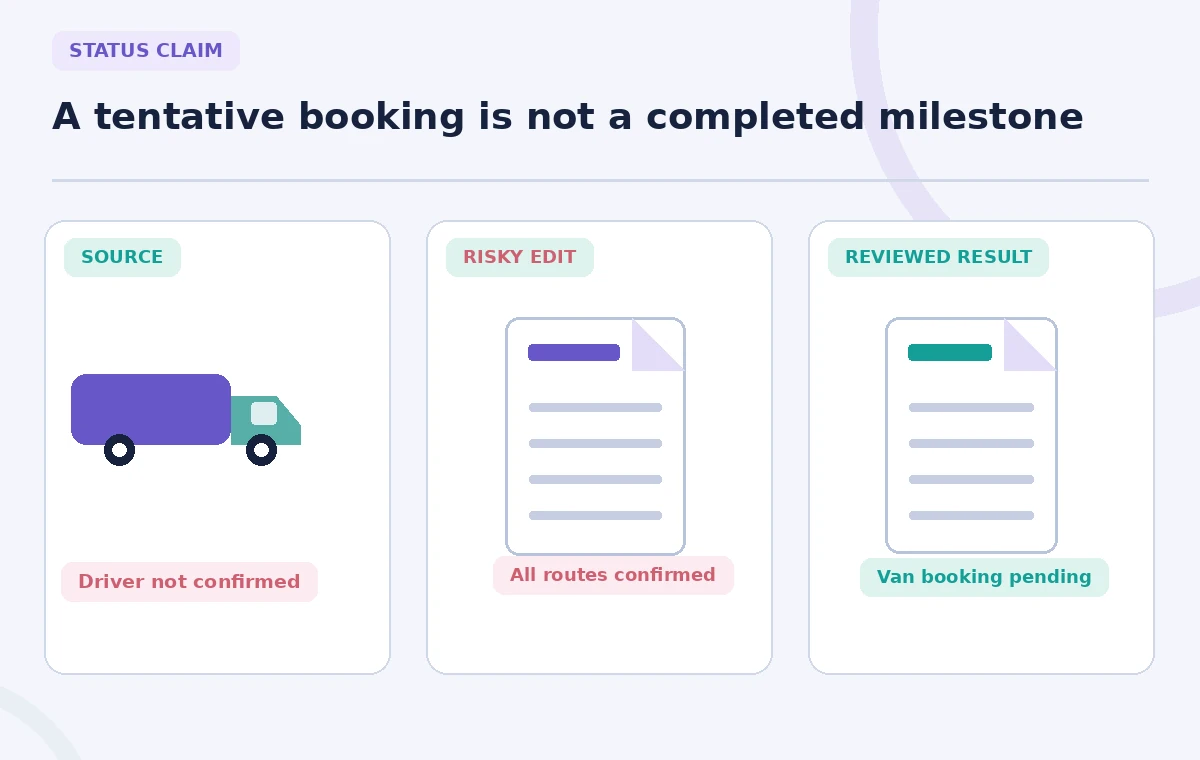
A blocker prevents the next action now: for example, the assigned van is not available for collection at the needed time. A risk threatens the plan but has not yet caused a stoppage: the printing service has warned about a possible delay. A question is neither: the site lead has not yet confirmed the direction of the line. Do not let an AI summary flatten all three into a reassuring paragraph. In a reviewer table, assign each item to Blocker, Risk or Open question, with one named person responsible for an update. The comparison illustration contrasts a vague “everything on schedule” claim with the known pending vehicle confirmation.
Write a status update people can act on
Use a compact structure: one sentence stating the chosen status, a few verified completed milestones, the immediate dependency, the accountable owner and the next check-in. “At risk: packing is scheduled, but vehicle confirmation is outstanding; Alex will confirm by the agreed cutoff” is more useful than a long list of generic project achievements. Never invent the cutoff or assign a volunteer without agreement. If leadership must approve a backup rental, include a specific request for a decision rather than treating the purchase as already authorized. Link to the task where the decision will be recorded so readers can find the current source instead of relying on an old status post.
Prevent sensitive operational details from spreading
Project updates may be copied to partners. Keep household addresses, volunteer personal numbers, recipient names and sensitive circumstances in the access-controlled system designated for them, not in an AI-visible project description or a broadly posted summary. Review permissions for any task attachments before quoting content in a status update. Asana’s Smart Status feature draws on selected work context, so restricting data at the project level matters. When discussing a late driver, use an operational phrase such as “Driver acceptance pending” instead of personal speculation. The goal is coordination without public blame or disclosure of private information.
Audit the report against the project after generation
Ask another coordinator to follow every highlighted claim back to a task, comment or signed decision. Check three classes of error: completion overstated, blocker omitted and owner mislabeled. Inspect items moved into Done during the reporting period, but do not treat a move as evidence of physical delivery unless the task definition requires a receipt. Look for overdue tasks that were silently omitted because they were not featured in recent discussion. The release-check diagram shows where to inspect the milestone badge, dependency arrow and approval owner. Preserve the pre-edit draft as a teaching artifact if your organization tracks AI editorial errors.

Post, monitor and correct with a visible audit trail
Only an accountable coordinator should click Post on the final Asana status update. State when the snapshot was accurate and when the next review will occur, because a time-specific delivery project changes quickly. If a blocker resolves after posting, publish an update or comment rather than rewriting history without explanation. If the van confirmation fails, escalate through the pantry’s normal contingency process and do not let Smart Status automatically authorize a rental. Repeat the workflow for later events using the same evidence standard. The useful outcome is a report that makes uncertainty actionable, not one that sounds more successful than the underlying project.
How We Research
We consulted Asana’s official Smart status article and its AI feature/admin guidance for draft actions, date selection, editing and tier distinctions. All pantry tasks, people and status examples are fictional; we did not access an Asana workspace or verify a delivery outcome.
Frequently Asked Questions
The documented workflow lets a reviewer edit or discard the draft and then post it. Keep a named person responsible for publication.
Asana lists Starter, Advanced, Enterprise and Enterprise+ for the feature; check organization settings and current entitlements.
No. Confirm completion against the task definition and supporting evidence such as an accepted handoff.
Avoid sensitive recipient details in broadly visible updates. Use controlled operational references instead.
Label it pending or a blocker/risk according to its actual impact; do not call a tentative message a confirmed booking.