
A food bank coordinator returns from a day off to dozens of Slack updates. One volunteer asked to trade a Saturday morning shift for an afternoon slot, another offered to help, and a third person wrote “sounds possible.” That is not necessarily an approved change. Slack AI search answers can surface relevant conversations with citations, but the coordinator must still distinguish a request, an offer and an authorized roster decision. This hypothetical workflow turns a natural-language search into a source-checked handoff rather than treating a fluent AI answer as a new scheduling authority.
Start with the actual source of scheduling truth
Before searching Slack, identify the roster file or scheduling system that governs who is currently assigned. Write down the volunteer’s shift date, time zone, the location and the authorized roster editor. A Slack thread may contain valuable evidence, but a suggestion in chat may be stale or overridden in the schedule. Distinguish “what people discussed” from “what the scheduling system now shows.” Keep personal contact details out of the search prompt unless necessary and permitted. If two shifts share the same weekday name, include the full date rather than relying on “next Saturday,” which changes meaning as time passes.
Ask a time-bounded, specific AI search question
Slack’s AI guide describes natural-language search answers that appear near search results and include citations to messages or files. Search for the proposed Saturday shift trade, naming the relevant date and team channel. Ask who requested the change and whether a roster owner explicitly approved it, rather than asking the open-ended “what happened with shifts?” Search answers are listed for Business+ and Enterprise+ plans in Slack’s current feature guide; admins can also restrict AI access. If AI answers are unavailable in your workspace, use ordinary Slack search and inspect the same messages manually. Never tell colleagues an AI summary is a confirmed audit record.
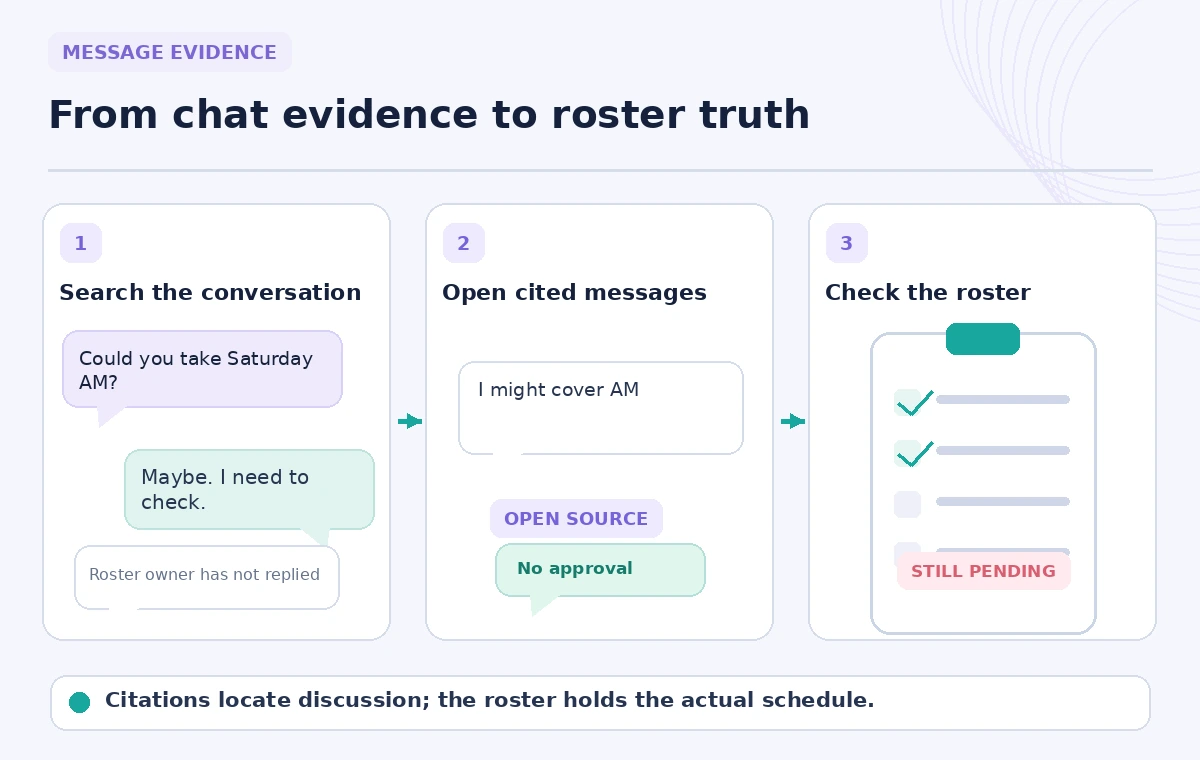
Open every citation that matters to the decision
Click the message citation in the AI result and read the original thread, including replies before and after the quoted text. Look for explicit acceptance from both affected volunteers and the person allowed to approve changes. A search answer might truthfully cite “I can cover that shift” while leaving out “only if my childcare works out.” Read timestamps, edited-message notices and linked files. Use a short evidence log with the source message link and the exact decision it supports. Do not quote private messages into a public channel simply because they appeared in a result available to your account.
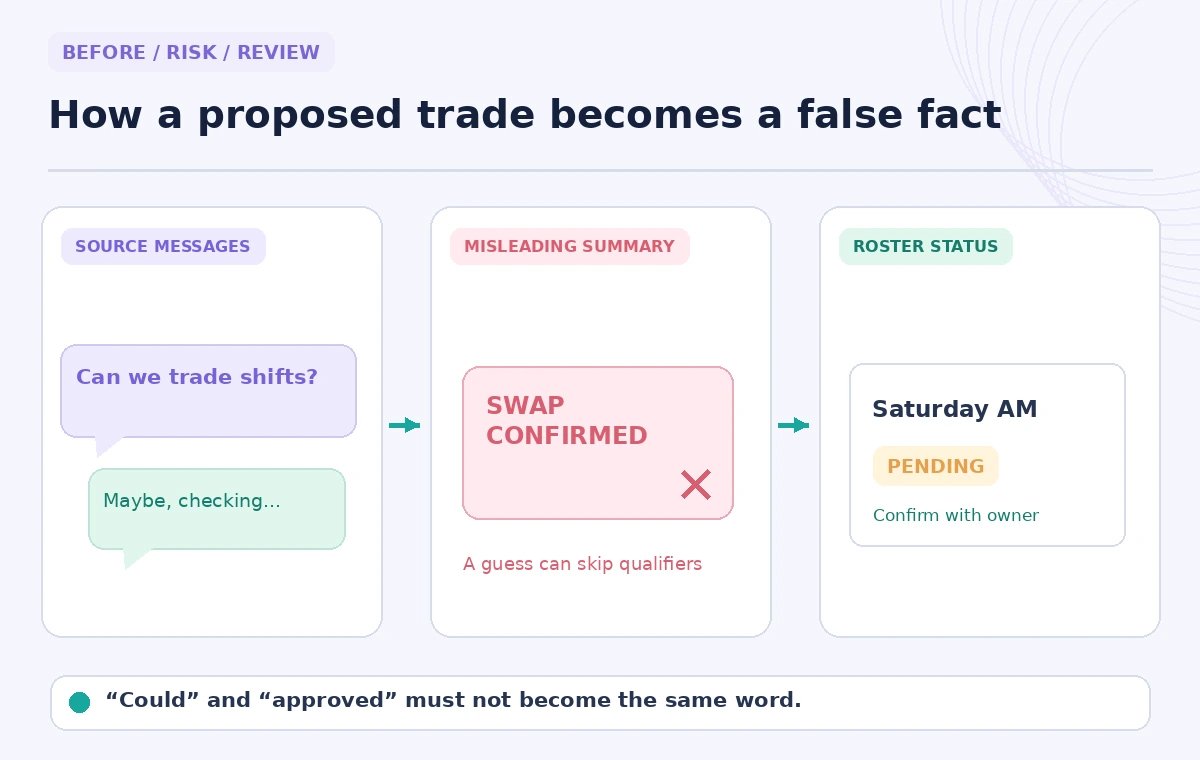
Spot the false conversion from proposal to approval
A proposed exchange can travel through three states: request, tentative offer and explicit approval. The illustration contrasts a plausible AI condensation—“swap confirmed”—with the actual unresolved language in source messages. It is a conceptual example, not a recorded Slack search. Treat emojis, reactions and acknowledgments as ambiguous unless the team has a documented convention making them binding. If the coordinator sees a clear approval on Monday that was superseded Tuesday, the later thread governs only if the authorized scheduling policy says so. Dates, authorship and the action in the canonical roster should all be checked.
Know what Slack AI can and cannot search
Slack states that generated answers use content the requester already has permission to access; they do not expose private channels or direct messages outside that access. Enterprise search can connect additional applications under relevant plans and admin configuration, but do not assume all cloud files are searchable. This is an important limit, not a reason to widen access to confidential volunteer records. An absence of results is not proof that nobody approved a swap in a separate system, email or inaccessible channel. If a decision cannot be traced in Slack, contact the roster owner and use the official approval channel.
Confirm the change in the roster before messaging
After the evidence check, compare the current roster and capacity limits. If approved and both shifts remain staffed, ask the authorized editor to make the change and record a reference to the decision. If not approved, send a neutral clarification: “We have a request and an offer, but no final approval recorded.” Avoid writing messages that imply consent or an accepted trade when either volunteer has not explicitly agreed. No automation should change shifts solely because an AI answer includes the phrase “confirmed.” The roster is the operational state; the Slack thread is supporting context.
Share a minimal, human-written handoff
The final handoff needs the shift date, the proposed exchange, what was verified, what remains open, the person who can decide and the canonical roster link. If you share an AI search answer using Slack’s sharing control, review its content and target audience first. Slack documentation says users can share AI answers, but that action does not turn the answer into an endorsement. Avoid spreading unrelated conversation excerpts or individual contact details. Tell the next coordinator where to find the decision itself, not just a generated paragraph with an implied resolution.
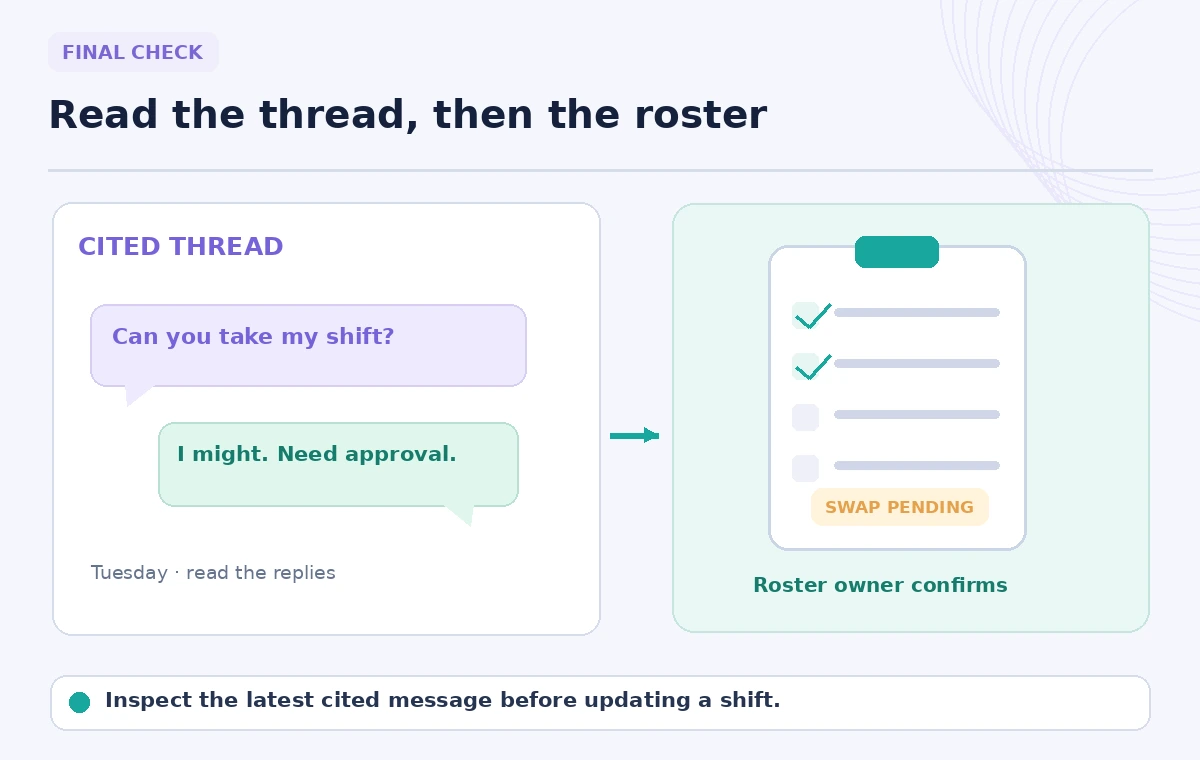
Keep a short audit trail for recurring swaps
After the shift, review whether approvals were scattered across DMs, channel posts and spreadsheet comments. A standardized approval message or scheduling form can reduce repeated searches. Save only the references required by organizational policy and avoid retaining a separate archive of private chat excerpts. Check if the latest action in the roster matches the approved request and whether a replacement actually received the details. Slack AI is most useful as a discovery layer across conversations, with citations letting a person test its interpretation. It does not grant permission to change the schedule or establish that a volunteer showed up.
How We Research
We reviewed Slack’s official Guide to AI features in Slack, admin access guide and AI security explanation. They describe citations, plans, admin controls and permission boundaries. The shift conversation and diagrams are fictional. We did not access a Slack workspace, review real volunteers or verify an actual roster change.
Frequently Asked Questions
Yes. Slack documents citations that link from generated search answers to relevant messages or files.
No. Slack lists Search answers on Business+ and Enterprise+ with possible admin restrictions; check your workspace.
Slack states that AI respects existing access permissions and does not surface inaccessible private channel or DM content.
Not without the required acceptance and approval in the organization’s actual scheduling process.
Open its citations, inspect dates and approvals, and ask the authorized roster owner to reconcile the records.