
A neighborhood literacy nonprofit is preparing a grant application. Its staff hold public funder guidance, an approved program description, and a confidential donor spreadsheet. The research team wants a shared place to ask questions about eligible activities without exposing donor records or treating an AI answer as a primary source. Perplexity now describes Projects as shared research workspaces with persistent files, connectors, and context; its 2026 changelog says Projects are the evolution of Spaces. This guide proposes a conservative source-controlled workflow for a fictional grant team. We did not operate Perplexity, inspect an actual funder, or verify any organization’s eligibility for a grant.
Separate research inputs by sensitivity
Inventory the documents before creating a workspace. Put public eligibility rules, the current official application guide, and the nonprofit’s approved program summary in an allowlist. Put donor names, confidential budgets, employee records, and draft board notes in a separate restricted inventory. Do not assume that a project inherited from an earlier Space has the desired permissions. Assign an owner to approve every file or connector. The research goal is to understand a funder’s published requirements, not to have the AI browse the whole organization. Restricting the source set makes citation review easier and reduces the chance that a private figure appears in a public proposal.
Use current Projects terminology
Perplexity’s product pages present Projects as hubs for ongoing work with persistent files, shared context, and connectors. Its changelog explicitly describes Projects as the evolution of Spaces, with existing Spaces migrated. Because older tutorials may still use the previous name, confirm the current interface in the organization’s account instead of copying legacy navigation. Feature access, connectors, memory controls, and sharing capabilities can depend on product rollout and plan. Do not claim that a specific enterprise connector is available without checking the workspace. Document the product view you actually see and the permitted scope before inviting collaborators.

Create a tightly scoped grant workspace
Name the Project for the funding opportunity and cycle, not just ‘Research.’ Add a short instruction that replies must distinguish official funder policy, internal program facts, and unsupported suggestions. Include the publication or revision date of each authorized source. Assign roles: an owner for connections and sharing, a researcher for questions, and a reviewer for final claims. A persistent context system can improve continuity, but it also increases the need to control what files and prior notes remain in scope. Do not put sensitive donor-level data into a shared file area merely because the tool makes collaboration convenient.
Attach official guidance and record provenance
Collect the current application instructions from the funder’s own domain, its program guidelines, and any published FAQ. Record a working URL, publication date, retrieval date, and exact section relevant to the team. If a PDF was updated after it was downloaded, resolve the conflict before writing. Perplexity Projects describes pulling files from connected sources and maintaining them in a shared workspace, but the presence of a document in a project does not prove it is current. Keep a source register outside AI-generated prose so the team can trace each claim to the original authority even if a chat summary disappears.
Ask questions that preserve distinctions
Frame a question narrowly: ‘Using only the approved funder guidelines for this cycle, list the application attachments required for a community literacy program and cite the section for each.’ Separate that question from ‘suggest project ideas,’ which invites speculation. Ask for unknowns to be marked rather than filled in. Avoid prompts that instruct the assistant to infer eligibility from a nonprofit’s private finances. A helpful answer should identify the documentary basis and any conflict between the source versions. If the model cannot provide an inspectable original for a claim, do not promote that claim into the application.
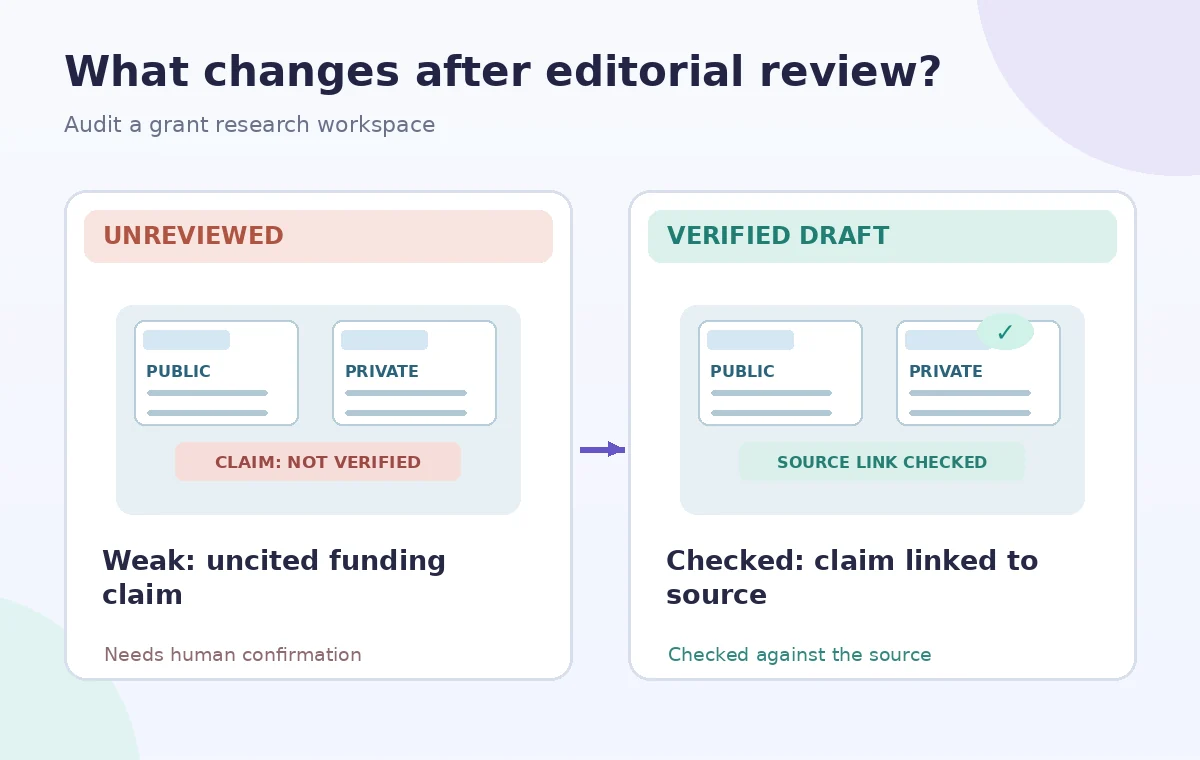
Open each cited page and verify meaning
A citation is a lead to evidence, not a warranty. Open the linked original and confirm that the cited passage actually applies to the grant cycle, applicant type, geography, and requested funding amount. Watch qualifiers such as ‘may,’ ‘subject to approval,’ and ‘not eligible.’ Never replace an exact application deadline with a date generated from an example discussion. If a source is a team note summarizing a call, identify it as internal correspondence rather than an official funder rule. Record quoted wording sparingly and preserve context instead of copying a long passage into the proposal without permission.
Audit collaboration and sharing settings
Before inviting reviewers, inspect project-level and thread-level permissions and test what a member can see. Perplexity’s product materials describe shared Projects and configurable connectors, but the team should confirm behavior in its actual subscription. A share link for a draft answer is not necessarily an appropriate route for confidential background documents. Keep access limited to people who need the source materials and remove stale collaborators after the application cycle. Recheck the workspace if it migrated from an older Space. Privacy should be a deliberate approval step, not a setting that the grant writer assumes another person handled.
Write the grant narrative outside the answer box
Create a claim ledger with four columns: proposed statement, official evidence URL, verified source passage, and owner approval. Draft the proposal in an approved document system with the nonprofit’s current program description and responsible budget owners. Do not let an AI-generated paragraph claim awards, partnerships, audited outcomes, or capacity numbers that the organization cannot prove. Separate policy compliance questions from persuasive framing. If two official documents conflict, contact the funder or apply the documented precedence rule rather than asking the model to guess. Use the research workspace as an assistant to discovery, not as the final source of truth.
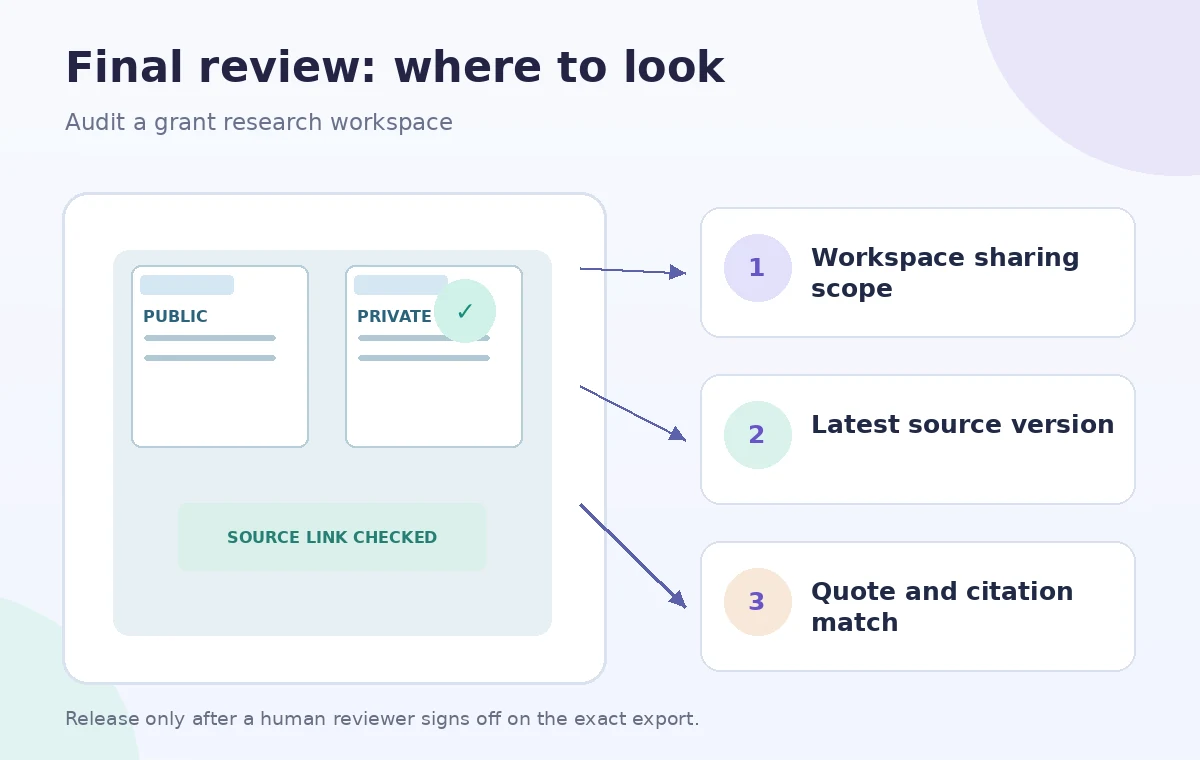
Archive a reproducible application trail
When the proposal is submitted, save the approved final draft, original guidelines, source register, access review, and decision history in the nonprofit’s normal records system. Record whether any workspace connections need removal. Reconfirm the current product terminology and functionality for future cycles; Projects and AI assistants change rapidly. The diagrams in this article are conceptual examples of file scopes and citations. They do not represent real Perplexity results, successful eligibility checks, or a grant award. An accurate grant application relies on the funder’s primary documents and human accountability, regardless of the AI tool used to organize research.
How We Research
The documented feature claims in this guide come from these first-party sources, checked for this editorial draft: Perplexity — Projects product overview and Perplexity Changelog — Shared workspaces and Projects. We compared Perplexity’s Projects overview with its published product changelog describing the evolution from Spaces, and used those documents only for supported workspace capabilities. Grant eligibility must come from the actual funder. We built the hypothetical scenario and four conceptual diagrams to illustrate where the reader must check evidence. They are not screenshots, transcripts, generated results or measurements from a live account. We did not use the products on customer data, confirm a plan entitlement in a real organization, run performance tests, or guarantee compliance, safety, eligibility, commercial rights, or financial correctness. Recheck source dates, platform permissions and tool availability immediately before a real workflow, and ask the responsible subject expert to approve the final output.
Frequently Asked Questions
Perplexity describes Projects as the evolution of Spaces and says existing Spaces were migrated. Check the current account interface.
Not by default. Exclude confidential donor-level information unless it is necessary, authorized, and appropriately protected.
No. Open the original current funder guidance and confirm the rule applies to the applicant and grant cycle.
Verify that each connector is available and limited to authorized sources and collaborators in the actual workspace.
Keep the approved application, source register, original guidelines, review decisions, and an access-cleanup record.