
A cooking instructor records a short demonstration next to a running extractor fan. The camera microphone captures the explanation, knife taps, and a steady layer of air noise. Voice Isolation in DaVinci Resolve Studio can make dialogue easier to follow, but a voice-focused process may also suppress sounds that explain the physical action. This workflow treats the narration as the primary track and chopping cues as separate editorial assets when legitimate source audio is available. The example is hypothetical: no recording was processed and no noise-reduction percentage was measured.
Decide which sounds are dialogue and which carry meaning
Review the original kitchen clip before touching effects. Mark spoken safety instructions, knife contacts, pan sounds, and the steady extractor drone. They do not all serve the same function. A viewer must hear words such as “turn off the heat,” while a gentle knife tap may signal a completed action. Fan noise is usually expendable, but a short pot lid sound may anchor the visual cut. Build a priority list for the edit. Voice Isolation should improve intelligibility without making the kitchen seem unnaturally silent or deleting cues that the audience needs.
Confirm the Studio edition and preserve the source
Blackmagic identifies AI Voice Isolation as a DaVinci Resolve Studio feature, not a promise for every free installation. Confirm that the installed edition and version expose the effect before planning an edit around it. Import the original footage, duplicate the timeline, and keep an untouched audio copy you can switch back to instantly. Avoid rendering over the only source. Using the Inspector on a clip or appropriate track controls in Fairlight is a practical starting point, but the exact interface may differ by version. Save the project before processing dialogue.

Set up a clear route from camera audio to output
Think in terms of tracks rather than a single magic switch: one source clip holds narration mixed with ambient noise; Voice Isolation processes the speech-focused copy; any licensed, separately recorded kitchen sounds can live on another track. Do not label a synthesized waveform as measured audio. The process diagram uses stylized waveforms solely to clarify routing. If knife taps are present only in the noisy camera track, you may not be able to restore them convincingly after heavy isolation. Keep enough of the original track as a fallback and compare it at matched listening level.
Apply isolation conservatively
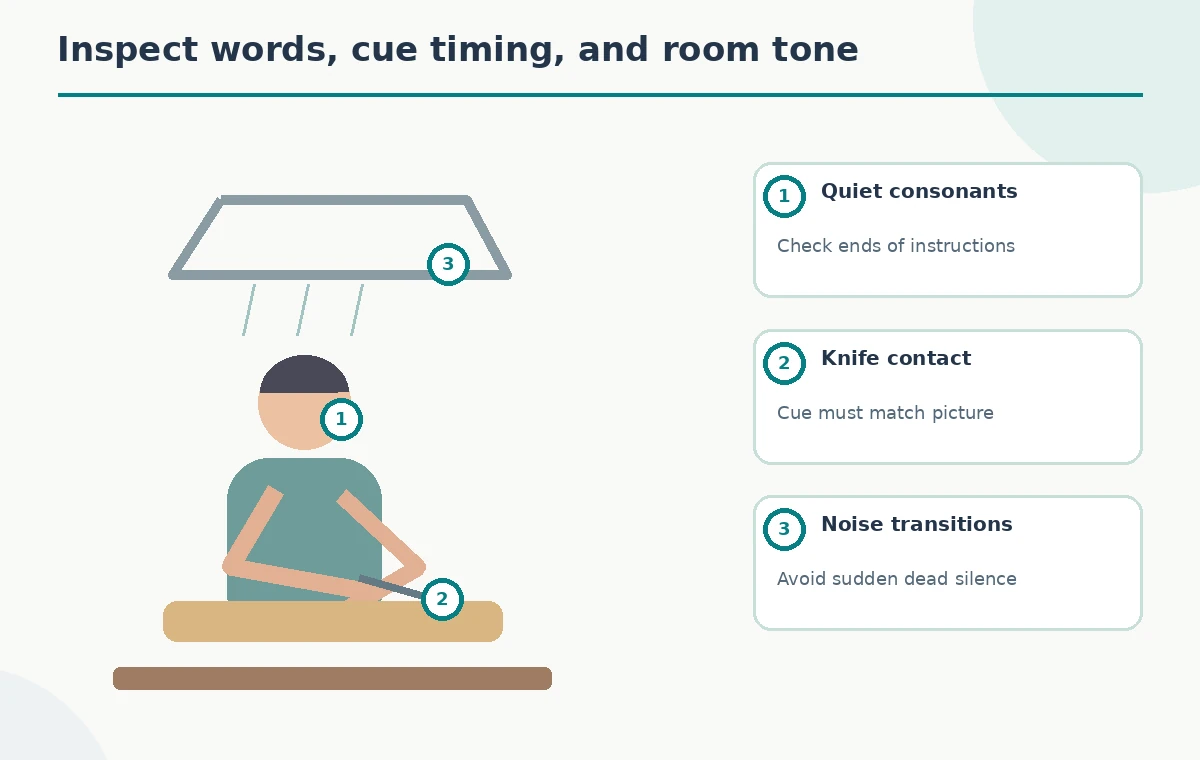
Enable Voice Isolation on the relevant clip or track, then listen to a short representative section at several points in the demonstration. Start with a restrained setting rather than pushing every control to its maximum. Listen for soft consonants, breathing, and tails at the ends of instructions. The aim is understandable speech without metallic artifacts or abrupt gating. If the operator appears to move away from the microphone, check those moments independently; a single setting may not suit both close and distant dialogue. Use the bypass control to compare the effect against the source.
Retain the cutting rhythm without reintroducing the fan
When the edit needs a recognizable knife-on-board sound, preserve it from an appropriate original passage or a separately recorded authorized effect. Place that cue against the relevant video action and control its level manually. Do not assume Voice Isolation will neatly split the original camera recording into perfect dialogue and clean Foley stems. A sound that begins before the visual contact or ends too late makes the movement feel wrong. The comparison drawing contrasts an over-cleaned version with a balanced version that keeps a modest action cue; neither is a claimed output from Resolve.

Check speech at real playback speed
Loop the lines that contain low-energy vowels, quiet endings, or an instruction spoken while chopping. Listen through ordinary headphones and a small speaker if available. An effect may make a sentence seem clearer in isolation yet reduce naturalness over a full minute. Watch the instructor’s lips and breathing to catch any syllables that sound cut short. If a soft word disappears, back off the processing or repair the edit using an unprocessed segment. Do not replace uncertainty with an invented transcript: compare against the actual recording and approved script.
Keep loudness and noise control separate
Voice Isolation targets separation of voice from other sound, while EQ, compression, and loudness delivery are distinct tasks. Avoid stacking strong noise filters until the voice resembles a telephone call. If you must raise quieter phrases, edit their levels after you have established a stable, natural vocal texture. Maintain sufficient headroom for transient chopping and cookware sounds. A waveform illustration can explain the relationship but cannot prove compliance with a particular loudness target. Measure export loudness with your actual audio tools if the client specifies a delivery standard.
Audit sensitive cooking instructions
A demonstration may include safety-sensitive phrases about sharp blades, hot pans, and food temperatures. Replay each instruction with the picture visible, ensuring the effect has not dropped a negation or masked the essential noun. Preserve pauses that separate directions; aggressive trimming can turn “do not touch” into an ambiguous command. Check the caption text against the audible words, rather than using captions to paper over damaged speech. For published instructions, a knowledgeable human should review technical accuracy independently of the audio clean-up.
Export with a source-aware handoff
Before delivery, listen from start to finish without stopping at every edit. Watch for jumps in room tone, abrupt transitions between isolated and raw segments, and chopping sounds that no longer line up with the hands. Export a review copy and keep the original source, project version, and effect settings. Ask the instructor to confirm that the revised clip still represents the activity faithfully. If a voice effect makes the scene unnatural, reducing the effect or re-recording a line may be better than trying to polish the artifact further.
Choose the right alternative when the sound is inseparable
Voice Isolation may not work cleanly when speech and a sharp kitchen impact happen simultaneously. That is a limitation of separating overlapping sources, not evidence that the editor missed a hidden setting. For severe cases, consider a carefully recorded voiceover, a better microphone position during reshoot, or selective manual edits. Replacing live dialogue also requires accuracy and consent where applicable. Document what was changed so clients do not mistake a reconstructed soundtrack for unaltered location audio. Better sound should not compromise the meaning of the demonstration.
How We Research
This article was researched against the current official guidance: Blackmagic Design DaVinci Resolve Studio and Blackmagic Design DaVinci Resolve Fairlight overview. We compared documented workflow steps, version or subscription limits, and stated capabilities with the specific editing decisions in this hypothetical scenario. We did not open a paid account, process the described media, inspect a real project, time a render, or assert measured results. All visuals in this guide are explanatory drawings, not screenshots or recordings of a completed tool run. The editorial assessment is source-based; no paid account, hands-on benchmark, or measured before-and-after result is claimed. Review the current vendor documentation again before a production run because interfaces and entitlements can change.
Frequently Asked Questions
Blackmagic lists AI Voice Isolation as a Studio feature; confirm your installed edition and current version.
Not necessarily. Voice-focused processing may reduce non-speech cues; preserve or edit important sounds separately when possible.
You can apply processing to a track, but changes in microphone distance and noise often require clip-level listening checks.
No. The drawings are conceptual; only listening to the actual rendered audio can reveal missing consonants or artifacts.
Return to the original recording, reduce the processing, or use an accurate replacement recording with appropriate authorization.