
The sticker price of an AI voiceover subscription is only one part of its cost. A ten-minute narration might require several auditions, pronunciation fixes and multiple exports, while a team producing weekly lessons needs repeatable approvals and a predictable allowance. Murf sells different products—Studio, API and dubbing—and their billing units should never be blended into a single price claim. This guide focuses on Murf Studio and turns the published workspace allowances into a buying checklist rather than claiming a hands-on benchmark.
Separate Studio, API and dubbing before comparing quotes
Murf Studio is the interface for building narrated projects from scripts, selecting voices and exporting edited audio. An API integration is a different purchasing decision: the current Murf pricing interface lists text-to-speech API usage by characters, with separate endpoints and metering. Dubbing is another workflow. A company ordering thousands of automated short voice responses may be well served by an API but not by a Studio editor plan. Determine the delivery channel and approval responsibilities before comparing costs.
A useful procurement brief has four fields: number of finished minutes per month, number of people who edit, number of revision cycles and exact output formats. Add whether you need commercial distribution, translated variants, slide synchronization or client handoff. Then ask sales or inspect checkout for the specific product and billing interval. A figure copied from a different Murf pricing tab is not a defensible budget.
What Free, Creator, Growth and Business provide
The Murf workspace help currently describes Free as a workspace with ten minutes of voice generation and two project credits, without project downloads. It lists Creator Monthly at two generation hours per month and five project credits; Growth Monthly at eight hours and fifty project credits; Business Monthly at twenty hours and two hundred project credits. The corresponding annual allowances in that help article are twenty-four, ninety-six and two hundred forty hours per year. These describe allowance pools, not unlimited free editing.
The publisher’s marketing articles have also used Creator and Business labels with Lite and Plus variants. Because those descriptions can differ from the current workspace documentation and checkout presentation, confirm which generation allowance belongs to the actual plan you can purchase. Treat the words “projects,” “voice generation,” “downloads” and “seats” as separate constraints. Saving many drafts does not imply that you can regenerate every script without consuming an allowance.

Estimate actual voiceover workload
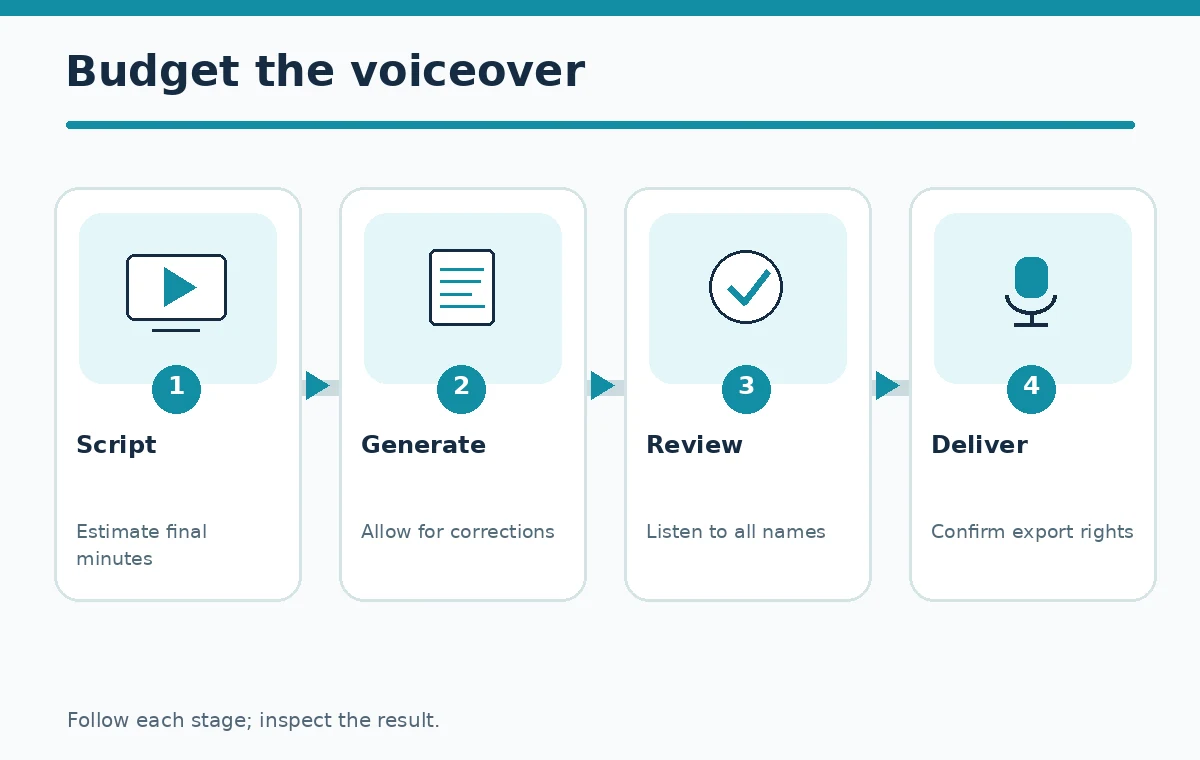
Start with finished script duration, not the number of pages in a document. Suppose a course has twelve lessons of five minutes each: that is sixty finished minutes. If you generate each lesson once, the nominal speech length is one hour. If pronunciation review and changes lead to twice as much generated material, your planning demand is closer to two hours. This is an illustrative workload calculation, not a measured Murf consumption test: confirm how the service deducts minutes for previews and revisions in your account.
Create a tracker with columns for lesson, approved script duration, regeneration time, final audio version, output format and reviewer. A small product with variable names can cause more rework than a longer, stable script. Budget time for a person to listen at normal speed and check numbers, names, pauses and acronyms. Buying the cheapest plan without review capacity is a false economy if public narration must be accurate.
Compare monthly and annual allowances carefully
The workspace article reports Creator Monthly at two hours per month versus Creator Yearly at twenty-four hours per year; Growth at eight per month or ninety-six per year; Business at twenty or two hundred forty. Those totals may appear equivalent when divided by twelve, but the timing of the allowance matters. A course launch may use many hours in one month and almost none the next. Check whether the plan creates an annual pooled balance or applies separate resets before committing.
Do not assume a rate quoted in an editorial blog is the live checkout amount. Murf has revised packaging and names, and location, taxes, promotions and seat counts can affect the final invoice. Compare one month of production with twelve months of realistic production, including any onboarding and licensing requirements. Record the checked date beside the quote so your purchasing team knows when to reverify it.
Commercial rights and deliverable access
A voice clip that sounds good in the browser has no business value if the plan cannot export it for your intended use. The free workspace help specifically says project downloads are unavailable. The vendor describes commercial-use capabilities on paid Studio offerings, but permissions may depend on the exact plan and media context. Keep a copy of the applicable terms and a record of which voice was selected when the work was approved.
Do not equate purchased text-to-speech rights with ownership of a human speaker’s cloned identity, a music soundtrack or third-party image assets. Ask whether a client may distribute and edit the resulting file, whether seats must remain active for revisions, and whether custom voice functions require additional consent or contracts. For regulated or sensitive scripts, also review retention and access controls before uploading any text.
Choose a plan using a workload matrix
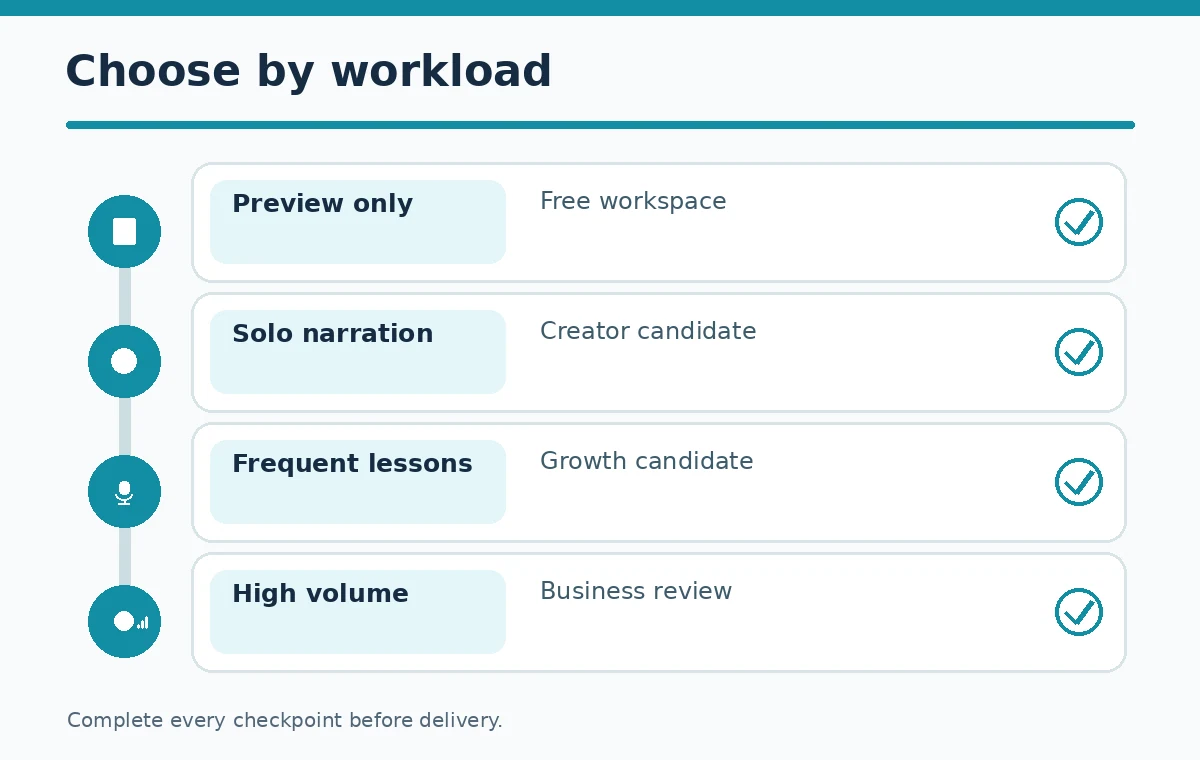
For a one-off personal preview, start in Free and verify available voices without expecting a downloadable final asset. For a solo creator releasing occasional narration, evaluate Creator against the anticipated generated minutes and the need to export. For a small publishing operation with many concurrent campaigns, review Growth project credits and production-hour limits. If the team creates a constant stream of longer learning materials, Business may fit the increased time pool; check user access independently.
Enterprise quotes need a different checklist: identity management, review permissions, data treatment, custom voices, contractual protections, service support and invoicing. Do not upgrade simply because the next tier appears larger. Choose the lowest plan that clears a month of work with a margin for corrections, then reassess after documented usage instead of relying on promotional “unlimited” language.
A repeatable ten-minute purchase pilot
Select a script containing a product name, two dates, a numerical figure and a tricky proper noun. Preview two voices and mark pronunciation faults. Regenerate the problem phrases, compare pacing, and note exactly which actions affected your visible allowance. Test a legitimate export format if your plan permits downloading. Ask a second person to listen without seeing the script; this is more useful than declaring a voice “humanlike” from a demo reel.
Finally, enter the measured workload into your budget sheet. Keep separate rows for subscription, production time, review, localization, extra editors and any API use. If your work is more about removing unwanted words from recorded interviews than producing a synthetic narrator, an editor such as Descript may be the more relevant purchase category. Use the task to choose the platform, not the logo.
When Murf is not the right purchase
Murf is not necessarily the first choice for teams whose primary asset is multi-camera video footage, heavily overlapping conversation or live meeting notes. Its Studio focus is generated spoken narration. A transcript-linked editor is usually easier when the job begins with existing recorded speech. A meeting assistant can be better when the deliverable is searchable minutes and action items rather than a finished audio file. This boundary is essential when comparing tools.
Likewise, check that a particular language, accent and voice style works for the audience before assuming a plan supports every localization variant. Preview one representative passage, not a generic sample, and get final written approval. The strongest purchase is the one that provides the right usable outputs with a manageable quality-control burden—not automatically the plan with the greatest headline quota.
How We Research
We examined the Murf Studio workspace limits, Murf pricing and product tabs, Murf voice-plan overview. We compared documented capabilities and plan restrictions with a concrete editorial use case, separated billing units and described limitations where the supplier documentation is not a full test. We did not operate a paid account, independently benchmark accuracy, or verify subscriber-specific checkout totals. Facts reviewed on October 27, 2026; plans and interfaces may change.
Frequently Asked Questions
The Murf workspace help says Free has a ten-minute voice-generation allowance but no project downloads. Verify your current workspace before relying on an export.
No. Murf’s workspace help lists a finite two-hour monthly or twenty-four-hour yearly generation allowance for Creator.
Do not assume so. The current pricing interface offers separate Studio, API and dubbing selections with different usage measures.
Budget script review, pronunciation fixes, editing seats, translated versions, consent/usage review and any add-ons needed for delivery.
Estimate total generated speech including revisions, compare the workspace allowance and available project credits, and confirm distribution rights at checkout.