
A production-focused guide to editing spoken interviews with transcript tools and careful audio finishing. This guide focuses on decisions a real editorial team can verify, not unperformed lab tests or vendor marketing scores.
Interviews need editorial editing and sound repair
An interview can be technically clean and editorially misleading. Removing every pause may make a careful answer sound reckless; trimming a qualification can change a quotation entirely. An effective audio editing workflow therefore has two tracks: decide what the guest meant to say and improve whether listeners can hear it. AI can accelerate transcription and noise cleanup, but it cannot take responsibility for consent or context.
Before evaluating tools, list deliverables: a full episode, a short excerpt, a searchable transcript, a clean audio master, captions or all five. Note whether participants recorded separate tracks and whether a release permits repurposing. This brief determines whether the priority is transcript editing, multitrack control or fast polishing of an already approved cut.
Descript: a transcript-first editing environment
Descript links transcribed text to audio and video. Deleting a phrase from the editable script removes the corresponding media, and the help center describes restoring removed content. For interviews with long pauses, false starts and repeated questions, this workflow can be easier to review than locating every phrase on a waveform. Speaker names and transcript corrections still need a human pass.
Studio Sound can enhance voice and suppress noise or echo. Regenerate offers repair options, but changing a speaker’s words is a fundamentally different decision from reducing hum. Use the actual recording when quoting guests, and require explicit permission and editorial approval before creating new synthetic speech attributed to them. Transcript editing is not an authenticity exemption.

Auphonic: consistent levels and mix finishing
Auphonic focuses on post-production algorithms including adaptive leveling, loudness normalization and audio restoration. Its singletrack system processes a mixed file; the multitrack mode can work with separate speaker and music tracks. This is useful when one guest is much quieter than the host or when an interview must meet a consistent listening target across episodes.
Leveling loudness does not repair a false transcript or decide which sentences to publish. Use it after the content cut has been approved and listen for pumping, flattened dynamics or unexpected music changes. The appropriate output level depends on the destination and format, not on a generic promise that louder is always better.
Adobe Podcast: accessible speech enhancement and recording
Adobe Podcast offers web recording, transcription, editing and Enhance Speech. Adobe says Enhance Speech filters noise and artifacts and adjusts audio, but it is not a translation tool and results depend on source audibility. This makes it attractive for a quick first-pass repair of a clear, single-speaker recording, particularly when a full professional audio editor would be excessive.
The same automated enhancement can over-process breathy voices, laughs or overlapping conversations. Check the original side by side and confirm the plan’s current upload limits. Treat a pleasing cleaned preview as a candidate output: the final edit must still protect an interviewee’s meaning, correct names and published claims.
Preserve speaker identity and the full context
Correct transcribed names and speaker labels before text-based cutting. Maintain a reference master with timecodes so a reviewer can find the complete answer surrounding any excerpt. If a guest’s response includes “only under these conditions,” preserve that clause when shortening. Automated summaries and highlights can help propose cuts but should not be treated as verbatim quotations.
For multi-guest shows, audit crosstalk and interruptions individually. A noise remover may suppress a quiet secondary voice during overlap. A blank patch that sounds clean may be worse than a little room noise if it erases the speaker’s final word. Ask an editor to listen through every cut boundary, including a few seconds on either side.

Put tools in the right processing order
Use the best available raw recording and save an untouched copy. Next, produce and correct the transcript, map the story, remove irrelevant passages, review pacing, apply appropriate cleanup, balance levels and export. There are exceptions—light cleanup can help transcription—but do not render over the only source file. Avoid stacking several aggressive AI restorers on the same audio without listening.
Create a small comparison set containing an isolated voice, an overlap, a loud laugh and a quiet phrase. Listen with headphones and a phone speaker. An editor should score speech intelligibility, naturalness, unwanted deletions and ease of revision. This real-world method is more defensible than vendor adjectives such as “studio-quality.”
Choose based on collaboration and deliverables
Descript is a strong shortlist when multiple editors review text and video cuts. Auphonic is valuable for repeatable output normalization. Adobe Podcast suits users needing a browser-first enhancement path. They are not perfect substitutes: an interview producer may combine a transcript editor with a finishing processor if their workflow and rights arrangements permit.
Check who can see the original audio, whether guest files are uploaded to external services, and how many exports or credits the plan includes. If an interview contains sensitive personal information, agree on retention, transcription vendors and deletion rules before uploading. A convenient share link is not a substitute for access control.
Finish with a publishable-audio checklist
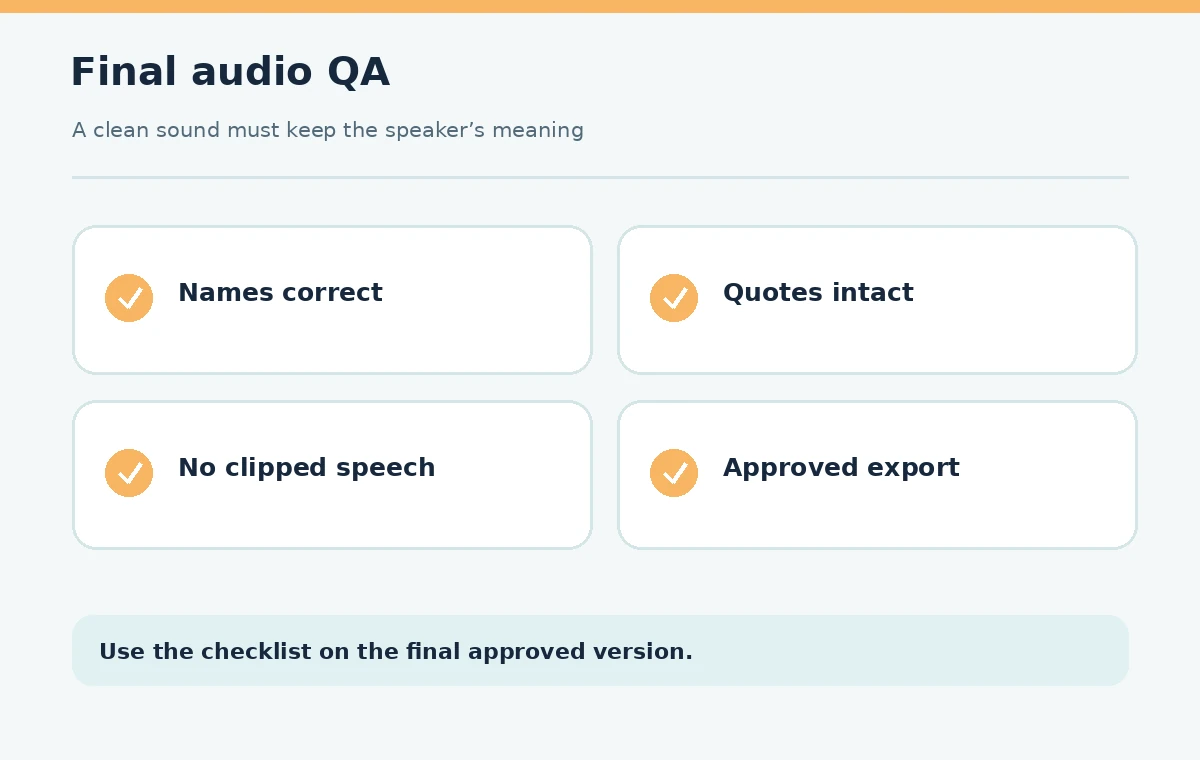
Confirm guest permission, accurate attribution, complete quotation context, no missing words, balanced levels, natural breath sounds, intact disclosures and a final export in the required format. Compare captions or transcript against the edited audio, not the raw recording. Store source and final files separately with a signed-off version label.
Listen to the uploaded final rather than assuming the exported master survived platform processing unchanged. If a host says a date incorrectly, correct the show notes or record an approved update; do not silently synthesize new statements for an unaware guest. The goal is a faithful, easy-to-hear conversation.
How We Research
We checked Descript editing documentation, Auphonic’s audio algorithm guides and Adobe Podcast’s April 2026 FAQ on October 27, 2026. These are descriptions of documented production functions, not LabFin listening tests. We compare their fit at different stages and recommend verifying results against raw interview audio. Primary sources: Descript feature guide; Descript transcript editing help; Auphonic singletrack guide; Adobe Podcast FAQ.
Frequently Asked Questions
No. It can transcribe, cut and improve sound, but context, consent, fairness and the choice of what to publish still require editorial judgment.
Descript is designed around editing linked text and media. Correct names and verify cut boundaries against the original recording before export.
Not generally. Auphonic specializes in leveling and audio finishing, while Descript offers transcript-linked editorial decisions. The two address different stages.
No. Enhancement depends on source intelligibility and noise. Listen for artifacts or changed words and obtain a better recording when possible.
Preserve authorized raw masters, corrected transcript, edit decisions, consent documentation, approved output and any captions or show notes tied to the published version.