
A neat answer can hide an unreadable scan
Imagine a museum digitization team reviewing a scanned exhibition permit with a faint handwritten number beside a printed stamp. A vision assistant can draft a confident summary even if it misses the little number that changes the object’s accession history. The question is not whether the overall page looks recognizable, but whether each claim is supported by pixels and original records.
The Responses API exposes a request-level image.context_compression option. Its purpose is image context optimization, not archival preservation or permission to replace a source scan. Treat the model response as an aid to finding questions for a human reviewer. Keep the unmodified master, page reference, and provenance independent of the assistant’s answer.
Read the three documented option values
The current create-response reference describes image.context_compression with auto, enabled, and disabled. Auto is the default and lets the system choose a policy based on the model, transport, and input. Enabled requires compression support; disabled turns off image context optimization. The reference does not promise that any choice will preserve every handwritten stroke.
Do not present enabled as a universal faster or cheaper mode, or disabled as a guarantee of perfect reading. Actual behavior depends on available model support and the rest of the request. A good test plan records the option, model identifier, relevant version, image transport, input dimensions, and whether the request completed or failed.
Separate request-level compression from image detail
OpenAI also documents the per-image detail option for image inputs, with values and sizing rules that vary by model. An image detail selection describes image preprocessing, while image.context_compression is a request-level optimization choice. They are not two names for the same switch and should not be silently swapped in an implementation guide.
A project may need to compare a high-detail source image and a compression policy separately. Start by fixing the input scan and adjusting only one variable at a time. Some models can resize or otherwise process input images under their documented limits; supplying a large JPEG does not mean the model sees its original pixels untouched.

Define the provenance of every pictured page
Assign each scan a nonpublic asset identifier and a source page number. Keep a checksum, scanning resolution, orientation, color profile when relevant, and a reference to the authorized archival copy. Do not expose donor information or restricted records merely to determine whether a compression option works.
For a fictional permit example, the critical fields might be permit date, signed initials, and an accession suffix printed in a tiny corner. Prepare a human-verified answer key from the master, including an explicit unknown state for illegible marks. This key is the baseline, not a model-generated transcript of the same image.
Compare output against a small-text fixture
Use an approved fixture containing easily visible headings, moderate-size notes, and one line that only a careful reader can confirm. Compare the same request under supported image policies, with prompt and input kept stable. Save both content and any errors. Do not claim that one policy has better recognition unless an actual controlled test demonstrates it.
Differences in narrative wording are less informative than field-level disagreements. Ask whether the accession suffix was read correctly, whether a smudged numeral was invented, and whether the assistant flagged uncertainty. If the reference itself is unclear, stop and ask a qualified cataloger rather than averaging several AI guesses.
Use visual comparisons without fake measurements
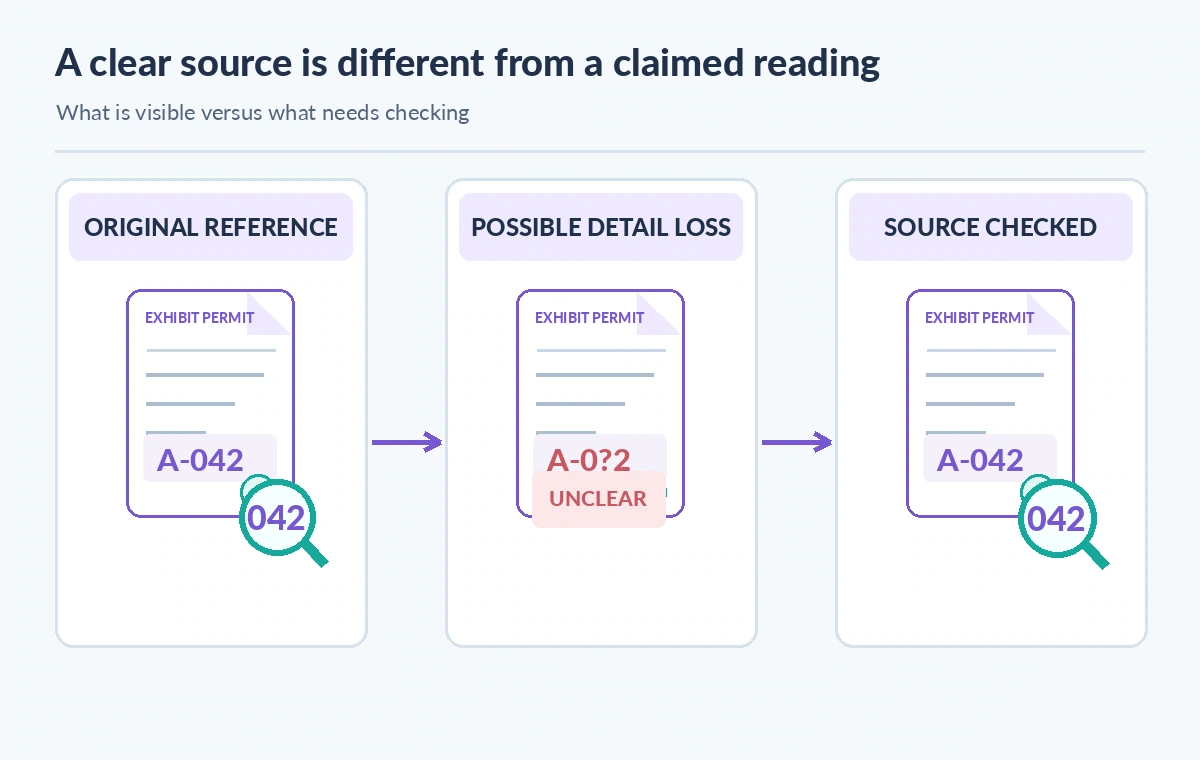
The comparison diagram shows a source scan, a hypothetical reduced-detail representation, and a human-verified reading. It is an explanatory illustration, not a screenshot of OpenAI preprocessing or measured image-quality results. Avoid an invented percentage for text retention, pixel loss, or token savings.
Compression does not create an alternate authoritative edition. If a scan is already damaged, do not label a recreated line as a recovered fact. A true digitization audit checks the archival master, any permitted derivative, and the original paper document when needed. Keep access to sensitive originals inside approved collections workflows.
Account for image context limits and costs
Vision inputs consume model context and billable input tokens, with sizing and tokenization rules described by OpenAI for individual model families. More pixels, detail options, and context processing are not interchangeable with accuracy. Verify the current published rules rather than assuming a fixed conversion from megabytes to tokens.
Do not publish an illustrative cost estimate as an observed bill. A planned comparison should track input type, model, settings, successful requests, returned usage fields if available, and the editorial time needed to correct mistakes. A cheap output that misreads a legal restriction is an expensive workflow failure.
Protect scan access and review logs
A scan URL can reveal a private storage endpoint or document key; a base64 payload can contain equally sensitive material. Use the organization’s approved file-transfer method and restrict logging to technical metadata wherever possible. Do not send unpublished donor letters or personal addresses to an external model without a lawful, authorized basis.
Reviewers need a path back to the source but not broad access to every record. Store citation identifiers and human verdicts separately from public labels. Limit retention of raw images and model responses according to the collection’s policy, and confirm how the chosen API and account handle data before deploying the workflow.
Turn missed small print into a release blocker
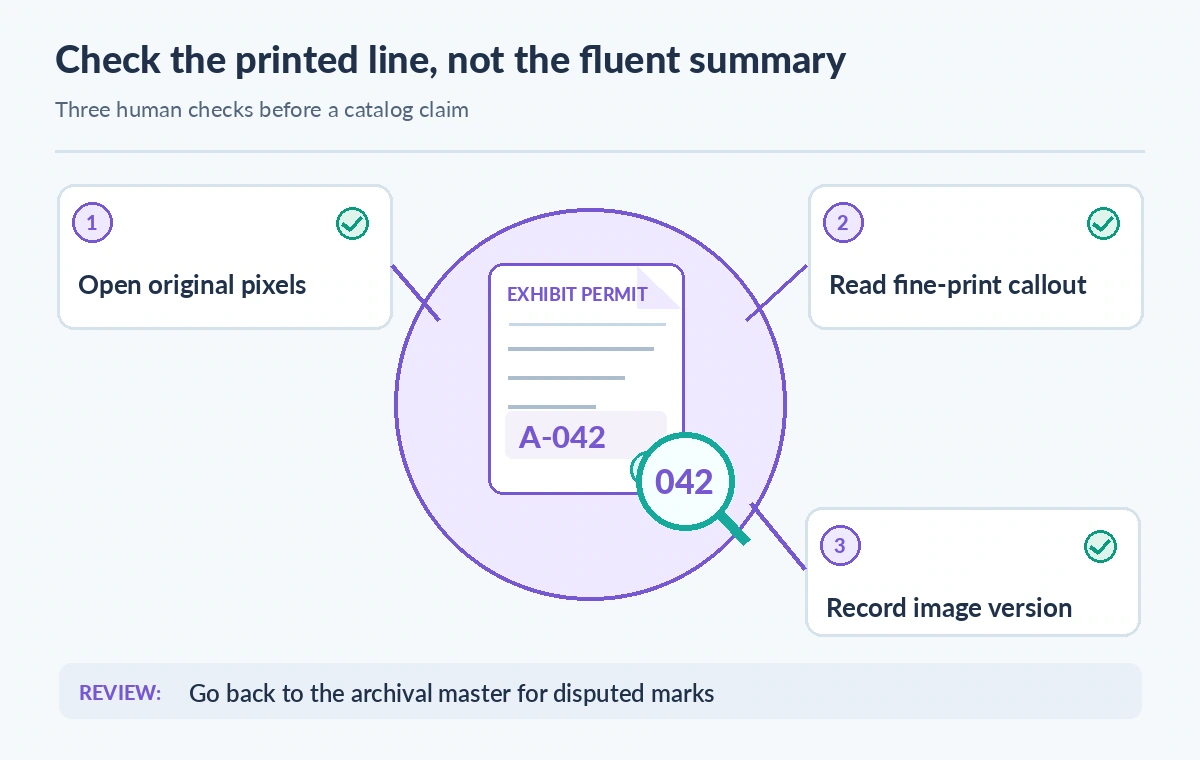
Place representative exceptions in the editorial checklist: mirrored stamps, rotated margins, ruled tables, faint pencil, handwriting, and text touching the page edge. A passing summary of the main paragraph cannot compensate for an unsupported accession ID. Require manual review of the specific lines tied to any public assertion.
If the assistant omits a restriction or gives a confident reading where the master is ambiguous, flag the item for research. Keep the failed example and input configuration in a controlled test set. An updated scan may improve legibility, but it should remain a versioned derivative rather than silently replacing the accession master.
Publish only conclusions with independent evidence
Before an exhibit description goes live, verify source identity, exact wording, accession numbers, rights status, image permission, and accessible alternatives. Mark clearly which text was drafted by a model and which statements a curator approved. An image optimization setting is a processing choice, not an approval mechanism.
This guide reflects vendor documentation and a hypothetical museum workflow. We did not run live OpenAI requests, inspect visitor images, measure recognition quality, or establish the optimal setting for any model. Recheck compatibility and current limits before selecting a policy for a real collection.
How We Research
We consulted these primary vendor documents on November 11, 2026: OpenAI Responses create API reference; OpenAI Images and Vision guide; OpenAI model documentation. We checked the named request fields, response definitions, and known limitations, and compared them with a hypothetical collection-management failure mode. The images are original conceptual diagrams rather than product screenshots or measured before-and-after results. No live API calls, customer content audits, source-image recognition tests, performance benchmarks, permission tests, or price measurements were performed. The example museum, identifiers, and outcomes are fictional. Production decisions require fresh version-specific documentation, authorized access, rights review, and human acceptance testing.
Frequently Asked Questions
It is a request-level image context optimization setting in the Responses API, rather than a file-storage or archival compression command.
The documented default is auto, which selects a policy based on the model, transport, and input.
No. It disables this optimization, but model preprocessing, image quality, and recognition errors can still affect the answer.
No. The per-image detail level and request-level image.context_compression have different purposes and support constraints.
No. Retain the authorized master, compare critical fields manually, and release only facts supported by the actual source.